Canva Change Image Size How To Resize In Canva 3 Easy Canva Resize Tricks For 2022 2022 Canva Size How To Change Size In Canva Set Size In Canva Change Canva How To Change Size In Canva Paper Size Page Size Image Size Your Questions About Resizing In Canva Answered Maker s Aid How Do I Change The Color Of An Image In Canva WebsiteBuilderInsider How To Resize Images Graphics Or Text In Canva The first step to resizing an image is clicking on it You will then see a purple bounding box around the perimeter of your picture You will find a circle on each corner of the bounding box and a rounded rectangle on the top bottom and sides of the bounding box
Magic Resize has had an upgrade Magic Switch uses the best AI tools to not only change the format but also transform it into something entirely new With Magic Switch you can Transform your design into any type of Doc like a blog post summary email or even a poem Resize one design into many for all channels Discover how to resize an image in Canva quickly and effortlessly We ll guide you through the step by step process demonstrating different methods to adjust image dimensions and proportions to
How Do I Change The Color Of An Image In Canva WebsiteBuilderInsider Resizing In Canva Washongkong How To Change Font Size In Canva Canva Tips YouTube Canva Toolbar Canva Templates How Do I Change Resolution In Canva WebsiteBuilderInsider Schweine USA Schweinefleischproduktion 2022 Gesunken Can You Resize Frames In Canva WebsiteBuilderInsider How To Change The Color Of Graphics Elements And Your Logo On Canva How To Change The Size Of A Design In Canva For Free Unlimited
Canva Change Image Size
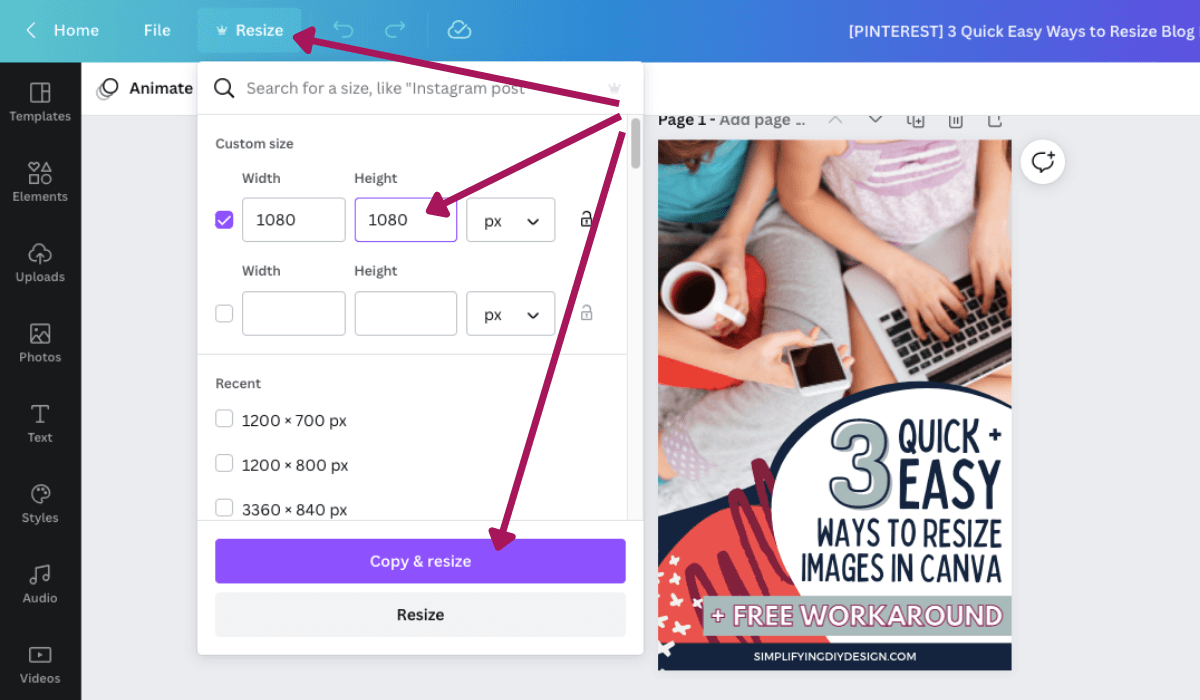 Canva Change Image Size
https://simplifyingdiydesign.com/wp-content/uploads/2018/05/3-Quick-Easy-Ways-to-Resize-Blog-Images-in-Canva-2.png
You can customize your picture size in Canva with the magic resize feature if you have a Canva Pro subscription You can also choose from preset design sizes to quickly change the dimension of your picture With a free account you must stretch or shrink the picture manually If I Resize an Image in Canva Does It Change the Quality
Templates are pre-designed files or files that can be utilized for different purposes. They can save effort and time by offering a ready-made format and layout for creating different kinds of content. Templates can be used for individual or professional jobs, such as resumes, invites, leaflets, newsletters, reports, discussions, and more.
Canva Change Image Size

How To Use Canva Video Templates Printable Form Templates And Letter
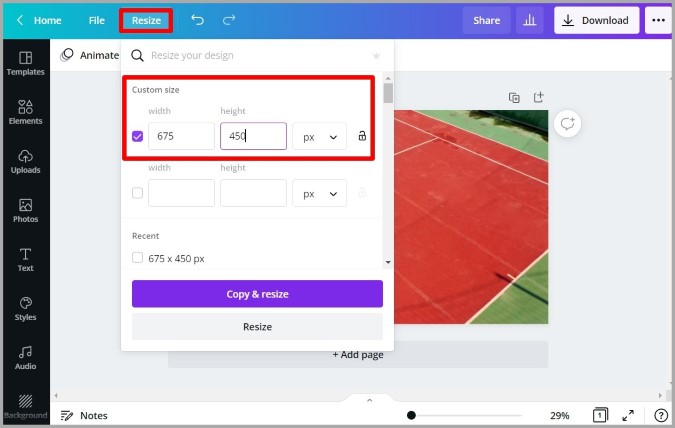
Resizing In Canva Washongkong

How To Change Font Size In Canva Canva Tips YouTube

Canva Toolbar Canva Templates

Schweine USA Schweinefleischproduktion 2022 Gesunken
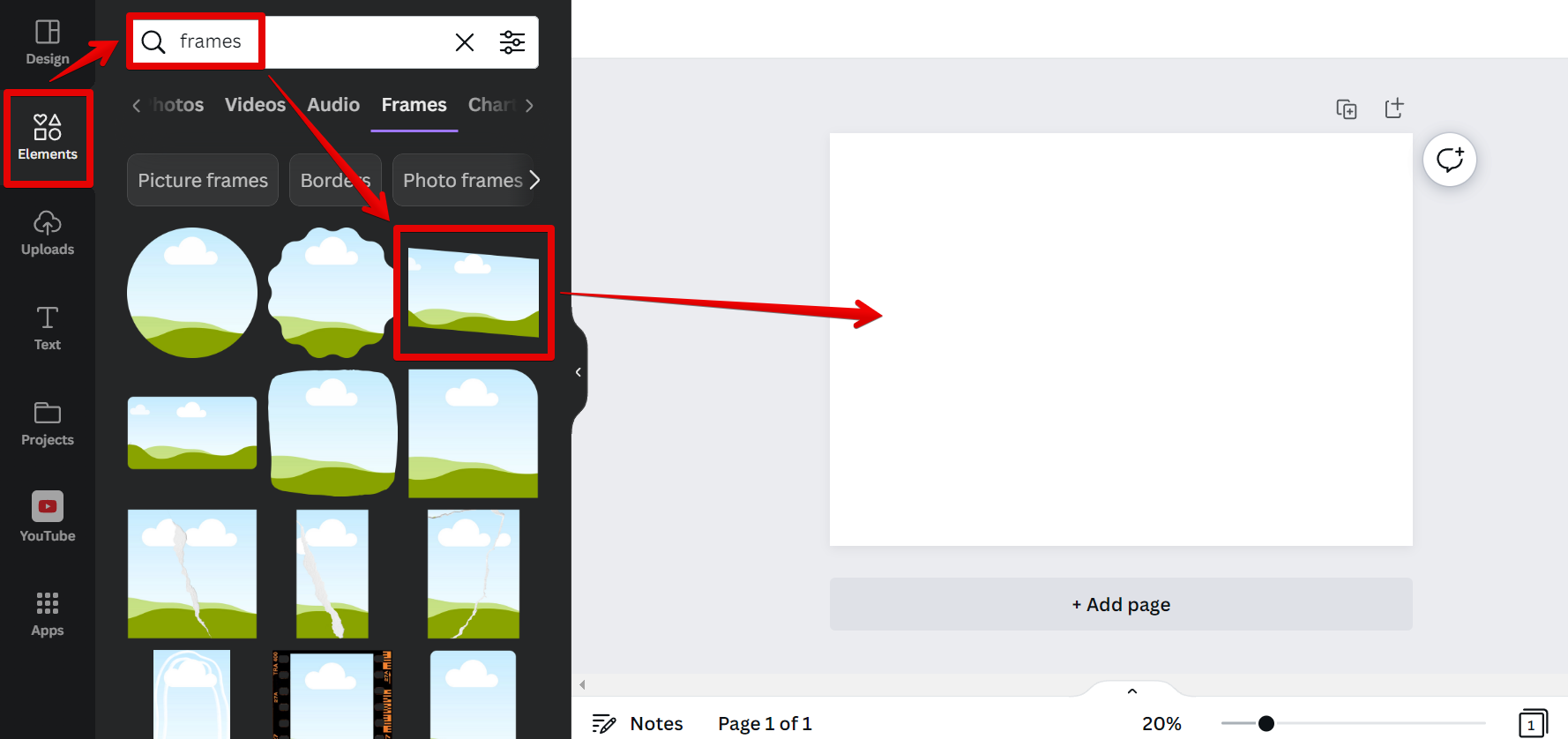
Can You Resize Frames In Canva WebsiteBuilderInsider

Computer Mobile Click the element text box image or video you want to resize To select multiple elements hold Shift on your keyboard and click to add other elements to the selection Click any of the resize handles see screenshot below on the corners of the selected element s and drag it in or out to resize

How to Manually Adjust Image Size in Canva Select the image Click on the image you want to resize Handles will appear on the edges of the image indicating that Resize proportionally To maintain the aspect ratio while resizing hold down the Shift key on your keyboard and click Resize
Select the image First click on the image in your Canva design to select it You will know the image is selected when you see a bounding box around it Resize the image Next move your cursor to one of the corners of the bounding box Click and drag the corner to resize the image
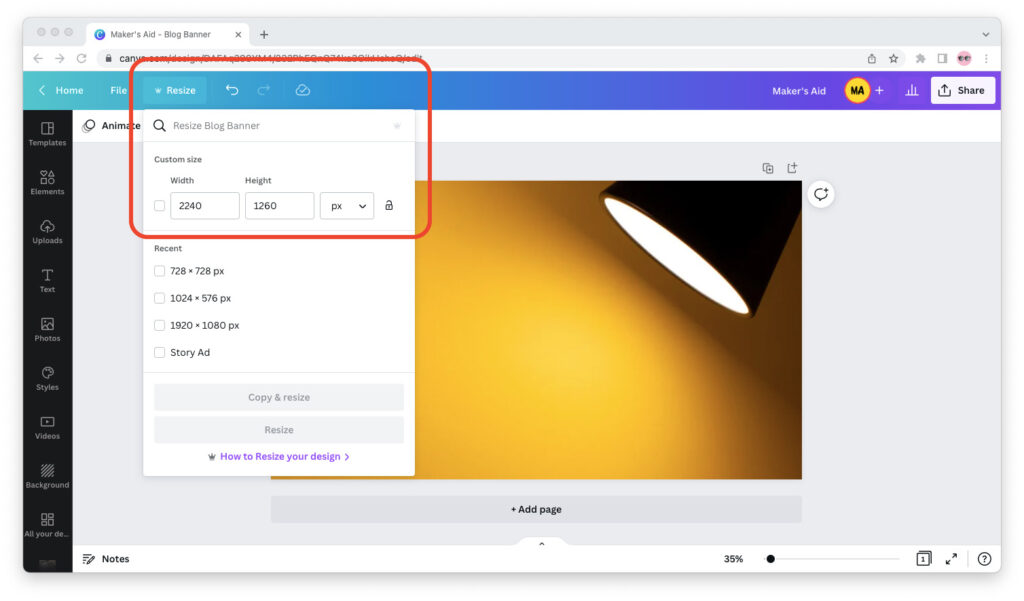
In this Canva tutorial I ll show you how to use Magic Resize Image and Aspect Ratio allowing you to easily resize images with a single click to share them across multiple social media platforms
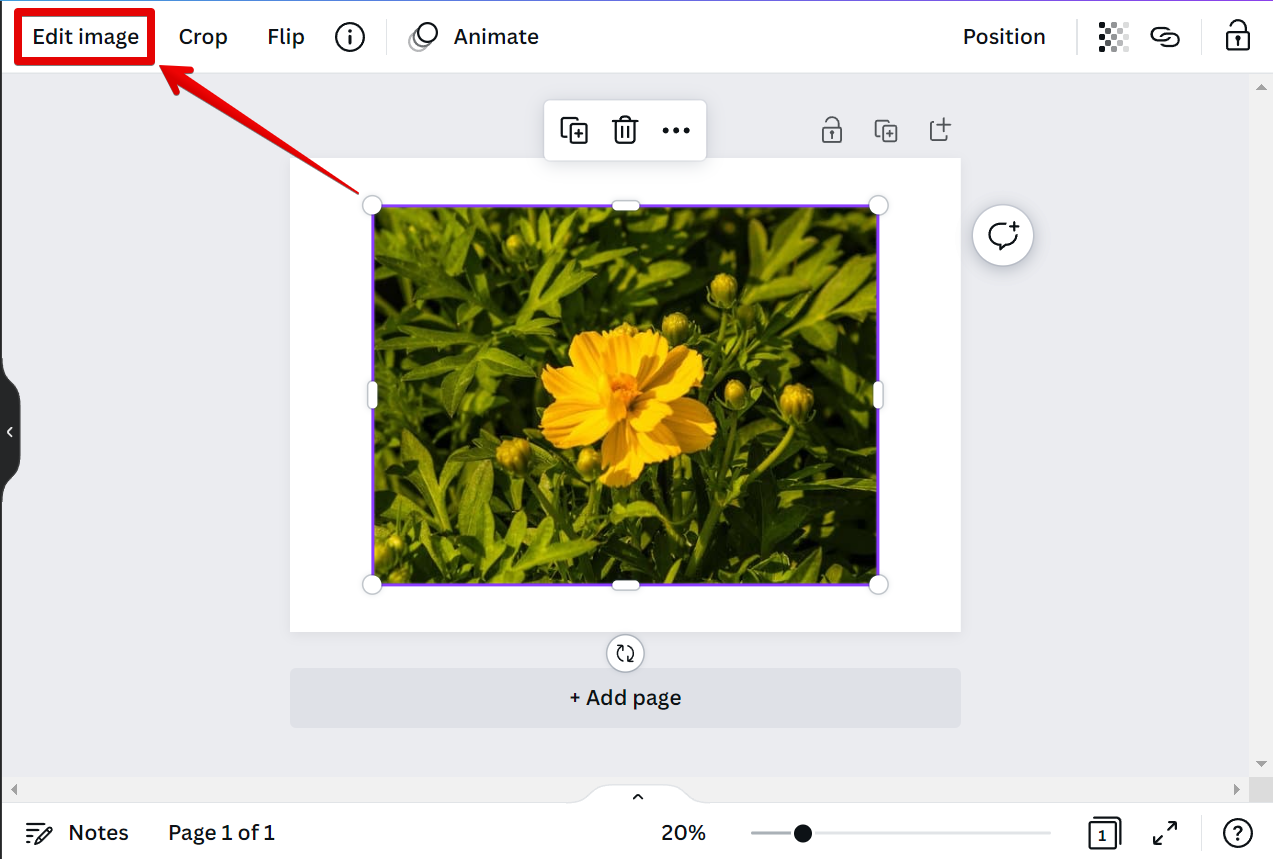
Click the image you want to edit You can also select images added to grids and frames On the editor toolbar click Edit photo You ll then see options on the side panel Select the Adjust tab Under Select Area choose if you want
How To Resize An Image In Canva Try Canva For Free https www marketingisl canva Welcome to my Canva image size change tutorial Here I will be showing you two different ways that you If you are looking to resize your image here s how to do it in Canva Check out the full guide on TechJunkie https www techjunkie Music Cones Sm
Well the answer is Yes We ve found a workaround that can help you resize images in Canva for free 1 Open up your preferred web browser and navigate to Canva 2 Click on the Create a design button and click on the Custom Size option 3 Now enter your preferred size for the image in the Width and Height field Then click on