Change Canva Size Canva How To Change Size Free Trick YouTube How To Resize In Canva 3 Easy Canva Resize Tricks For 2022 2022 How To Edit Image Size In Canva Picozu Using Canva An Index How Do I Free Resize Elements In Canva WebsiteBuilderInsider How Do I Know What Size My Canva Design Is To find out what the size of your Canva design is click on the Resize link in the top menu A dialog window will open allowing you to view and or edit the size of your design The Resize dialog window in Canva You can view the size in pixels px inches in millimeters mm and
Click on the Resize button located at the top right corner of the editor A dropdown menu will appear with various predefined sizes Select the desired size for your design from the list You can choose from options like A4 Facebook post Instagram story and many more Start designing Refer to our handy sizes and dimensions guide to create consistent quality documents invites marketing materials social media graphics and more Learn all about various sizes and formats and create custom designs easily using ready made customizable templates and amazingly simple design tools
How Do I Free Resize Elements In Canva WebsiteBuilderInsider Canva Size How To Change Size In Canva Set Size In Canva Change How To Change Canva Frame Size 3 Easy Ways Canva How To Change Dimensions Gr P L Cn W Bild 7 32 Isd neu edu vn How To Change Canvas Size In Illustrator 2023 UPDATED How To Resize Your Designs In Canva Design Bundles How To Use Canva To Resize Printables To Any Dimension Canva How To Change Size In Canva Paper Size Page Size Image Size
Change Canva Size
 Change Canva Size
https://i.ytimg.com/vi/pNtp3Di11aA/maxresdefault.jpg
1 Open canvas workspace Select the design you would like to cut you can create your own upload a SVG or use a preset design 2 Resize your design to the dimensions you need 3 Go to the shape icon and create a square 4
Pre-crafted templates offer a time-saving solution for creating a diverse series of files and files. These pre-designed formats and layouts can be utilized for different individual and professional jobs, consisting of resumes, invitations, leaflets, newsletters, reports, presentations, and more, enhancing the content production procedure.
Change Canva Size
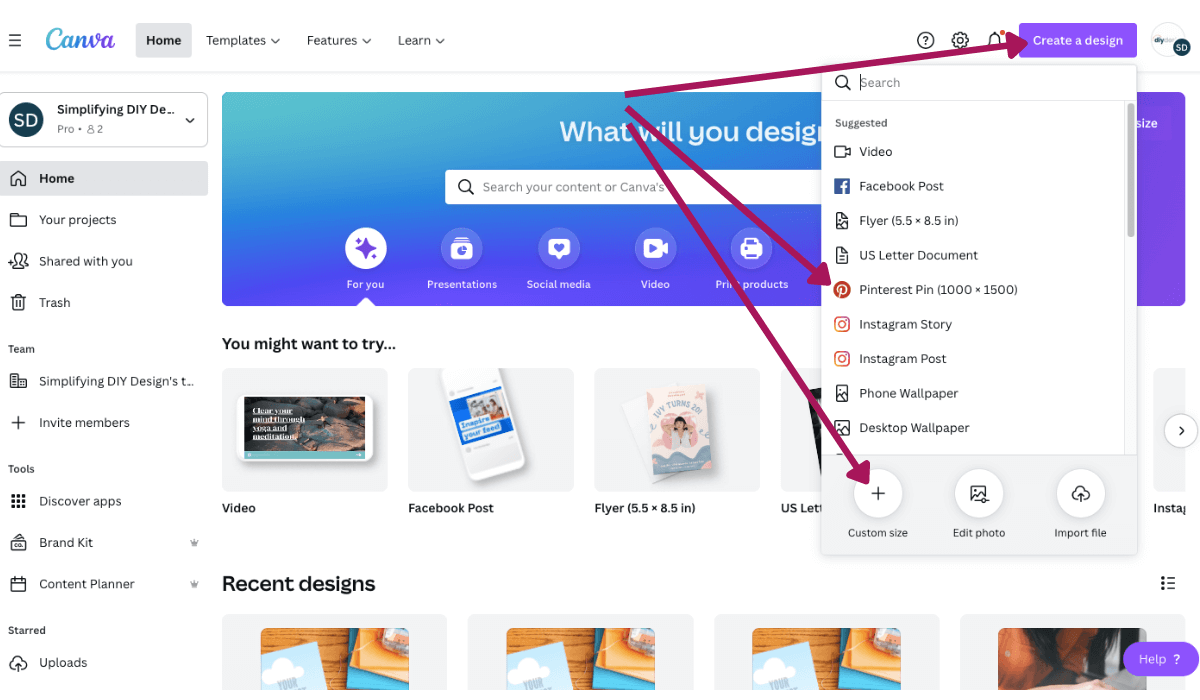
How To Change The Size Of A Canva Template Printable Templates
Canva Size How To Change Size In Canva Set Size In Canva Change

How To Change Canva Frame Size 3 Easy Ways

Canva How To Change Dimensions
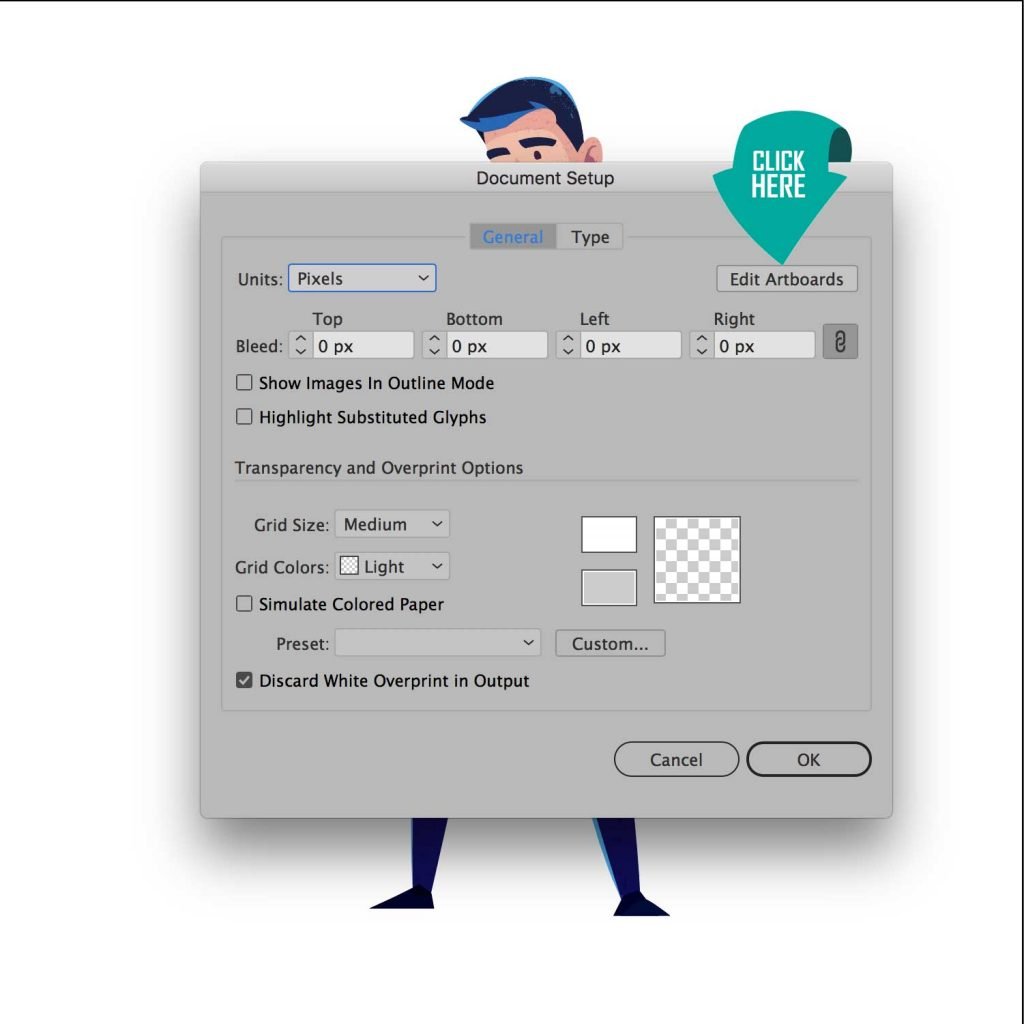
How To Change Canvas Size In Illustrator 2023 UPDATED
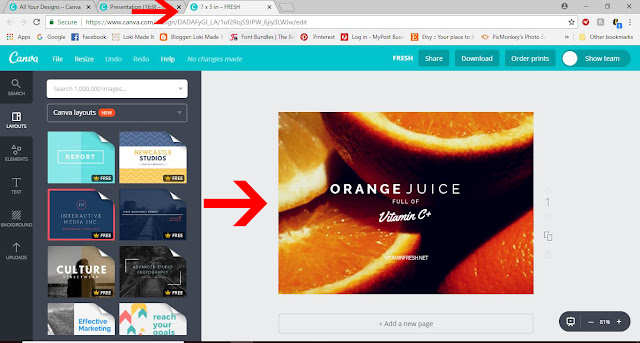
How To Resize Your Designs In Canva Design Bundles
Click any of the resize handles see screenshot below on the corners of the selected element s and drag it in or out to resize To resize to exact dimensions click Position on the toolbar above the editor Under Advanced enter the

There are a few methods you can use to change dimensions in Canva You can choose from a selection of differently sized templates You can also type in custom dimensions copy and paste

Setting Canva Size Setting the size of your Canva canvas is a straightforward process Follow these simple steps Step 1 Create a New Design To get started open Canva and click on Create a design from the homepage You will be presented with a range of design options such as social media posts documents

Unlock the power of resizing in Canva Learn how to effortlessly resize your designs to fit different platforms and purposes ensuring your creations look perfect wherever you share them
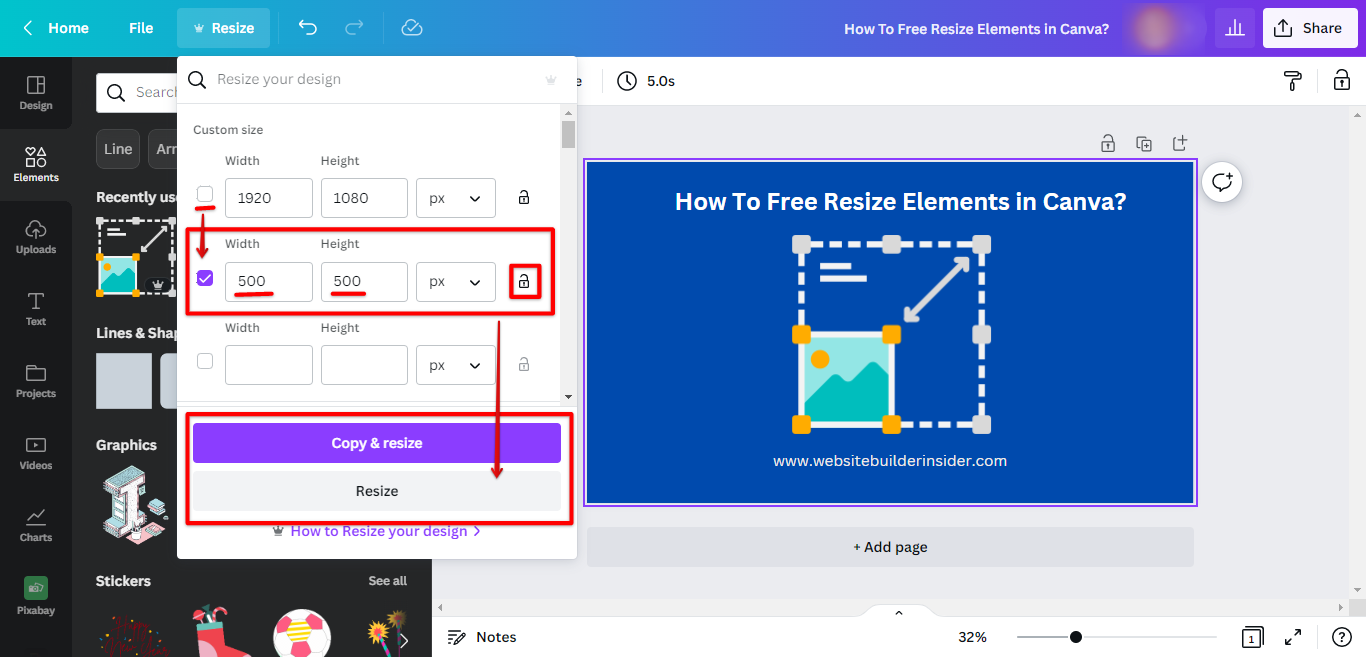
Setting the dimensions for your Canva project is an easy feat However there are a few things you need to consider when resizing your projects First of all changing the dimensions of your Canva
[desc-11] [desc-12]
[desc-13]