Formula To Pivot Table Pivot Table Calculated Field Formula What Is It Add Template Pivot Table Examples Exceljet Pivot Table Calculated Field Formula What Is It Add Template Create A Calculated Field In Excel Pivot Table YouTube How To Use Pivot Table Data In Excel Formulas ExcelDemy I would like to know if we can find out the Color of the CELL with the help of any inline formula without using any macros I m using Home User Office package 2010
I find the most valuable feature of FormulaR1C1 is sheer speed Versus eg a couple of very large loops filling some data into a sheet If you can convert what you are doing into a FormulaR1C1 Jun 5 2016 nbsp 0183 32 It is possible to dynamically change the input cell address in a formula based on the content in another cell Let s say I have a spreadsheet excel or libreoffice with these cell values
How To Use Pivot Table Data In Excel Formulas ExcelDemy Pivot Table Template Famous Insert Formula In Pivot Table Excel 2010 References Fresh News How To Add A Calculation To Pivot Table Templates Sample Printables Stationnaire Propre Carotte Insert Calculated Field In Pivot Table Pivot Tables In Google Sheets The Collins School Of Data Famous Insert Formula In Pivot Table Excel 2010 References Fresh News Pivot Table Filter How To Filter Data In Pivot Table With Examples Famous Insert Formula In Pivot Table Excel 2010 References Fresh News
Formula To Pivot Table
 Formula To Pivot Table
https://www.wallstreetmojo.com/wp-content/uploads/2019/01/Pivot-Table-Formula-Example-1-1.png
Aug 26 2008 nbsp 0183 32 How do I calculate the distance between two points specified by latitude and longitude For clarification I d like the distance in kilometers the points use the WGS84
Pre-crafted templates provide a time-saving service for creating a diverse series of files and files. These pre-designed formats and layouts can be used for different individual and expert jobs, consisting of resumes, invites, flyers, newsletters, reports, presentations, and more, simplifying the material creation procedure.
Formula To Pivot Table
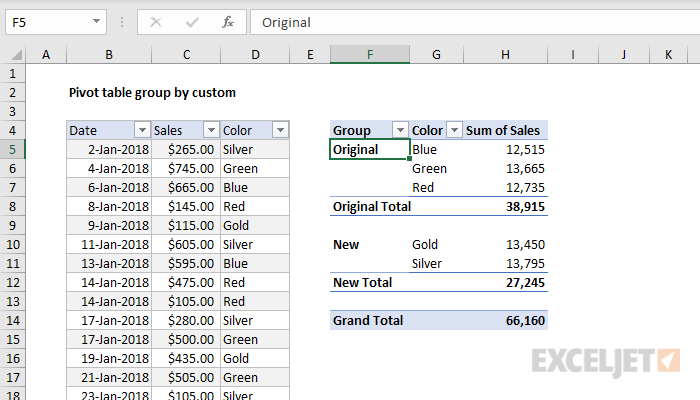
Pivot Table Group By Custom Exceljet

Pivot Table Template

Famous Insert Formula In Pivot Table Excel 2010 References Fresh News

How To Add A Calculation To Pivot Table Templates Sample Printables
Pivot Tables In Google Sheets The Collins School Of Data

Famous Insert Formula In Pivot Table Excel 2010 References Fresh News

Oct 24 2021 nbsp 0183 32 The file was saved using an older version of excel and I m using the latest O365 version What does the symbol mean and can I remove it Please note that I m aware of the
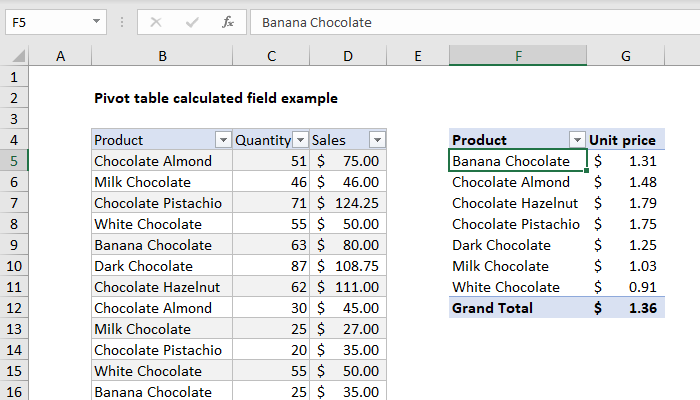
Jun 15 2012 nbsp 0183 32 Another option is to use Indirect which resolves the literal statement inside to be a formula You could use something like INDIRECT quot A quot amp ROW 1 The above formula will

Jul 8 2015 nbsp 0183 32 If Cell Starts with Text String Formula Asked 11 years 11 months ago Modified 4 years 6 months ago Viewed 299k times
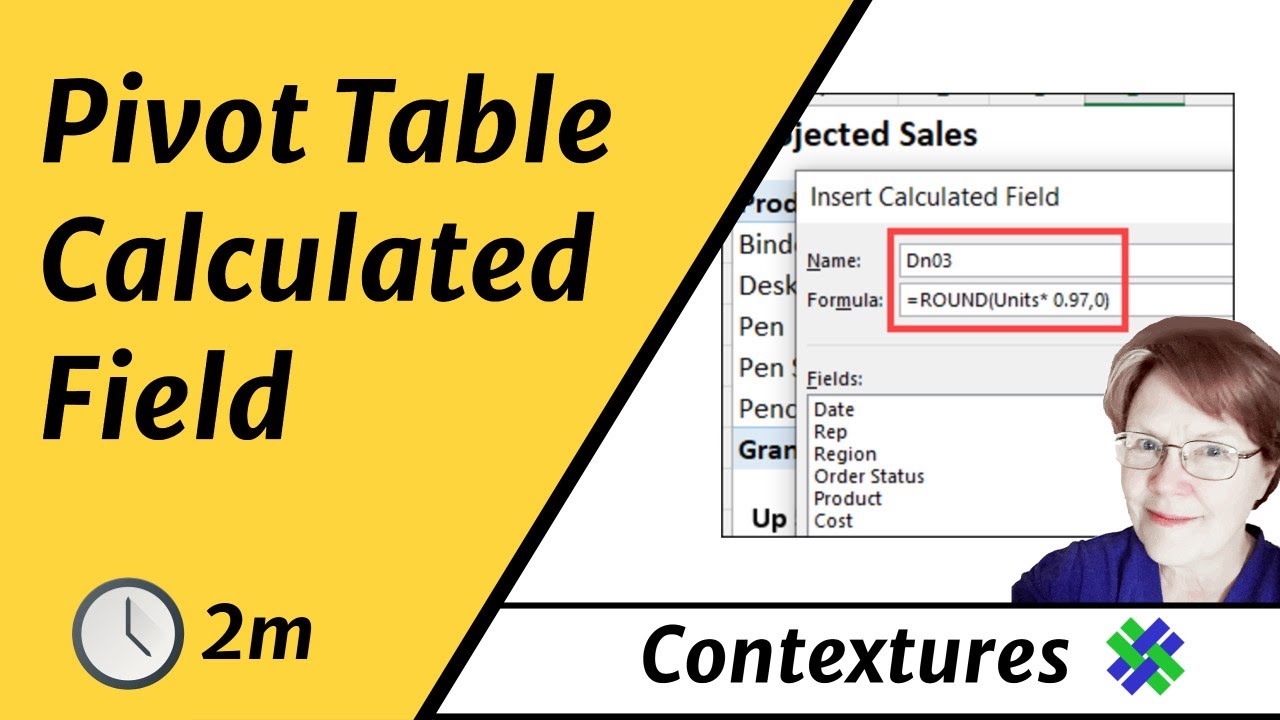
I m using Excel 2016 I have a table with headers and when I plug in a formula Excel is automatically replicating the formula to all other cells in the column While that would normally

How would you do the same if the formula contained cells from a different sheet and you had to take the sheet from a value in another cell
[desc-11] [desc-12]
[desc-13]