Formula Pivot Table Google Sheets How To Refresh Pivot Table Google Sheets Tutorial YouTube Cara Membuat Pivot Table Di Google Sheet YouTube Pivot Table Practice Spreadsheet Infoupdate How To Show Text Column In Pivot Table Google Sheets Infoupdate How To Show Text Column In Pivot Table Google Sheets Infoupdate In case you want lot of simple formulas check matrix formulas with ranges you cannot change anything in that matrix without changing main formula or whole range
FormulaR1C1 has the same behavior as Formula only using R1C1 style annotation instead of A1 annotation In A1 annotation you would use Worksheets quot Sheet1 quot Range quot A5 quot Formula Aug 26 2008 nbsp 0183 32 How do I calculate the distance between two points specified by latitude and longitude For clarification I d like the distance in kilometers the points use the WGS84
How To Show Text Column In Pivot Table Google Sheets Infoupdate Google Sheets Create Pivot Table With Count Of Occurrences Sf r it Savant Praf Create Table In Google Sheets Latra Gur Politic Sf r it Savant Praf Create Table In Google Sheets Latra Gur Politic Using Pivot Tables In Google Sheets Elcho Table How To Sort Pivot Tables In Google Sheets SpreadCheaters How To Make Charts In Google Sheets Pivot Tables In Google Sheets Cabinets Matttroy Google Sheets How To Remove Grand Total From Pivot Table
Formula Pivot Table Google Sheets
 Formula Pivot Table Google Sheets
https://i.ytimg.com/vi/fdEw36TNoaM/maxresdefault.jpg
Sep 17 2014 nbsp 0183 32 Put a formula in one column to generate IDs but then use Copy and Paste Values to put the results of the formula into another column Use that second column as the persistent
Templates are pre-designed files or files that can be utilized for various purposes. They can save effort and time by providing a ready-made format and layout for producing different kinds of material. Templates can be utilized for personal or expert jobs, such as resumes, invitations, leaflets, newsletters, reports, discussions, and more.
Formula Pivot Table Google Sheets
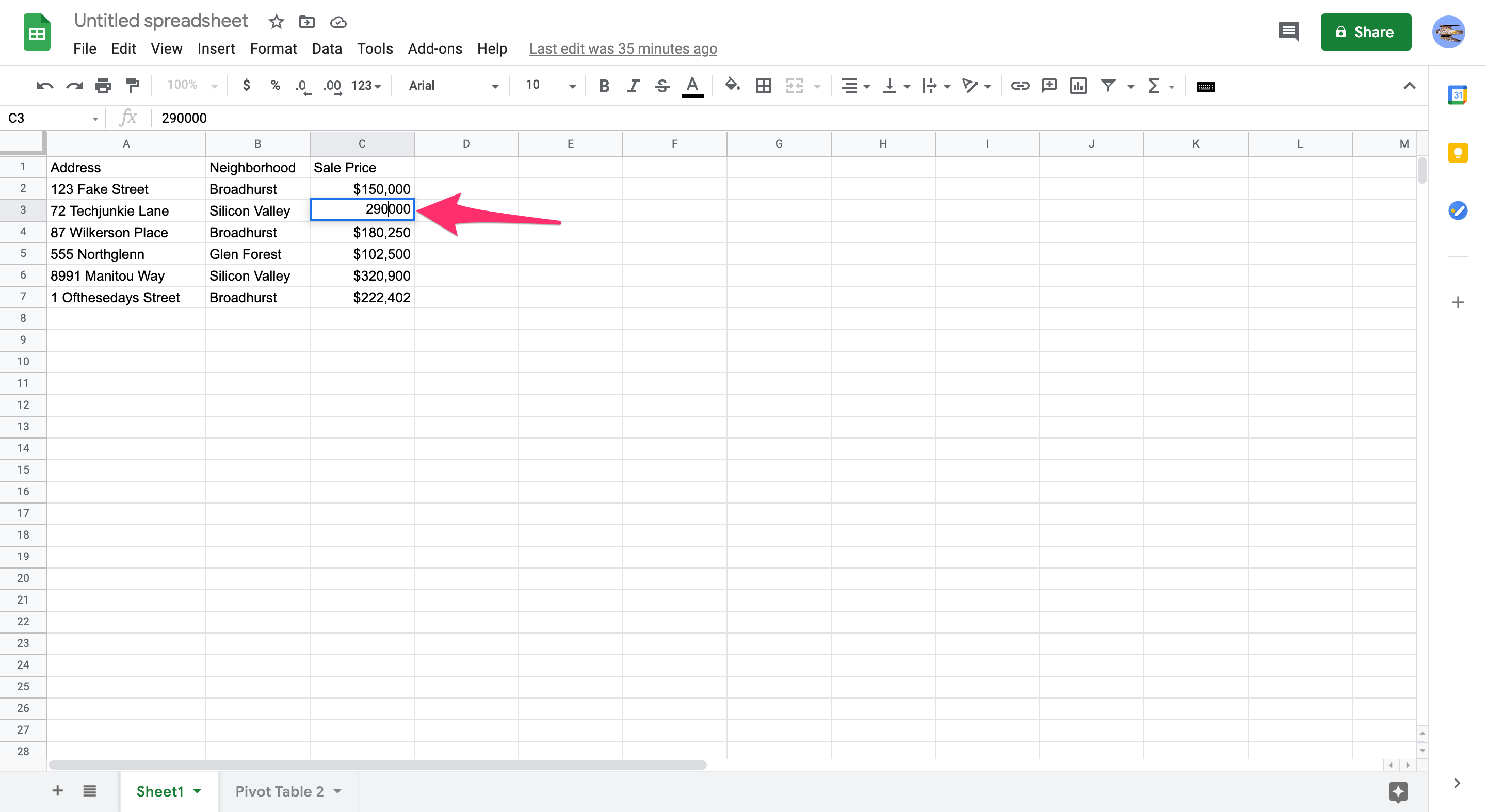
How To Move Pivot Table In Google Sheets Infoupdate

Google Sheets Create Pivot Table With Count Of Occurrences

Sf r it Savant Praf Create Table In Google Sheets Latra Gur Politic

Sf r it Savant Praf Create Table In Google Sheets Latra Gur Politic
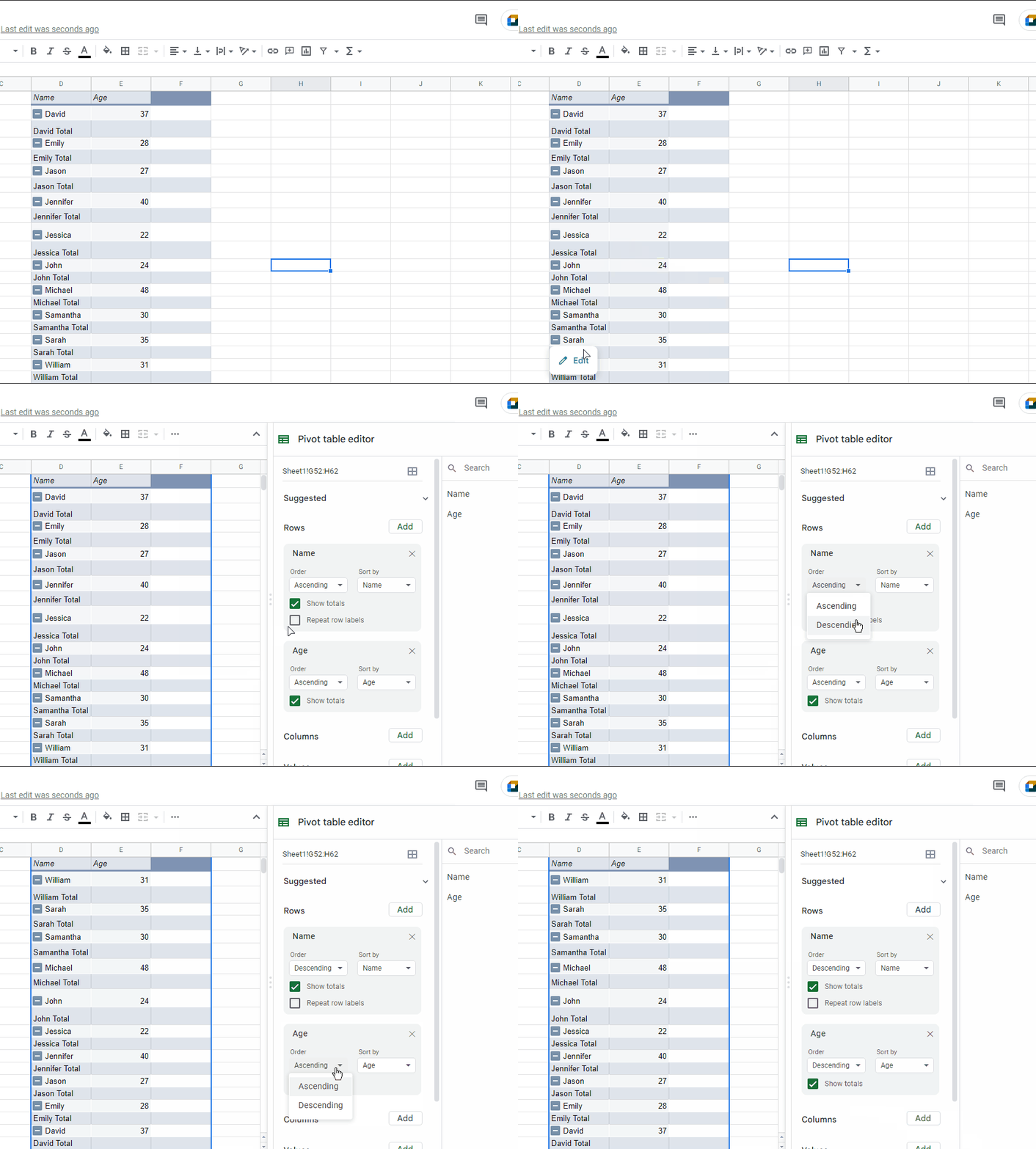
How To Sort Pivot Tables In Google Sheets SpreadCheaters

How To Make Charts In Google Sheets

Feb 25 2016 nbsp 0183 32 Using quot If cell contains N A quot as a formula condition Asked 11 years 7 months ago Modified 9 months ago Viewed 419k times

Feb 10 2016 nbsp 0183 32 I need to write a conditional format rule with a custom formula that should trigger when the certain cell s the cell in the 3rd row of the column of the current cell value is
Oct 24 2021 nbsp 0183 32 The file was saved using an older version of excel and I m using the latest O365 version What does the symbol mean and can I remove it Please note that I m aware of the
Feb 12 2015 nbsp 0183 32 In the formula E Excel file is the full file path of the unopened workbook test xlsx is the name of the workbook Sheet2 is the sheet name which contains the cell value you need

Dec 11 2020 nbsp 0183 32 I have two lists of products in Excel Each list will be of varying length each month Is there a way to combine the two lists into a third list with the second list being underneath
[desc-11] [desc-12]
[desc-13]