Formula To Replace Pivot Table How To Replace Brakes On Look Pivot Ski Bindings YouTube How To Build A Well Designed And Interactive Excel Dashboard With Pivot REPLACE Function In Excel Find And Replace Formula Replace Pivot Table Practice Spreadsheets Infoupdate Show Zero In Empty Pivot Table Cells YouTube I m using Excel 2016 I have a table with headers and when I plug in a formula Excel is automatically replicating the formula to all other cells in the column While that would normally
I would like to know if we can find out the Color of the CELL with the help of any inline formula without using any macros I m using Home User Office package 2010 Feb 11 2013 nbsp 0183 32 I use this handy equation to search for a term inside of a cell in excel IF ISNUMBER SEARCH quot Gingrich quot C1 quot 1 quot quot quot This equation searches for the presence of
Show Zero In Empty Pivot Table Cells YouTube Exterior How To Repair Wiper Pivots And Replace Pivot Bushings MS Excel 2016 How To Handle Errors In A Pivot Table MS Excel 2016 How To Handle Errors In A Pivot Table Universal Binders Www paintstoretools Cara Membuat Pivot Table Dengan Mudah Dan Contohnya Cara Membuat Pivot Table Dengan Mudah Dan Contohnya Pengertian Fungsi Cara Membuat Pivot Table Di Excel How To Create Timeline In Pivot Table Design Talk
Formula To Replace Pivot Table
 Formula To Replace Pivot Table
https://i.ytimg.com/vi/FpZfLvWAPps/maxresdefault.jpg
Jan 7 2014 nbsp 0183 32 Using quot If cell contains N A quot as a formula condition Asked 11 years 6 months ago Modified 8 months ago Viewed 419k times
Templates are pre-designed documents or files that can be used for various functions. They can save time and effort by providing a ready-made format and layout for developing various type of material. Templates can be utilized for individual or expert tasks, such as resumes, invites, leaflets, newsletters, reports, presentations, and more.
Formula To Replace Pivot Table
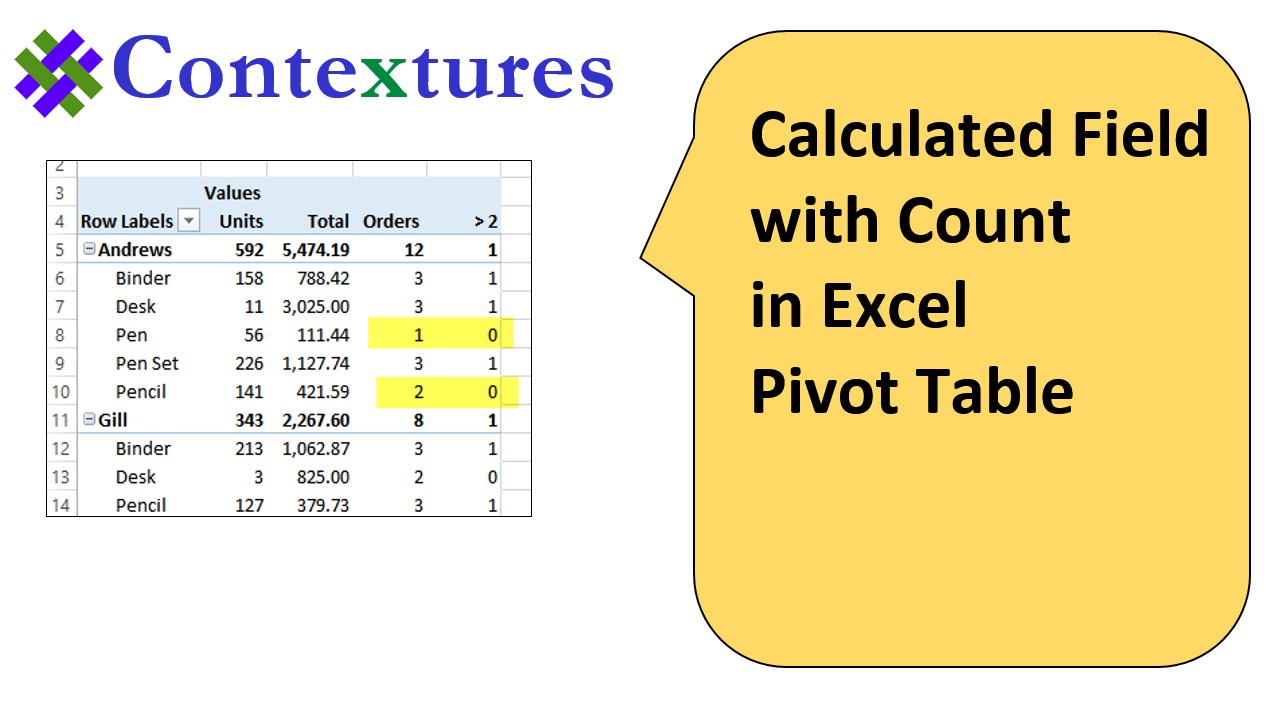
How To Make A Pivot Table Count In Excel Infoupdate

Exterior How To Repair Wiper Pivots And Replace Pivot Bushings
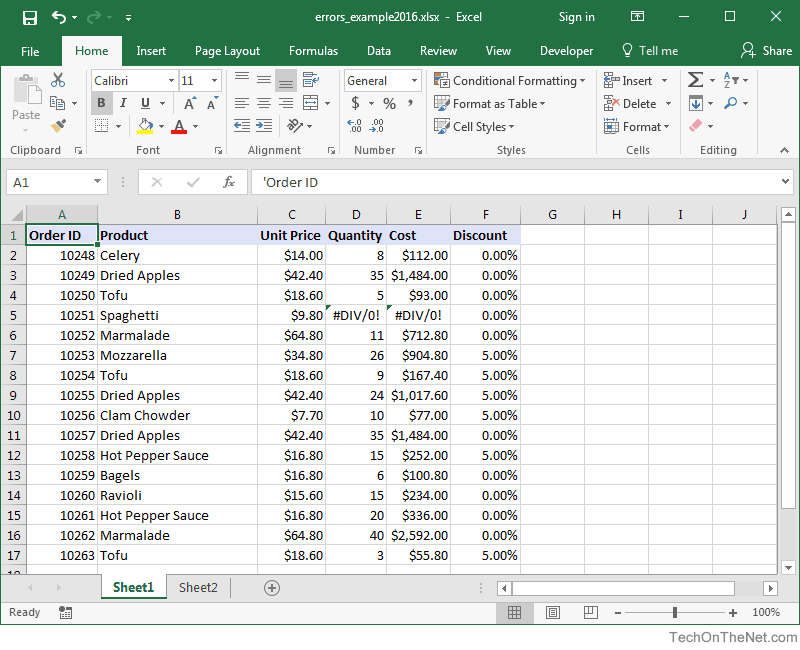
MS Excel 2016 How To Handle Errors In A Pivot Table
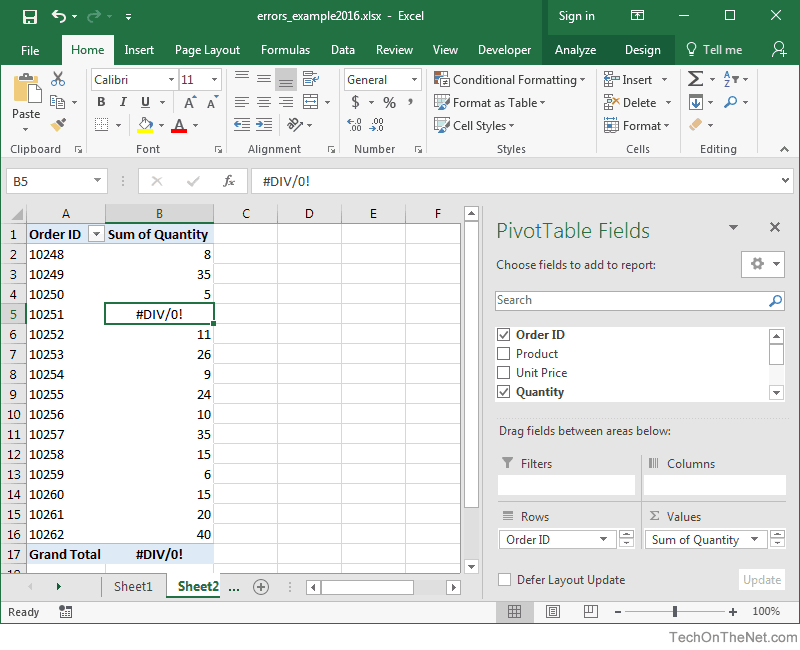
MS Excel 2016 How To Handle Errors In A Pivot Table
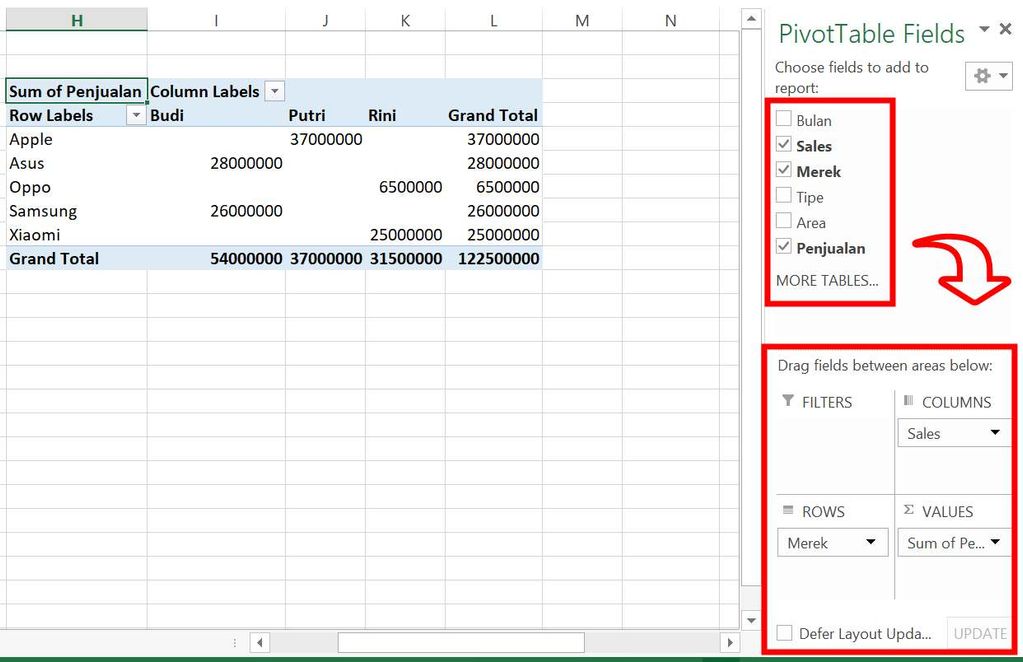
Cara Membuat Pivot Table Dengan Mudah Dan Contohnya
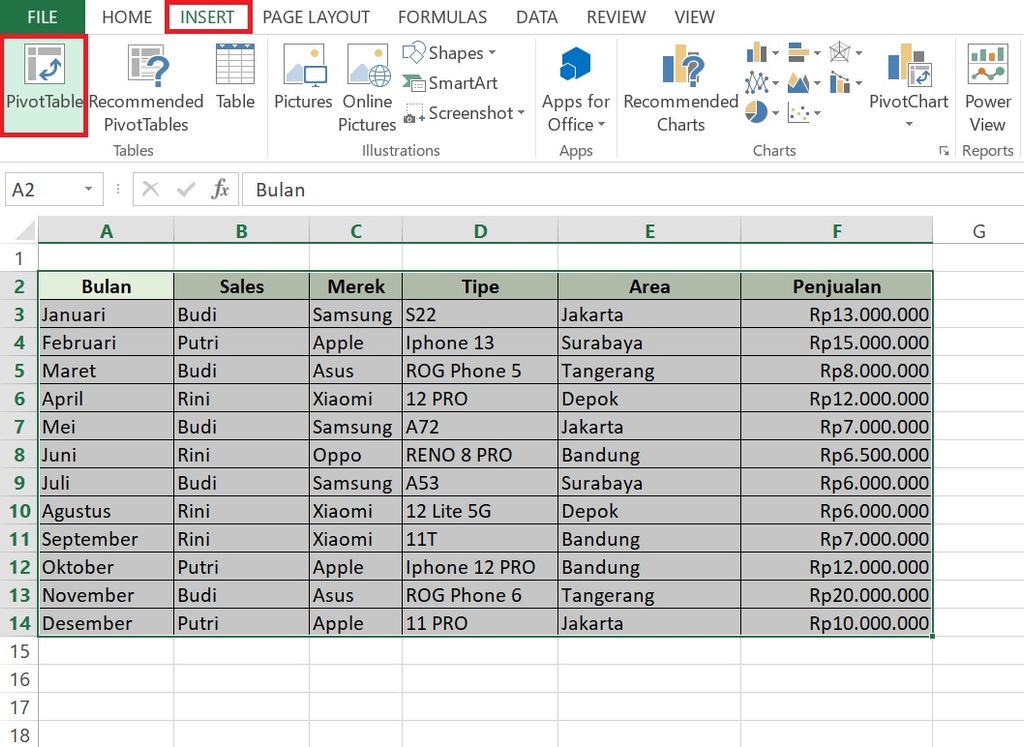
Cara Membuat Pivot Table Dengan Mudah Dan Contohnya

Oct 24 2021 nbsp 0183 32 The file was saved using an older version of excel and I m using the latest O365 version What does the symbol mean and can I remove it Please note that I m aware of the

Sep 15 2015 nbsp 0183 32 The usual answer to this question is to turn formulas to automatic This in my case is not working The second usual answer is that there is some macro that is affecting the

May 18 2023 nbsp 0183 32 How to avoid Power Query Formula Firewall permissions errors Asked 2 years 2 months ago Modified 2 years 1 month ago Viewed 10k times

Jun 15 2012 nbsp 0183 32 Another option is to use Indirect which resolves the literal statement inside to be a formula You could use something like INDIRECT quot A quot amp ROW 1 The above formula will

Mar 24 2017 nbsp 0183 32 The Range Fillup VBA function can be utilized in this case to fill all cells from the bottom with a common formula accounting for Excel Formula Reference Relativity
[desc-11] [desc-12]
[desc-13]