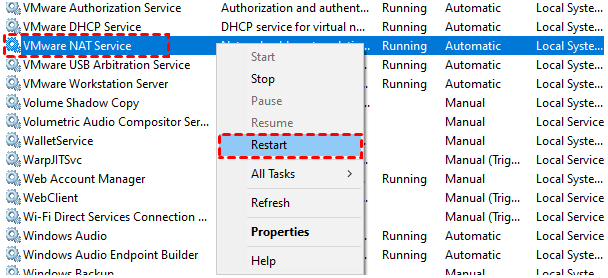
Vmware Internet Not Working How To Fix VMware Internet Not Working Issues Solved How To Fix VMware Internet Not Working Issues Solved How To Fix VMware Internet Not Working Issues Solved How To Fix VMware Internet Not Working Issues Solved How To Fix VMware Internet Not Working Issues Solved Web Mar 25 2014 nbsp 0183 32 Somehow it worked for me but internet is working slow now gt Goto windows10 i e your Host machine start gt Run gt services msc and over here as Sabe Barker mentioned restarting the VMware Nat Service amp then coming back to VMware gt VM gt settings gt Network Adapter gt NAT gt OK That s it
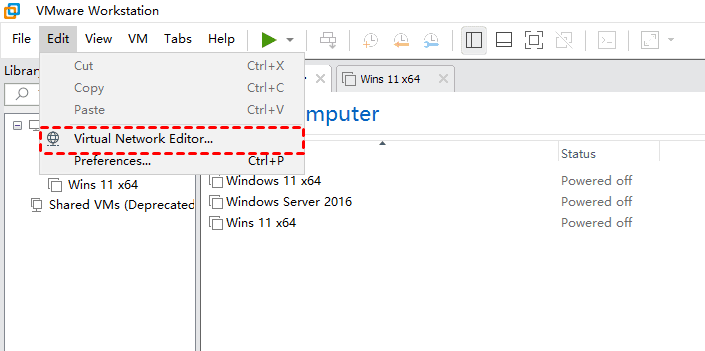
Web Apr 12 2022 nbsp 0183 32 Ensure that the anti virus program of your virtual machine is not blocking Internet access Refer the Help menu of the anti virus program or see the documentation of the manufacturer for instructions on configuring it correctly Web May 4 2023 nbsp 0183 32 Check the virtual network If the settings in the guest OS look correct the next step is to open the virtual network editor from the Edit menu This starts in read only mode and does not show all networks until you click Change Settings and log in with an administrative account Editing virtual networks requires elevated permissions
How To Fix VMware Internet Not Working Issues Solved How To Fix VMware Internet Not Working Issues Solved How To Fix VMware Internet Not Working Issues Solved VMware VMware Workstation No Internet Access Problem Fix 2017 18 YouTube How Access VMware Using Your Internet Browser YouTube Fix VMware Bridged Network Not Working 2022 Fixed Virtual Machines Have No Internet Access Issue Verizon Fios Internet Not Working Here s Why How To FIX
Vmware Internet Not Working
 Vmware Internet Not Working
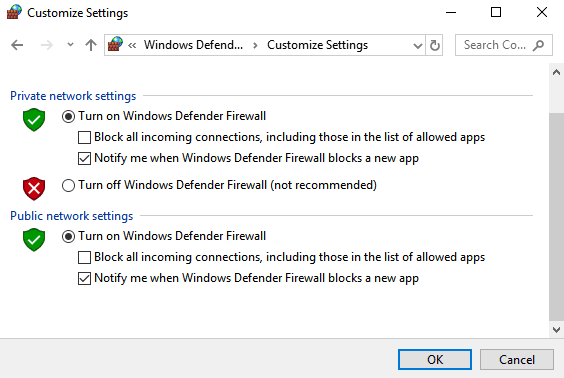
https://www.ubackup.com/screenshot/en/acbn/others/vmware-internet-not-working/check-firewall-vmware-no-internet.png
Web Jun 3 2020 nbsp 0183 32 If your Virtual Machine in VMWare has no internet connection you need to click on Edit Virtual Network Editor and on the bottom left make sure you click on Restore Default to restore all of
Templates are pre-designed files or files that can be used for numerous purposes. They can conserve effort and time by providing a ready-made format and layout for developing different sort of content. Templates can be used for personal or professional projects, such as resumes, invitations, flyers, newsletters, reports, presentations, and more.
Vmware Internet Not Working
How To Fix VMware Internet Not Working Issues Solved
How To Fix VMware Internet Not Working Issues Solved
How To Fix VMware Internet Not Working Issues Solved

VMware

How Access VMware Using Your Internet Browser YouTube
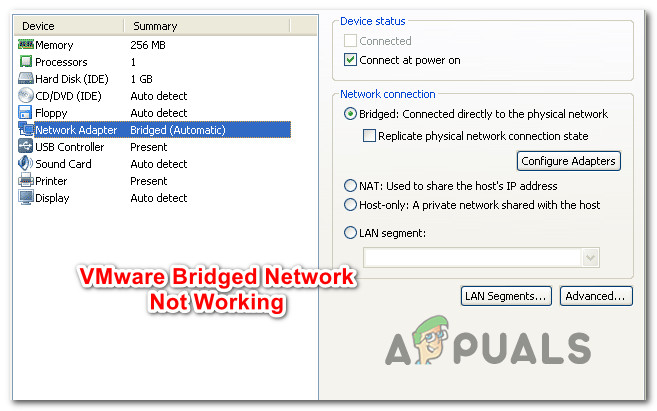
Fix VMware Bridged Network Not Working 2022
Web Sep 1 2023 nbsp 0183 32 The Internet not working issue may be caused by VMware network adapter not connected If so enable it Open Control Panel In the wizard select Network and Internet Select Network and Sharing Center gt gt Change adapter settings Select your VMware Network Adapter and Enable this network device Step 5
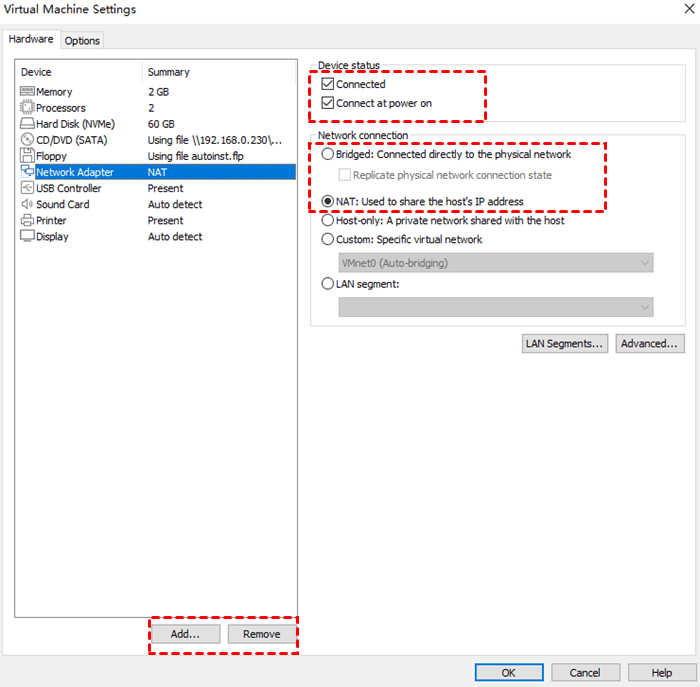
Web Dec 6 2019 nbsp 0183 32 There is no internet connectivity in Virtual machines There are 2 Wifi Cards on this system Wireless Lan adapter Wifi Realtek Wireless Lan Adapter WiFi 2 D Link USB Wifi Adapter The Host OS is connected to internet from both WiFi cards I am a bit confused in virtual network and network adapter settings in virtual machines

Web Jun 19 2015 nbsp 0183 32 EDIT Please check if your network is in bridged mode or not if you are using VMWare VirtualBox before following the steps below Enabling bridge mode and restarting guest OS can resolve the issue First check if your network is disabled by using the following cmd in terminal sudo lshw C network
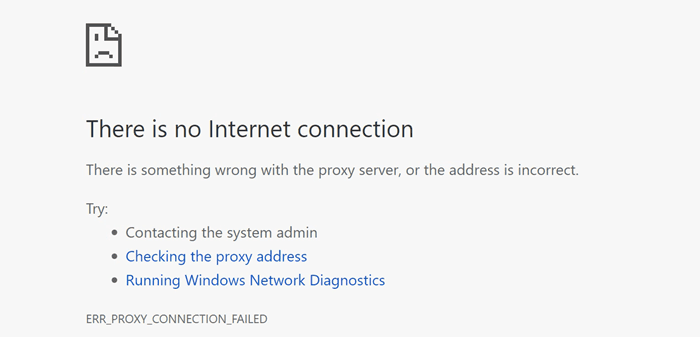
Web Aug 17 2016 nbsp 0183 32 1 Answer Sorted by 1 Okay I found an answer if anyone has the same problem Turn all security options in internet explorer to low and reset the default advanced settings on internet explorer This fixed it for me
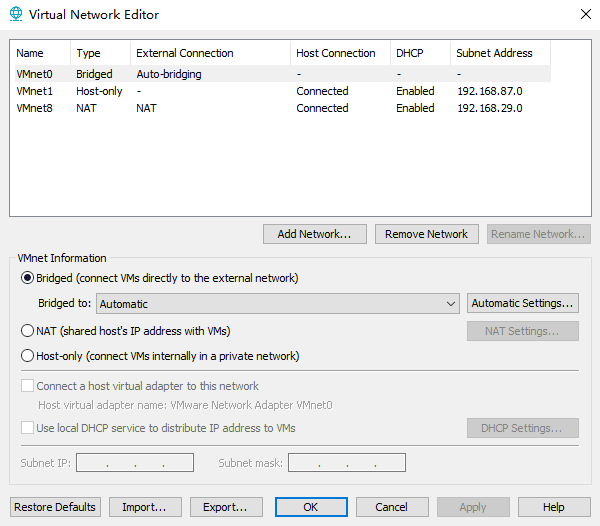
Web Jun 14 2021 nbsp 0183 32 In Windows 8 10 Click Start gt Control Panel gt Network and Sharing Center gt Change adapter settings In Windows Vista 7 Click Start gt Control Panel gt Network and Internet gt View Network status and tasks gt Change adapter settings Right click any network adapter icon and click Properties
[desc-11] [desc-12]
[desc-13]