Affinity Designer Rotate Around Point Anchor point instead of Rotation center - Older Feedback & Suggestion Posts - Affinity | Forum Change Rotation Origin Affinity Designer Tutorial - How to Rotate Around a Specified Point - YouTube Rotate + duplicate around an anchor point - Affinity on Desktop Questions (macOS and Windows) - Affinity | Forum How to Rotate Objects Around a Circle - Affinity Designer Tutorial - YouTube Rotating object horizontally with Ctrl J plus rotation - Feedback for Affinity Designer V1 on Desktop - Affinity | Forum If you d like to change the size or density of the rotated copies all you have to do is change how far out you place the rotation center Moving it further
Step 1 Use the Shape Tools Step 2 Change origin point for rotation Step 3 Duplicate and rotate objects around the Ellipse Make sure your star is selected and click Enable Transform Origin You can now see a bullseye in the center of the star That is the star s
Rotating object horizontally with Ctrl J plus rotation - Feedback for Affinity Designer V1 on Desktop - Affinity | Forum Rotate line aound offset centre point - Affinity on Desktop Questions (macOS and Windows) - Affinity | Forum Affinity Designer] How to create rotational steps / Duplicate an object - YouTube Resolved ] Rotate selected nodes around manually placed anchor - Affinity on iPad Questions - Affinity | Forum Change Rotation Origin Affinity Designer Tutorial - How to Rotate Around a Specified Point - YouTube Rotating object horizontally with Ctrl J plus rotation - Feedback for Affinity Designer V1 on Desktop - Affinity | Forum How to Rotate Around a Point - Adobe Illustrator Tips & Tricks - YouTube Affinity Designer Tutorial #11- Rotation Center - YouTube Line Art Illustration in Affinity Designer | Design Bundles
Affinity Designer Rotate Around Point
 Affinity Designer Rotate Around Point
https://forum.affinity.serif.com/uploads/monthly_02_2017/post-37692-0-59150700-1487347680.png
How to rotate point around another point when y axis is flipped Change Rotation Origin Affinity Designer Tutorial How to Rotate Around
Pre-crafted templates use a time-saving option for developing a diverse variety of documents and files. These pre-designed formats and designs can be utilized for numerous individual and professional projects, consisting of resumes, invites, flyers, newsletters, reports, discussions, and more, streamlining the material production procedure.
Affinity Designer Rotate Around Point

Set Rotation Anchor Points - Affinity designer Tutorial - YouTube
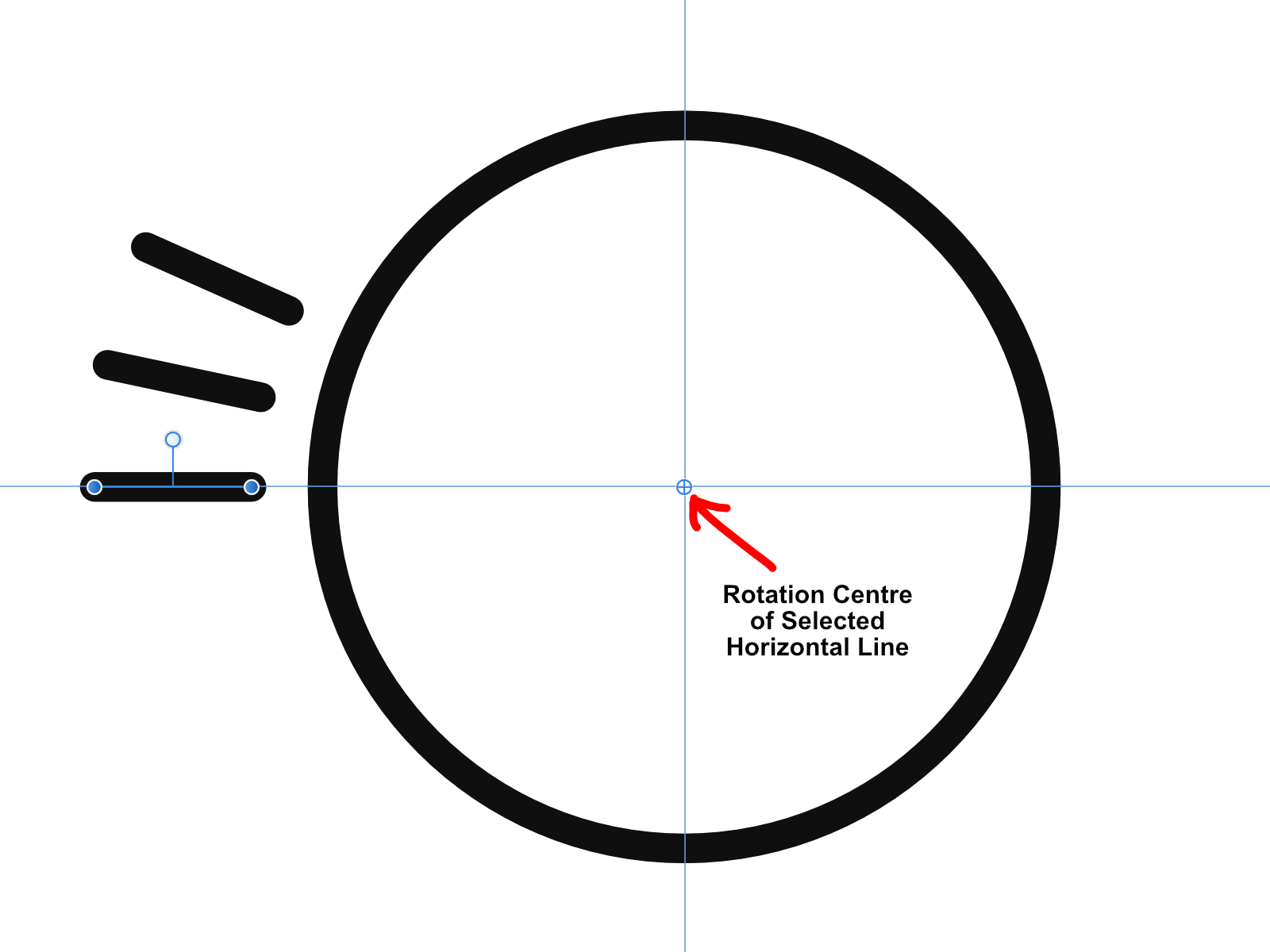
Rotate line aound offset centre point - Affinity on Desktop Questions (macOS and Windows) - Affinity | Forum

Affinity Designer] How to create rotational steps / Duplicate an object - YouTube

Resolved ] Rotate selected nodes around manually placed anchor - Affinity on iPad Questions - Affinity | Forum
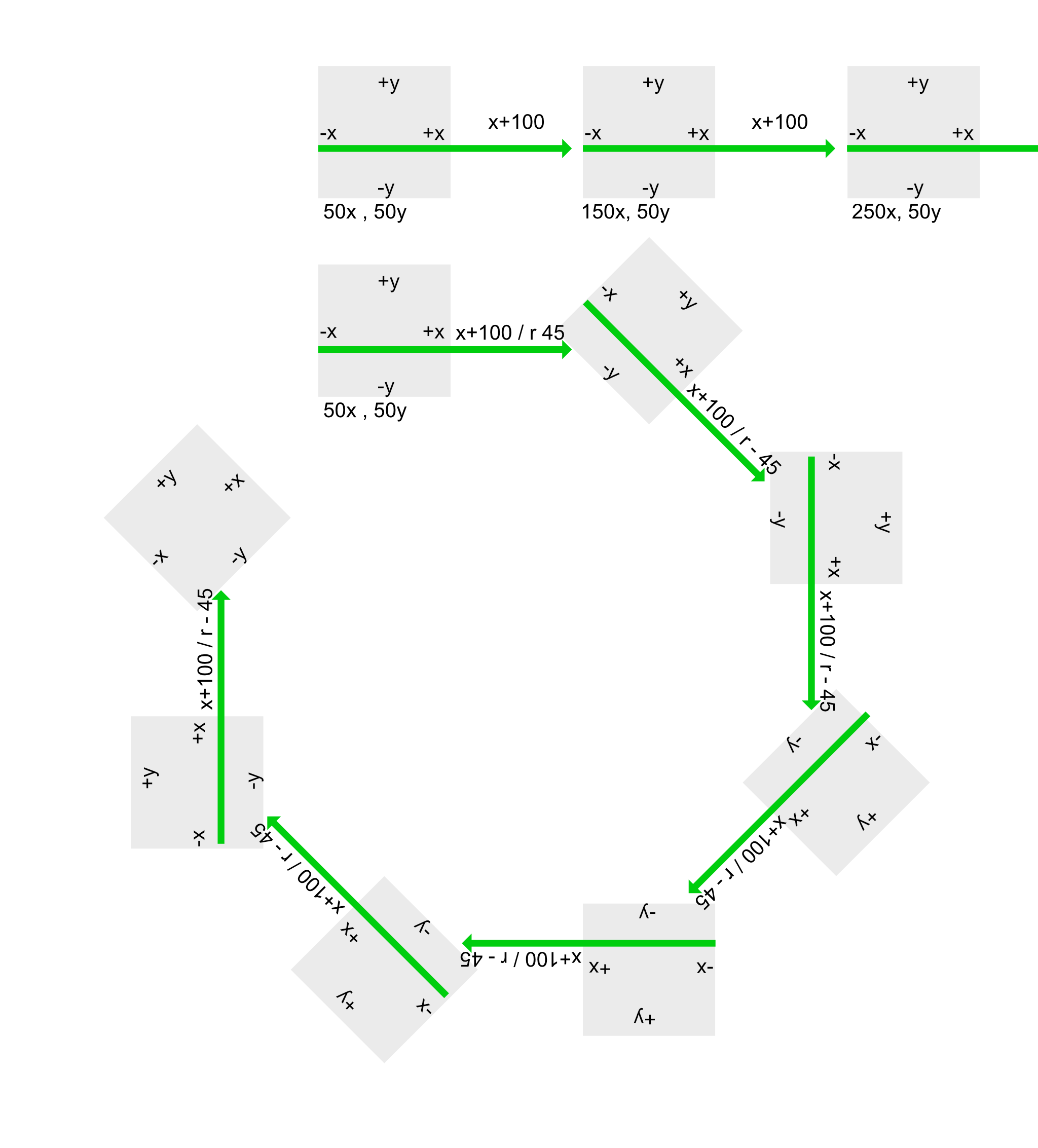
Rotating object horizontally with Ctrl J plus rotation - Feedback for Affinity Designer V1 on Desktop - Affinity | Forum
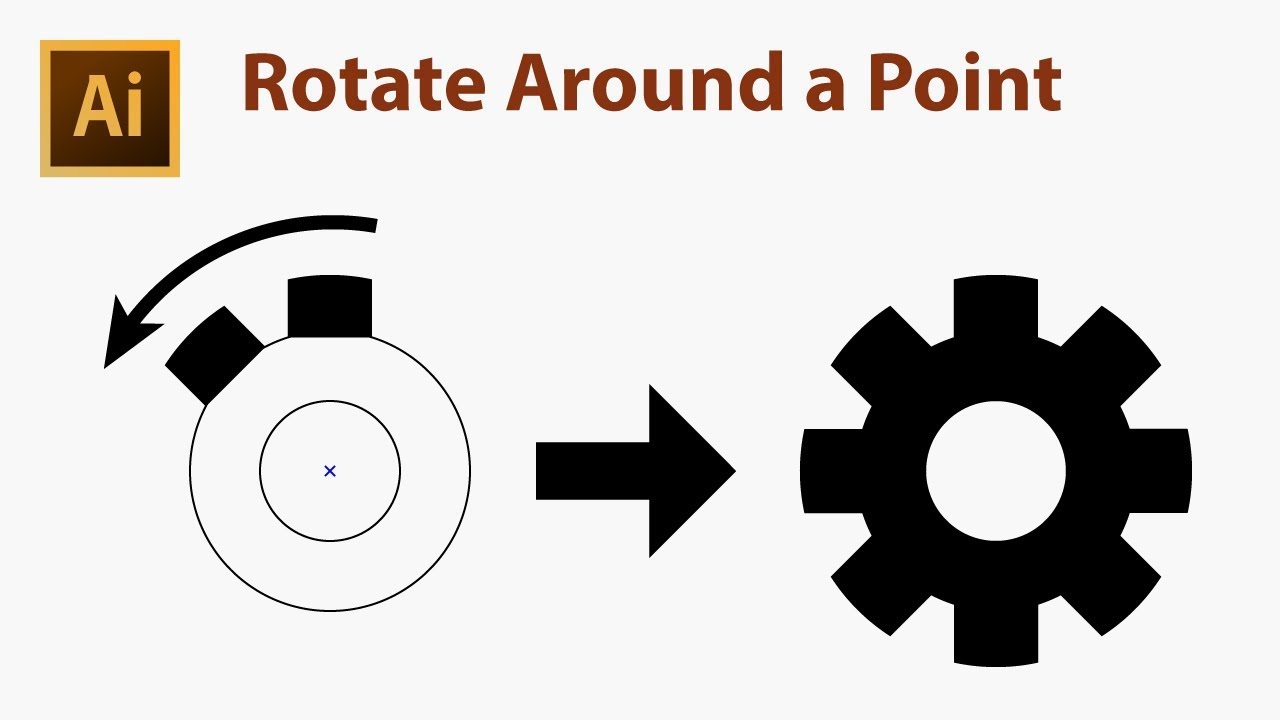
How to Rotate Around a Point - Adobe Illustrator Tips & Tricks - YouTube
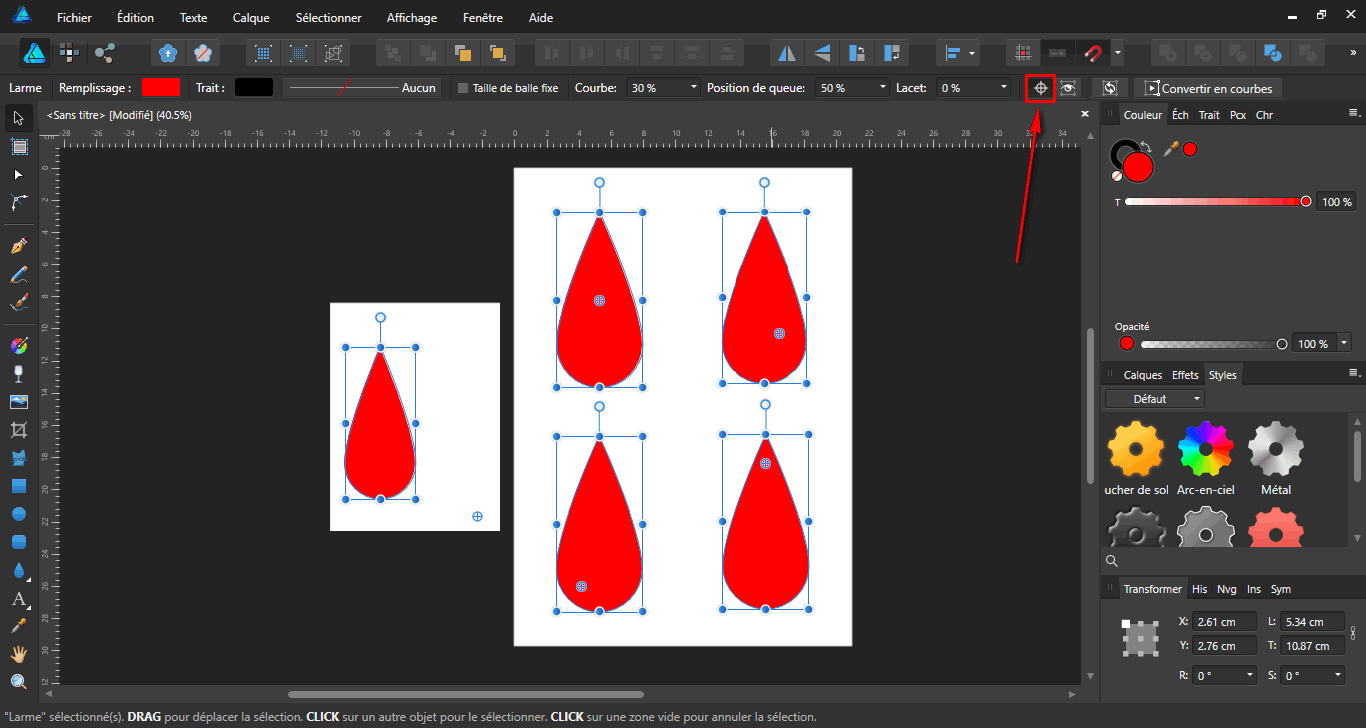
Learn how to duplicate objects around a circle in Affinity Designer Show me some love

Set Rotation Anchor Points Affinity designer Tutorial Canva Elements https www canva
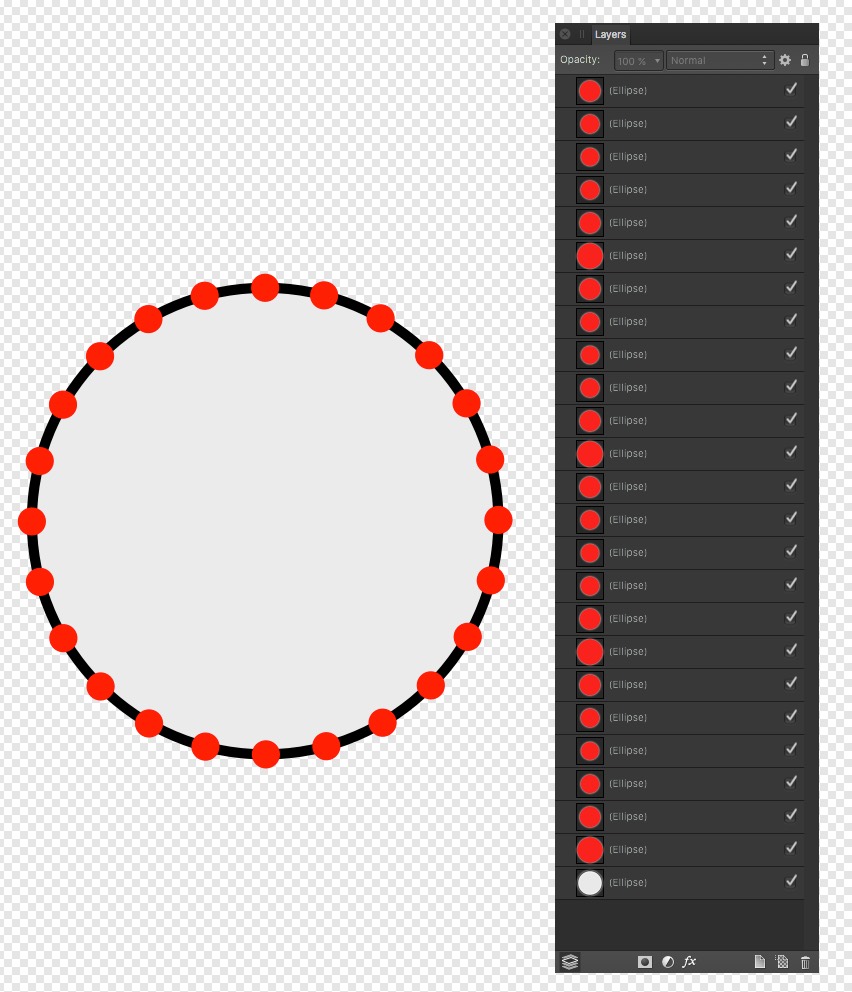
Is there a way in Affinity Designer to set Rotation Anchor Points So instead of rotating in the center to rotate at a different control

The Point Transform Tool lets you scale or rotate a selected object from any of its nodes about a positioned transform origin The object is snapped to another
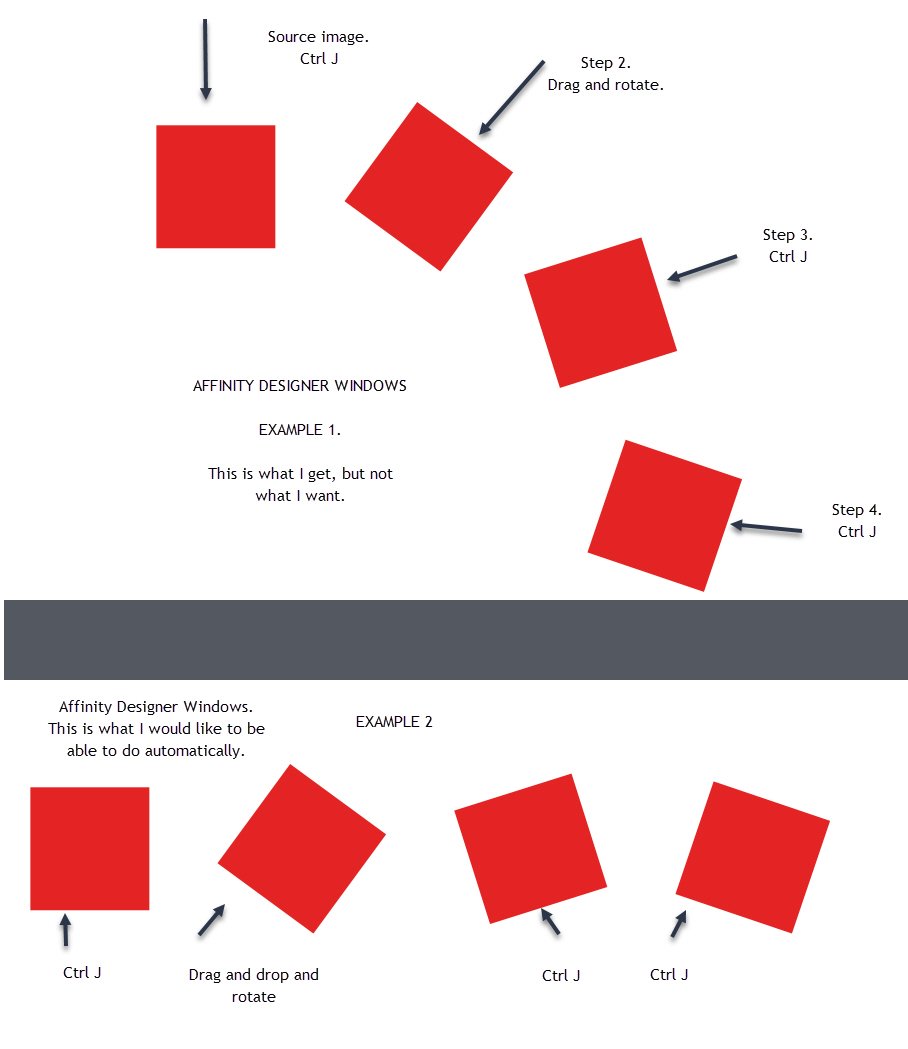
From Affinity Designer Preferences Tools option check or uncheck Enable canvas rotation with scroll wheel
if I want to align the two faces in Illustrator I would use one anchor point to snap to another object s anchor point then using the Rotate Enable Transform and drag the red dot rotation point to the place you like as a pivot point rotate Cheers 1 Like ilker May 5 2018
Click and drag the grey handle attached to your object This is the rotation handle This should rotate your object around your custom point