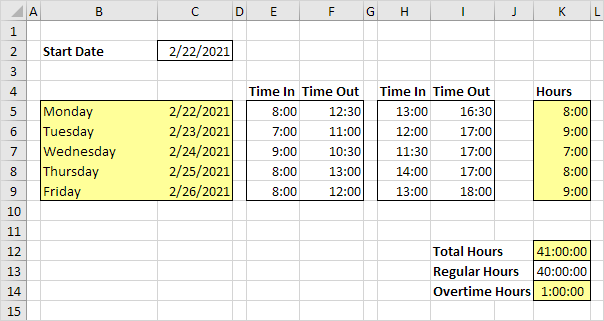
Time Calculation In Excel Reme Prielivu amp n Flauta Calculate Hours From Time In Excel How To Calculate Average Duration In Excel Haiper 15 How To Make Excel Auto Calculate Formulas Image Formulas How To Calculate Time In Microsoft Excel 2016 Tutorial The Teacher Time Calculation In Excel Excel Time Calculate To calculate the number of hours between two times you can use a formula that subtracts the start time from the end time If start and end times span midnight you will need to adjust the formula as explained below In the example shown the formula in D5 is IF C5 B5 C5 B5 1 B5 C5
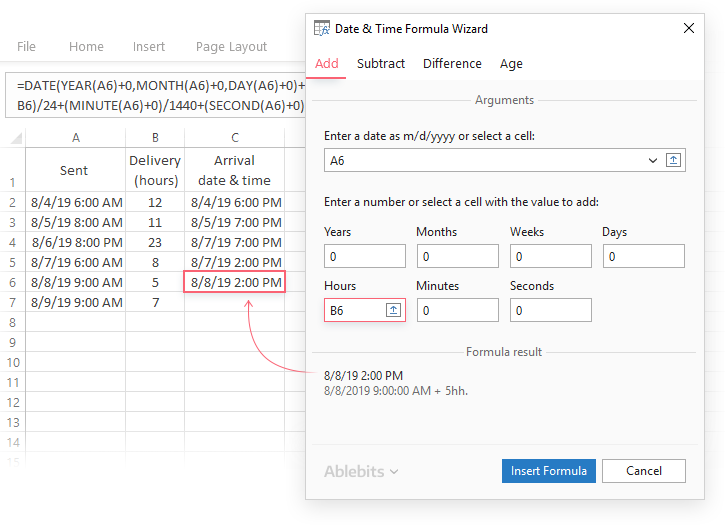
1 Enter the start date and time in cell A2 and hit Enter Don t forget to write AM or PM 2 Enter the end time in cell B2 and hit Enter 3 Enter the formula B2 A2 in cell C2 and hit Enter An example of subtracting time on the same day in Excel To add up times in Excel simply use the SUM function Add Hours Minutes and Seconds Remember to enter a time use the colon 1 Enter a time into cell A1 2 To add 2 hours and 30 minutes to this time enter the formula shown below Explanation the TIME function has 3 arguments
Time Calculation In Excel Excel Time Calculate How Can Calculate Time In Excel YouTube Excel Calculation Calculating With Time YouTube Calculate Time In Excel Time Difference Add Subtract And Sum Times Excel Calculation How To Calculate With Time All In One Photos How To Find The Percent Difference Between Two Numbers Online Offers Time Calculation In Excel Basics Of Time Calculation In Excel Sheet Applying Formulas In Time Calculation In Excel Total Time Spend In A Company Age
Time Calculation In Excel
 Time Calculation In Excel
https://www.excel-easy.com/examples/images/time-difference/timesheet-calculator.png
Go to the Home tab and click Sum formerly labeled AutoSum Excel should recognize the cells that you want to use If not simply drag through the cells containing your times to populate the formula and hit Enter You should see the total number of hours and minutes for your entries
Templates are pre-designed documents or files that can be utilized for numerous purposes. They can conserve effort and time by supplying a ready-made format and design for creating various kinds of content. Templates can be used for individual or expert jobs, such as resumes, invitations, flyers, newsletters, reports, discussions, and more.
Time Calculation In Excel
Excel Calculate Hours Between Two Times After Midnight Template Plmtaiwan
How Can Calculate Time In Excel YouTube

Excel Calculation Calculating With Time YouTube
Calculate Time In Excel Time Difference Add Subtract And Sum Times
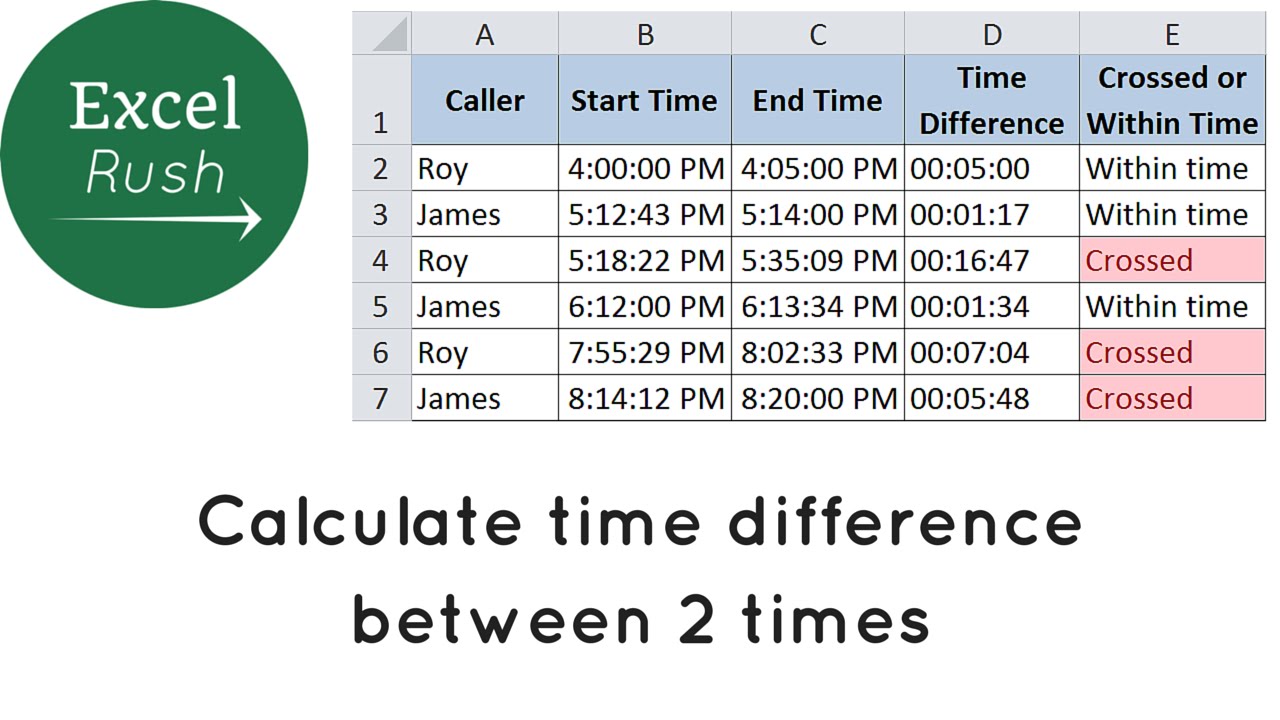
How To Find The Percent Difference Between Two Numbers Online Offers

Time Calculation In Excel
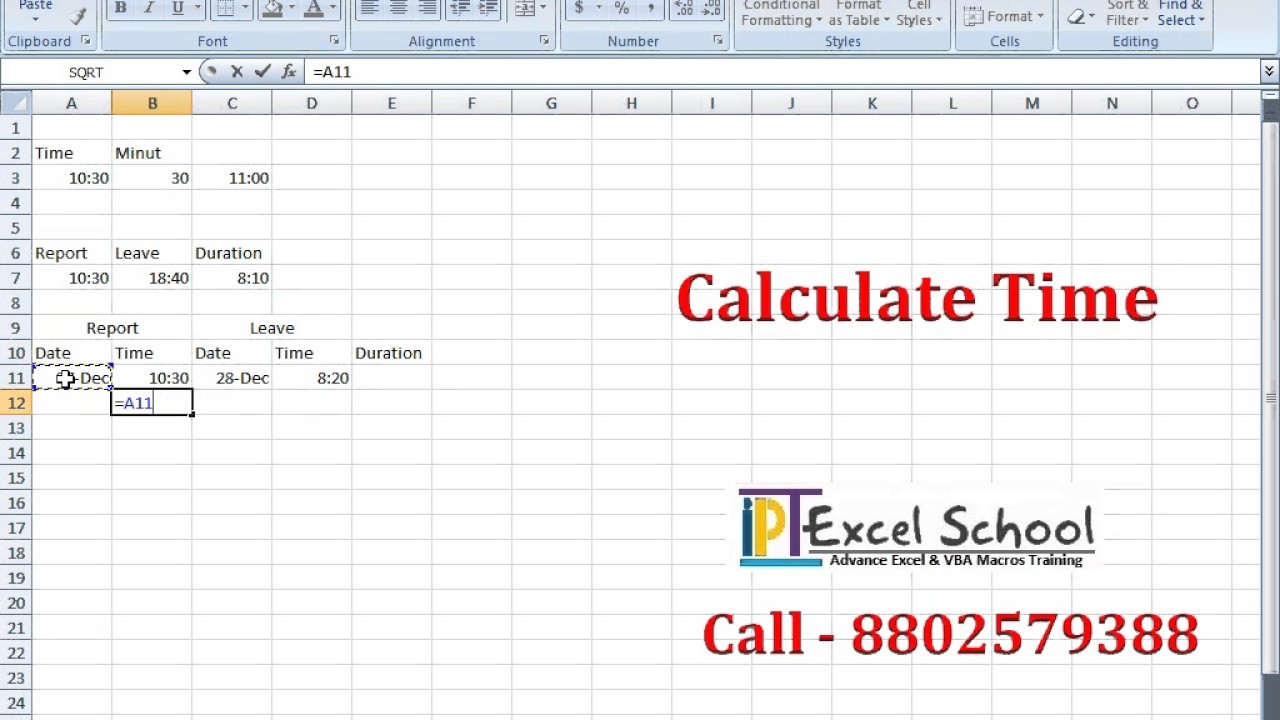
Subtract time In cell B2 enter the start time and include a for AM or p for PM and then press Enter In cell C2 enter the end time including a or p as appropriate and then press Enter Type the other start and end times for your friends Joy and Leslie In
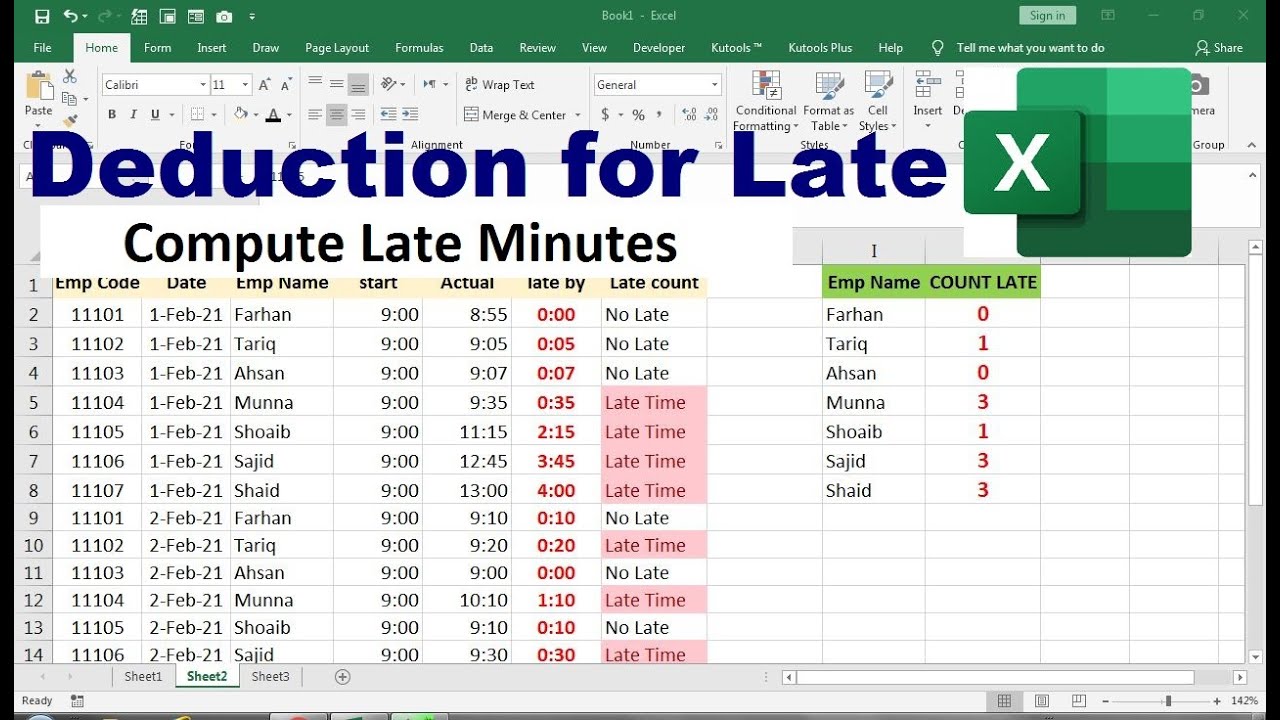
In this tutorial I will show you a couple of ways to perform calculations using time in Excel such as calculating the time difference adding or subtracting time showing time in different formats and doing a sum of time values
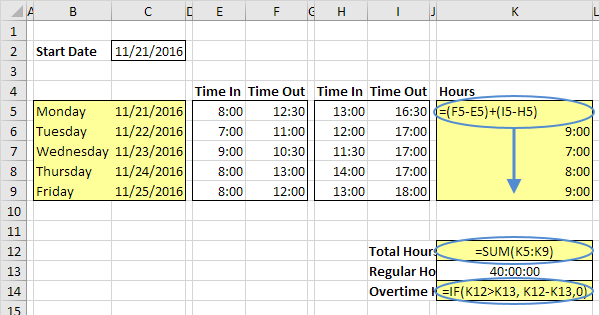
There are several ways to calculate the difference between two times Present the result in the standard time format There are two approaches that you can take to present the results in the standard time format hours minutes seconds You use the subtraction operator to find the difference between times and then do either of the
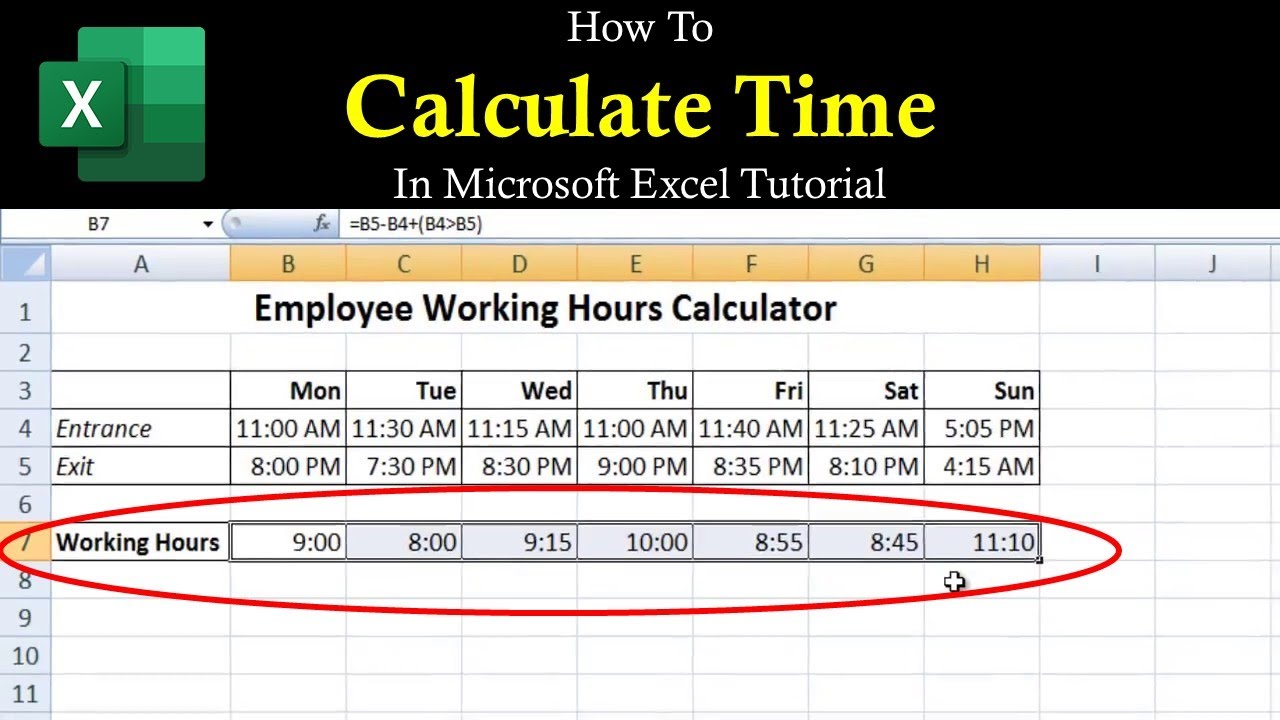
You can use the minus operator to calculate the time difference in Excel To do the calculation In cell E4 type the following formula D4 C4 Here I selected D4 and C4 cells and then subtracted the C4 cell time from D4 Now press ENTER and you will get the time difference

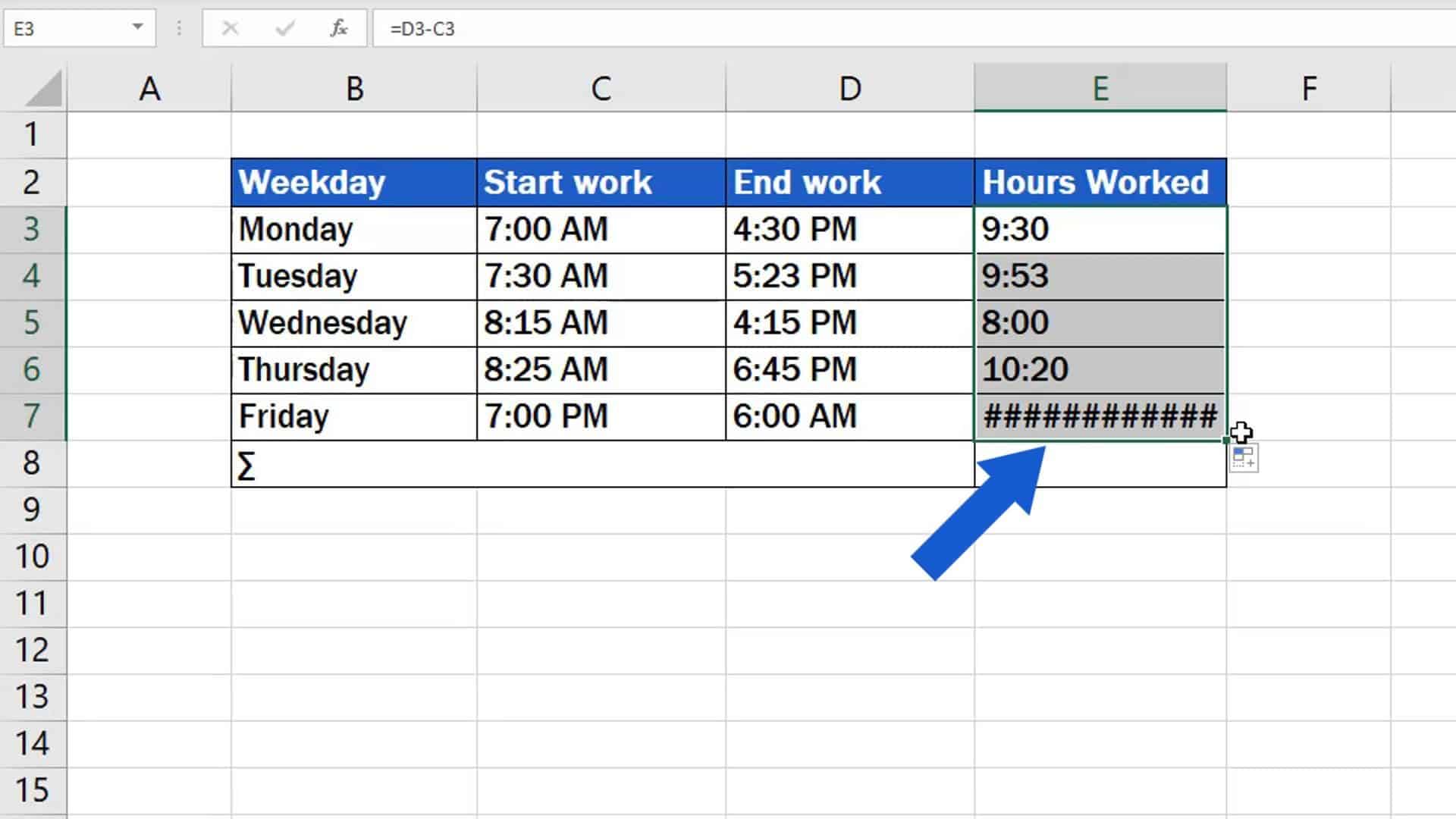
1 Times that are negative show as 2 To clearly see this change the number format of the values in cell A2 B2 and C2 to General 3 The time difference formula below always works Explanation if the end time is greater than or equal to the start time simply subtract the start time from the end time
[desc-11] [desc-12]
[desc-13]