Sudo Apt Get List Available Packages How Do I Apt get List Available Packages Linux NixCraft Linux Unix List Upgradable Packages With Apt Command In Ubuntu What Does Sudo Apt get Update Command Do Linux Commands List Apt List Installed Packages Apt get Update Apt get Upgrade To list the installed packages on your Ubuntu system use the following command sudo apt list installed As you can see from the output above the command prints a list of all installed packages including information about the packages versions and architecture
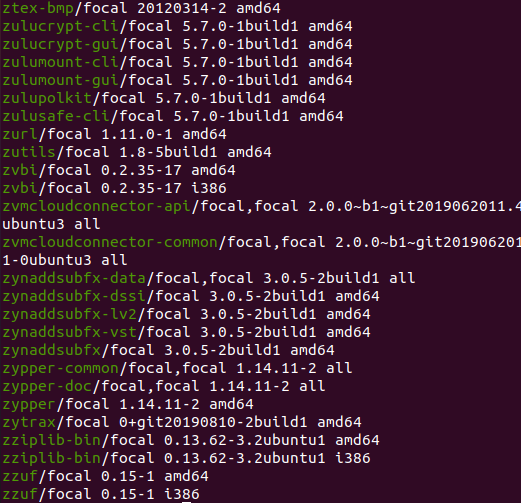
To list only installed packages run apt list installed The installed tag ensures only installed packages show on the list Each installed package has one of the following tags installed indicates the package installed manually from the repository list I can get a list of all available packages and their details using the following command apt cache search Which outputs a list of packages which looks like this
Apt get Update Apt get Upgrade Sudo Apt Get Install The Supported Packages Network Simulation Tools Wireless Broadcom Sudo Apt Get Update Sudo Apt Get Install Firmware B43 Sudo Apt Install Net tools Installation Popup Menu Os Installation Solved What Is The Difference Between Sudo Apt get 9to5Answer Apt get Update Apt get Upgrade Apt get Dist upgrade Sudo Apt get Install Libatk1 PDF Solved What Exactly Does Sudo Apt get f Install Do 9to5Answer Solved Sudo Apt get Update Cannot Resolve Servers But 9to5Answer
Sudo Apt Get List Available Packages
 Sudo Apt Get List Available Packages
https://www.nixcraft.com/uploads/default/original/2X/b/bbcef5713591d6535037a3cb5d5bb9dac20eb408.png
Sudo apt install package y Listing Packages The apt list command lists all available installed or upgradeable packages This can be incredibly useful for locating specific packages especially when combined with grep or less There is no direct equivalent command within apt cache List all packages that are installed apt list installed
Pre-crafted templates use a time-saving solution for developing a varied series of documents and files. These pre-designed formats and designs can be made use of for different individual and expert tasks, consisting of resumes, invites, leaflets, newsletters, reports, discussions, and more, enhancing the content production process.
Sudo Apt Get List Available Packages
Unable To Execute Sudo Pip3 Install Boltiot Development Bolt Forum

Sudo Apt Get Install The Supported Packages Network Simulation Tools

Wireless Broadcom Sudo Apt Get Update Sudo Apt Get Install Firmware B43

Sudo Apt Install Net tools Installation Popup Menu Os Installation

Apt get Update Apt get Upgrade Apt get Dist upgrade

Sudo Apt get Install Libatk1 PDF

To get a list of packages installed locally do this in your terminal dpkg get selections grep v deinstall The v tag inverts grep to return non matching lines To get a list of a specific package installed dpkg get selections grep postgres
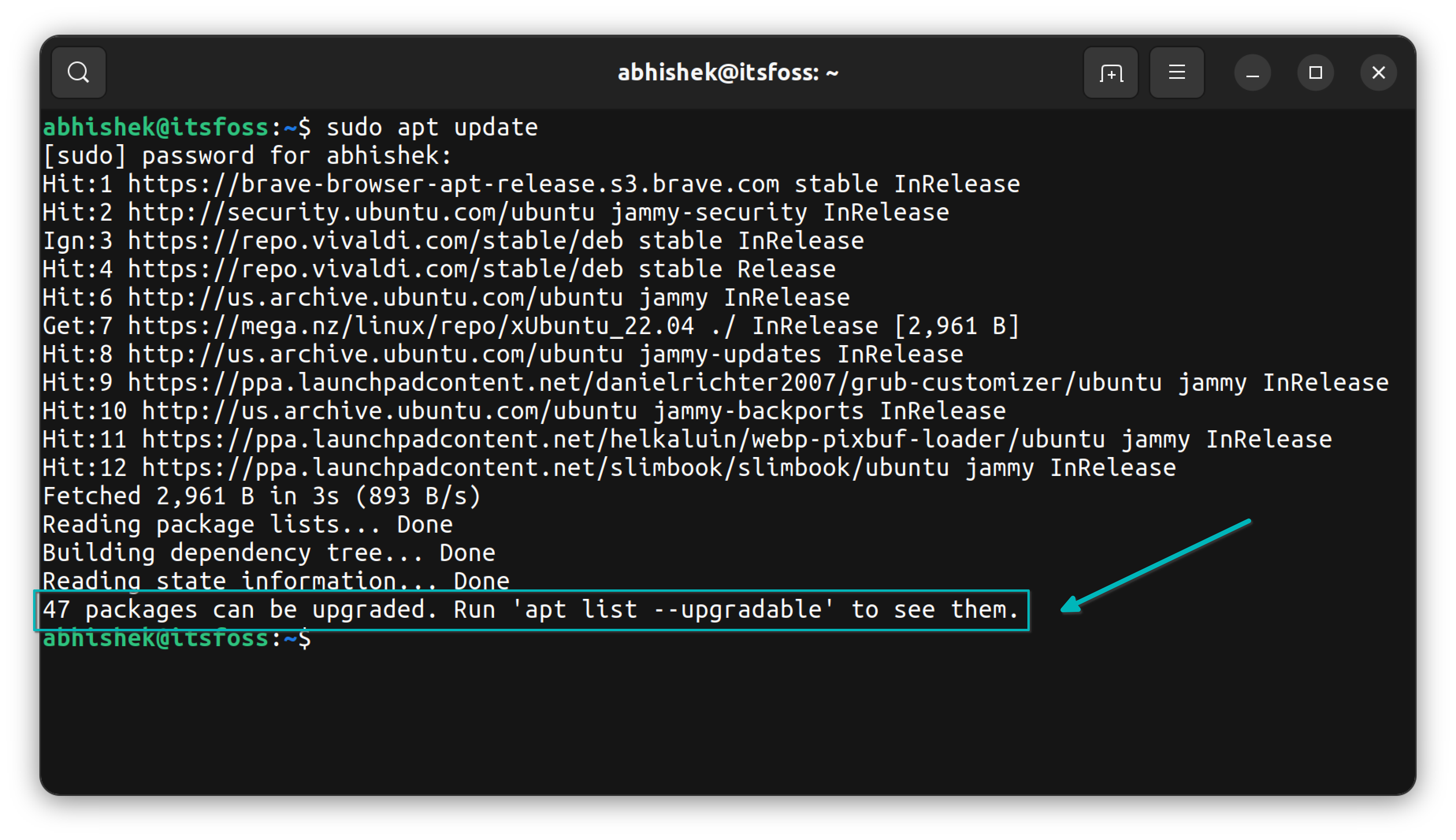
1 Answer Sorted by 7 If you want an up to date list of the available packages first update the apt cache sudo apt get update Then in a Terminal you can run apt cache dump

Use the apt cache when you need to search packages on your Debian or Ubuntu or apt get based Linux distros apt cache search search term apt cache search database apt cache search grep i something apt get list all available packages There is not apt get command but you can run the following apt cache search apt cache search
Did you mean listing the version of all installed packages along with the package names Avinash Raj May 29 2014 at 11 43 Both installed and uninstalled similar to the above command askb May 29 2014 at 11 45 1 Closest I could get was using dpkg list grep linux image askb May 29 2014 at 11 46 1

5 Answers Sorted by 415 As far as I understand your requirements the madison option for apt cache does what you want madison pkg s apt cache s madison command attempts to mimic the output format and a subset of the functionality of the Debian archive management tool madison
Remove packages sudo apt get remove packagename Search for packages apt cache search keyword Retrieve new lists of available packages sudo apt get update Upgrade system with available updates sudo apt get dist upgrade List further commands and options apt get help Thanks but I m afraid that doesn t work I compared the list generated by the first command with a previously generated list of installed packages which I derived thus code dpkg get selections grep space install awk print 1 installed txt and found duplicates The other two commands you provided won t work because I m not searching for a particular package but rather any
Get a List of Installed Packages on Ubuntu To output a list of packages that are currently installed are upgradeable or available on Ubuntu you can use the list method of the APT command To only print packages installed on your system specify the installed flag with the command sudo apt list installed Output