Stop Excel Converting To Date Format Stop Excel Converting Text To Numbers Or Dates YouTube How To Stop Numbers Converting To Date In MS Excel Excel Autosave How To Stop Excel From Changing Numbers To Dates TESTED Convert Text To Date In Excel YouTube Oklahoma State University Visualizes Data til The Cows Come Home SAS Web Jul 28 2016 nbsp 0183 32 1 The workaround for this would be to put an apostrophe in front of your quot Replace with quot value Just one more keystroke BTW Microsoft indicates that in Excel 2013 using the TEXT format will stop it from auto converting numbers to dates support office Stop automatically changing numbers to dates Share Improve this
Web 1 You can format a workbook and save it as default template so any other workbook you start working on has those settings You can do it by Open Excel to a blank workbook Format the blank file with all options desired cell formatting is what you need Web Jul 26 2021 nbsp 0183 32 1 Answer Sorted by 3 It s not entirely clear but it seems like you have a formula like this A2 amp quot quot amp B2 amp quot quot amp C2 where A2 is a patient number B2 is a kit number and C2 is a date You expect C2 to be pulled in with the same formatting but it s showing up as a number probably 44403 if you re on Windows and the date is 26 JUL 2021
Oklahoma State University Visualizes Data til The Cows Come Home SAS Elementare Omosessuale Meccanico Excel Convert Number To String How To Stop Excel From Rounding Numbers Converting CSV To Excel Solutions For Common Issues Get Excel Convert Formula To Value Tips Formulas EXCEL Convertir Fecha A Texto TRUJILLOSOFT Excel Converting A Table To A Range YouTube Converting Serial Date Number To Date Format Matlab Passlbu Stop Noahide Law Jews Don t Want You Converting To Judaism They Want
Stop Excel Converting To Date Format
 Stop Excel Converting To Date Format
https://i.ytimg.com/vi/CChSJZlaz7g/maxresdefault.jpg
Web Jun 28 2011 nbsp 0183 32 The problem you have is that the field or the whole column is set to contain the data in a DATE FORMAT To overcome this a simple way is to select the field or the entire column Right click gt Format Cells gt Click Number Select sub options according to your requirement gt Press OK Hope this helps Share
Templates are pre-designed documents or files that can be used for different functions. They can conserve time and effort by supplying a ready-made format and layout for producing various sort of content. Templates can be utilized for personal or professional tasks, such as resumes, invites, flyers, newsletters, reports, presentations, and more.
Stop Excel Converting To Date Format

How To Stop Formula To Convert Into Value Automatically In Excel
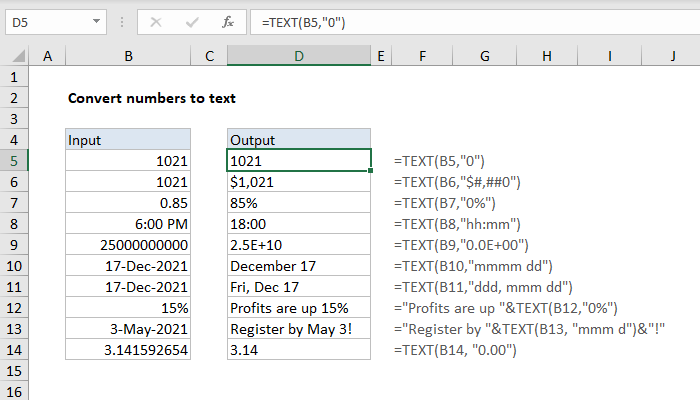
Elementare Omosessuale Meccanico Excel Convert Number To String
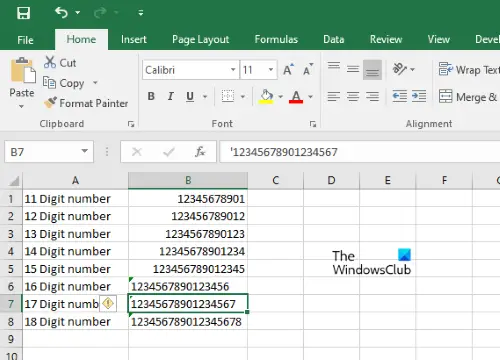
How To Stop Excel From Rounding Numbers
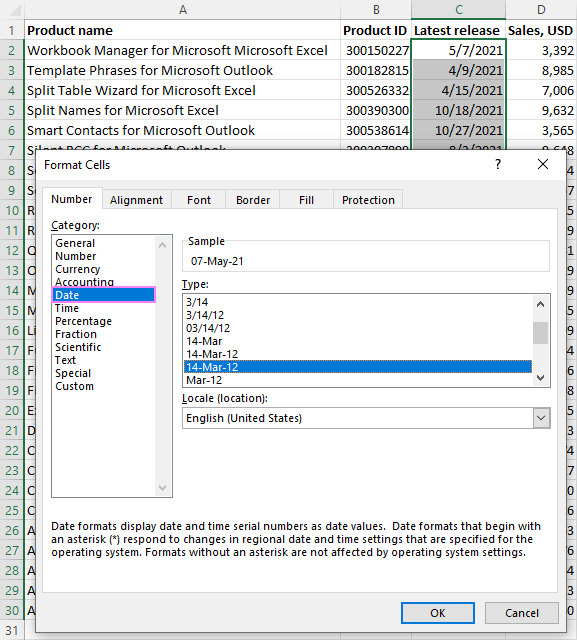
Converting CSV To Excel Solutions For Common Issues
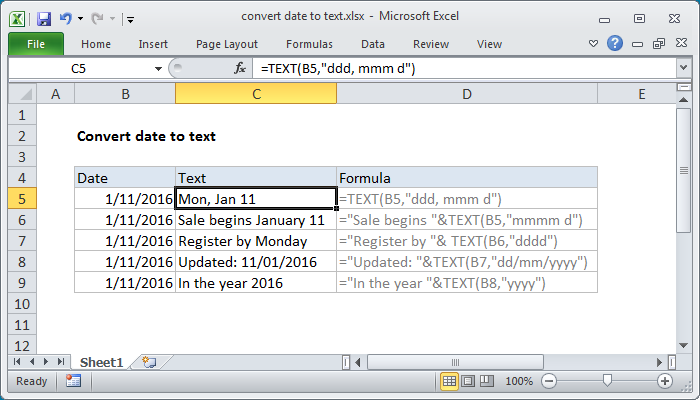
EXCEL Convertir Fecha A Texto TRUJILLOSOFT
Excel Converting A Table To A Range YouTube
Web The only way to stop Excel from changing these numbers or text string into dates is by clearing letting it know that these are not numbers Let s see how to do this Change the format to text The easiest way to make sure Excel understands that it s not supposed to change a number to date is by specifying the format of the cell as Text

Web Try this Set format of cell to text and enter date Now change the format of cell to general The cell does not automatically change the format to date but leaves it as general

Web Apr 18 2017 nbsp 0183 32 Every time I try to enter a fraction in Microsoft Excel 2010 it gets converted to a date So for example 5 6 becomes 2013 05 06 and 5 6 becomes 1900 01 05 14 24 00 I do not want to format the cells as numbers because then I have to set the number of decimal places
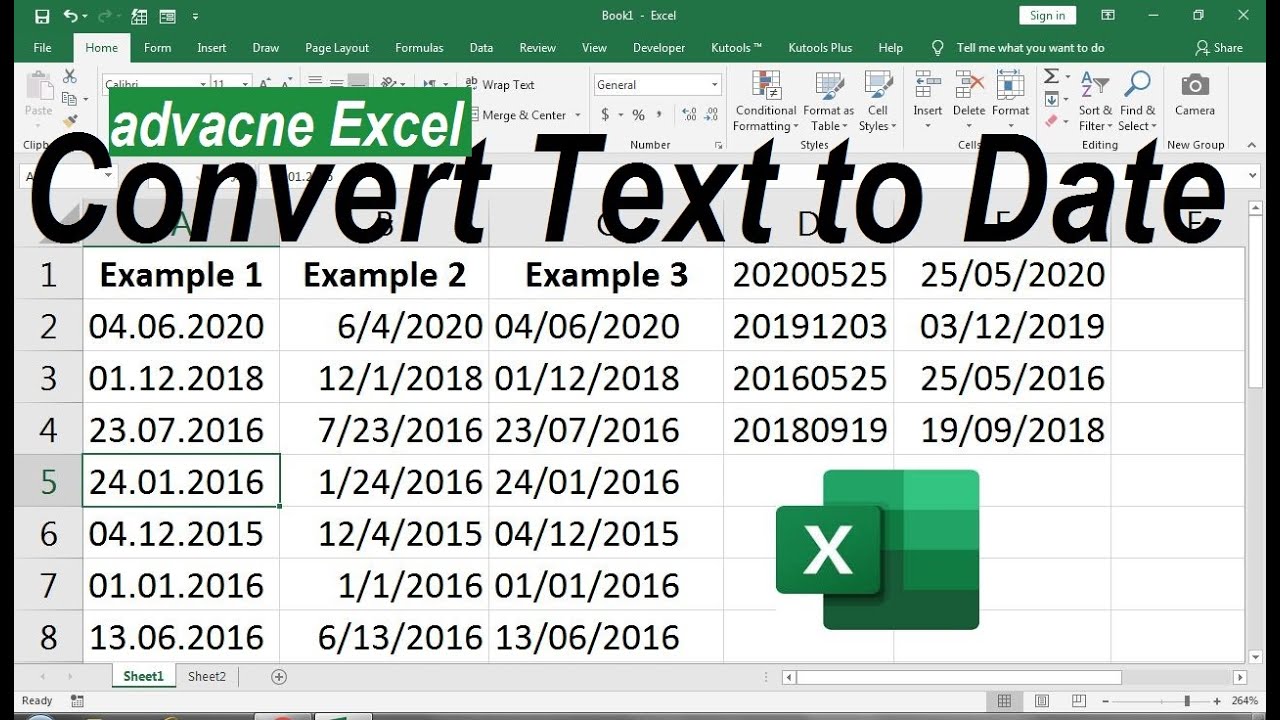
Web Stop Auto Formatting Numbers as Dates In Excel if you type in numbers that can be interpreted as dates they re automatically converted to dates This makes it easier to deal with dates but can be annoying when you really want to enter numbers not dates

Web Click File gt Options In the Excel Options box click Proofing gt AutoCorrect Options On the AutoFormat As You Type tab check the boxes for the auto formatting you want to use Internet and network paths with hyperlinks Replaces typed URLs network paths and email addresses with hyperlinks
Web Sep 7 2018 nbsp 0183 32 In this article we re going to show you how to stop Excel from changing numbers to dates Basically there are 2 ways to do this Setting cell number format as Text Tricking Excel into thinking that you did not enter a number Web May 20 2023 nbsp 0183 32 The simplest way to prevent Excel from changing numbers to dates is to format the cells as Text This tells Excel to treat the data as plain text regardless of what it looks like Here s how to do it Select the range of cells you want to format as text Right click on the selected cells and choose Format Cells
Web Sep 12 2016 nbsp 0183 32 Recently nobody noticed it happening before if it did some quot ID quot type values are being converted by Excel to dates There is some logic to which values are being converted as you can see here where the user added a column to show what the underlying values really are and how they should be represented raw no conversion