Prevent Excel From Converting Date Format Python How Do I Stop Excel From Converting Numbers To Date Stack Prevent Excel From Converting Text To Columns 2 Solutions YouTube How To Open Two Instances Of Same Workbook Prevent Excel From How To Remove Hyperlinks In Microsoft Excel Memesita Stop Excel From Converting Date To Number In Formula 2 Ways Web Aug 22 2013 nbsp 0183 32 2 Answers Sorted by 1 On OSX in Excel select quot Excel quot from the top menu select quot Preferences quot selected quot Edit quot select quot Preserve display of dates entered with
Web May 23 2017 nbsp 0183 32 0 Try following options 1 Select the cells and go to Format gt cells gt number and select Text for the selection OR 2 While pasting it from MS word paste it Web Oct 8 2023 nbsp 0183 32 5 Applying Excel VBA to Prevent Automatic Conversion With Excel VBA users can easily use the code which acts as an Excel menu from the ribbon To use the
Stop Excel From Converting Date To Number In Formula 2 Ways Stopping Excel From Converting Unc Paths To Mapped Drives In Excel How To Stop Excel From Converting Price To Mangal Font Geranova Prevent Excel From Converting Values To Dates When Opening HTML Files Prevent Excel From Converting To Scientific Notation In CSV Data How To Prevent Excel From Removing Formula From Cells Stack Overflow Prevent Excel From Converting To Legacy Array Microsoft Community Hub Prevent Excel From Converting To Scientific Notation In CSV Data Converting Dates Format In Excel Using TEXT Function With Explanation
Prevent Excel From Converting Date Format
 Prevent Excel From Converting Date Format
https://i.stack.imgur.com/mJGC2.png
Web Oct 19 2023 nbsp 0183 32 Based on the settings you chose above try some or all of the scenarios below to test the increased control over data conversions Type directly into a cell Copy
Pre-crafted templates use a time-saving option for creating a diverse series of files and files. These pre-designed formats and designs can be utilized for different personal and expert tasks, consisting of resumes, invites, flyers, newsletters, reports, discussions, and more, improving the content production process.
Prevent Excel From Converting Date Format

Need Help Converting A Date Format From Character To Numeric In JMP 15

Stopping Excel From Converting Unc Paths To Mapped Drives In Excel
How To Stop Excel From Converting Price To Mangal Font Geranova

Prevent Excel From Converting Values To Dates When Opening HTML Files

How To Prevent Excel From Removing Formula From Cells Stack Overflow

Prevent Excel From Converting To Legacy Array Microsoft Community Hub

Web The only way to stop Excel from changing these numbers or text string into dates is by clearing letting it know that these are not numbers Let s

Web To tell Excel to stop applying this particular type of formatting to your workbook click Stop For example if Excel automatically created a hyperlink and you want to prevent Excel from doing that for the rest of

Web Oct 20 2023 nbsp 0183 32 Microsoft has now added an option to stop converting continuous letters and numbers to a date which has been a long time coming Excel has never been great

Web Prevent Excel from automatically converting to date When I try to paste in certain values Excel automatically converts it to a date There are solutions to this the most common

Web Jul 28 2016 nbsp 0183 32 1 Answer Sorted by 1 The workaround for this would be to put an apostrophe in front of your quot Replace with quot value Just one more keystroke BTW Microsoft indicates that in Excel 2013 using the TEXT
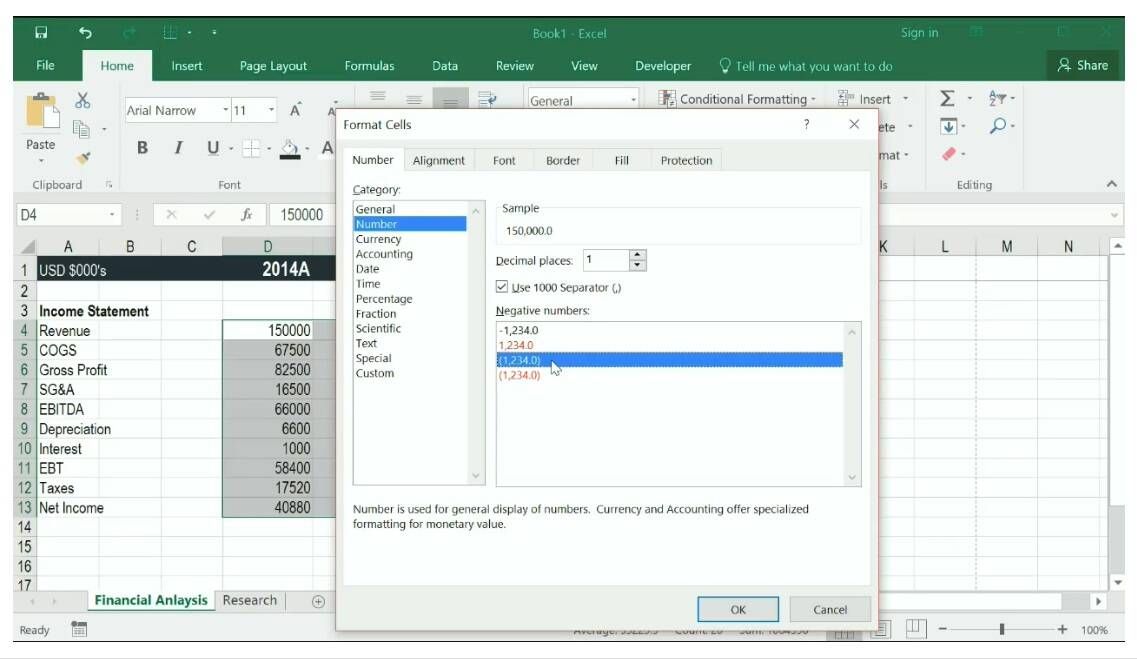
Web May 20 2023 nbsp 0183 32 Method 1 Change the Cell Format The easiest way to stop Excel from converting numbers into dates is to change the format of the cell Follow these steps Web Mar 9 2021 nbsp 0183 32 In addition you can refer to the following articles to see if the solutions could work for you csv Stop Excel from automatically converting certain text values to
Web Feb 2 2012 nbsp 0183 32 Excel might format it as quot 2 Feb quot If you change your date setting in Control Panel the default date format in Excel will change accordingly If you don t like the