Reload Nginx Command Line Guide How To Restart And Reload Nginx On Ubuntu Server TechGig Reload Nginx Mac Reload Nginx In Docker Container Restart Nginx Ubuntu Command Download And Upload Files To Server Through Terminal sudo systemctl restart nginx Or if you are using a Linux distribution without systemd then use the following command sudo service restart nginx
Reload Gracefully restarts the Nginx service On reload the main Nginx process shuts down the child processes loads the new configuration With Nginx reload command the server operations keep running and reload the updated configuration files If there is any syntax error during
Download And Upload Files To Server Through Terminal Reload Nginx Mac III Introduction To Nginx Configuration File Can I Reload Nginx From Command Line Like The Reload Button In The Main Reload Nginx Mac Nginx Documentation BookStack Vs Confluence Which Is Better 2021 Appmus Instalar Nginx Y Configurarlo Como Servidor Proxy Inverso ASP NET 10 Most Used Nginx Commands Every Linux User Must Know
Reload Nginx Command Line
 Reload Nginx Command Line
https://contentstatic.techgig.com/photo/78291872/guide-how-to-restart-and-reload-nginx-on-ubuntu-server.jpg?43818
Try sudo nginx s reload if it still doesn t work you might want to try sudo pkill HUP nginx Share
Templates are pre-designed files or files that can be utilized for numerous purposes. They can save time and effort by supplying a ready-made format and design for producing various kinds of content. Templates can be used for individual or professional jobs, such as resumes, invites, leaflets, newsletters, reports, discussions, and more.
Reload Nginx Command Line

Reload Nginx Mac
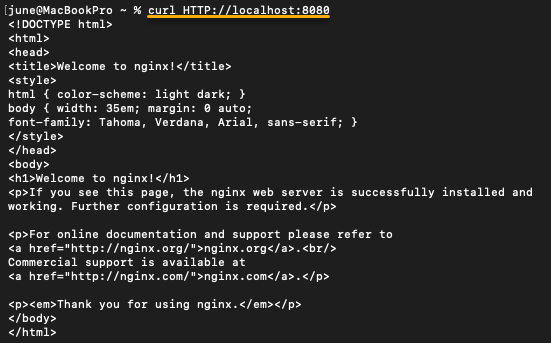
Reload Nginx Mac

III Introduction To Nginx Configuration File

Can I Reload Nginx From Command Line Like The Reload Button In The Main

Nginx Documentation

BookStack Vs Confluence Which Is Better 2021 Appmus

How to Start Stop or Restart Nginx Server restart Stops and then starts the Nginx web server service sudo systemctl restart nginx sudo

Starting NGINX NGINX is invoked from the command line usually from usr bin nginx Basic Example of Starting NGINX
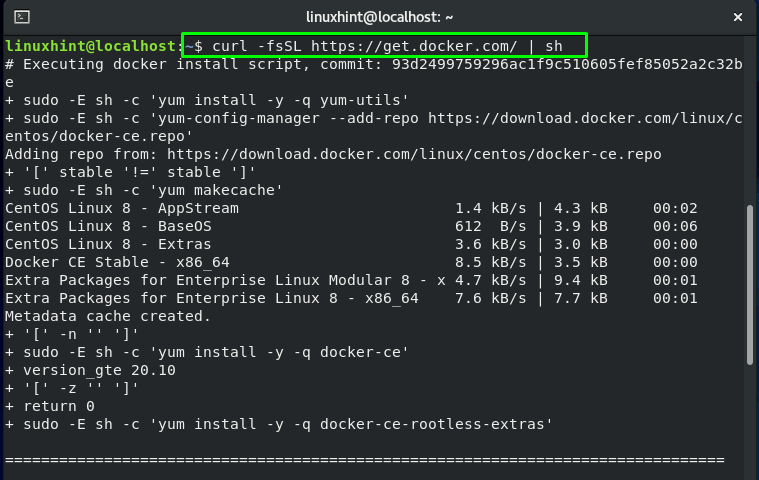
To reload your configuration you can stop or restart NGINX or send signals to the master process A signal can be sent by running the nginx command invoking

Reloading in the panel VPS and Dedicated Servers Navigate to the VPS or Dedicated page reload http button Click the Reload HTTP button

The nginx package supplies a etc init d nginx script that provides the usual start stop restart reload functionality etc init d nginx
You can press q to reactive the bash prompt How to start and stop Nginx To start the Nginx service use the following command sudo systemctl start nginx The reload command loads a new configuration start new worker processes with it and gracefully kills down existing worker processes Use one
Start Stop and Restart Nginx on Linux sudo ls l proc 1 exe lrwxrwxrwx sudo ls l proc 1 exe lrwxrwxrwx 1 root root 0 Apr 8 11 17