Powershell Command To Get App Pool Status AppREPACK PowerShell PSDrive AppREPACK PowerShell Command To Get All List Of Commands About POOL Status Hotelium Get App Pool Party Panic Laderrocks AppREPACK PowerShell Command To Get All List Of Commands Oct 10 2020 nbsp 0183 32 To Check Status of BitLocker in PowerShell Note The Get BitLockerVolume command provides the following information about a drive on the PC VolumeType Data or
Nov 7 2017 nbsp 0183 32 One of many PowerShell security features is that you can t run a script simply by double clicking it s icon on desktop or in a folder Doing so will by default open script in Mar 8 2022 nbsp 0183 32 Is it possible to scan all wifi networks with powershell I tried this but it doesn t work it only shows current connections Only works when I click bottom right on wifi connection and
AppREPACK PowerShell Command To Get All List Of Commands Pool Mani Pulite IHeart Powershell Find AD Users Logon History With Their Logged On Computers Monitor Iis Application Pool Status Philippon walker A Shared point On SharePoint March 2016 How To Get External IP Address From Command line PowerShell And CMD Get App Pool Party Panic Forgegaret Meest Bruikbare PowerShell Cmdlets Om Exchange Online Mailboxen Te Beheren Solved Get App Pool Identity For IIS In Power Shell 9to5Answer
Powershell Command To Get App Pool Status
 Powershell Command To Get App Pool Status
http://2.bp.blogspot.com/-eFJnoKqqQrY/UAwUBcujaWI/AAAAAAAAAJY/Of-HHiyEPvs/s640/PSDrive.jpg
Sep 23 2020 nbsp 0183 32 Enable quot Windows Subsystem for Linux quot WSL in PowerShell 1 Open an elevated PowerShell 2 Copy and paste the command below into the elevated PowerShell and press
Pre-crafted templates provide a time-saving option for producing a varied variety of documents and files. These pre-designed formats and designs can be utilized for different personal and professional projects, including resumes, invitations, flyers, newsletters, reports, discussions, and more, enhancing the content creation process.
Powershell Command To Get App Pool Status
What Is Dead Pool Status
Pool Mani Pulite IHeart
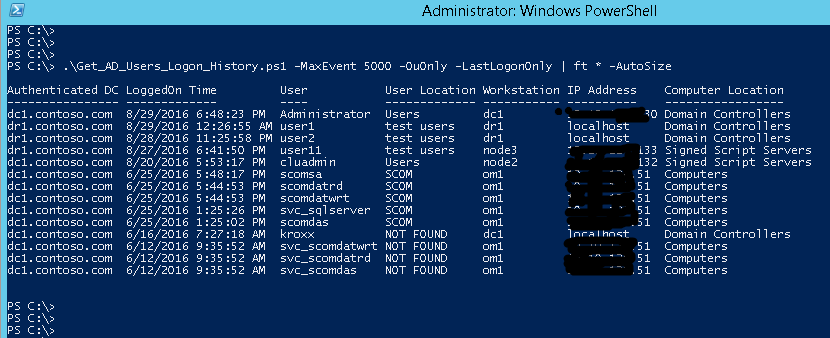
Powershell Find AD Users Logon History With Their Logged On Computers

Monitor Iis Application Pool Status Philippon walker
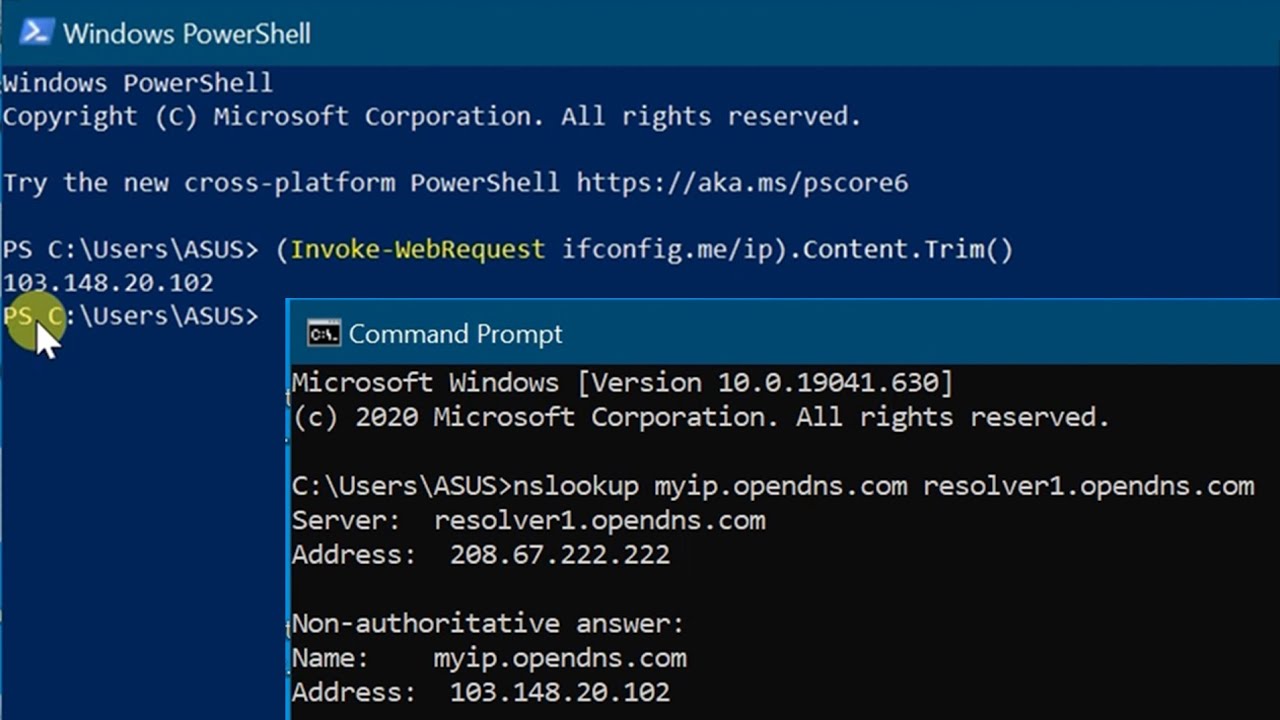
How To Get External IP Address From Command line PowerShell And CMD

Get App Pool Party Panic Forgegaret

May 4 2023 nbsp 0183 32 How to Install PowerShell 7 0 in Windows 7 Windows 8 and Windows 10 Microsoft has announced the Generally Available GA release of PowerShell 7 0 on March 4 2020
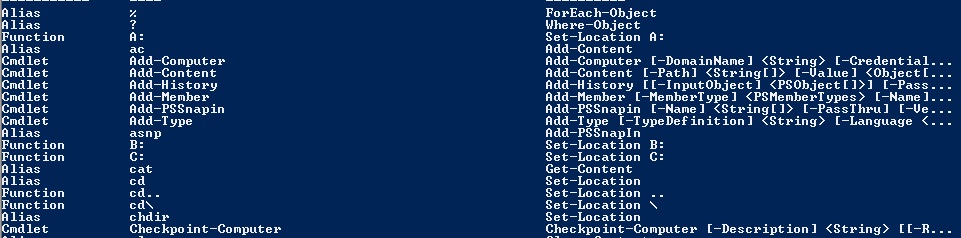
Nov 7 2019 nbsp 0183 32 How to Enable or Disable Windows PowerShell 2 0 in Windows 10 Windows PowerShell is a task based command line shell and scripting language designed especially for

Aug 11 2023 nbsp 0183 32 To Turn On or Off Windows Media Player in PowerShell 1 Open an elevated PowerShell 2 Copy and paste the command below you want to use into the elevated

Dec 6 2019 nbsp 0183 32 How to Install or Uninstall Windows PowerShell ISE in Windows 10 The Windows PowerShell Integrated Scripting Environment ISE is a host application for Windows

Aug 20 2022 nbsp 0183 32 Check What Graphics Card or GPU is in PC in PowerShell 1 Open a PowerShell 3 Copy and paste either command below into PowerShell and press Enter see screenshots
[desc-11] [desc-12]
[desc-13]