Powershell Get App Pool Status About POOL Status Hotelium Get App Pool Party Panic Laderrocks What Is Dead Pool Status Pool Mani Pulite IHeart Exchange Powershell App Pool W3wp exe Memory Leak Sysadmin The Get IISAppPool cmdlet gets information about application pools and their current status and other key information nIf a specific application pool or a comma delimited list of application pools are requested only those whose names are passed as an argument are returned nOtherwise all the application pools are returned n EXAMPLES n
Gets IIS shared configuration status Gets configuration information for an IIS Web site Gets the bindings on the specified IIS site This cmdlet has been introduced in version 1 1 0 0 of IISAdministration module Creates a new configuration element object in an IIS configuration collection Creates an IIS Website The Get IISAppPool cmdlet in PowerShell is used to list application pools including their information about app pool name status CLR ver Pipeline Mode and Start Mode The following command gets a list of application pools Get IISAppPool You can also use IIS AppPool with the Get ChildItem cmdlet to get a list of IIS application pools
Exchange Powershell App Pool W3wp exe Memory Leak Sysadmin Monitor Iis Application Pool Status Philippon walker Recycle App Pool Powershell Fatfasr Using PowerShell To Find The Process Id PID Of An Application Pool Replacing A Failed Disk In Windows Server 2012 R2 Storage Spaces With Veracrypt Stuck On Booting Laderrocks Get App Pool Party Panic Forgegaret Kota Files Season 1 Episode 2 Pool Of Blood Airtel Xstream Play Meest Bruikbare PowerShell Cmdlets Om Exchange Online Mailboxen Te Beheren
Powershell Get App Pool Status
 Powershell Get App Pool Status
https://hotelium.io/wp-content/uploads/2021/03/pool.jpg
To manage web application pools we ll first need to import the WebAdministration module PS Import Module WebAdministration This brings in all of the IIS cmdlets as well as creates the This is where most of the app pool configuration will be done Let s first check to see if any app pools already exist
Pre-crafted templates provide a time-saving option for producing a varied series of files and files. These pre-designed formats and layouts can be utilized for numerous individual and professional projects, including resumes, invitations, flyers, newsletters, reports, presentations, and more, enhancing the material creation process.
Powershell Get App Pool Status
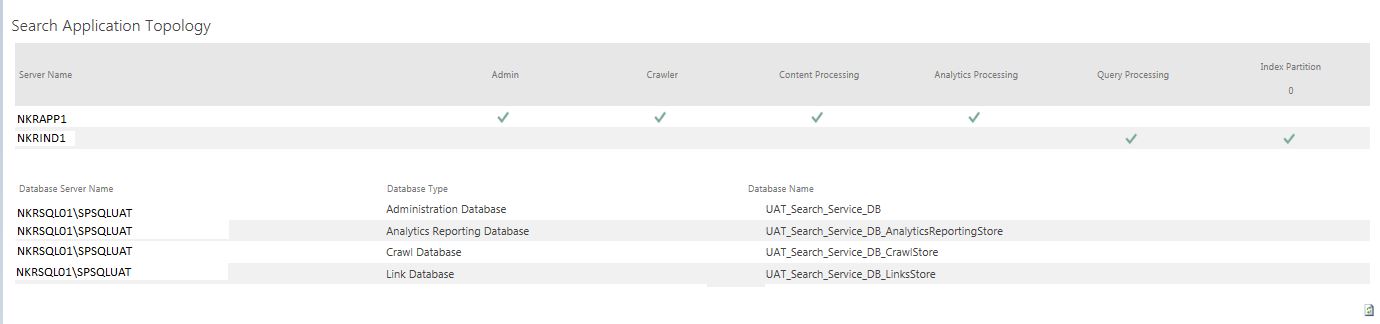
A Shared point On SharePoint March 2016

Monitor Iis Application Pool Status Philippon walker

Recycle App Pool Powershell Fatfasr

Using PowerShell To Find The Process Id PID Of An Application Pool

Veracrypt Stuck On Booting Laderrocks

Get App Pool Party Panic Forgegaret

PowerShell Get IISAppPool Name String CommonParameters Description The Get IISAppPool cmdlet gets information about application pools and their current status and other key information

PowerShell Get WebAppPoolState Name String CommonParameters Description The Get WebAppPoolState cmdlet gets the run time state of an Internet Information Services IIS application pool Examples Example 1 Get the run time state of the DefaultAppPool PowerShell IIS Get WebAppPoolState Name DefaultAppPool Value Started
1 2 Get AppPool ComputerName Server01 Server02 SendEmail No FT Wrap AutoSize Get AppPool ComputerName Server01 Server02 SendEmail Yes Output in PS console Get AppPool Html formatted report with successful results AppPools Report In case of failure results status will be marked with red background AppPools Report failure
1 When I type in Get IISAppPool the Status property is always empty Get IISAppPool Select Object Status The application pools are running and the names are correct Does anyone know why I m not the creator of the application pools could that be the reason powershell iis webserver application pool Share Improve this question Follow

By using the WebAdministrationPowerShell module that comes installed as part of IIS and a little PowerShell remoting you can easily create modify and remove app pools at will Let s go through a few examples on how to make that happen
How to check Web Application Pools status and restart IIS remotely on multiple servers Powershellbros How to check Web Application Pools status and restart IIS remotely on multiple servers Posted on April 21 2017 by Pawel Janowicz 10 How to retrieve the number of applications associated with a specific IIS AppPool via PowerShell command We can see the associated applications manually using Get Item IIS AppPools AppPoolName However if we manually want to select the Applications column it is not possible Also the Applications column is not listed within Get Member
Automation is the key As an application grows the deployment will span more and more machines Every step that can be avoided must be saved In this blog post I will share some nifty Powershell one liners that can drastically speed up your deployment duration and lead to a more scalable process