How To Access Shared Documents On Google Drive CPAR WEEK 1 Shared Documents Contemporary Philippine Arts From The Regions Quarter 1 How To Access Documents On Google Drive Offline More Practical How To Share A Google Drive Folder Publicly Workspace Tips How To Access Shared Documents Through ISE With Mac OS 10 7x Lip How Moving Files From Google My Drive To A Google Shared Drive Division Of Information Technology Web Jul 30 2020 nbsp 0183 32 1 On your internet browser go to Google Drive 2 Drag and drop the file directly into your Drive Drag and drop files from your computer into your Drive Abigail Abesamis Business Insider 3
Web Go to Google Drive Select the folder you want to share Select Share Enter the email address or Google Group you want to share with If you use a work or school account you can share with Web Dec 11 2022 nbsp 0183 32 Share a Document If you have a document you want to share with others click the Share button in the top right corner of the screen You can also go to File gt Share gt Share with others
Moving Files From Google My Drive To A Google Shared Drive Division Of Information Technology 4 Best Ways Share Google Drive Folder With Non Gmail Users How To Access Shared Documents Through ISE With Mac OS 10 7x Lip How How To Access Shared Mailbox Office 365 Outlook Gagastimes How To Access Shared Folders In Dropbox Mac Web Browser Windows TechnologyDOTs How To Share Folders Files And Documents On Google Drive The Rawhide Co Realtors Property Management In CO Accessing Files In Your Google Drive Shared With Me VCFA RESC LLC A Decade Of Excellence
How To Access Shared Documents On Google Drive
 How To Access Shared Documents On Google Drive
https://d20ohkaloyme4g.cloudfront.net/img/document_thumbnails/98a1a767e25a3978097ea181df053711/thumb_1200_1697.png
Web Jun 28 2019 nbsp 0183 32 There are three ways to share files and folders in Drive 1 Share with Contacts If the person is in your Google contacts you can simply enter their name in the available option and they
Templates are pre-designed documents or files that can be utilized for different functions. They can conserve time and effort by providing a ready-made format and layout for developing various sort of content. Templates can be used for personal or expert tasks, such as resumes, invitations, flyers, newsletters, reports, discussions, and more.
How To Access Shared Documents On Google Drive
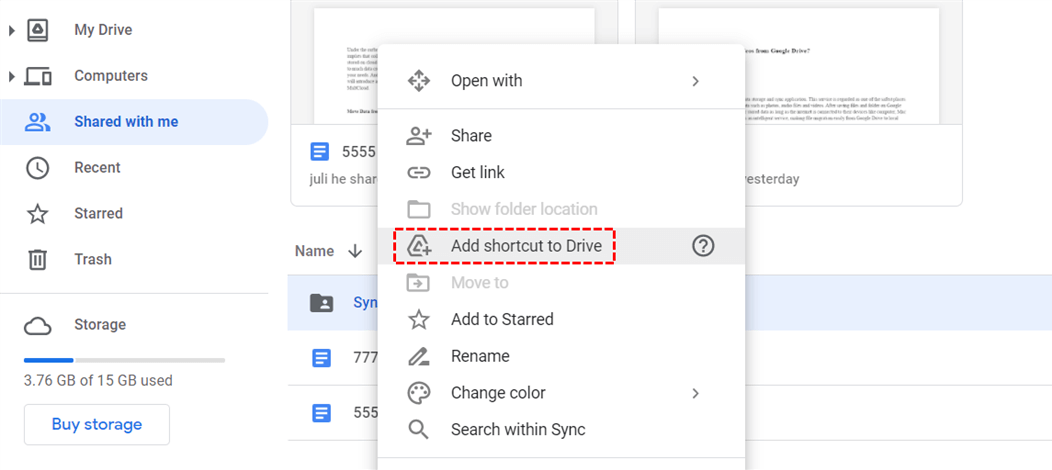
Google Drive Shared With Me Not Showing How To Fix
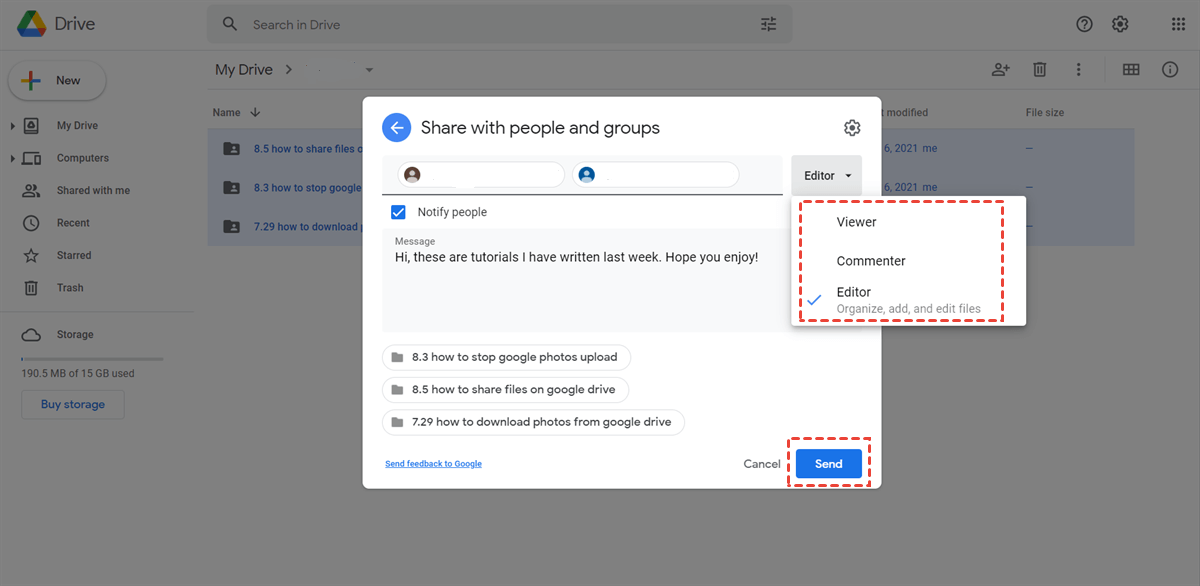
4 Best Ways Share Google Drive Folder With Non Gmail Users

How To Access Shared Documents Through ISE With Mac OS 10 7x Lip How
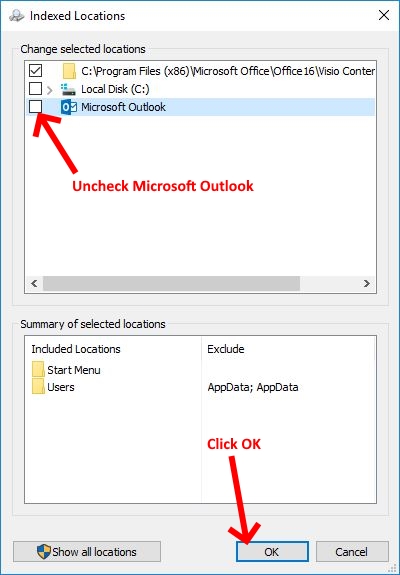
How To Access Shared Mailbox Office 365 Outlook Gagastimes

How To Share Folders Files And Documents On Google Drive

The Rawhide Co Realtors Property Management In CO

Web Go to drive google On the left click Shared with me Right click the file or folder you want to make a shortcut for Click Organize gt Add shortcut Note You can t add files

Web Google Workspace productivity guide Shared drives are a great way for teams to collaborate and reference the same files in Google Drive But it can be confusing trying to tell who can access

Web Find the file or folder in Google Drive Google Docs Google Sheets or Google Slides Open or select the file or folder Click Share or Share Find the person you want to stop sharing

Web Step 1 Find the file that you want to share Share a single file Tip If you have a pending request to share an open document at the top right you ll find a dot next to Share On a computer
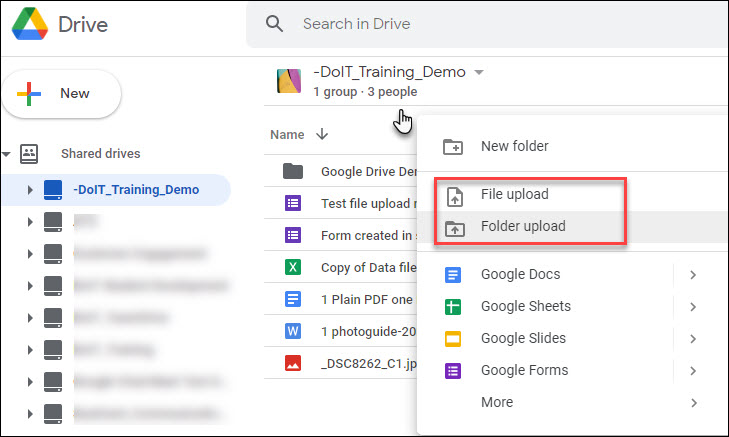
Web Jun 7 2021 nbsp 0183 32 With Google Drive you can share files directly using an email address or you can simply copy the invite link and share it on the web The process for sharing is the same whether you re sharing a single
Web Feb 21 2024 nbsp 0183 32 Step 1 Access the Shared Document Open your Google Drive and click on Shared with me to find the document Accessing the shared document is the first step If you can t find the document check with the owner to ensure they ve shared it with your correct email address Step 2 Check Your Permissions Web Mar 24 2021 nbsp 0183 32 How to share your document There are a few different ways to start sharing a file in Google Drive and its related apps On the home screen of Google Drive also known as My Drive click to
Web Mar 21 2022 nbsp 0183 32 How to share files on Google Drive By Mark Coppock March 21 2022 Google Drive is one of the best cloud storage services you can find It s packed full of features and functionality including