How Do I Automatically Trigger A Macro In Excel Making Vlookup Trigger A Macro In Excel Anders Fogh How To Auto Run Macro In Excel On File Open How To Trigger A Macro By Hovering Over A Cell In Excel How To Trigger A Macro By Hovering Over A Cell In Excel Making Vlookup Trigger A Macro In Excel ManyCoders Web Mar 14 2023 nbsp 0183 32 One of the fastest ways to execute VBA in Excel is to run a macro from the Developer tab If you have never dealt with VBA code before you may need to activate the Developer tab first And then do
Web May 5 2022 nbsp 0183 32 In Microsoft Excel you can create a macro that is called only when a value is entered into a cell in a particular sheet or in any sheet that is currently open Note Web In Excel you run a macro manually or automatically A macro is an action or a set of actions that you can use to automate tasks This topic shows you several ways to run
Making Vlookup Trigger A Macro In Excel ManyCoders How To Write A Simple Macro In Microsoft Excel with Pictures How To Trigger A Macro In Zendesk FlowEQ How To Trigger A Macro By Hovering Over A Cell In Excel Pin On MS Office Macro Copy Data From One Workbook To Another Top 9 Best Answers Ar How To Trigger A Macro By Hovering Over A Cell In Excel How To Monitor A Web Page For Changes And Trigger A Macro Macro Making Vlookup Trigger A Macro In Excel ManyCoders
How Do I Automatically Trigger A Macro In Excel
 How Do I Automatically Trigger A Macro In Excel
https://andersfogh.info/wp-content/uploads/2023/05/Making-VLOOKUP-Trigger-a-Macro-in-Excel-O2JL.jpg
Web Feb 23 2023 nbsp 0183 32 Power Platform Power Automate Run macros on an Excel workbook Article 02 23 2023 4 contributors Feedback The Run Excel macro action enables you to run
Pre-crafted templates provide a time-saving service for developing a diverse series of files and files. These pre-designed formats and designs can be used for numerous individual and professional projects, consisting of resumes, invitations, leaflets, newsletters, reports, presentations, and more, enhancing the content creation procedure.
How Do I Automatically Trigger A Macro In Excel

How To Trigger A Macro By Hovering Over A Cell In Excel

How To Write A Simple Macro In Microsoft Excel with Pictures

How To Trigger A Macro In Zendesk FlowEQ

How To Trigger A Macro By Hovering Over A Cell In Excel
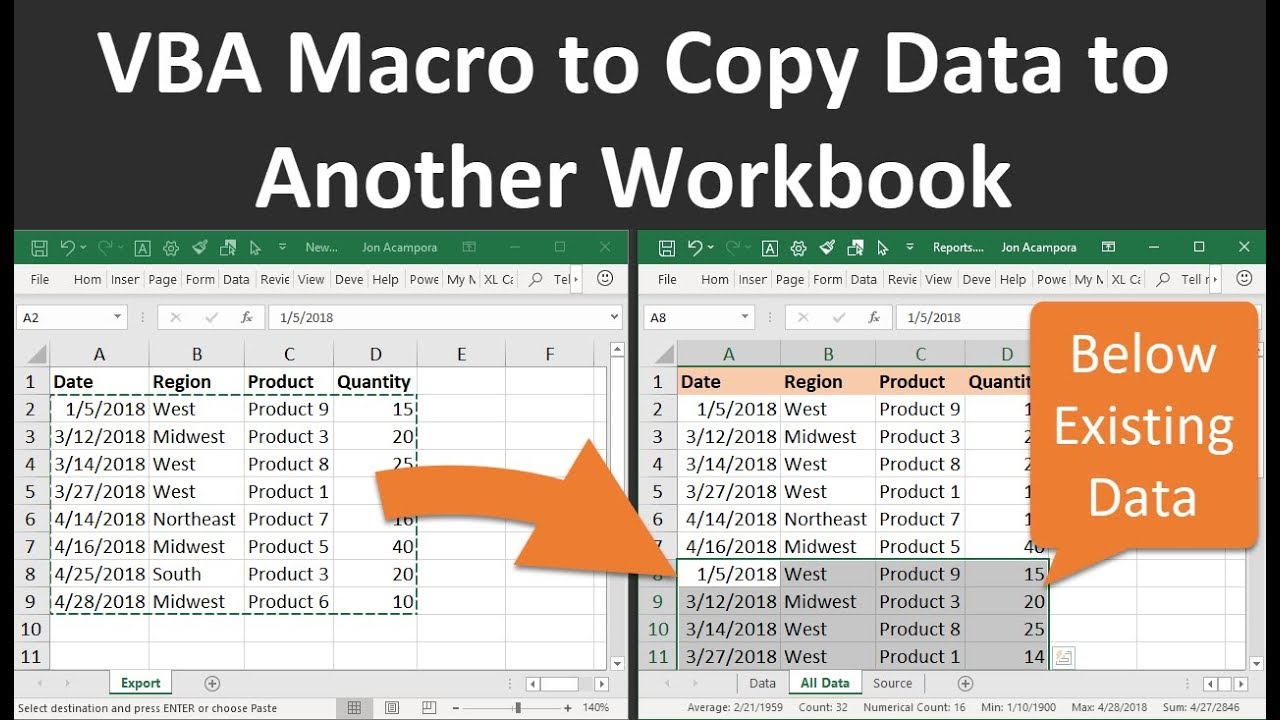
Macro Copy Data From One Workbook To Another Top 9 Best Answers Ar

How To Trigger A Macro By Hovering Over A Cell In Excel

Web Jan 6 2021 nbsp 0183 32 How to Run Macros Automatically This wikiHow will teach you how to run macros in Excel automatically when you open a specific workbook or how to create a

Web Aug 16 2015 nbsp 0183 32 VBA 187 VBA Event Triggers Today we are going to discuss how you can automatically make your VBA code execute based on a specific cell value being changed Behind the scenes Excel keeps

Web Aug 11 2017 nbsp 0183 32 Is it possible to trigger it automatically without a button when i have any update on sheet2 Sub Autofill Dim sg As Sheets Dim Row As Long Dim fillRow As

Web Aug 11 2023 nbsp 0183 32 The most common method for running a macro is from the Developer tab in the Excel ribbon This tab is hidden by default so you will need to enable the Developer

Web Auto Run a Macro using Events in VBA It s possible to make a macro run when something happens in Excel for example when a workbook is opened or when a cell value is changed These are called Events and
Web Jul 9 2018 nbsp 0183 32 1 Answer Sorted by 13 Firstly and regarding your quot enabling them by default is not an option quot statement bear in mind that this is not necessarily true The user can allow Web Click the worksheet location where you want the upper left corner of the button to appear The Assign Macro popup window appears Assign a macro to the button and then click
Web Aug 3 2018 nbsp 0183 32 Sub OrganiseTimesheetReport Application ScreenUpdating False Renaming Original Report ActiveSheet Name quot Original Report quot Safekeeping the