How To Automatically Trigger A Macro In Excel How To Trigger A Macro By Hovering Over A Cell In Excel How To Trigger A Macro By Hovering Over A Cell In Excel How To Trigger A Macro By Hovering Over A Cell In Excel How To Trigger A Macro By Hovering Over A Cell In Excel Making Vlookup Trigger A Macro In Excel Pixelated Works Web Feb 23 2023 nbsp 0183 32 To run the macro deploy the Run Excel macro action and populate its name in the Macro field To find the name of a macro open the respective workbook and navigate to Developer gt Macros The pop up dialog displays all
Web Feb 22 2023 nbsp 0183 32 You can assign a keyboard shortcut to a macro that you use often in the form of CTRL lt letter gt or CTRL SHIFT lt letter gt To do this Bring up the Macro List View gt Macros or ALT F8 Select the macro you want to apply a shortcut to Click Options to show the Macro Options sub dialog Web May 5 2022 nbsp 0183 32 To accomplish this use the Intersect method on the ActiveCell and the range containing the key cells to verify the ActiveCell is one of the key cells If the ActiveCell is in the range containing the key cells you can call the macro
Making Vlookup Trigger A Macro In Excel Pixelated Works How To Trigger A Macro In Zendesk FlowEQ How To Trigger A Macro By Hovering Over A Cell In Excel How To Trigger A Macro By Hovering Over A Cell In Excel How To Trigger A Macro By Clicking A Specific Cell In Excel Free How To Enable Macros In Excel And Automate Your Work On A Spreadsheet How To Use VBA Macros To Copy Data To Another Workbook In Excel Making Vlookup Trigger A Macro In Excel Anders Fogh How To Write A Macro In Excel To Take Off Percentage Pharmatide
How To Automatically Trigger A Macro In Excel
 How To Automatically Trigger A Macro In Excel
https://www.spreadsheetweb.com/wp-content/uploads/2021/11/How-to-trigger-a-macro-by-hovering-a-cell-in-Excel-01-min.png
Web In Excel you run a macro manually or automatically A macro is an action or a set of actions that you can use to automate tasks This topic shows you several ways to run macros manually or automatically
Templates are pre-designed files or files that can be utilized for different functions. They can save time and effort by supplying a ready-made format and layout for creating different kinds of material. Templates can be used for individual or expert tasks, such as resumes, invites, flyers, newsletters, reports, discussions, and more.
How To Automatically Trigger A Macro In Excel

Smart Supply Chains Using Smart Contracts Blogs Manufacturing

How To Trigger A Macro In Zendesk FlowEQ

How To Trigger A Macro By Hovering Over A Cell In Excel

How To Trigger A Macro By Hovering Over A Cell In Excel
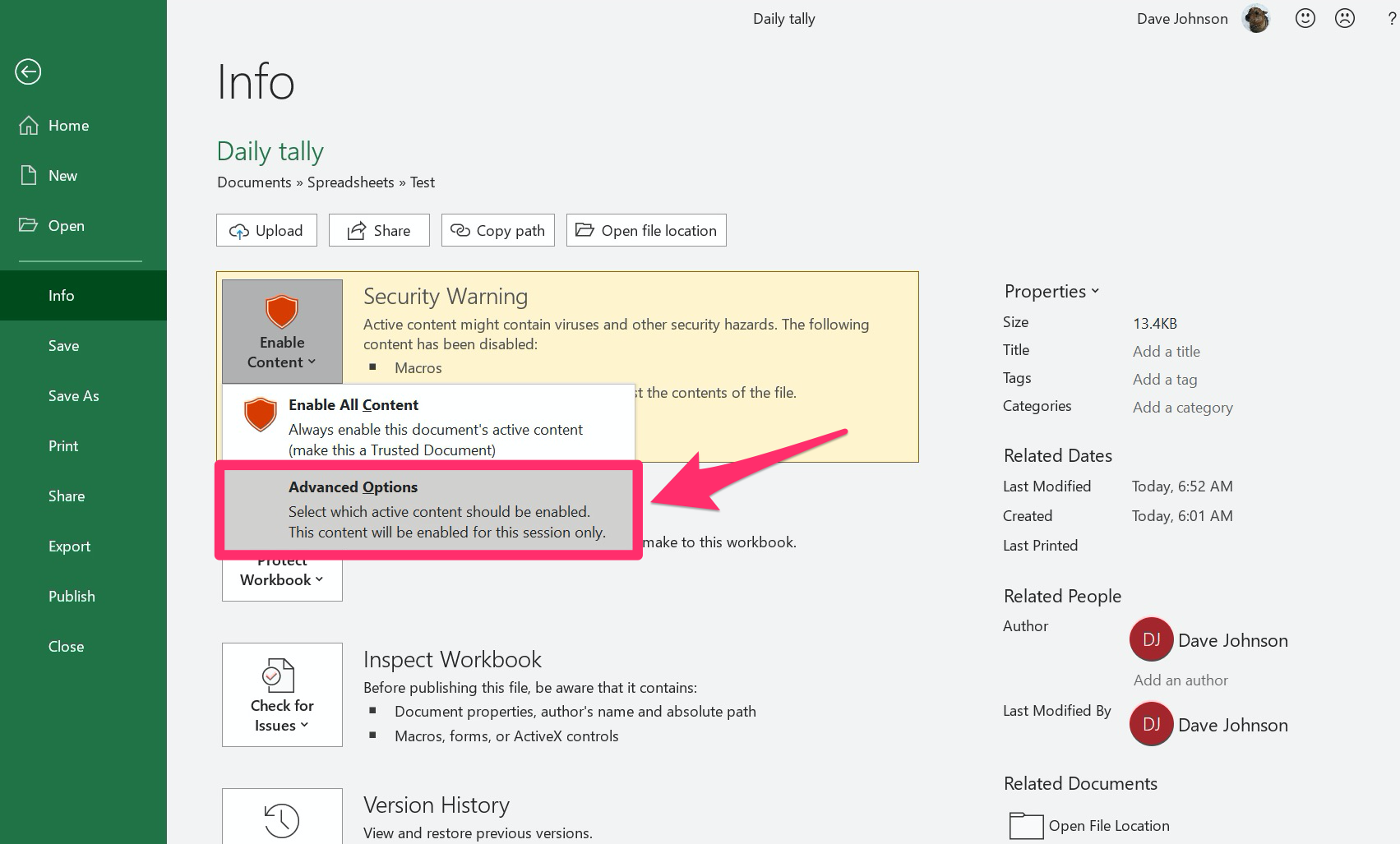
How To Enable Macros In Excel And Automate Your Work On A Spreadsheet
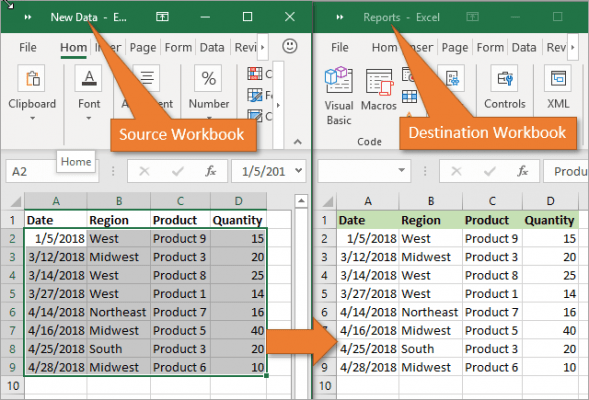
How To Use VBA Macros To Copy Data To Another Workbook In Excel

Web Jan 6 2021 nbsp 0183 32 Method 1 Running a Macro Automatically for a Specific Workbook Download Article 1 Make sure the Developer tab is displayed on your editing ribbon If it isn t and you re using a Windows computer go to the File tab and click Options gt Customize ribbon Under quot Main tabs quot check the box next to quot Developer quot

Web Aug 16 2015 nbsp 0183 32 Chris Newman Today we are going to discuss how you can automatically make your VBA code execute based on a specific cell value being changed Behind the scenes Excel keeps track of specific events that occur while the

Web Jan 3 2023 nbsp 0183 32 Select Automate gt Automate a Task Select the template you want to use Sign in provide the required information and then select the Create button Learn more Want to get started with streamlining repetitive tasks Check out our documentation below Take a tutorial on reading workbook data with Office Scripts in Excel

Web Aug 12 2017 nbsp 0183 32 Paste the following code And change 1 quot D4 quot with your cells you want to quot monitor quot 2 Paste your macro in the line quot Do things quot The problem is your code is run everytime the focus is changed to another cell But you could also use Worksheet BeforeDoubleclick if this is enough

Web Apr 30 2019 nbsp 0183 32 This article will go through how to utilize the Windows Task Scheduler application don t worry this comes installed with most Windows PCs to automatically open an Excel file run it s VBA code save the file and finally close the Excel file
Web Jul 26 2015 nbsp 0183 32 Is there a simple way to get Excel to automatically execute a macro whenever a cell is changed The cell in question would be in Worksheet quot BigBoard quot Range quot D2 quot What I thought would be a simple Google inquiry is proving to be more complicated every sample involved intersects whatever those are Web How can I automatically execute an Excel macro each time a value in a particular cell changes Right now my working code is Private Sub Worksheet Change ByVal Target As Range If Not Intersect Target Range quot H5 quot Is Nothing Then Macro End Sub where quot H5 quot is the particular cell being monitored and Macro is the name of the macro
Web Aug 11 2023 nbsp 0183 32 You can use the Alt F8 keyboard shortcut to open the Macro menu Run VBA Macro from a Keyboard Shortcut You can entirely bypass the Macro dialog box by assigning a keyboard shortcut to your desired Macro