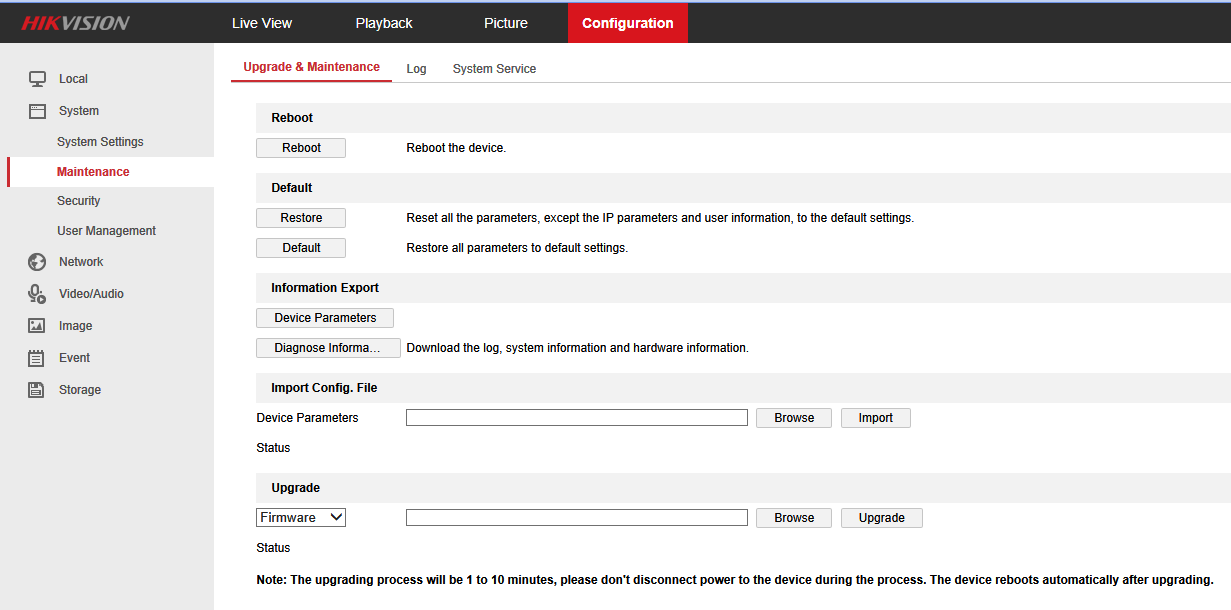
Hikvision Camera Reset Button Assistance Adding A New Hik Camera On My 7604 IP Cam Talk C ch Reset L i Camera Hikvision V M c nh Ban u C a Nh S n Xu t Reset Camera IP Wifi Hikvision DS 2CD2420F IW V M c nh Hikvision DS 2CD2032 I Teardown IP Megapixel Cameras And Software Review Hikvision Mini Bullet IP Camera SecurityCamCenter Reset button method The easiest method to reset the camera Unfortunately not all cameras have a reset button You need to disconnect power from camera push reset button and hold it After that you need to connect power and continue to hold reset button for 20 seconds Thats all you can activa
1 Hikvision camera hard reset If you have an IP camera just open it up and look for the reset button Usually the reset button is located close to the memory card slot Please kindly check some models for example Bullet DS 2CD2086G2 I Dome DS 2CD2143G2 I Turret DS 2CD2343G2 I Turret DS 2CD2347G2 LU IP Camera Turret Use a paperclip or sharp object to press and hold the reset button for 10 seconds The Camera will restart and all your settings will be erased Be sure to configure the Camera again after performing a hard reset Hard resetting will delete all your settings so make sure you have a backup before you begin
Review Hikvision Mini Bullet IP Camera SecurityCamCenter How To Fix A Hikvision Camera Factory Resetting Whenever It Reboots 20 25 q86y png Visionneuse Zupimages How To Fix A Hikvision Camera Factory Resetting Whenever It Reboots Hikvision Wifi Ip Camera Password Reset YouTube H NG D N RESET C NG CAMERA IP HIKVISION YouTube How To Reset Hikvision IP Network Bullet Camera To Default Settings How To Reset Hikvision Camera Use Deferent Ways How To Fix A Hikvision Camera Factory Resetting Whenever It Reboots
Hikvision Camera Reset Button
 Hikvision Camera Reset Button
http://i.imgur.com/k6Fr17y.jpg
What camera series have reset button How to manually factory reset a camera What is the difference between the main stream and the sub stream How does bit rate relate to the Resolution and Frame rate On IVMS 4200 the device is added manually and shows serial number and net detect is proper but camera s does not show on main view
Pre-crafted templates use a time-saving option for developing a diverse series of documents and files. These pre-designed formats and layouts can be utilized for various individual and expert projects, including resumes, invites, leaflets, newsletters, reports, presentations, and more, simplifying the material creation process.
Hikvision Camera Reset Button

Observaci n Docena Paloma Boton Reset Camara Ip Hikvision Amedrentador
How To Fix A Hikvision Camera Factory Resetting Whenever It Reboots
20 25 q86y png Visionneuse Zupimages

How To Fix A Hikvision Camera Factory Resetting Whenever It Reboots

H NG D N RESET C NG CAMERA IP HIKVISION YouTube

How To Reset Hikvision IP Network Bullet Camera To Default Settings

In this video I show how to reset a Hikvision camera to recover from a lost password You just need to press and hold the reset button for 10 seconds while connecting the power Then
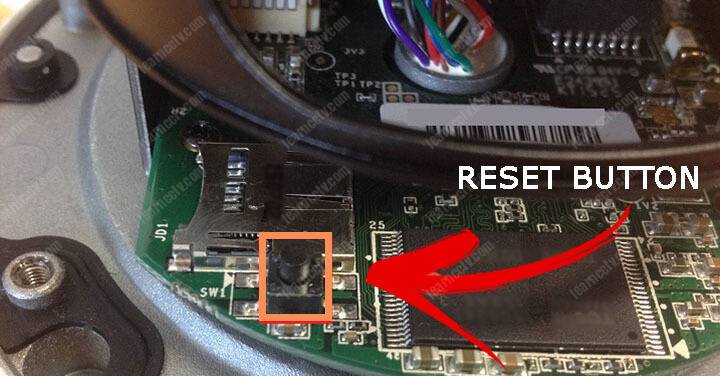
Answer 1 Press and hold the reset button on the camera for a total of 1 5 minutes 90 Seconds 2 After the first 30 seconds disconnect the network cable with your other hand do not let up on the reset button Wait 30 seconds 3 Re connect the network cable again do not let up on the reset button Wait 30 seconds
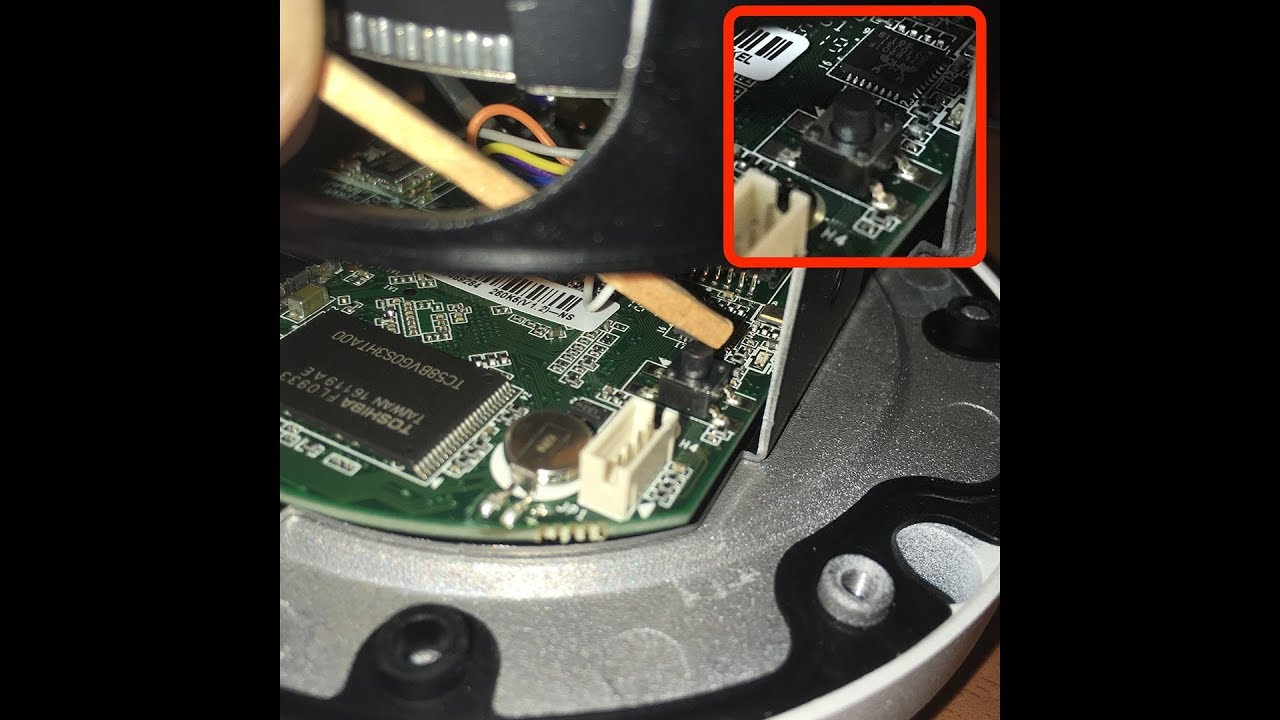
1 I have these cameras LV PB3140WC and LV PB912F4C They are bullet cameras and they don t have a physical reset button on them I reset my NVR back to factory and apparently the password I chose this time in the setup doesn t match what the cameras have and I can t figure out what they are set to How can I reset them
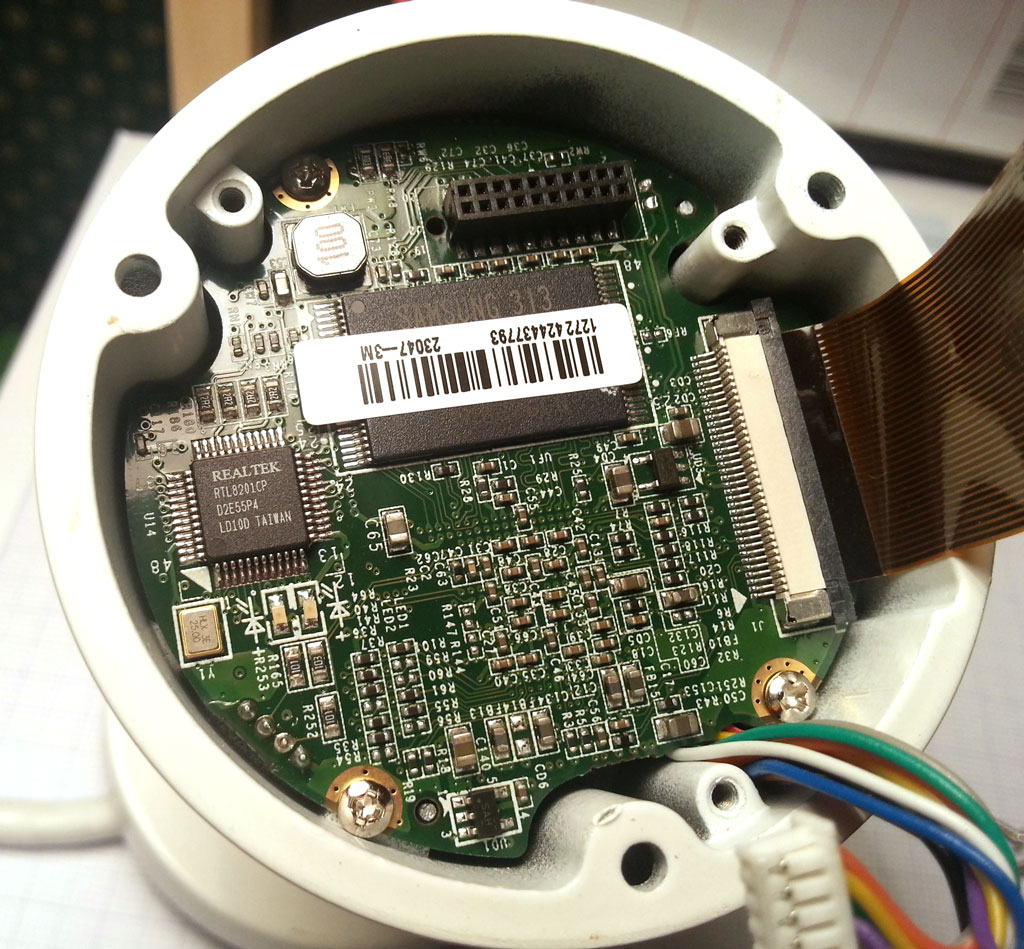
HIKVISION IP CAMERA RESET TO DEFAULT WITH BUTTON SWITCH Home Projects 14K subscribers Subscribed 287 282K views 7 years ago RESET BULLET CAMERA How To Reset Hikvision IP
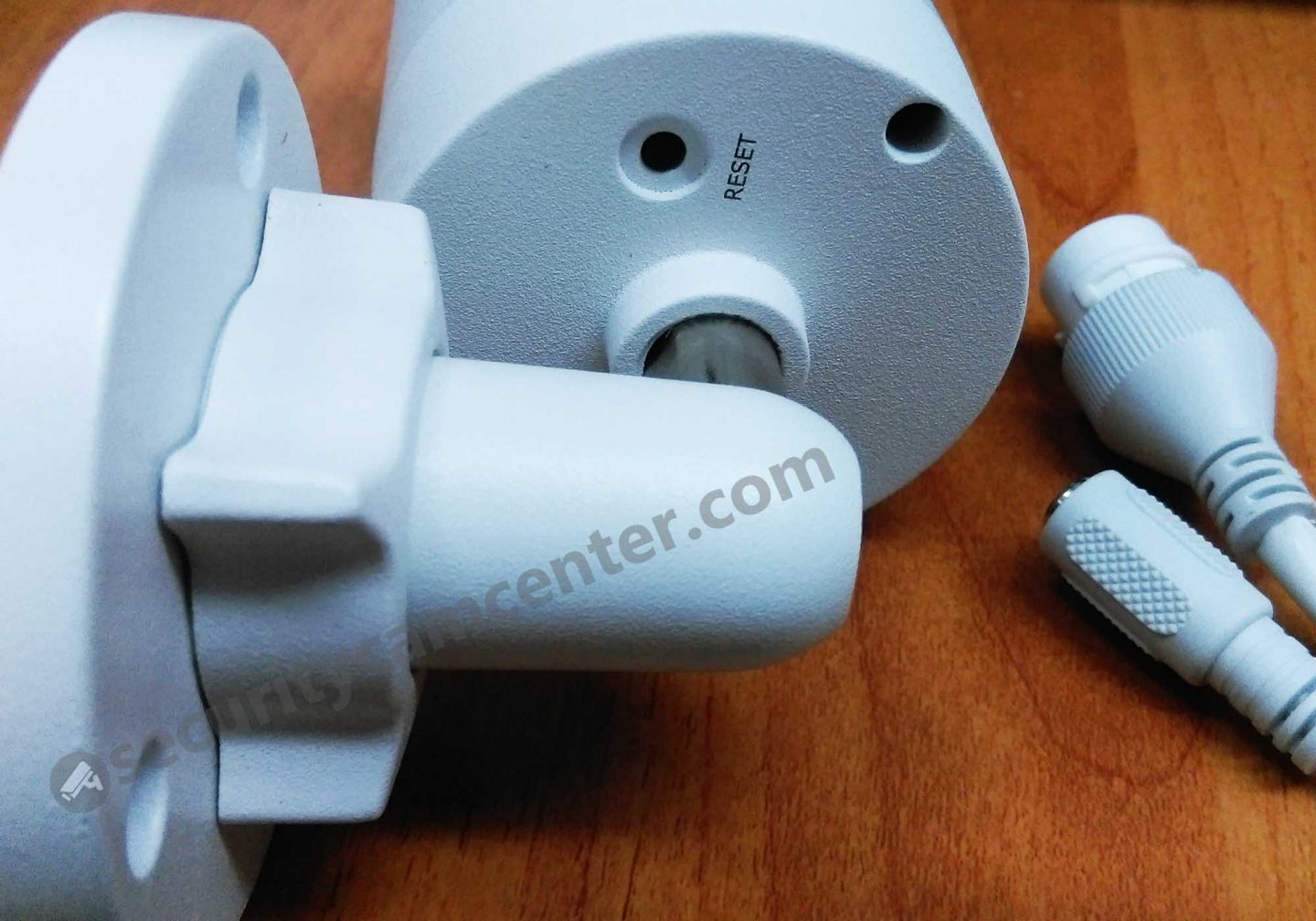
Press and hold the reset button Connect the camera power supply cable or the PoE cable Keep holding the reset button for 20 seconds Release the reset button After the camera is reset you should use the SAPD tool or a web browser to setup it again since it will lose all the previous configurations
[desc-11] [desc-12]
[desc-13]