Hikvision Camera Reset Button Location Assistance Adding A New Hik Camera On My 7604 IP Cam Talk How To Reset Hikvision Camera Use Deferent Ways How To Reset Hikvision Ip Camera Ds 2cd1021 i Coub How To Fix A Hikvision Camera Factory Resetting Whenever It Reboots How To Reset Hikvision Camera Use Deferent Ways WEB To reset your camera back to factory defaults Disconnect the power supply Press and hold the reset button Keep holding the reset button and restore the power supply
WEB To reset your Hikvision DS 2CD1123G0E I camera to its factory default settings locate the reset button on the camera usually a small hole and use a paperclip or similar tool to press and hold the button for a few WEB Step by step to reset your Hikvision camera Locate the Reset button on the camera Power off the camera by disconnecting the camera power supply cable or the PoE
How To Reset Hikvision Camera Use Deferent Ways Factory Reset Hikvision IP Camera YouTube Reset Hikvision Camera To Factory Settings BYRGPUB COM Reset Hikvision Camera Password using QR Code Learn CCTV Hikvision IP Camera Reset And Activate Each Point Detailed Explain 2020 Reset Camera IP Wifi Hikvision DS 2CD2420F IW V M c nh How To Fix A Hikvision Camera Factory Resetting Whenever It Reboots Arindam Bhadra Reset IP Security Cameras Where Is The Reset Button On A Hikvision DS 2DE4A425IW DE PTZ Camera
Hikvision Camera Reset Button Location
 Hikvision Camera Reset Button Location
http://i.imgur.com/k6Fr17y.jpg
WEB Reset button is on circuit board above camera just below a set of fine wires See photo below button is shown at the tip of the screwdriver just under the green white wires
Templates are pre-designed files or files that can be utilized for different purposes. They can save effort and time by offering a ready-made format and design for producing different kinds of content. Templates can be utilized for individual or expert projects, such as resumes, invitations, leaflets, newsletters, reports, presentations, and more.
Hikvision Camera Reset Button Location
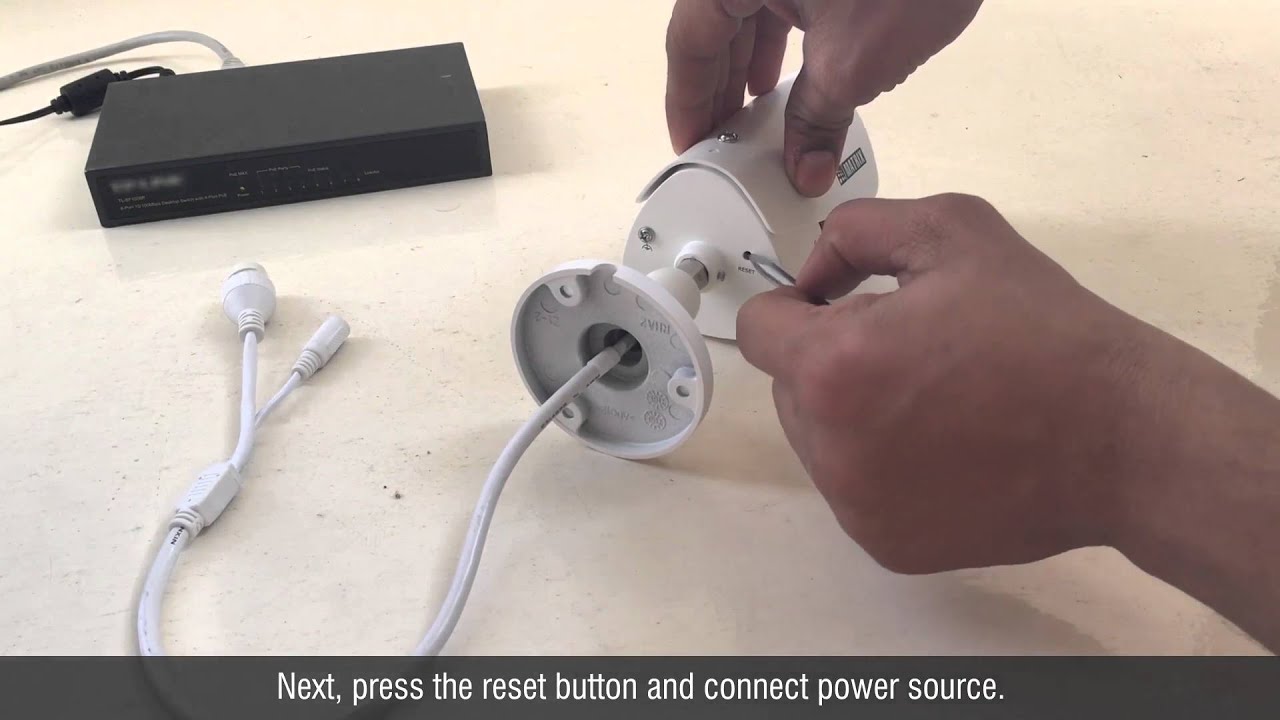
How To Reset 1 3 MP Bullet IP Camera YouTube

Factory Reset Hikvision IP Camera YouTube

Reset Hikvision Camera To Factory Settings BYRGPUB COM

Reset Hikvision Camera Password using QR Code Learn CCTV

Reset Camera IP Wifi Hikvision DS 2CD2420F IW V M c nh
How To Fix A Hikvision Camera Factory Resetting Whenever It Reboots

WEB Answer 1 Press and hold the reset button on the camera for a total of 1 5 minutes 90 Seconds 2 After the first 30 seconds disconnect the network cable with your other
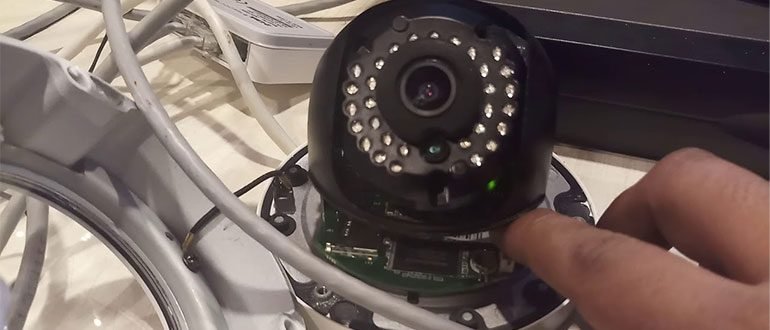
WEB Aug 19 2019 nbsp 0183 32 The reset button on the Hikvision IP cameras is usually located close to the memory card slot You can easily find it even without any indication since it s a pushdown type button as shown in the picture

WEB Reset button Press reset button for about 10 s when the camera is powering on or rebooting to restore the default settings including the user name password IP address

WEB Dec 15 2016 nbsp 0183 32 Reset a Hikvision IP camera to factory default settings using reset switch button inside a camera you can also reset it from software or explorer content with
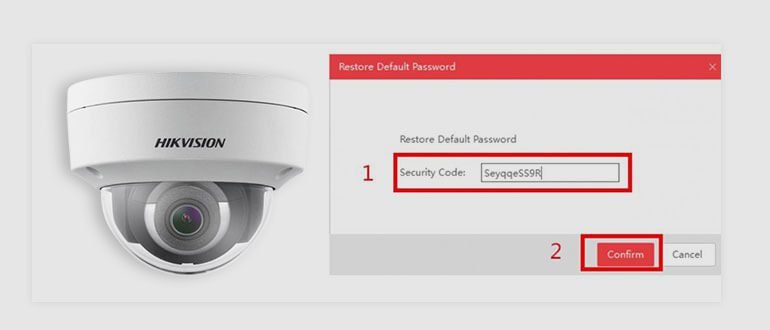
WEB Dec 6 2022 nbsp 0183 32 In this video I show how to reset a Hikvision camera to recover from a lost password You just need to press and hold the reset button for 10 seconds while
WEB I have a 2CD2132 I camera and it had a 5 2 0 firmware I downloaded the new version 5 3 IPC R0 EN STD 5 3 0 150513 zip and made the update the update was successful WEB The easiest method to reset the camera Unfortunately not all cameras have a reset button You need to disconnect power from camera push reset button and hold it After
WEB The trick is to get the camera to show up on sadp If you can t see it you can t push the firmware reset https ipcamtalk downloads tftpserv 9 Personally I like the