Hikvision Bullet Camera Reset Button Observaci n Docena Paloma Boton Reset Camara Ip Hikvision Amedrentador HIKVISION IP CAMERA RESET TO DEFAULT WITH BUTTON SWITCH YouTube How To Reset 1 3 MP Bullet IP Camera YouTube HOW TO RESET HIKVISION IP NETWORK BULLET CAMERA Bullet Camera Power DS 2CD1023G0E I L AIDC Technology S Pte Ltd Some Hikvision bullets have a phsyical reset button which model is yours On a mini bullet it s located at the back of the camera On a varifocal bullet you can find it by unscrewing the cap of the camera at the front Couple of
Reset and Restore Camera Press Reset button for about 10s when the camera is powering on or rebooting to restore the default settings including the user name password IP address port No etc For the position of the reset button refer to the figure in the interface introduction page Our shop https icamera ch
DS 2CD1023G0E I L AIDC Technology S Pte Ltd DS 2CD2545FWD I W S 4MP IR Fixed Mini Dome Network Camera In Sri Gu a De Inicio R pido De UVC G3 BULLET DahuaWiki Hikvision IP Camera Reset And Activate Each Point Detailed Explain 2020 Reset Camera IP Wifi Hikvision DS 2CD2420F IW V M c nh Hikvision Wifi Ip Camera Password Reset YouTube How To Reset An IP Camera Instructions For 30 Different Manufacturers How To Reset An Amcrest Camera Learn CCTV
Hikvision Bullet Camera Reset Button
 Hikvision Bullet Camera Reset Button
https://i.ytimg.com/vi/bfDBkyf7gRo/maxresdefault.jpg
How to manually factory reset a camera What is the difference between the main stream and the sub stream How does bit rate relate to the Resolution and Frame rate On IVMS 4200 the device is added manually and shows serial number and net detect is proper but camera s does not show on main view
Pre-crafted templates provide a time-saving option for developing a varied variety of files and files. These pre-designed formats and layouts can be utilized for numerous personal and expert tasks, including resumes, invites, flyers, newsletters, reports, presentations, and more, improving the content creation procedure.
Hikvision Bullet Camera Reset Button

IP CAMERA DS 2CD1031 I 2 8mm 3 Mpx Hikvision IP Cameras With Fixed

DS 2CD2545FWD I W S 4MP IR Fixed Mini Dome Network Camera In Sri

Gu a De Inicio R pido De UVC G3 BULLET
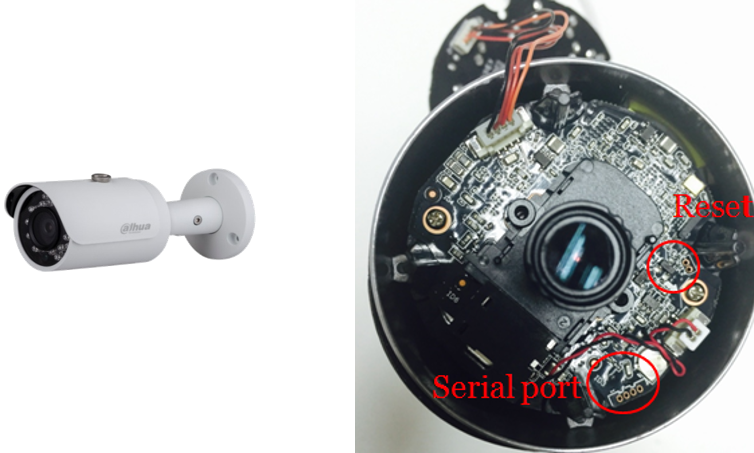
DahuaWiki

Reset Camera IP Wifi Hikvision DS 2CD2420F IW V M c nh

Hikvision Wifi Ip Camera Password Reset YouTube

They are bullet cameras and they don t have a physical reset button on them Click to expand So you have carefully inspected the rear of the cams and there s no pinhole for a paper clip there s no pushbutton on the power Ethernet pigtail and there s no small door on the bottom fastened with screws

In this video I show how to reset a Hikvision camera to recover from a lost password You just need to press and hold the reset button for 10 seconds while connecting the power

Step by step to reset your camera Hikvision camera to factory defaults Disconnect the camera power supply Press and hold the reset button Connect the camera power supply Keep holding the reset button for 15 seconds Release the reset button

How do i default a Hikvision IP camera Answer 1 Press and hold the reset button on the camera for a total of 1 5 minutes 90 Seconds 2 After the first 30 seconds disconnect the network cable with your other hand do not let up on the reset button Wait 30 seconds 3 Re connect the network cable again do not let up on the reset button
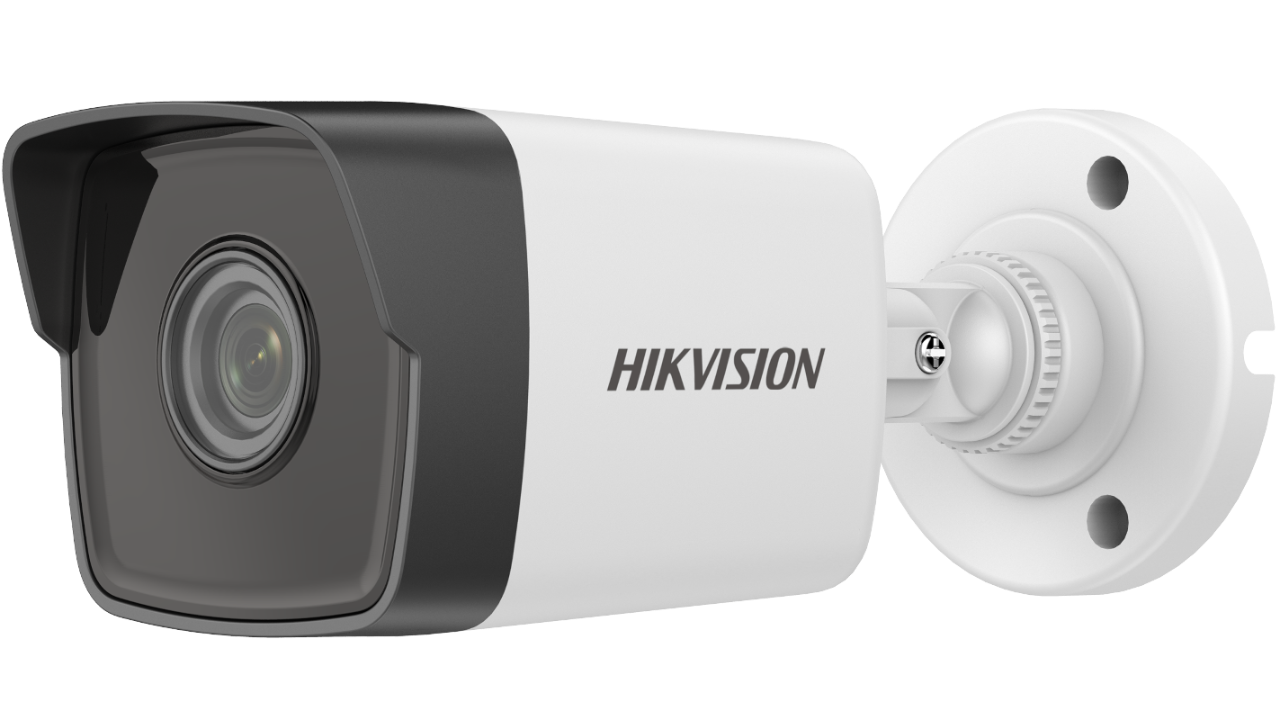
Reset a Hikvision IP camera to factory default settings using reset switch button inside a camera you can also reset it from software or explorer content with alarm video and
Quick Guide 1 Open IP camera don t give power 2 Push hold Reset button with small wood stick 3 Connect power supply 12V or PoE to the camera don t release Reset 4 Continue to Step by step to reset your Hikvision camera Locate the Reset button on the camera Power off the camera by disconnecting the camera power supply cable or the PoE cable Press and hold the reset button Power up the camera Keep holding the reset button for 15 20 seconds Release the reset button
1 Can anyone tell me where the reset button is on the DS 2CD2T42WD I5 camera I am sorry if it has already been posted but I did a search and could not find relevant info I assume the reset button inside the camera but how to I get inside I unscrewed 4 tiny screws but it still won t open up Is it the camera body glued together