Change Computer Account Password Password Surang Lineal Color Icon How To Change Router Password How To Uninstall Computer Repair Account Recovery Computer With Account And Password Stock Vector Illustration Of Landing Online 169372638 How Can I Change Microsoft Account On My Laptop Linksraf Reset A Computer Account In An Active Directory Infrastructure On Windows Server 2016 Windows In Windows 11 10 select Password and then choose Change In Windows 8 choose Change from the Password section Enter your current password in the first text box and then select Next Enter your new password twice to verify that you ve typed it correctly
1 Open the Settings app s Accounts page The quickest way to access this page is to launch the Start menu search for Password and then select Change your password This will How to change set a password in Windows 10 1 Click the Start button at the bottom left of your screen 2 Click Settings from the list to the left 3 Select Accounts 4 Select Sign in
Reset A Computer Account In An Active Directory Infrastructure On Windows Server 2016 Windows How To Change Computer Account Password Using CMD YouTube Windows Event ID 4724 An Attempt Was Made To Reset An Account s Password WindowsTechno Gmail s Upcoming Responsive Features Will Resize Emails To Fit To Any Screen How To Change Account Password How To Change Computer Password Using By Command Prompy How To Setting Up Cloud Kerberos Trust Passwordless Access To On prem Resources Dybbugt no Relaying 101 LuemmelSec Just An Admin On Someone Else s Computer How To Change A Password On Computer Kitchenislanddesignsource Computer Repair Largo Belltech Computer Solutions
Change Computer Account Password
 Change Computer Account Password
https://cdn-icons-png.flaticon.com/512/2393/2393329.png
If you lose or forget your local computer account password you must remember the password hint to regain access to the account in Windows 10 version 1803 this is changed to security questions Alternately another administrator account on the computer can reset the password Under the Password section click Change and
Templates are pre-designed files or files that can be used for different functions. They can conserve time and effort by offering a ready-made format and layout for developing different sort of material. Templates can be utilized for personal or expert projects, such as resumes, invites, flyers, newsletters, reports, discussions, and more.
Change Computer Account Password

When Did Users Last Change Their Password In Active Directory 4sysops

How To Change Computer Account Password Using CMD YouTube

Windows Event ID 4724 An Attempt Was Made To Reset An Account s Password WindowsTechno

Gmail s Upcoming Responsive Features Will Resize Emails To Fit To Any Screen

Setting Up Cloud Kerberos Trust Passwordless Access To On prem Resources Dybbugt no

Relaying 101 LuemmelSec Just An Admin On Someone Else s Computer

Change or reset your Windows password If you already know your current password and want to change it Select Start Settings Accounts Sign in options Reset your Windows 11 local account password If you ve forgotten or lost your Windows 11 password for a local account Reset your Microsoft

Change Your Microsoft Account Password Online The Sign in Options windows Settings Accounts Sign In Options in the Settings app provides a Change Your Microsoft Account Password link It essentially sends you to Bing which provides instructions on how to change your password online

Open Settings Click on Accounts Click on Sign in options Under the Manage how you sign in to your device section select the Password option Click the Change button Source Windows
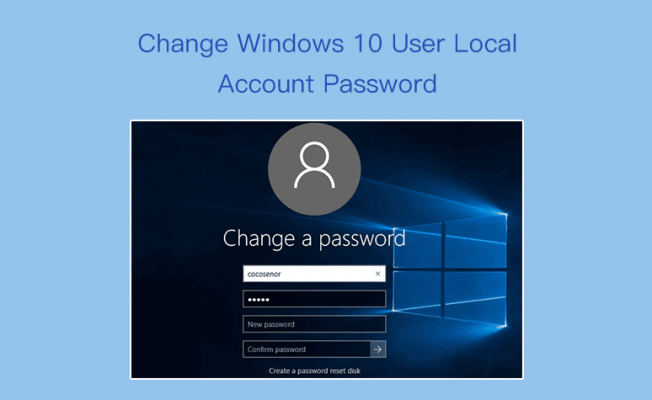
To change your password go to Start Settings Accounts Sign in options Select Password and then select Change Note To change your password if you re using a work or school account you can press Ctrl Alt Del and then select Change a password
Updated May 9 2023 Image maurusone Getty Images If you forgot the password to your Windows PC don t panic Windows 10 and Windows 11 both allow you to reset a forgotten password whether
[desc-11] [desc-12]
[desc-13]