Zebra Zd410 Error Troubleshooting The Zebra Label Printers Lightspeed Retail R Series Appendix Chronic Disease Indicators Physical Activity And Nutrition Zebra Label Printer Not Printing Correctly Troubleshooting Zebra ZD410 Compact Label Printer Cash Drawers Ireland H ng D n Thi t L p Driver Zebra ZD410 Tr n M y T nh In Nh n Verkkotulos Find information on your Zebra ZD410 Desktop Printer drivers software support downloads warranty information and more
Verkkotulos Resolving Print Issues This section helps you identify issues with printing or print quality the possible causes and the recommended solutions Troubleshooting Verkkotulos 1 Common Printer Issues 1 1 Paper Jams 1 2 Printer Not Responding 2 Troubleshooting Steps 2 1 Check For Paper Jams 2 2 Verify Printer
H ng D n Thi t L p Driver Zebra ZD410 Tr n M y T nh In Nh n To Fix This Error And Resume Printing Follow The Steps Below To Troubleshooting The Zebra Label Printers Lightspeed Retail R Series NOTE It s Best To Use Direct Connections Instead Of USB Hubs And Power Connect Your USB Cable From Your Printer To Your Computer s USB Port M y In M V ch ZEBRA ZD230 C NG TY C PH N POSTECH Zebra ZD410 Direct Thermal Printer Monochrome Desktop Label New Zebra ZD410 Label Printer Prosperit Melanzana Montare Zebra Zd 410 Prestito Superare Di Poco Parti
Zebra Zd410 Error
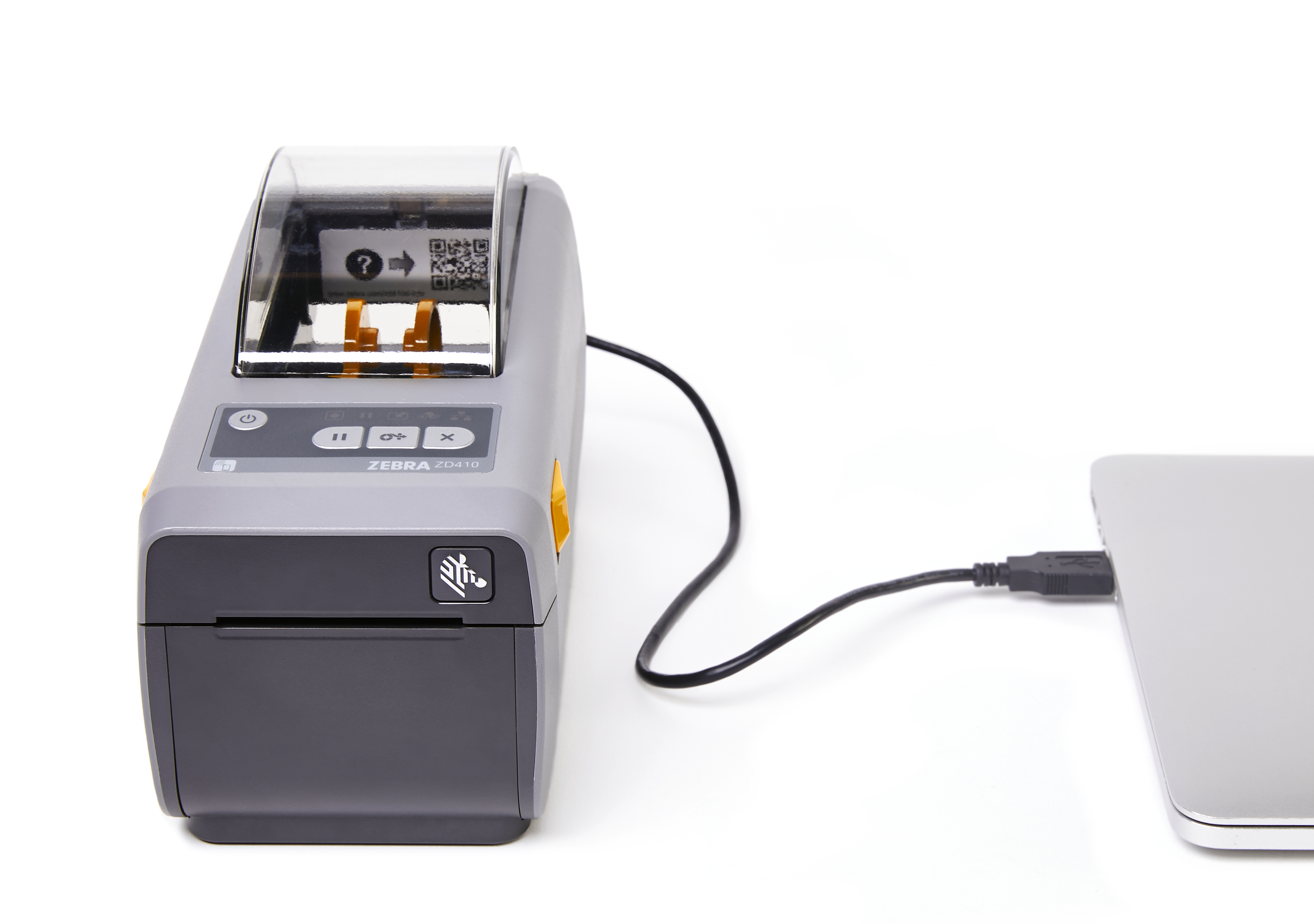 Zebra Zd410 Error
https://retail-support.lightspeedhq.com/hc/article_attachments/1260803817649/2019_2597_PrinterAndLaptop.jpeg
Verkkotulos 20 lokak 2022 nbsp 0183 32 resolution answer Sometimes an quot Error Not Accessible quot message is shown when trying to print with a version 8 printer driver NOTE
Pre-crafted templates provide a time-saving option for developing a varied variety of files and files. These pre-designed formats and designs can be used for various personal and professional projects, consisting of resumes, invites, flyers, newsletters, reports, presentations, and more, enhancing the material creation process.
Zebra Zd410 Error
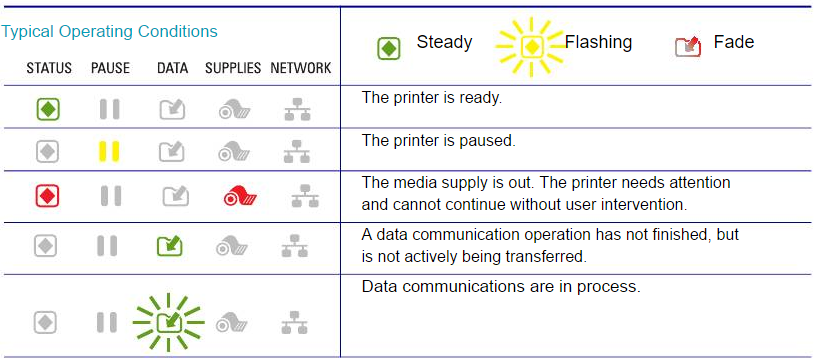
Zebra ZD410 Setup Pacific Amber Technologies Inc

To Fix This Error And Resume Printing Follow The Steps Below To
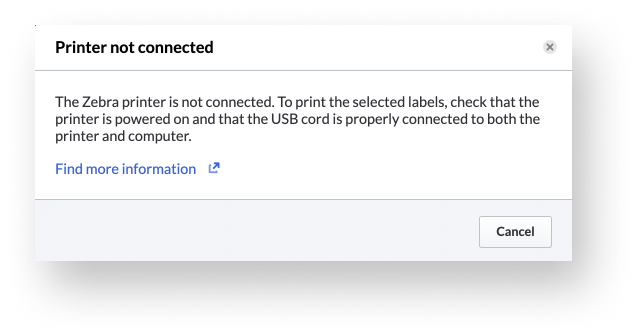
Troubleshooting The Zebra Label Printers Lightspeed Retail R Series

NOTE It s Best To Use Direct Connections Instead Of USB Hubs And Power

M y In M V ch ZEBRA ZD230 C NG TY C PH N POSTECH
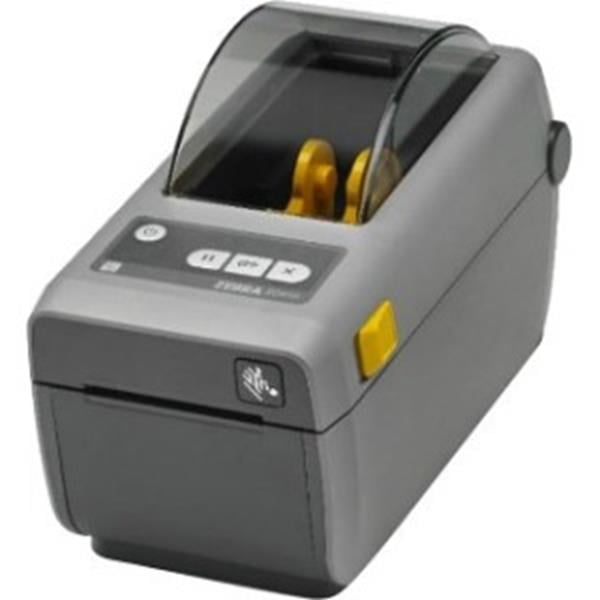
Zebra ZD410 Direct Thermal Printer Monochrome Desktop Label

Verkkotulos Product Recalls Find information on your Zebra ZD410 Desktop Printer drivers software support downloads warranty information and more
Verkkotulos This guide is for integrators and operators of Zebra Link OS ZD410 desktop printers Use this guide to install change configuration operate and maintain these printers
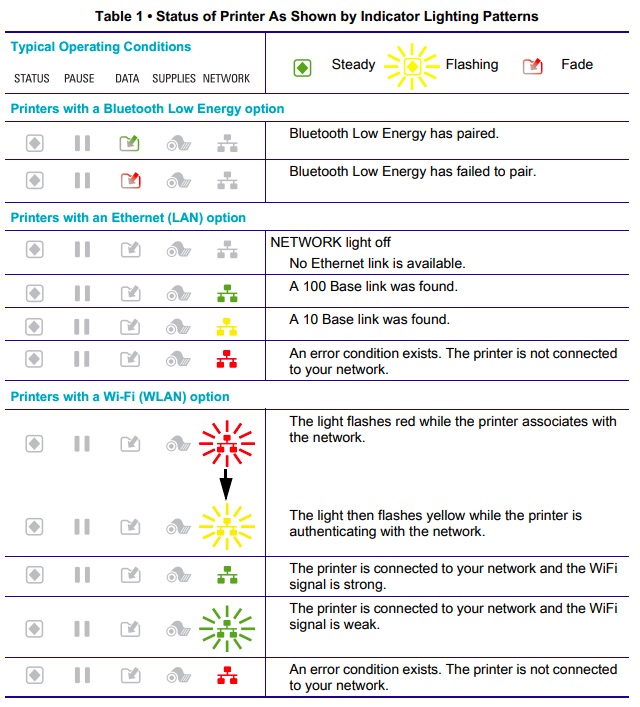
Verkkotulos ZD410 Direct Thermal Printers ZD410 Printer Features ZD410 Printer Options Zebra Label Printing Solution Modes of Printing What s in the Box Unpack and

Verkkotulos 10 tammik 2022 nbsp 0183 32 On your PC navigate to Control Panel and select Devices and Printers Disconnect the printer from the local connection USB not applicable to

Verkkotulos Solution 1 Check that the unit is plugged in Solution 2 Check that the printer isn t on a switched outlet one that requires a light switch to turn it on Solution 3
Verkkotulos 1 elok 2023 nbsp 0183 32 Repair Status Developer Portal Supplies Guide Tech Docs Site Help The Data LED on Printer is Flashing but the Printer is not Printing Article Verkkotulos ZD410 Direct Thermal Printers ZD410 Printer Features ZD410 Printer Options Zebra Label Printing Solution Modes of Printing What s in the Box Unpack and
Verkkotulos 5 tammik 2021 nbsp 0183 32 Troubleshooting your Zebra ZD410 Modified on Tue 5 Jan 2021 at 5 30 PM Below are some common issues to check if you are having issues