Word Replace With New Line Quick Tip VSCode Find And Replace With New Line Stay Regular How To Find Next Line In Notepad What Is Mark Down Gangnoob blogg se Editpad Lite Replace With New Line Find And Replace With A Newline In Visual Studio Code Bobbyhadz Metro 2033 Redux Achievements Publifas Web Dec 7 2019 nbsp 0183 32 1 Create a computer program to do this 2 Use macros or excel 3 Heck their is plenty of SAS online tools on the web cloud 4 What I ll be talking about using Microsoft Word on a PC and to
Web May 8 2023 nbsp 0183 32 Sometimes there are single spaces that need to be caught also In InDesign the find and replace looks like this Find s s r Replace r After searching the Word Docs I m not sure return and new line chars are wildcards that exist in Microsoft Word definitely don t exist in Apple Pages Web Dec 10 2020 nbsp 0183 32 Use the Find and Replace tool to delete extra breaks in a document Go to the Home tab and in the Editing group select Replace Or press Ctrl H to open the Find and Replace dialog box In Word for Mac use the Search box in the upper right corner of the document In the Find what text box enter p p the letter p must be lower case
Metro 2033 Redux Achievements Publifas Download Free Microsoft Word Replace Normal Template Stnews Meme TheWalkingDeadGame Solved Notepad Remove CR LF Tag And Find Particular 9to5Answer Earthquake 28463 11 24 Maintenance Service And Storage Notepad Find And Replace With New Line Malayhanic Notepad Find And Replace With New Line Malayhanic Microsoft Word Find And Replace Changing Capitalization Moplahalf 34 Javascript Replace Comma With Newline Modern Javascript Blog
Word Replace With New Line
 Word Replace With New Line
http://stayregular.net/content/2-blog/20180303-quick-tip-vscode-find-and-replace-with-new-line/quicktips-vscode-find-and-replace%400.3x.jpg
Web Jun 9 2017 nbsp 0183 32 Paste your chunk of text in a new MS Word Document Press CTRL H for the replace form Enter the character s that you want to replace with a line break As the replace with text you type and maybe some more characters that you need to keep Hit replace all and you will have your text with line breaks Simple as that
Templates are pre-designed files or files that can be used for numerous purposes. They can save effort and time by providing a ready-made format and design for producing various kinds of material. Templates can be utilized for individual or professional jobs, such as resumes, invitations, flyers, newsletters, reports, presentations, and more.
Word Replace With New Line
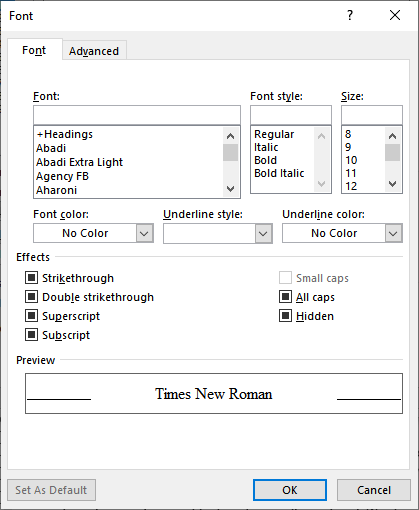
Changing The Underline Color Microsoft Word

Download Free Microsoft Word Replace Normal Template Stnews

Meme TheWalkingDeadGame
Solved Notepad Remove CR LF Tag And Find Particular 9to5Answer
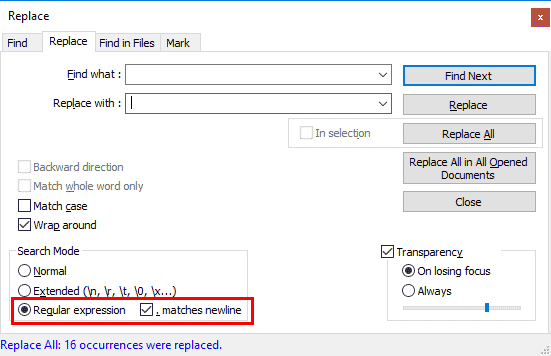
Notepad Find And Replace With New Line Malayhanic

Notepad Find And Replace With New Line Malayhanic

Web Jun 7 2007 nbsp 0183 32 MS Word Replacing Characters with Line Breaks You can use the Find and Replace in MS Word to replace any characters with a Line Break or other special characters or properties i e creating a page break em dash column break etc by using the Find and Replace with Special function

Web Mar 8 2023 nbsp 0183 32 Replace with l Press Replace All Note The special characters p l etc can be shown by pressing Special p is Paragraph Mark l is Manual Line Break
Web Enter the word or phrase you want to replace in Find what Enter your new text in Replace with Choose Replace All to change all occurrences of the word or phrase Or select Find Next until you find the one you want to update and then choose Replace To specify only upper or lowercase in your search select More gt Match case
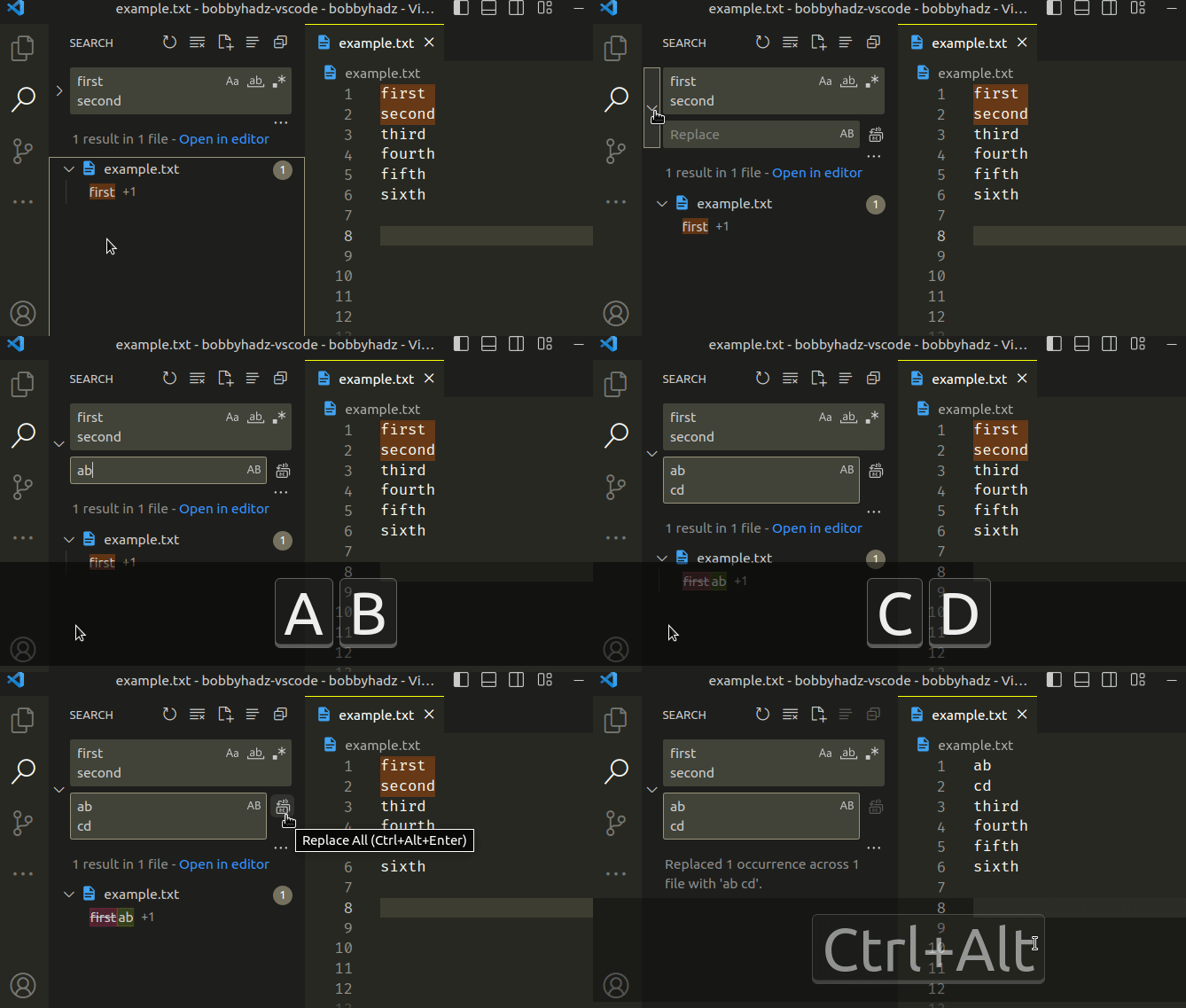
Web Jun 11 2012 nbsp 0183 32 In Replace with box type a comma Click on Replace All button Thus all the paragraph breaks in you document will get replaced by a comma You can use whatever character s you like in Replace with box For example if you want to replace every paragraph break with two paragraph breaks then you should type p p in Replace with

Web Most new lines in Word actually use paragraph breaks rather than line breaks pressing Enter starts a new paragraph whereas pressing Shift Enter inserts a line break Step 3 Type the text you want in place of the break into the Replace With field
Web Aug 30 2018 nbsp 0183 32 Type quot Lorem Incorporated quot into the quot Find What quot box Click the quot More quot button to expand the Find and Replace options if they aren t already displayed Next click the quot Format quot button on the bottom left and then click the quot Font quot option In the Find Font window click the quot Bold Italic quot font style Web Jan 24 2023 nbsp 0183 32 In a word processing program like Microsoft Word a line break is a special character that marks the end of one line of text and the beginning of a new line When you press the quot Enter quot key on your keyboard it inserts a line break at the point in the document where the cursor is located In Microsoft Word it looks like this Why replace
Web Apr 13 2021 nbsp 0183 32 How to use Find and Replace in Word on a Mac Open Microsoft Word on your Mac Click or hover over the quot Edit quot tab found in the top toolbar Click or hover over quot Find quot from the dropdown menu Click