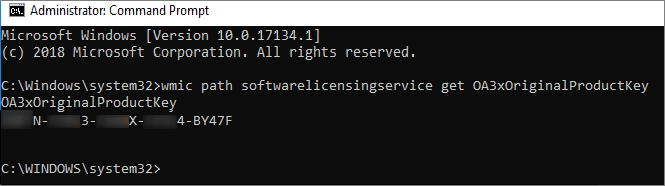
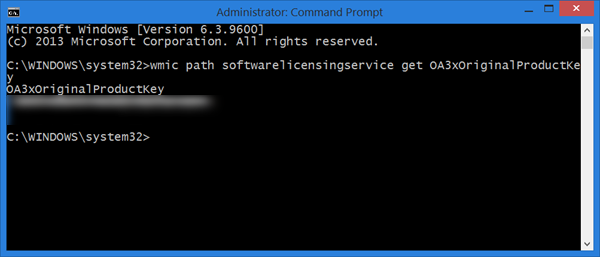
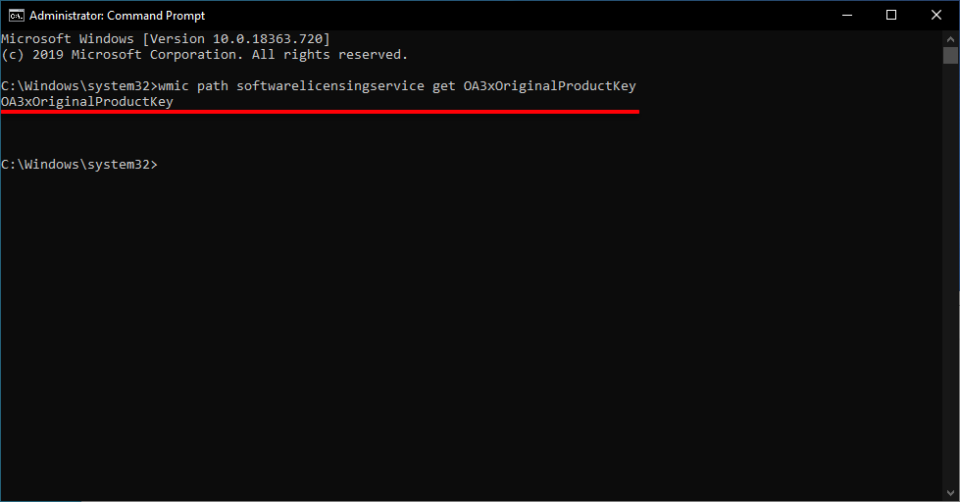
Windows 11 Product Key Command Prompt Windows 11 Product Key Finder How To Locate Product Key For Windows 11 How To Find Windows 11 Product Key DinoTechno How To Find Windows Product Key Using Command Prompt Or PowerShell How To Find Windows 10 Product Key Using Command Prompt How To Change Windows 7 Product Key Command Prompt Method YouTube Web Jan 1 2022 nbsp 0183 32 Use the Command Prompt This is quite possibly the easiest way to find your product key in Windows 11 Open the Start Menu and type Command Prompt Right click on the Command Prompt entry and choose Run as Administrator Type wmic path SoftwareLicensingService get OA3xOriginalProductKey and press Enter
Web Jun 26 2022 nbsp 0183 32 From the WinX Menu in Windows 11 10 open an elevated command prompt window type the following command and hit Enter wmic path softwarelicensingservice get OA3xOriginalProductKey Your Web Nov 18 2021 nbsp 0183 32 Find Your Windows 11 Product Key 2021 We have included four different ways to find the Windows 11 product key on your computer You can navigate to any of the methods from the table below and view the product key Before that we have explained what exactly is a product key for Windows and how to recognize it Table of Contents
How To Change Windows 7 Product Key Command Prompt Method YouTube Command Prompt Command Prompt Windows Wikihow How To Find Your Windows 10 Product Key Using The Command Prompt YouTube How To Find Windows Product Key Using Command Prompt Or Powershell Find Windows 10 Serial Key In Registry Restaurantlasopa How To Find Windows 10 Product Key Using Command Prompt YouTube How To Change Windows 10 s Product Key Using Command Prompt How To Find Windows Product Key Using CMD PowerShell And Windows How To Get Your Windows 10 Product Key From Command Prompt
Windows 11 Product Key Command Prompt
 Windows 11 Product Key Command Prompt
https://www.easeus.com/images/en/screenshot/todo-pctrans/product-key-in-command-prompt.png
Web The first method is to use the Command Prompt This is a quick and easy way to find your product key and we will show you how to do it in just a few steps This command will retrieve your product key from the Windows Registry Note down your product key and keep it in a safe place
Templates are pre-designed files or files that can be used for different purposes. They can save effort and time by providing a ready-made format and layout for developing different sort of material. Templates can be used for personal or expert tasks, such as resumes, invitations, flyers, newsletters, reports, discussions, and more.
Windows 11 Product Key Command Prompt
EVERY THING HERE How To Find Windows Product Key Using Command Prompt
Command Prompt Command Prompt Windows Wikihow
How To Find Your Windows 10 Product Key Using The Command Prompt YouTube
How To Find Windows Product Key Using Command Prompt Or Powershell

How To Find Windows 10 Product Key Using Command Prompt YouTube
How To Change Windows 10 s Product Key Using Command Prompt

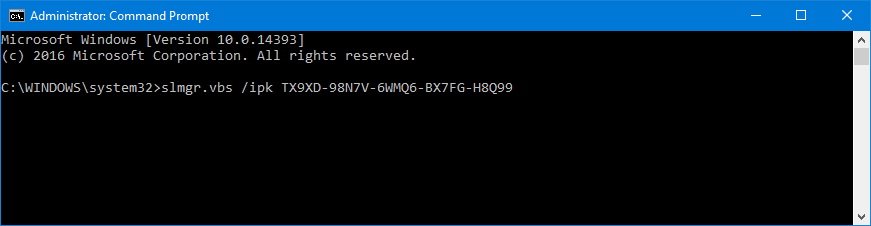
Web Oct 24 2022 nbsp 0183 32 Click Start icon type cmd in the Search box right click Command Prompt and select Run as administrator In the Command Prompt window you can type the following command wmic path SoftwareLicensingService get OA3xOriginalProductKey Press Enter to execute the command and it will show your Windows 11 product key

Web Jul 26 2023 nbsp 0183 32 Finally type or copy paste the below mentioned code and hit Enter to execute the command wmic path SoftwareLicensingService get OA3xOriginalProductKey Once successfully executed you shall see your product key on the screen You can also find your product key using Powershell

Web Jun 18 2022 nbsp 0183 32 To get your Windows product key from the command prompt 1 Launch the command prompt The easiest way to get there is to hit Windows R to open the run dialog box then type in cmd and

Web Oct 6 2022 nbsp 0183 32 What to Know Open the Command Prompt and type wmic path SoftwareLicensingService get OA3xOriginalProductKey You can also use Windows 11 PowerShell and the Windows Registry to discover your product key Your Windows 11 product key may be necessary for reinstalling the OS or future upgrades

Web Nov 1 2022 nbsp 0183 32 Type or paste this command at the prompt and press the Enter key wmic path softwareLicensingService get OA3xOriginalProductKey The command will reveal your original Windows 11 product
[desc-11] [desc-12]
[desc-13]