Windows 10 Serial Key Command Line Download Serial Key Windows 2010 Profesional Dwnloadsr Windows 10 Serial Key Command Line Movesnew Find Windows 10 Serial Key From Command Replockq Windows 10 Product Key Finder Free Matictop How To Find Your Windows 10 Product Key Using The Command Prompt YouTube First press the Windows key search for cmd and click on Run as administrator Then run the following command wmic path softwarelicensingservice get OA3xOriginalProductKey After that you ll see your Windows 10 product key Alternatively you can run this command in the Command Prompt terminal powershell Get WmiObject query
Method 1 Using WMI command line or PowerShell Use the following WMI command line to fix the product key of your Windows installation This method retrieves the activation key stored in the UEFI BIOS of your computer Note that you ll need to run the above command from an elevated admin Command Prompt window Click HKEY LOCAL MACHINE so it s selected Click File Load Hive and navigate to the SOFTWARE file in Windows System32 Config on your other drive Enter a name for this external hive file The
How To Find Your Windows 10 Product Key Using The Command Prompt YouTube Windows 10 Serial Key Not Blocked Pershort Windows 10 Crack Activator ISO Product Key Free Download Fixed Deleting Directory In Windows XP Command Line Fileologist How To Find Your Windows PC Serial Number Using Command Prompt Typing Master Pro License Key Version 7 10 serial Key 2022 Updated Windows 10 Professional 32 64 Bit Retail License Key WinSoftware Keyboard Shortcuts To Streamline Your Workflow Indos Computer Services How To Get Monitor Serial Number From Command Prompt Tracmopla
Windows 10 Serial Key Command Line
 Windows 10 Serial Key Command Line
http://dwnloadsr.weebly.com/uploads/1/2/4/6/124628505/346187174.jpg
Users can find a Windows 10 product key by issuing a command from the command prompt Press Windows key X Click Command Prompt Admin At the command prompt type the following to reveal the
Pre-crafted templates offer a time-saving option for producing a varied range of files and files. These pre-designed formats and layouts can be made use of for different personal and professional projects, including resumes, invitations, flyers, newsletters, reports, presentations, and more, streamlining the material creation procedure.
Windows 10 Serial Key Command Line

Windows Command Line Cheat Sheet Cheat Sheet Www vrogue co

Windows 10 Serial Key Not Blocked Pershort

Windows 10 Crack Activator ISO Product Key Free Download
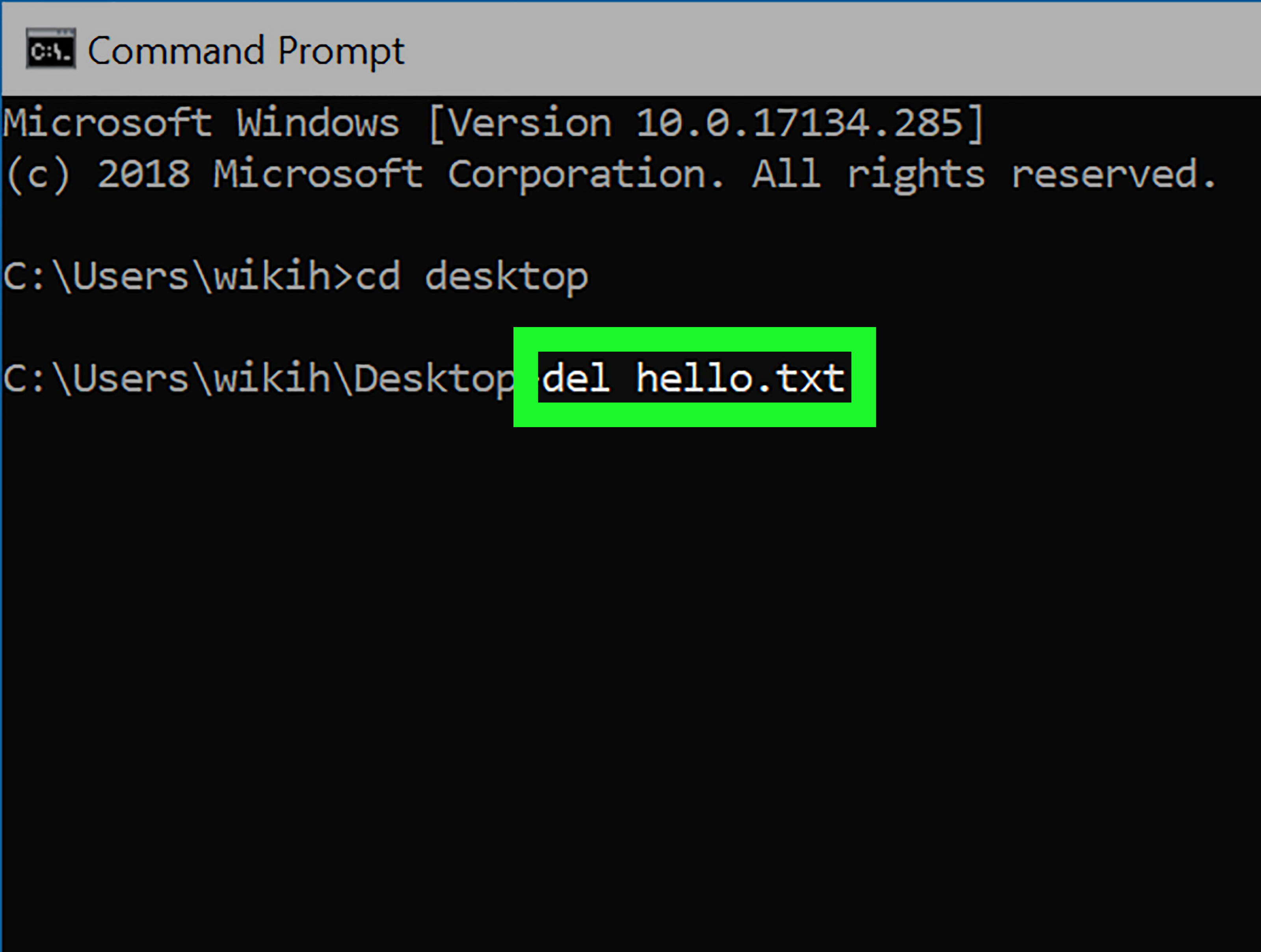
Fixed Deleting Directory In Windows XP Command Line Fileologist

Typing Master Pro License Key Version 7 10 serial Key 2022 Updated

Windows 10 Professional 32 64 Bit Retail License Key WinSoftware

1 Download Magical JellyBean KeyFinder the free version 2 Extract keyfinder exe from the zip file to a folder on your PC You can skip the other files in the zip archive 3 Launch

To find your Windows 10 Product Key open a PowerShell window with administrative privileges type the following command and hit Enter Get WmiObject query select from

How to find Windows Serial Number from Command Prompt With a single line command you can find Windows 10 license key in the Command Prompt Here re the steps you should follow Open the Start menu by pressing the Windows Key on your keyboard Type Command Prompt in the Start menu search bar
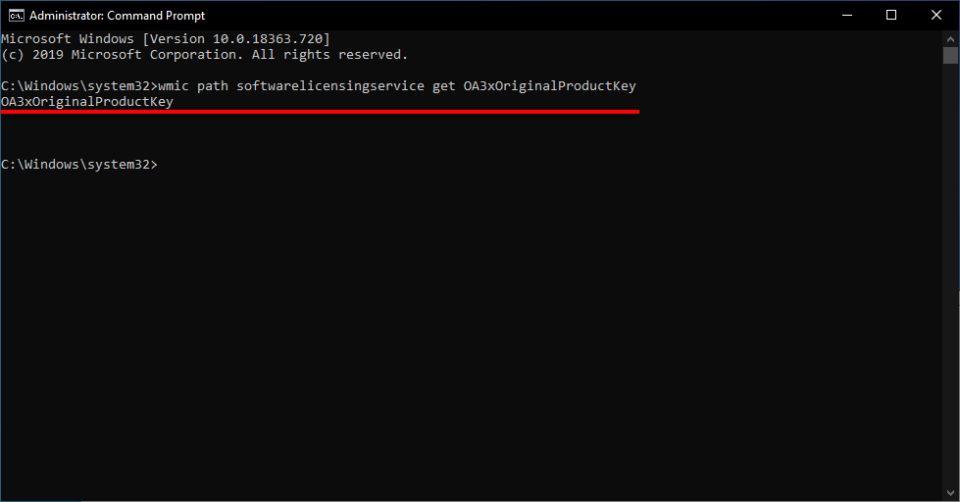
The most direct method for finding your Windows 10 product key is from the command line 1 Type cmd into the Windows 10 desktop search box 2 Then right click the command line result 3 Select

A product key is your 25 digit Window s activation key whereas the product ID is a 20 digit number that is used to know what Windows product you re using if you re using Windows 10 8 7
1 Check if Windows 10 is activated The first stage is to check whether your copy of Windows 10 is activated If it is you ll be able to find your product key If it isn t you ll need to At the Command Prompt type the following command and then press Enter wmic bios get serialnumber You ll see the computer s serial number displayed beneath the text SerialNumber This command uses the Windows Management Instrumentation Command line WMIC tool to pull the system s serial number from its BIOS
It looks like this PRODUCT KEY XXXXX XXXXX XXXXX XXXXX XXXXX Locate your product key for Windows 10 or Windows 11 Depending on how you got your copy of Windows 10 or Windows 11 you ll need either a 25 character product key or a digital license to activate it