Wikipedia Dark Mode Edge How To Enable Wikipedia Dark Mode In Mobile PC Guide Bollyinside Wikipedia Dark UserStyles world Wikipedia Dark Mode Obtenha Esta Extens o Para O Firefox pt PT How To Sign In To Playstation Network 2023 Guide How To Enable Dark Mode On Wikipedia YouTube Install Dark Reader browser extension Configure the dark theme brightness contrast and sepia Enable for all websites or particular domains Use the following official links Dark Reader for Chrome Dark Reader for Firefox Dark Reader for Safari Dark Reader for Edge Dark Reader is an open source eye care browser extension
Install your preferred Wikipedia dark theme chrome extension Go to the Wikipedia website Click the 3 dots on the upper right hand corner of the browser then click More Tools Extensions Toggle on the extension s slider to enable dark theme for Chrome Look for your extension s icon on the toolbar then click on dark mode In this video we ll take a look at how you can enable dark mode on Wikipedia using the browser on your computer By default Wikipedia does not support dar
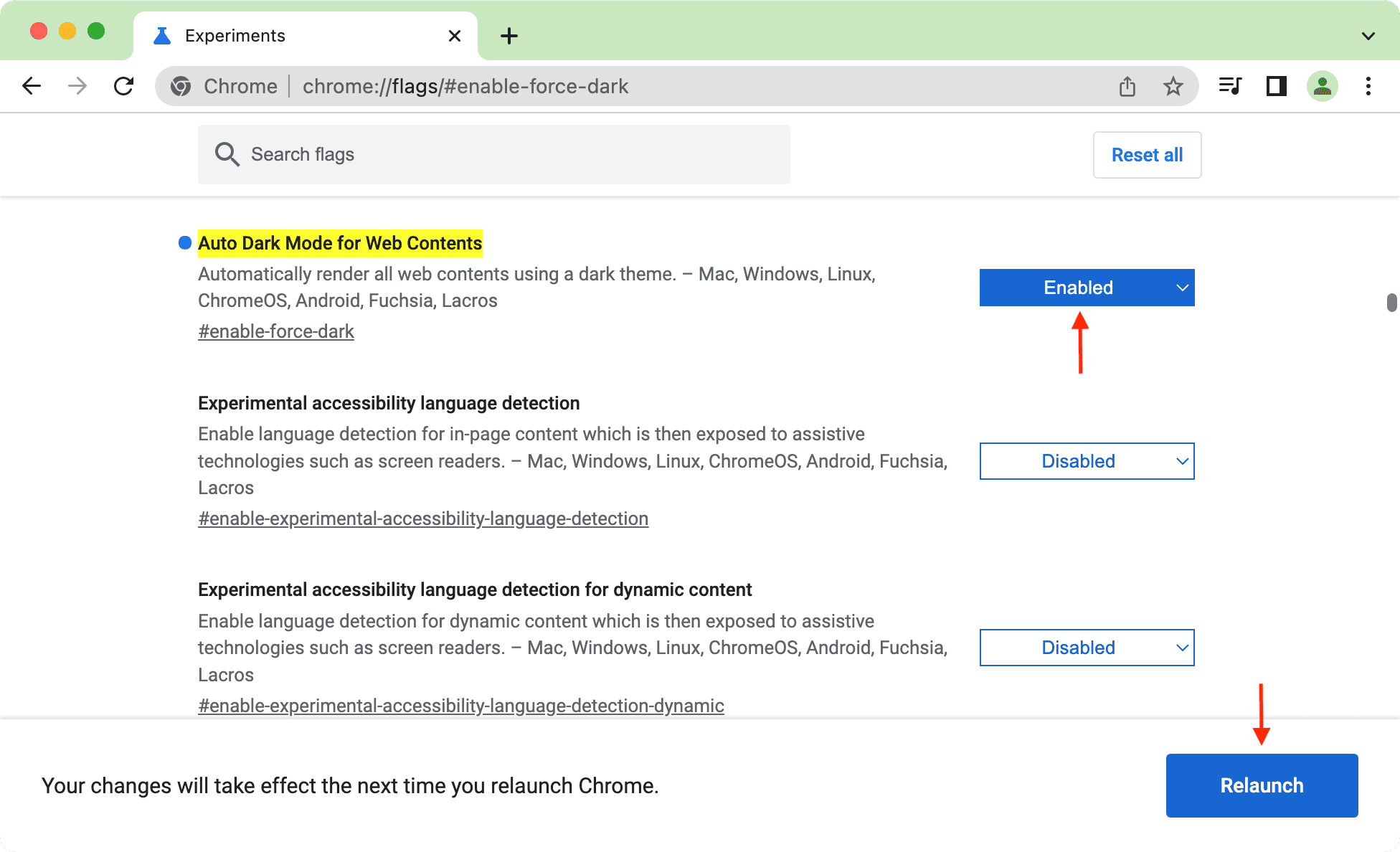
How To Enable Dark Mode On Wikipedia YouTube Blitapp Support For Dark Mode Wikipedia Dark Mode Visually Accessible Firefox ar How To Enable Dark Mode On Wikipedia 3 Ways TechPlip How To Enable Wikipedia Dark Mode On Mobile Pc 2021 Itechhacks Wikipedia Dark Mode Ios Safari How To Force Dark Mode On Any Website In Microsoft Edge And Google Vrogue Dark mode GitHub Topics GitHub How To Enable Wikipedia Dark Mode On Mobile Pc 2021 Itechhacks
Wikipedia Dark Mode Edge
 Wikipedia Dark Mode Edge
https://cdnimage.bollyinside.com/articles/wp-content/uploads/sites/4/2022/03/How-to-Enable-Wikipedia-Dark-Mode-in-MobilePC.jpg
Dark Mode on Wikipedia enhances your reading experience by providing a visually appealing interface that reduces eye strain and saves battery life In this c
Templates are pre-designed files or files that can be used for various functions. They can conserve effort and time by offering a ready-made format and layout for developing different sort of material. Templates can be used for personal or professional projects, such as resumes, invitations, leaflets, newsletters, reports, discussions, and more.
Wikipedia Dark Mode Edge

Wikipedia Dark Mode Visually Accessible V1 1 Best Extensions For Firefox
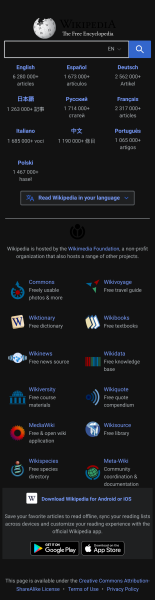
Blitapp Support For Dark Mode

Wikipedia Dark Mode Visually Accessible Firefox ar

How To Enable Dark Mode On Wikipedia 3 Ways TechPlip
Wikipedia Dark Mode Ios Safari

How To Force Dark Mode On Any Website In Microsoft Edge And Google Vrogue

WikimediaUI Dark mode is a gadget for enabling dark mode in modern browsers based on experimental work of Wikimedia Design team members Volker E and Alex Hollender in support by volunteer MusikAnimal and others Preview dark mode on the Main Page To enable go to your gadget preferences and enable the gadget Dark mode toggle Enable a toggle for using a light text on dark background

Head to the Night Eye website and choose your browser and then add the extension Once it s installed go to Wikipedia and select Night Eye from your list of extensions usually in the top right

To enable dark mode in the original version of Edge for Windows 10 click the menu button and then select the Settings command Click the Choose a theme box near the top of the Settings pane and then select the Dark option Edge immediately switches to a dark theme whether or not you re using Windows 10 s dark app theme

The dark theme changes the default bright background color in the new Microsoft Edge to a darker color which is easier on the eyes in low light environments or if you prefer less bright interfaces Go to Settings and more Settings Select Appearance from the Settings list Under Customize browser Theme use the drop down list to select Dark

Wikipedia Dark Mode for Android Download Wikipedia for Android In the top right corner of the app there are 3 dots click them Find Settings and than App theme Sepia is not available option so you can choose from either Dark or Black Image dimming is an additional option It is beneath the theme color
Dark Mode Switch to dark reading for night day browsing More than dark theme style it ensures optimal eye protection not on storing and selling your data Last but not least we are also internet users and don t want to be evil From Edge version 86 all new extensions are now hidden into the extensions menu next to the url Does Wikipedia have dark mode Well yes and no It does have a built in dark mode for its iPhone and Android apps but it lacks a night mode for the websit
Install the Turn Off the Lights Browser extension For Google Chrome Firefox Opera Safari Yandex Vivaldi Brave Microsoft Edge Click right on the gray lamp button And select the menu item Options When the options page is open click on the tab Night Mode And enable here the checkbox to get the Night switch visible on each web page or