Does Edge Have Dark Mode How To Activate Dark Mode In Microsoft Edge Why Is Down How To Enable Dark Mode On Microsoft Edge Android Microsoft s Edge Canary Gets The Dark Mode In The New Tab Page Free Microsoft Edge VPN To Unblock Websites And Keep Your Privacy Dark Mode In Microsoft Edge Is Now More Consistent MSPoweruser Step 1 Start by opening the Edge menu click the three dots in the upper right corner of the browser window Afterward click Settings Step 2 Click Appearance on the left side navigation pane
This Edge setting will respect your Windows color settings so right click on your desktop and choose the personalize option Then click on Colors on the right side of the setting dialog and change the colors dropdown to dark Update If you d like to enable Edge s dark theme without enabling the system wide dark mode just add the How to Enable or Disable Dark Mode for All Websites in Microsoft Edge Chromium Microsoft has adopted the Chromium open source project in the development of Microsoft Edge on the desktop to create better web compatibility This new Microsoft Edge runs on the same Chromium web engine as the Google Chrome browser offering you best in class web compatibility and performance
Dark Mode In Microsoft Edge Is Now More Consistent MSPoweruser Adblocker For Windows 10 Passlbud Cara Mengaktifkan DARK MODE Microsoft Edge Di Semua Situs Web YouTube The Command Bar In Microsoft Edge KillBills Browser Diakritisch Z rtlich Erde Adblocker Deaktivieren Microsoft Edge Xbox Microsoft H p T c V i Cha ng D ng 1 1 1 1 T ch H p D ch V VPN Dark Mode In Microsoft Edge Is Now More Consistent MSPoweruser Microsoft Edge Bad Memes Does Messenger Have Dark Mode On Pc Lifescienceglobal
Does Edge Have Dark Mode
 Does Edge Have Dark Mode
https://whyisdown.com/wp-content/uploads/2021/03/1614910049_291_How-to-activate-dark-mode-in-Microsoft-Edge.png
Enable the Dark Theme for Microsoft Edge on Desktop After installing Microsoft Edge you can turn on its dark mode or theme by clicking the Options button three dots in the upper right corner of
Templates are pre-designed files or files that can be utilized for numerous functions. They can conserve time and effort by providing a ready-made format and design for producing different sort of content. Templates can be utilized for personal or expert jobs, such as resumes, invites, flyers, newsletters, reports, presentations, and more.
Does Edge Have Dark Mode
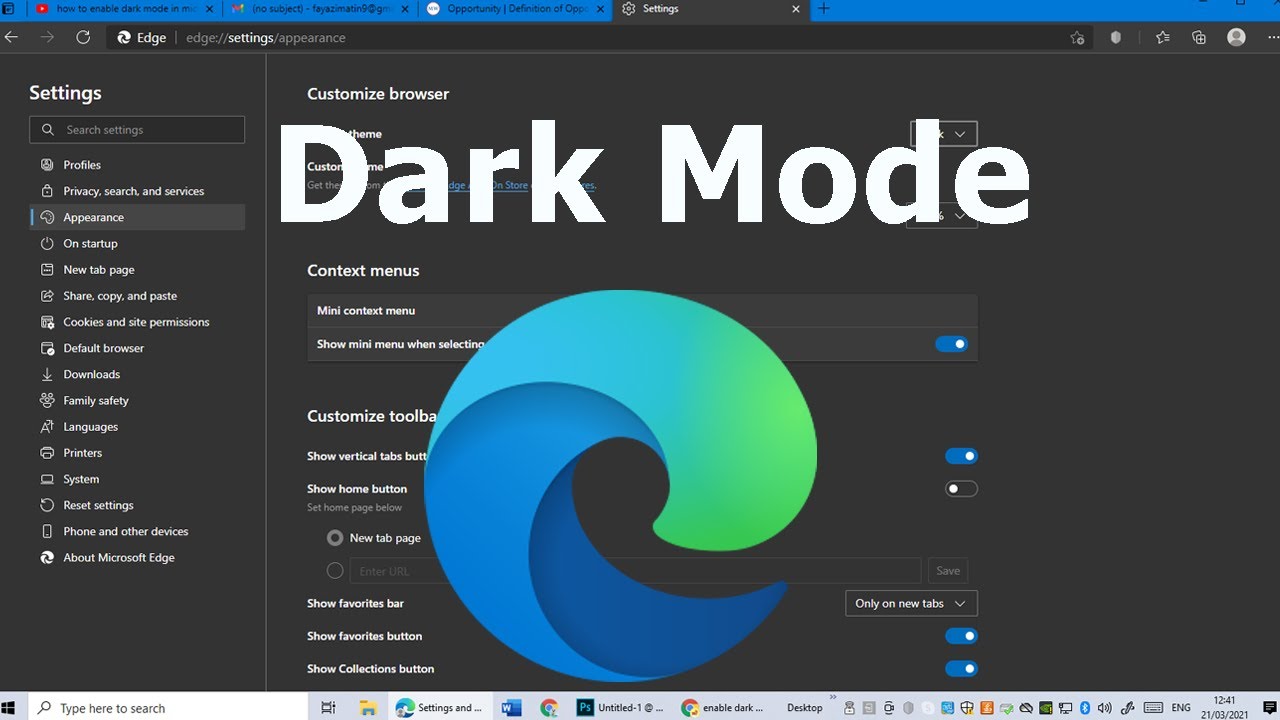
How To Enable Dark Mode In Microsoft Edge YouTube

Adblocker For Windows 10 Passlbud

Cara Mengaktifkan DARK MODE Microsoft Edge Di Semua Situs Web YouTube

The Command Bar In Microsoft Edge KillBills Browser

Microsoft H p T c V i Cha ng D ng 1 1 1 1 T ch H p D ch V VPN

Dark Mode In Microsoft Edge Is Now More Consistent MSPoweruser

To enable dark mode in the original version of Edge for Windows 10 click the menu button and then select the Settings command Click the Choose a theme box near the top of the Settings pane and then select the Dark option Edge immediately switches to a dark theme whether or not you re using Windows 10 s dark app theme

In the address bar type edge flags and press Enter to be taken to the experiment settings page In the search box at the top type dark mode and you should see an option labelled Force dark

To enable it in the Microsoft Edge address bar copy and paste the command edge flags and press Enter on your keyboard This action opens a long list of experiments that can be enabled In the Search flags box enter the words dark mode The list of experiments should display the entry Force Dark Mode for Web Contents with the

To go dark click the triple dot button in the top right of Edge scroll down and click Settings On the Settings panel find Choose a theme and change it from Light to Dark The thing is Edge s

Microsoft Edge allows you to force webpages into dark mode The feature is with the edge flags settings page and has several different options to get the best look for different websites
In this article we will provide you with a step by step guide on how to activate dark mode in Microsoft Edge How to enable dark reader in Edge 1 Open Edge 2 Type edge flags into the address bar and hit Enter 3 Scroll down until you find Auto Dark Mode for Web Contents Click Enable and Restart Unlike Chrome and Firefox you have to turn on Edge s Dark mode manually If you use the preview builds of Chromium Edge Microsoft s soon to be released version based on Google s Chromium engine there s an experimental feature you can turn on to get Dark mode Hopefully this will respect the Windows Dark mode setting at some point
To force dark mode for all websites in the Microsoft Edge browser use these steps Step 1 Open the Microsoft Edge browser Step 2 In the address bar copy and paste the following command and hit Enter key on the keyboard to open the list of experiments Step 3 In the Search flags box type dark mode