Why My Excel Not Responding Excel Not Responding How To Fix It Scoop Byte Ms Excel Not Opening Microsoft Excel Khul Nahi Raha Hai Problem Excel Not Responding When Saving Fixed Excel Not Responding Fix Excel Not Responding When Saving Solved Microsoft Excel Not Responding stopped Working Windows 10 To do this press the Windows logo key R to open the Run dialog and then type excel safe Use the command line switch safe to start Excel in Safe Mode Disable Excel add ins If Excel works properly
Excel crashes and slow performance issues INVESTIGATING Error Something Went Wrong 1001 signing in to Microsoft 365 Desktop Applications WORKAROUND Excel Microsoft Excel may occasionally fail to respond due to a minor glitch Most of the time you can fix the issue by simply force closing the app and opening it again Here s how to do it Step 1
Solved Microsoft Excel Not Responding stopped Working Windows 10 Latest Version Of Excel For Windows10 Lasopaido How To Fix Excel Not Responding Without Losing Data How To Fix Microsoft Excel 2016 Is Not Responding Error Top 8 Ways To Fix Microsoft Excel Not Responding On Desktop Windows Prime Excel Dominc Excel Not Responding Excel Software I How To Fix Arrow Keys Not Working In Excel YouTube Fixed Why Is My Excel Not Opening Files ExcelDemy
Why My Excel Not Responding
 Why My Excel Not Responding
https://www.scoopbyte.com/wp-content/uploads/2021/10/Excel-not-responding.jpg
Update Excel One of the first steps in troubleshooting an Excel crashing issue is to check whether you have the latest updates for Microsoft Excel and your
Templates are pre-designed documents or files that can be used for different functions. They can conserve effort and time by providing a ready-made format and layout for developing different kinds of material. Templates can be utilized for personal or professional projects, such as resumes, invitations, flyers, newsletters, reports, discussions, and more.
Why My Excel Not Responding
TOP Excel not responding how to save mac
Latest Version Of Excel For Windows10 Lasopaido
How To Fix Excel Not Responding Without Losing Data
How To Fix Microsoft Excel 2016 Is Not Responding Error
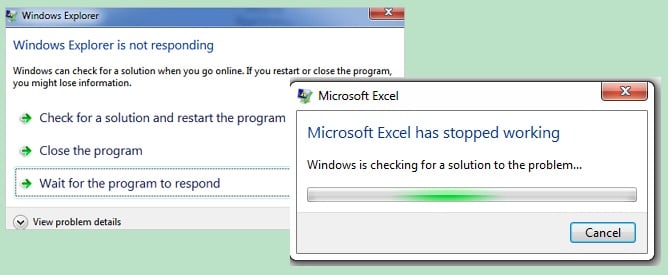
Excel Dominc

Excel Not Responding Excel Software I

Excel not responding may occur because you do not install the latest Windows updates What you need to do is to check and

It indicates that the Excel not responding error is due to add ins or other third party applications You can disable excel add ins one by one until you find the cause of the error message in your Excel files To disable
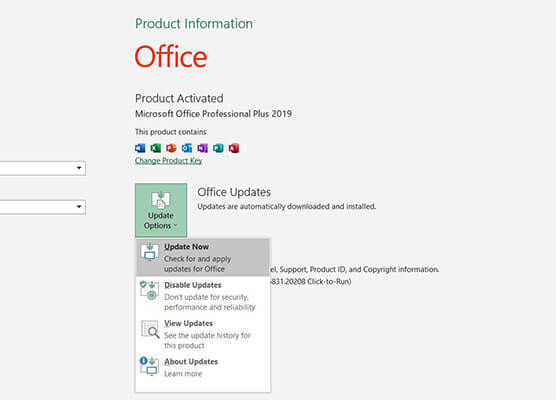
Why Is Excel Not Responding What Do You Need to Do When Excel Is Not Responding 1 Opening Excel Program in Safe Mode 2 Using Task Manager When Excel Is Not Responding 3 Checking
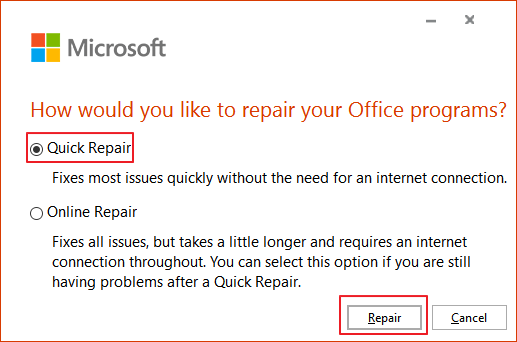
There might be a minor glitch in the program leading to Excel not responding or slowing down A simple fix to this is force quitting the app and restarting

Uncheck the Ignore DDE box The most common and easiest fix is to make sure that the correct setting is enabled for the Dynamic Data Exchange DDE DDE is how Excel interacts with other applications By default
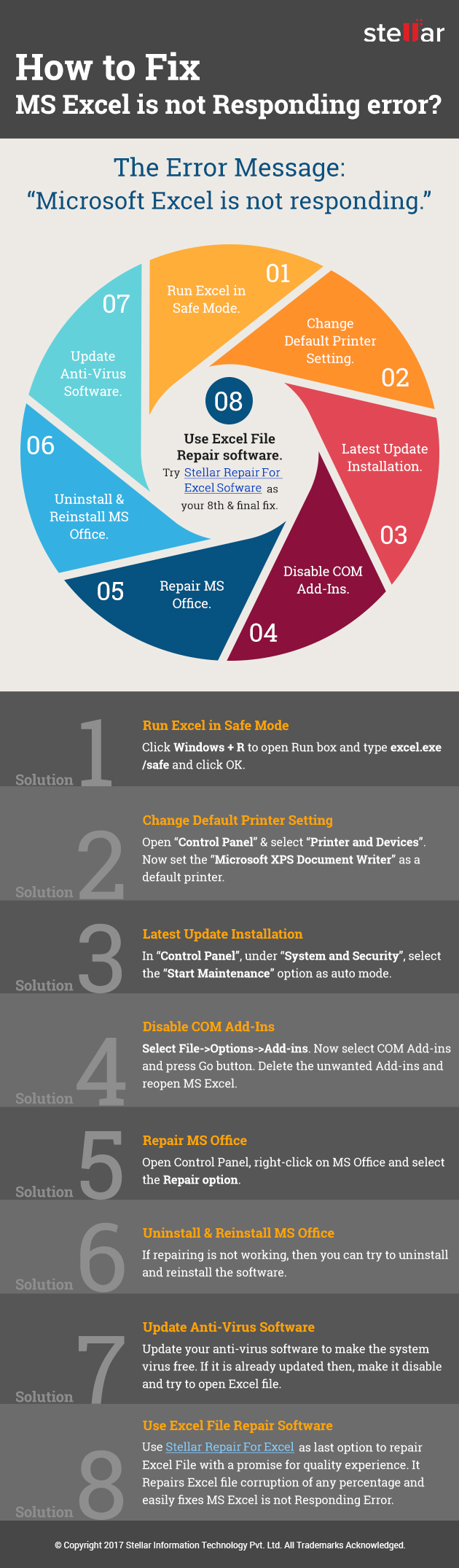
Microsoft Excel not Responding Error in Windows 10 can be fixed by disabling Add Ins clearing Conditional Formatting Changing Printer Settings and others Verified that antivirus software is up to date and not conflicting with Excel Ran a virus scan did a disc cleanup cleared RAM cache Completely uninstalled and
Method 1 Open Excel in Safe Mode Method 2 Install the Latest Updates Method 3 Make Sure Excel Is Not in Use by another Process Method 4 Investigate