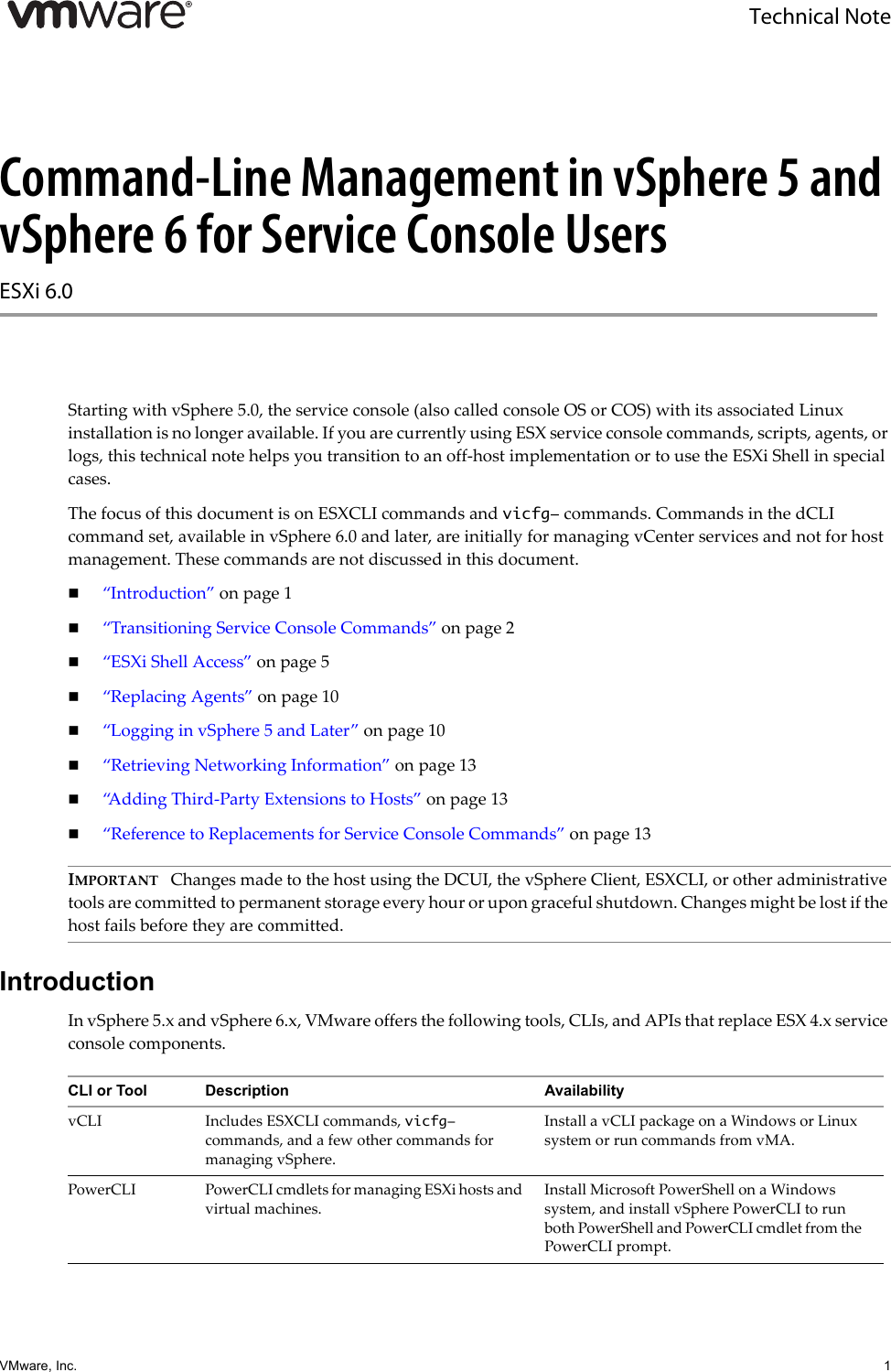
Vmware Esxi Command Line List Running Vms Vmware Command Line Management In VSphere 5 0 For Service Console Users How To Update ESXi 6 Via Command Line Comtronic Blog Vmware Esxi Software Nutclever How To List VMs On ESXi Host Command Line VMware List VMs Command Line Useful ESXCLI Commands The vSphere CLI command set allows you to run common system administration commands against vSphere systems from an administration server of your choice Linux Installation If you accepted the defaults during installation you can find the installed software in the following locations vSphere CLI scripts usr bin
ESX To correct this misconfiguration Click Inventory in the navigation bar Expand the inventory as needed and click the appropriate managed host Click the Virtual Machines tab Note the virtual machine that disappears every few seconds Log in as root with SSH to both affected ESX hosts The set of ESXCLI commands available on a host depends on the host configuration The vSphere Command Line Interface Reference lists help information for all ESXCLI commands Run esxcli server MyESXi help before you run a command on a host to verify that the command is defined on the host you are targeting
VMware List VMs Command Line Useful ESXCLI Commands VMware List VMs Command Line Useful ESXCLI Commands Export And Import VMware ESXi 6 7 Virtual Machines In OVF OVA In 5 Ways To Vmware Esxi Command Line Cheat Sheet 2023 EARNING Update Vmware Esxi 6 Command Line List Available Lasopaima VMware Cannot Power Off VM 4 Solutions Via ESXi Command VMware List VMs Command Line Useful ESXCLI Commands PhoneSpin Managing ESXi Virtual Machines By Command line VMware Guide Listando VMs Ligadas No XenServer Command Line Cleriston
Vmware Esxi Command Line List Running Vms
 Vmware Esxi Command Line List Running Vms
https://usermanual.wiki/vmware/vsphereesxivcenterserver60commandlinemanagementforserviceconsoleen.4101982950-User-Guide-Page-1.png
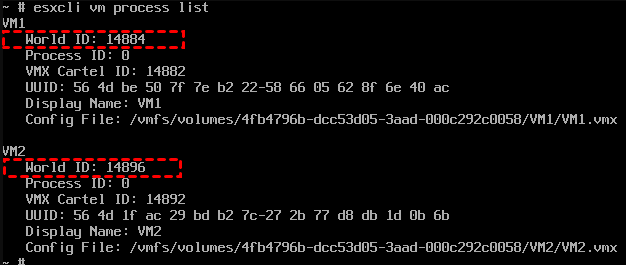
Esxcli vm Commands Get the state of appinfo component on the ESXi host Show the help message Modify the appinfo component on the ESXi host Enable or Disable the appinfo component on the ESXi host required Show the help message Used to forcibly kill Virtual Machines that are stuck and not responding to normal stop operations
Pre-crafted templates provide a time-saving solution for creating a varied range of documents and files. These pre-designed formats and designs can be used for numerous personal and expert jobs, including resumes, invites, leaflets, newsletters, reports, presentations, and more, enhancing the material production procedure.
Vmware Esxi Command Line List Running Vms

Patching VMware ESXi Manually From The Command Line YouTube

VMware List VMs Command Line Useful ESXCLI Commands
Export And Import VMware ESXi 6 7 Virtual Machines In OVF OVA In
5 Ways To Vmware Esxi Command Line Cheat Sheet 2023 EARNING
VMware Cannot Power Off VM 4 Solutions Via ESXi Command
VMware List VMs Command Line Useful ESXCLI Commands
1 Solution markusoesterle Contributor 01 22 2020 11 44 PM Hello are you sure vim cmd vmsvc getallvms isn t what your looking for On hosts with local storage it s my quick and dirty way to list all vms on the host running powered off

Go to Manage Services Right click the TSM SSH service Hit Policy Start and Stop with host to enable SSH access even after ESXi reboot Now you can connect to the ESXi console by using your SSH client remotely Enabling access to the console using vCenter and VMware vSphere Client

Below we list over 120 common and useful CLI commands including esxcli for VMware ESXi Host and VM management Keep in mind these shell commands are to be ran at the host CLI not from the VCSA command line Knowing how to work with ESXi CLI commands is an underappreciated skill as a system administrator or infrastructure engineer

The ESXCLI command set allows you to run common system administration commands against vSphere systems from an administration server of your choice The actual list of commands depends on the system that you are running on Run esxcli help for a list of commands on your system ESXCLI Commands

The World ID of the Virtual Machine to kill This can be obtained from the vm process list command required help Show the help message vm process list List the virtual machines on this system This command currently will only list running VMs on the system help Show the help message
2 To get a list of all the tasks running on the ESXi host you can run the below command vim cmd vimsvc task list Further information on how to use the command can be found at here You may also use esxtop to see more details about all processess running in an ESX box along with CPU and memory usage and lot of other performance metrics The esxcli command list exposes a number of namespaces against which you can run queries to retrieve information about ESXi as well as configure it the entire esxcli system The following table lists the available namespaces on ESXi along with a description for each source VMware
You can list unregister and register virtual machines by using vmware cmd Registering or unregistering a virtual machine means adding the virtual machine to the vCenter Server or ESXi inventory or removing the virtual machine Important