Visual Studio Code Powershell Extension Offline Install How To Add A New Functionality To The Visual Studio Code PowerShell Extension Visual Studio Code Powershell Using Visual Studio Code Instead Of PowerShell ISE Zamarax PowerShell Extension For Visual Studio Code August 2022 Update Install Microsoft Powershell On Debian Stable Or Testing With Visual Write Online Using Studio Step 1 Download the Visual Studio bootstrapper Download the correct bootstrapper for the version and edition of Visual Studio you want and copy it into the directory that you want to serve as the source location of your local layout The bootstrapper is the executable that you use to create update or modify your local layout
Finally after manual verification of the extension a maintainer approves the final deployment step of the pipeline which automatically uploads the extension to the Visual Studio Code Marketplace directly from the build agent it also publishes our Install VSCode ps1 script to the PowerShell Gallery Install an extension To install an extension select the Install button Once the installation is complete the Install button will change to the Manage gear button Find and install an extension For example let s install the popular TODO Highlight extension
Install Microsoft Powershell On Debian Stable Or Testing With Visual Write Online Using Studio Install Configure Powershell 7 In Windows Server 2022 Configure Visual Studio Code With Visual Studio Code PowerShell Extension 2022 How To Add A New Functionality To The Visual Studio Code PowerShell Extension Vscode Powershell Ysp saga jp Managing Extensions In Visual Studio Code 2022 How To Change Visual Studio Code Powershell Integrated Console Stack Overflow Visual Studio Code Powershell Pikolcanna How To Change Visual Studio Code Powershell Integrated Console Stack Overflow
Visual Studio Code Powershell Extension Offline Install
 Visual Studio Code Powershell Extension Offline Install
https://powershellmagazine.com/images/codeise1.png
For offline installation instructions click here Visual Studio Code The Visual Studio Code extension is available on the Visual Studio Marketplace and can be installed from within Visual Studio Code Search for PowerShell Pro Tools when searching in VSC Visual Studio Code Offline Install
Templates are pre-designed documents or files that can be used for different functions. They can save effort and time by offering a ready-made format and design for producing various sort of material. Templates can be used for individual or expert projects, such as resumes, invites, leaflets, newsletters, reports, discussions, and more.
Visual Studio Code Powershell Extension Offline Install

Find And Install Extensions Visual Studio Windows Microsoft Docs

Install Configure Powershell 7 In Windows Server 2022 Configure Visual Studio Code With
Visual Studio Code PowerShell Extension 2022
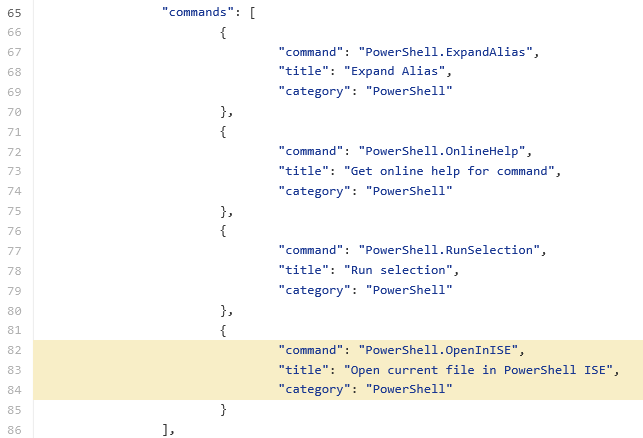
How To Add A New Functionality To The Visual Studio Code PowerShell Extension
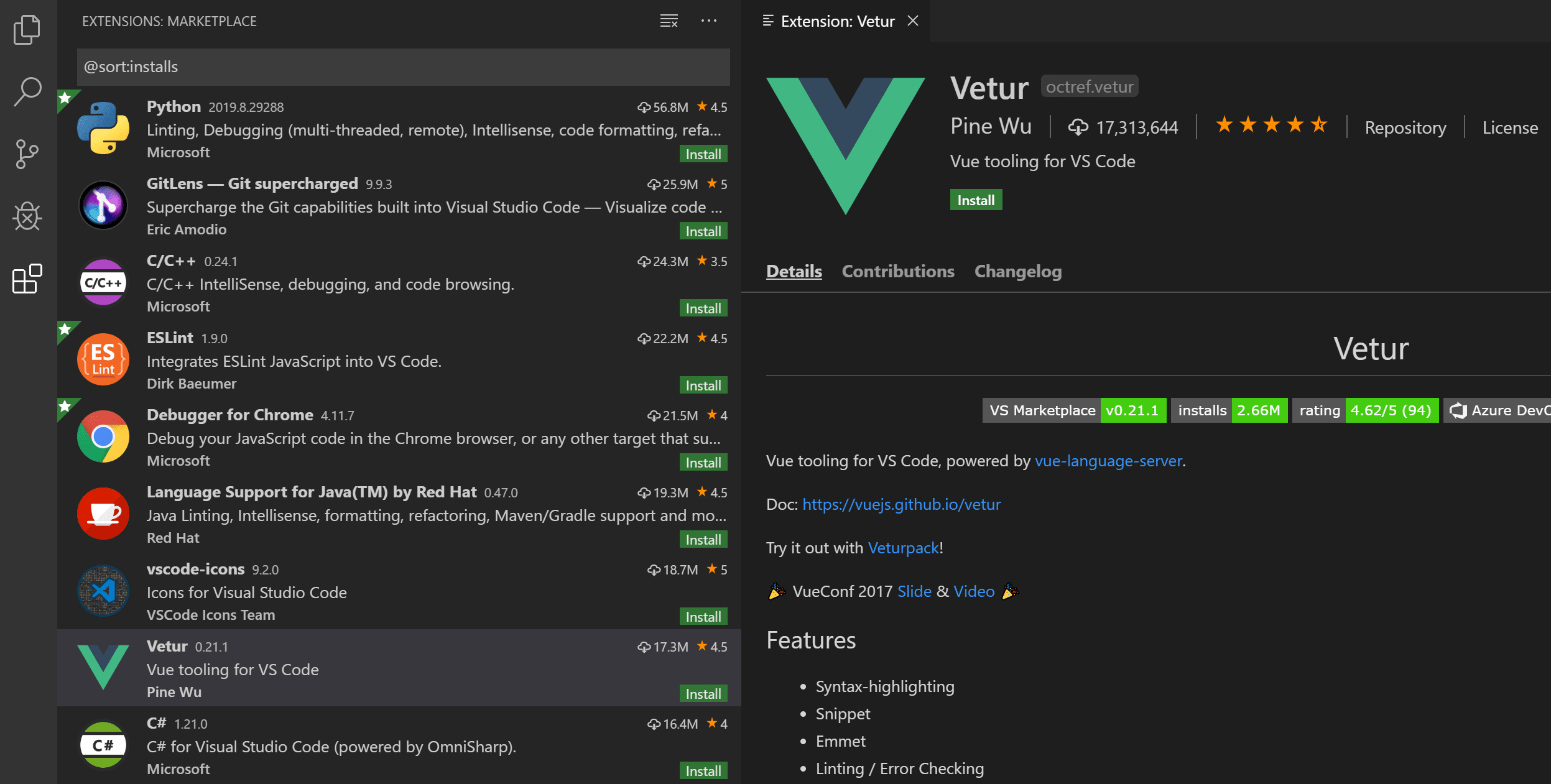
Managing Extensions In Visual Studio Code 2022

How To Change Visual Studio Code Powershell Integrated Console Stack Overflow
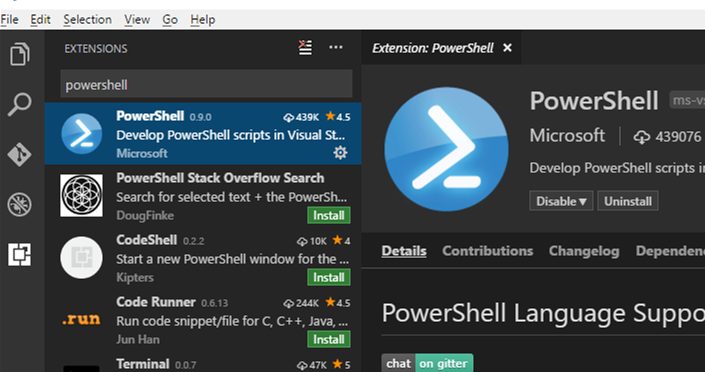
The PowerShell extension can be installed from the Visual Studio Code Marketplace by clicking the Install Button You can also install the PowerShell extension from within VS Code by opening the Extensions view with keyboard shortcut Ctrl Shift X typing PowerShell and selecting the extension

You can also install the PowerShell extension from within VS Code by opening the Extensions view with keyboard shortcut X Windows Linux Ctrl Shift X typing PowerShell and selecting the PowerShell extension Major features Syntax highlighting Advanced built in code snippets IntelliSense for cmdlets and more
Getting started Before you begin make sure PowerShell exists on your system For modern workloads on Windows macOS and Linux see the following links Installing PowerShell on Linux Installing PowerShell on macOS Installing PowerShell on Windows For traditional Windows PowerShell workloads see Installing Windows PowerShell Important
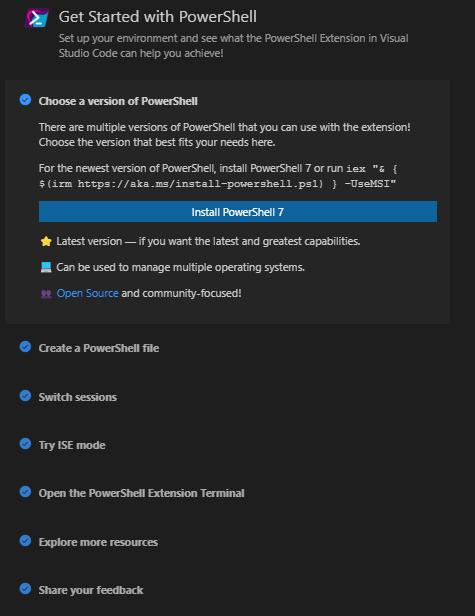
An updated version of our PowerShell extension is now available on the Visual Studio Code marketplace This update represents a complete overhaul of the core PowerShell engine of PowerShell Editor Services intending to create a more reliable and stable user experience This release represents nearly two years work tracked in PSES 1295 and

Provides PowerShell language and debugging support for Visual Studio Code GitHub PowerShell vscode powershell Provides PowerShell language and debugging support for Visual Studio Code
This is an extension pack that includes many useful extensions that assist in Powershell Development It also includes useful extensions for working with GitHub and GitHub actions to encourage development there How to Install In vscode click the extensions button and search for Powershell Extension Pack How to use the PowerShell extension for Visual Studio Code Administrators who want to accelerate their automation skills can tap into the enhanced editing and debugging features of the Microsoft code editor By Anthony Howell Published 31 Jan 2024
Install Visual Studio Code extensions In this video we walk you through installing Visual Studio Code extensions Unlock the power of VS Code s Extensions Next video Personalize Visual Studio Code Outline Find extensions to install using the Extensions View Install an extension