Visual Studio Close All Tabs Shortcut Keyboard Shortcut To Close All Tabs But Current One In Visual Studio Keyboard Shortcuts Close A Tab Without Touching Your Mouse CF Systems Solved Anyway Shortcut To Delete Open Tabs Autodesk Community Shortcut To Change Tabs How To Switch Tabs Learn New Things Shortcut Key To Close All Window Tabs In Chrome Browser WEB Reset the Help Viewer layout to the default layout and close all topic tabs Ctrl Tab The first keystroke gives focus to the Tab Selection menu The next keystroke gives focus to the top menu item and subsequent keystrokes give
WEB Oct 23 2019 nbsp 0183 32 Here is the way to do it Select Tools gt Options from the menu In the Options window look for Keyboard under Environment In Show commands containing textbox type Window CloseDocumentWindow There s no surprise that the command is assigned Ctrl F4 by default WEB To close all tabs in Visual Studio Code Press Ctrl Shift P on Windows and Linux Command Shift P on macOS Note you can also press F1 to open the Command Palette Type close all and select View Close All Editors Here is a short clip that demonstrates the process The same approach can be used to close all tabs without
Learn New Things Shortcut Key To Close All Window Tabs In Chrome Browser How To OPEN And CLOSE TABS In BROWSER Using Keyboard Shortcut Easy Microsoft Visual Studio Visual Studio Code Visual Programming Language Solved Anyway Shortcut To Delete Open Tabs Autodesk Community Buy Visual Studio Professional 2022 Perpetual Software License Shortcut To Change Tabs How To Switch Tabs Visual Studio Close Tabs To Right Extension Visual Studio Code Shortcut 02 Delete An Entire Line YouTube Shortcut Key To Open Multiple Website Pages In New Tabs Shortcut Key
Visual Studio Close All Tabs Shortcut
 Visual Studio Close All Tabs Shortcut
https://i.stack.imgur.com/ZikKw.png
WEB Using the Visual Studio top menu bar navigate to quot Tools gt Options gt Environment gt Keyboard quot In the Show commands containing textbox type in Window CloseDocumentWindow In the Shortcuts for selected command section click the Remove button until all existing shortcuts are deleted
Pre-crafted templates offer a time-saving option for producing a diverse series of documents and files. These pre-designed formats and designs can be utilized for numerous personal and professional projects, consisting of resumes, invites, leaflets, newsletters, reports, discussions, and more, enhancing the material creation procedure.
Visual Studio Close All Tabs Shortcut

Visual Studio Comment Shortcuts Make Yourself More Efficient SubMain

How To OPEN And CLOSE TABS In BROWSER Using Keyboard Shortcut Easy

Microsoft Visual Studio Visual Studio Code Visual Programming Language

Solved Anyway Shortcut To Delete Open Tabs Autodesk Community

Shortcut To Change Tabs How To Switch Tabs
Visual Studio Close Tabs To Right Extension

WEB May 23 2017 nbsp 0183 32 These are the best keyboard shortcuts when you work with tabs Close All Documents Windows Alt W L or Alt L MacOs K then W Close Current Documents

WEB You can access a variety of commands and windows in Visual Studio by choosing the appropriate keyboard shortcut This page lists the default command shortcuts for the General profile which you might have chosen when you installed Visual Studio

WEB Mar 29 2023 nbsp 0183 32 For VS Code When you right click on any tab you get a Close All tabs option Just click that You can also use the shortcut below MacOS command K W Windows Ctrl K W To close one tab just the usual MacOS command W Windows Ctrl W References https code visualstudio shortcuts keyboard shortcuts

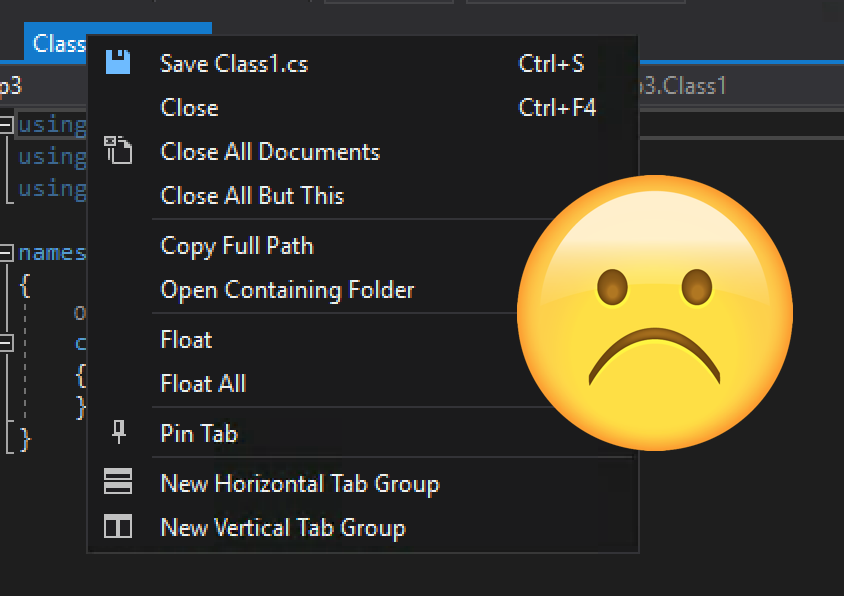
WEB Mar 20 2010 nbsp 0183 32 If you want to close all but one open file simply right click on the tab and select Close All But This This will close all open documents floating included except the tab you ve right clicked on
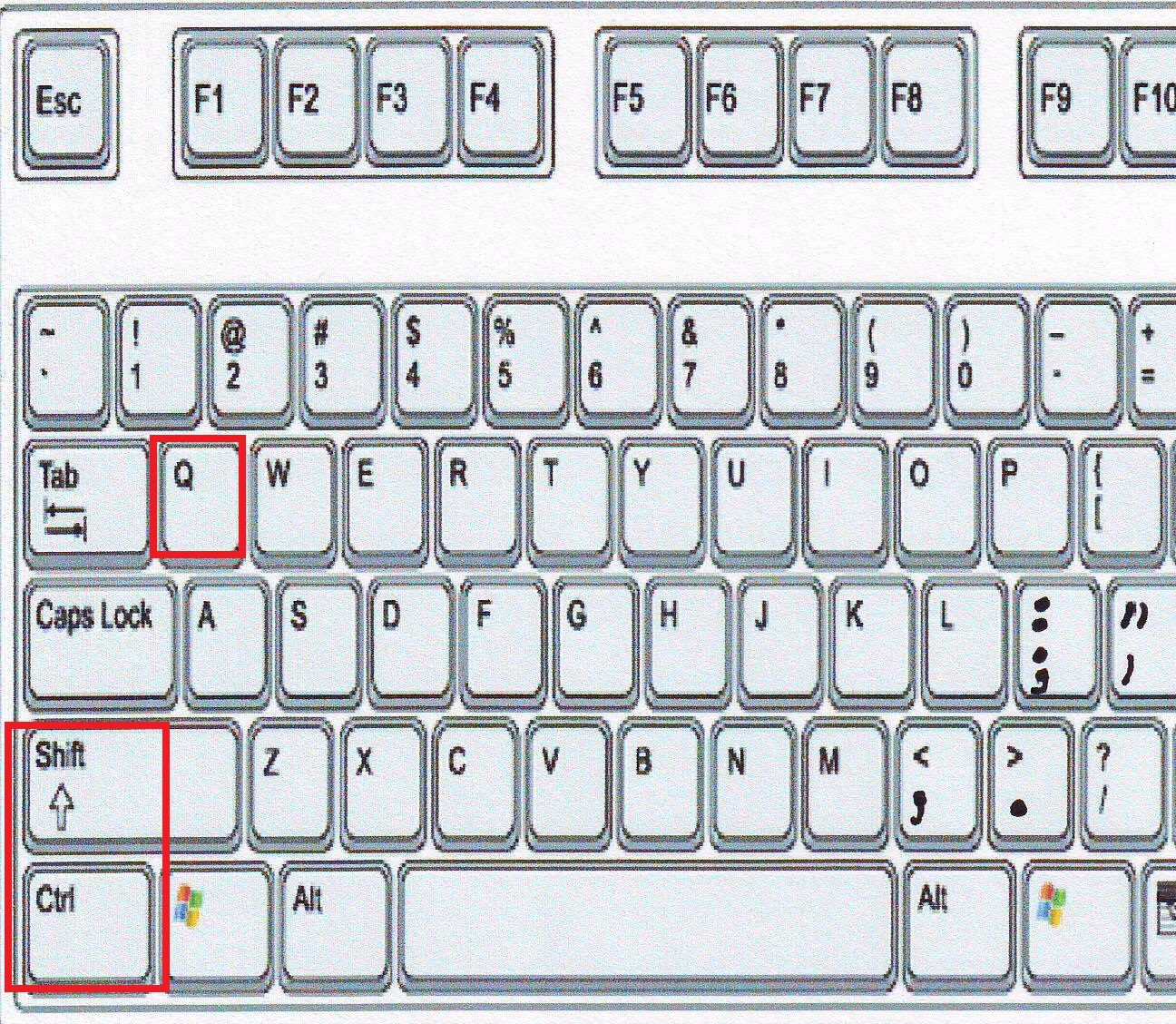
WEB To close all tabs in Visual Studio you can use the keyboard shortcut Ctrl Shift W the menu option File gt Close All Tabs or the command line option devenv killall You can also close all tabs that are not currently open in the editor
WEB Oct 24 2012 nbsp 0183 32 You can use Alt to open the context menu for the active tab Once you have the context menu open you can use the arrow keys to select e g Close All But Pinned WEB Feb 14 2012 nbsp 0183 32 Choose Text Editor for the Use new shortcut in field In Press shortcut keys field press Ctrl W Click Assign to make it happen Close the Options window with the OK button Now you can happily close windows with Ctrl W in Visual Studio
WEB Jul 16 2020 nbsp 0183 32 To toggle the visibility of the sidebar in Visual Studio Code you can add a keybinding in your keybindings json file This will allow you to show or hide the sidebar with a single keystroke making it more convenient to manage your files and extensions