Ubuntu Install Bootloader On Usb Lubuntu Install Bootloader On Usb Drive Awesomehooli Install Bootloader On Usb Windows Journallasopa Ubuntu s Secure Boot Support Vulnerability Threatens Even Windows PCs Install Bootloader On Usb Windows Install Txtfont Replace Android GRUB With Windows Bootloader On Dualboot SHORT Web Apr 22 2022 nbsp 0183 32 There are a few other tools to create Linux USB installer Here I tried the UNetbootin which works in Linux Windows and MacOS Firstly download the free open source tool from its website Download UNetbootin Then start the app it should automatically detect your USB stick
Web Sep 29 2023 nbsp 0183 32 Ubuntu can be installed from a USB flash drive This may be necessary for most new portable computers without DVD drives and is handy for others because a USB flash drive is so convenient Also you can configure Ubuntu on the USB flash drive to save changes you make unlike a read only CD DVD disk Web Download an Ubuntu Image Create a Bootable USB stick Boot from USB flash drive Installation Setup Type of installation Ready to install Choose your Location Create Your Login Details Complete the Installation
Replace Android GRUB With Windows Bootloader On Dualboot SHORT Install Bootloader On Usb Drive Squadholden Lubuntu Install Bootloader On Usb Drive Holdencamp Install Bootloader On Usb Ubuntu Stashokcity Install Bootloader On Usb Zero Fat Sectors Luliil Lubuntu Install Bootloader On Usb Drive Behooli Ubuntu System Boots Directly To Windows 8 With No GRUB Bootloader Lubuntu Install Bootloader On Usb Drive Lokasindragon Ubuntu Bootloader Install Failed ITecTec
Ubuntu Install Bootloader On Usb
 Ubuntu Install Bootloader On Usb
https://itsfoss.com/wp-content/uploads/2019/04/etcher_window-800x513.jpg
Web Mar 19 2020 nbsp 0183 32 Boot Ubuntu from USB or DVD The process of booting Ubuntu 20 04 form USB includes four simple steps First switch OFF your PC Second insert the USB bootable flash drive into your computer in order to start the USB boot Then make sure that all other USB devices are removed e g memory cards printers as an extra precaution
Pre-crafted templates offer a time-saving solution for creating a diverse variety of documents and files. These pre-designed formats and layouts can be used for various individual and professional projects, including resumes, invites, leaflets, newsletters, reports, presentations, and more, enhancing the content production process.
Ubuntu Install Bootloader On Usb

How To Install Bootloader On Usb Portmusli

Install Bootloader On Usb Drive Squadholden

Lubuntu Install Bootloader On Usb Drive Holdencamp

Install Bootloader On Usb Ubuntu Stashokcity
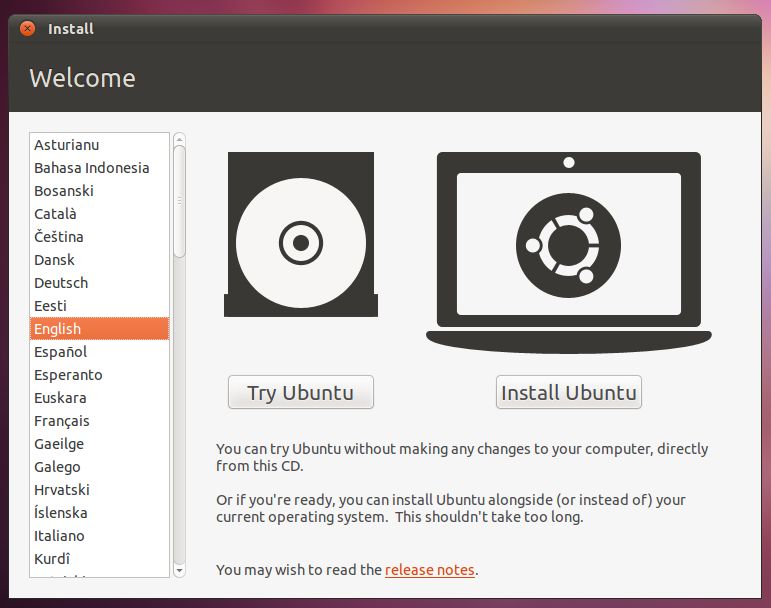
Lubuntu Install Bootloader On Usb Drive Behooli
Ubuntu System Boots Directly To Windows 8 With No GRUB Bootloader

Web We re going to use an application called Startup Disk Creator to write the ISO image to your USB stick This is installed by default on Ubuntu and can be launched as follows Insert your USB stick select Do nothing if prompted by Ubuntu On Ubuntu 18 04 and later use the bottom left icon to open Show Applications

Web Boot into Ubuntu on a borrowed machine or from an internet cafe Use tools installed by default on the USB stick to repair or fix a broken configuration This tutorial will show you how to create a bootable USB stick on Microsoft Windows using Rufus

Web Jul 9 2018 nbsp 0183 32 17 7k 4 40 47 If you do a BIOS legacy install you must on partitioning screen choose to install the grub2 boot loader into the Ubuntu drive I prefer to use gpt and have both an ESP efi system partition for UEFI boot and a bios grub partition for BIOS boot

Web Nov 16 2023 nbsp 0183 32 Option 1 Use balenaEtcher to Install Ubuntu From Windows balenaEtcher is possibly the most straightforward tool to install Ubuntu on a USB stick Start by downloading balenaEtcher It has an installable version and a portable one that runs directly from the EXE file

Web Dec 17 2022 nbsp 0183 32 We will be using USB 1 to refer to the USB stick that is acting as an Ubuntu installer and USB 2 to refer to the USB stick on which we will be installing the persistent Ubuntu The first thing we will need to do is create a bootable USB Ubuntu stick
Web 1 dev sdc is your usb drive If you want to install ubuntu in usb drive then select quot dev sdc1 quot for your ubuntu operating system installation and for bootloader installation select quot dev sdc quot Keep in mind dev sdc1 for os installation and Web Installing a Grub2 Bootloader to a USB flash drive Then you download an ubuntu iso onto your USB drive And finally reboot to test functionality First type the following to change to the grub directory on your USB cd mnt USB boot grub
Web Nov 21 2018 nbsp 0183 32 Install grub bootloader on usb Now I don t know if you will be able to access the second partition from windows Create a grub cfg file pointing towards your ubuntu installation COMMANDS Assuming usb device is dev sdb Size is 16GB sgdisk zap all dev sdb Create a new gpt partition table using fdisk fdisk dev sdb