Terminal Restart Command Reset Terminal In Linux Step By Step Tutorial YouTube How To Restart Ubuntu Via Command line terminal YouTube How To Start Stop Or Restart Services In Ubuntu VITUX How To Reboot Ubuntu Via Command Line Or Terminal Step By Step Tutorial YouTube How To Restart Your Command Prompt In Linux Systran Box Step 1 Open Command Prompt If you have a graphical interface open the terminal by right clicking the Desktop left clicking Open in terminal You can also click the main menu usually found in the lower left or upper left corner and then click Applications System Tools Terminal
Tset reset terminal intialization command reset Tset initializes terminals Tset first determines the type of terminal that you are using This determination is done as follows using the first terminal type found an advantage seems to be that it s independent from the used shell also works with fish here So to reinitialize any terminal Restart currently running terminal command in VSCode Is there a one click solution to stop the currently running command in the terminal and run it again Currently I have to go to terminal ctrl c to halt execution run the command again
How To Restart Your Command Prompt In Linux Systran Box Stop Start Restart Windows Service Command Line How To How To Make Your Mac Automatically Restart After A Crash With Terminal Mid Atlantic Consulting How To Start A Service During A Server Restart On Linux Systran Box How To Remotely Shut Down Or Restart Windows PCs How To Restart Terminal Services 3 Steps with Pictures SSH Restart Linux System Using Reboot Command NixCraft MT5 On Linux No Pictures In Market MT4 General MQL5 Programming Forum KISS 2 0 INDICATOR MQ5 Download Forex Robots Binary Option Robots Forex Trading Systems And
Terminal Restart Command
 Terminal Restart Command
https://i.ytimg.com/vi/l2VAqS2G9cg/maxresdefault.jpg
The command takes a parameter h r or s to shut down restart or sleep the Mac The command has to be run as root so you need to use sudo e g to reboot the machine immediately sudo shutdown r now e g to shutdown the machine in 60 minutes sudo shutdown h 60
Templates are pre-designed files or files that can be used for various functions. They can save time and effort by providing a ready-made format and layout for developing different kinds of material. Templates can be used for personal or professional tasks, such as resumes, invites, leaflets, newsletters, reports, presentations, and more.
Terminal Restart Command

How To Restart Your PC Using Ubuntu Terminal SoftTuts

Stop Start Restart Windows Service Command Line How To
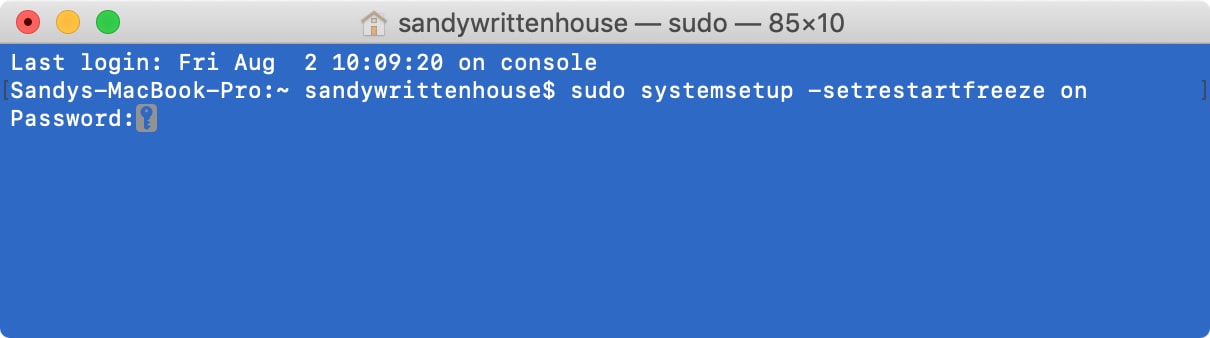
How To Make Your Mac Automatically Restart After A Crash With Terminal Mid Atlantic Consulting

How To Start A Service During A Server Restart On Linux Systran Box

How To Restart Terminal Services 3 Steps with Pictures

SSH Restart Linux System Using Reboot Command NixCraft

Command to reboot windows computer shutdown r The above command will set a time out of 30 seconds to close the applications After 30 seconds windows reboot will start If you want to reboot Windows with your own time out value you can use the below command shutdown r t timeout in seconds

Linux Reboot Restart Command systemctl The system will be restarted immediately When the reboot is initiated all logged in users and processes are shutdown By default the system will be rebooted after 1 minute but you can specify the exact time when you want the Conclusion To reboot a

Restart a remote computer immediately In the Terminal app on your Mac enter the following commands ssh l admincomputer sudo shutdown r now Replace admin with the short name of a user account on the remote computer Replace computer with the IP address or host name of the remote computer

Keyboard Shortcut Your choice I use Cmd R Action Select Menu Item Restart Session

Restart or Shutdown Windows with PowerShell The following two commands are available in Windows PowerShell to shutdown and reboot the computer Restart Computer and Stop Computer Both commands allow you to shutdown or restart a local or remote computer over the network To restart Windows run
[desc-11] [desc-12]
[desc-13]