Terminal Shutdown Command Windows Shutdown Timer Command Corehety Repetier Server Init d Script Iumtyred 50 Basic Ubuntu Terminal Commands And Shortcuts For Linux Beginners How To Shutdown Linux From Command Line How To Shutdown And Restart The Ubuntu 18 04 Lts Via Graphically Or Jul 26 2016 nbsp 0183 32 I tried to remove a directory by using command rmdir but I got this answer The directory is not empty How to deal with such problems
The graphical root terminal job will be both unsuspended and disowned by the non root terminal automatically In short sudo H gnome terminal Z exit But suppose you wanted to keep using Nov 23 2022 nbsp 0183 32 I m starting to learn how to use the terminal with Ubuntu on WSL Windows Just from the very beginning of the course it says that if you use the ls command it should show you
How To Shutdown And Restart The Ubuntu 18 04 Lts Via Graphically Or What Is The Shutdown Command In Windows How To Shutdown Ubuntu From Terminal Linux Shutdown Command Example How To Set A Shutdown Timer For Mac How To Force Shutdown Windows 10 11 Command Line How Can I Close This Dropdown Terminal Ask Ubuntu Linux Shutdown Command How Does It Work In Linux Examples How To Shut Down A Linux System At A Specified Time Of The Day Shutdown Command In Linux Terminal With Examples Linux Tutorial Hub
Terminal Shutdown Command
 Terminal Shutdown Command
https://www.lifewire.com/thmb/lTLoa6PYzSgBgFosOWUPL0jPxds=/1500x0/filters:no_upscale():max_bytes(150000):strip_icc()/Shutdown-1d5a4577e96340fdb0a69a6d6ba94628.jpg
May 6 2011 nbsp 0183 32 With modern apt I would recommend doing sudo apt install package deb instead This allows automatically installing all the dependencies and it does all the extra sanity checks
Templates are pre-designed documents or files that can be utilized for different purposes. They can conserve effort and time by providing a ready-made format and layout for creating various type of material. Templates can be used for personal or professional jobs, such as resumes, invites, flyers, newsletters, reports, presentations, and more.
Terminal Shutdown Command

Command To Shutdown Kali Linux From Terminal With Example YouTube

What Is The Shutdown Command In Windows
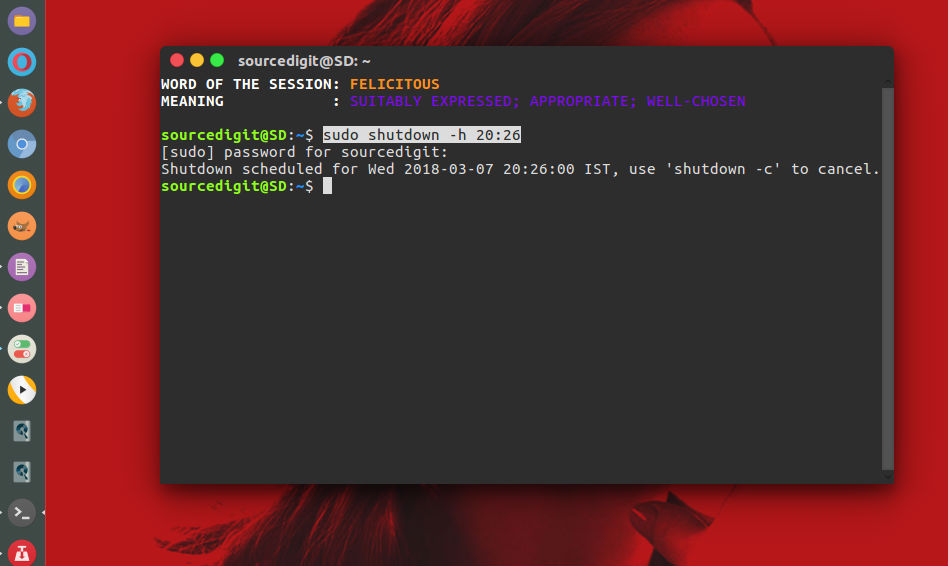
How To Shutdown Ubuntu From Terminal Linux Shutdown Command Example
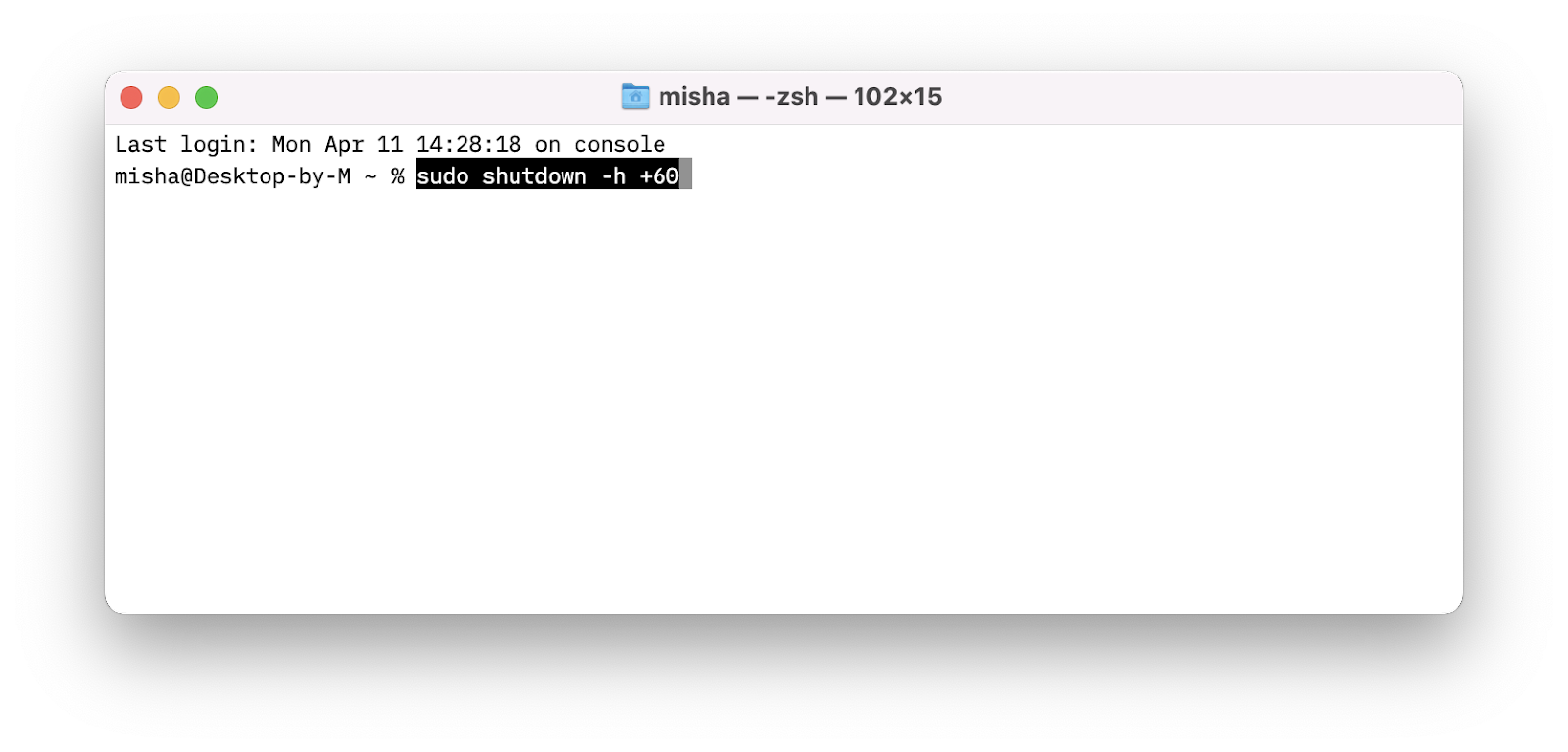
How To Set A Shutdown Timer For Mac

Command Line How Can I Close This Dropdown Terminal Ask Ubuntu
Linux Shutdown Command How Does It Work In Linux Examples

How to rename a file in Terminal duplicate Ask Question Asked 12 years 3 months ago Modified 3 years 1 month ago

Aug 21 2018 nbsp 0183 32 When I make some changes to the shell bash behavior such as setting up an alias is there a quick command to reinitialize the terminal window instead of closing and

Nov 16 2012 nbsp 0183 32 How to delete a non empty directory in Terminal Ask Question Asked 12 years 8 months ago Modified 7 years 6 months ago

Nov 28 2015 nbsp 0183 32 I can navigate down in directory using cd in the terminal How do I navigate back up if I go too far

Oct 5 2020 nbsp 0183 32 I need a command to list all users as well as commands to add delete and modify users from terminal any commands that could help in administrating user accounts easily by
[desc-11] [desc-12]
[desc-13]