Systemctl Start Ssh Not Working Jenkins Publish Over SSH Either Source Files Exec Command Or Unix Linux Linux Command systemctl Status Is Not Working Inside A SSH Service Not Working After Fresh Restart 3 Solutions YouTube SSH Not Working In MacOS Ventura How To Fix DroidWin Unix Linux Systemctl Command Not Working In RHEL 6 2 Solutions For new versions use the systemctl command systemctl status sshd In case if the SSH service isn t executing or active the below commands can be used to start the service depending on the OS system systemctl start sshd OR service ssh start SSH Port Checking The default SSH port in all OS systems is 22
Ubuntu Linux Stop OpenSSH server Type the following command sudo etc init d ssh stop OR sudo service ssh stop Again for systemd based Ubuntu Linux 16 04 18 04 20 04 LTS or above server enter sudo systemctl stop ssh sudo systemctl start sshd service Failed to start sshd service Unit sshd service is masked As suggested systemctl enable ssh service did not work It turned out that I had removed openssh service dpkg l openssh server I needed to install it again sudo apt install openssh server And the service is back
Unix Linux Systemctl Command Not Working In RHEL 6 2 Solutions systemctl Restart Service Not Working On CentOS 7 YouTube Systemctl Start Mender Not Working General Discussions Mender Hub How To Install Start And Connect To SSH Server On Fedora Linux systemctl Status Sshd service ssh Failed To Start OpenSSH Systemctl Start Mender Not Working General Discussions Mender Hub How To Enable SSH On Ubuntu 18 04 Linuxize I Can Not Start HiveMQ Using etc init d hivemq Start Or Systemctl Lab Assignment 5 CSIA 225 Lab Ivy Tech Community College Chegg
Systemctl Start Ssh Not Working
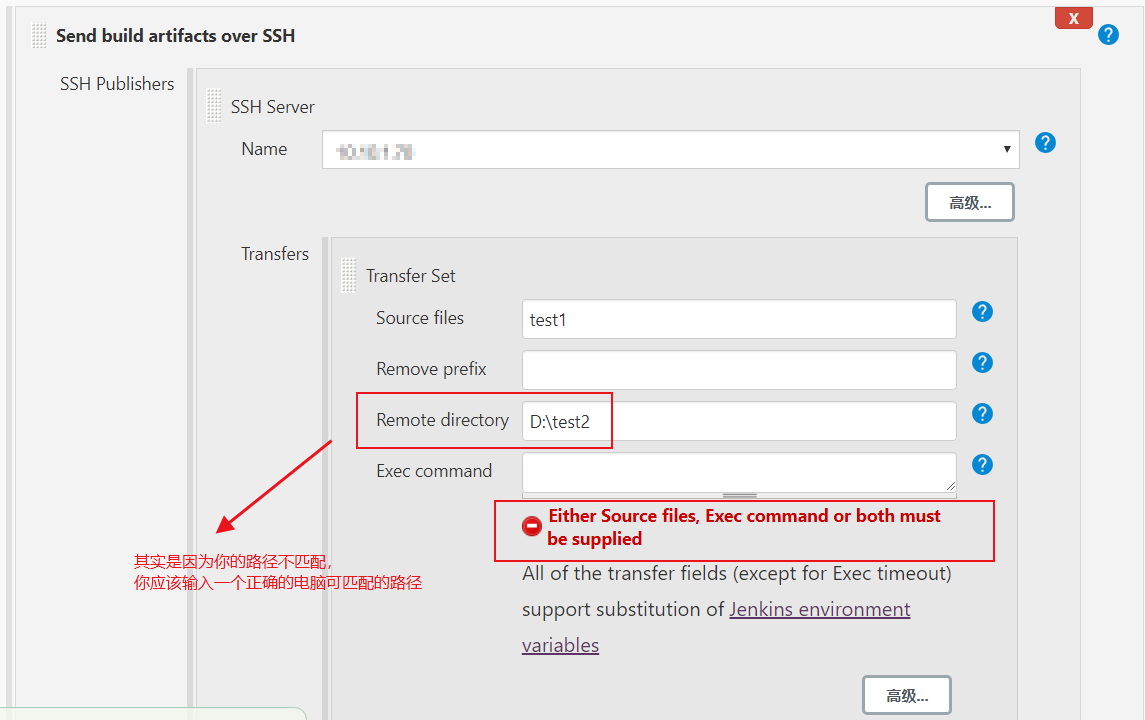 Systemctl Start Ssh Not Working
https://img2020.cnblogs.com/blog/921637/202010/921637-20201021143854840-1187835067.png
How to restart the SSH in Debian Ubuntu Linux Restarting ssh is simple job exeute etc init d ssh restart OR service ssh restart OR sudo service ssh restart If you are using Debian Ubuntu Mint Linux with systemd use the systemctl command sudo systemctl restart ssh
Templates are pre-designed documents or files that can be used for different purposes. They can conserve time and effort by supplying a ready-made format and layout for developing different sort of content. Templates can be utilized for personal or expert projects, such as resumes, invites, leaflets, newsletters, reports, discussions, and more.
Systemctl Start Ssh Not Working

Fix Sudo Apt get Install Openssh server Not Working Error Enable SSH

systemctl Restart Service Not Working On CentOS 7 YouTube

Systemctl Start Mender Not Working General Discussions Mender Hub

How To Install Start And Connect To SSH Server On Fedora Linux

Systemctl Start Mender Not Working General Discussions Mender Hub
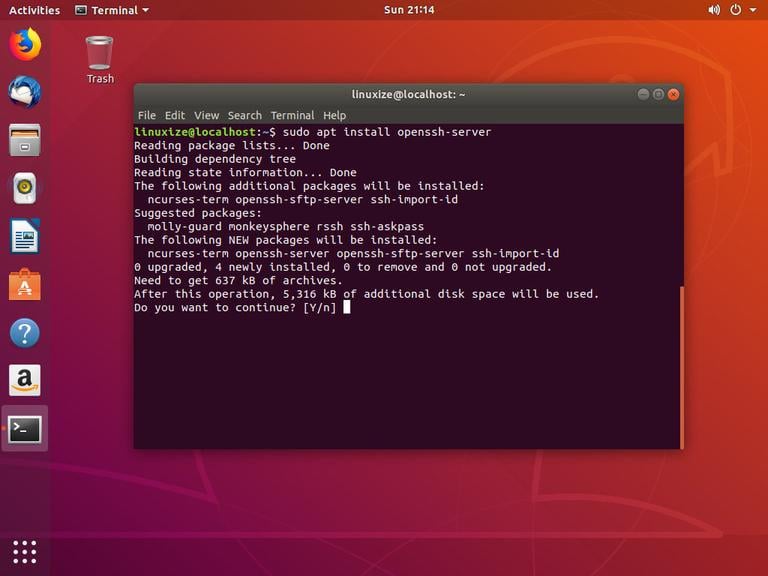
How To Enable SSH On Ubuntu 18 04 Linuxize
15 04 and newer Use this command sudo systemctl restart ssh To restart the SSH server daemon Going forward with systemd starting with Ubuntu 15 04 you now use this syntax to stop start or restart services sudo systemctl action service name Share

Ubuntu ssh service will start with ssh not sshd Try sudo apt get remove purge openssh server sudo apt get install openssh server Then try sudo service ssh restart To check its status sudo service ssh status Config file can be found at etc init ssh conf Detail about remove and purge

Enabling SSH on Ubuntu is fairly straightforward Perform the following steps as root or user with sudo privileges to install and enable SSH on your Ubuntu system Open the terminal with Ctrl Alt T and install the openssh server package sudo apt update sudo apt install openssh server Copy

Stack Exchange Network Stack Exchange network consists of 183 Q A communities including Stack Overflow the largest most trusted online community for developers to learn share their knowledge and build their careers Visit Stack Exchange
Checking the SSH Service Port There are two general ways to check which port the SSH service is running on One is checking the SSH configuration file and the other is examining the running process On most systems the SSH configuration file is etc ssh sshd config
On my ubuntu 18 04 the service is called ssh by default in my case I did sudo systemctl start ssh If that doesn t solve your problem you can reinstall ssh sudo apt get remove purge openssh server sudo apt get update sudo apt get install openssh server Share With systemctl configuring the default startup setting is the work of the enable and disable subcommands The syntax is the same as with the start stop and restart subcommands For example to set SSH to start when the server boots enter systemctl enable sshd Likewise to configure SSH not to start during bootup type systemctl
Step 2 Starting SSH Service To start the SSH daemon on the OpenSSH server sudo systemctl start sshd When active sshd continuously listens for client connections from any of the client tools When a connection request occurs sshd sets up the correct connection Step 3 Check sshd status Check the status of the SSH daemon sudo systemctl