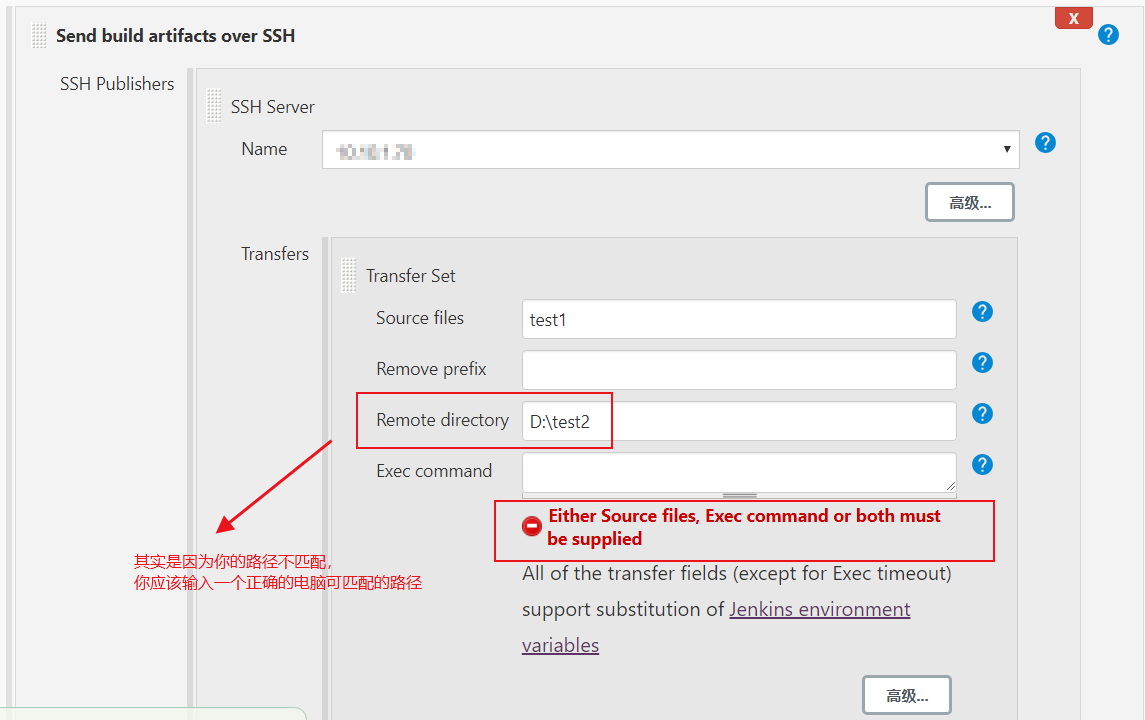
Systemctl Enable Ssh Not Working Jenkins Publish Over SSH Either Source Files Exec Command Or SSH Not Working In MacOS Ventura How To Fix DroidWin Unix Linux Linux Command systemctl Status Is Not Working Inside A Unix Linux Systemctl Command Not Working In RHEL 6 2 Solutions systemctl Restart Service Not Working On CentOS 7 YouTube Once Systemd is enabled the SSH server can now be started automatically with sudo systemctl enable ssh and queried with sudo systemctl status ssh A few things to note when trying to use SSH on WSL2 As others have mentioned since WSL does not yet support the systemd init system and infrastructure you ll need to rely on other methods
44 I m new to Ubuntu and trying to start sshd but having a lot of problems I ve tried uninstalling and reinstalling ssh by running sudo apt get remove openssh client openssh server and sudo apt get install openssh client openssh server When I run sudo service ssh restart I get stop Unknown instance ssh start running process 3638 Sudo systemctl enable sshd sudo systemctl start ssh And check the service status using command systemctl status ssh service 2 Configure SSH Server After step 1 you should be able to connect to this Ubuntu server or desktop remotely via ssh and or scp commands
systemctl Restart Service Not Working On CentOS 7 YouTube SSH Service Not Working After Fresh Restart 3 Solutions YouTube How To Enable SSH In Kali Linux How To Connect To Kali Linux Via SSH How To Enable SSH On Windows 10 Command Prompt Disable SSH Password Authentication For Specific User Or Group How To Enable SSH On Ubuntu 18 04 Linuxize How To Enable SSH On Ubuntu Candid Technology How To Fix SSH Not Working On Raspberry Pi How To Enable SSH On Ubuntu 20 04 Configuration Tuxinit
Systemctl Enable Ssh Not Working
 Systemctl Enable Ssh Not Working
https://img2020.cnblogs.com/blog/921637/202010/921637-20201021143854840-1187835067.png
Once installed SSH services start in background silently You can check its status by running command systemctl status ssh service You may replace status in the code with stop reload restart to stop reload or restart the service 3 The SSH service should be working good now for basic use
Pre-crafted templates offer a time-saving solution for developing a varied range of documents and files. These pre-designed formats and layouts can be made use of for different personal and expert tasks, consisting of resumes, invitations, flyers, newsletters, reports, presentations, and more, enhancing the content production procedure.
Systemctl Enable Ssh Not Working

bug1 systemctl Enable Network systemctl Restart Network

SSH Service Not Working After Fresh Restart 3 Solutions YouTube
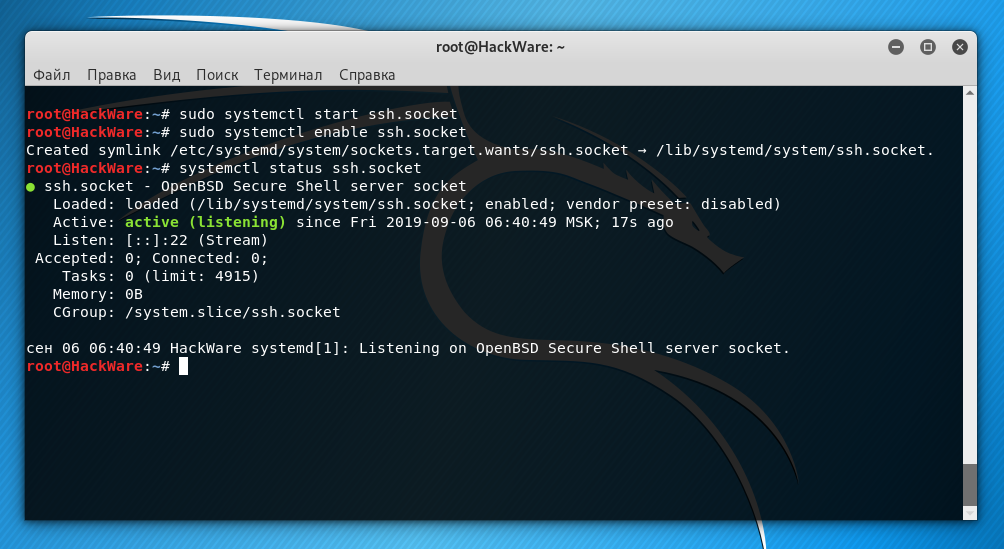
How To Enable SSH In Kali Linux How To Connect To Kali Linux Via SSH
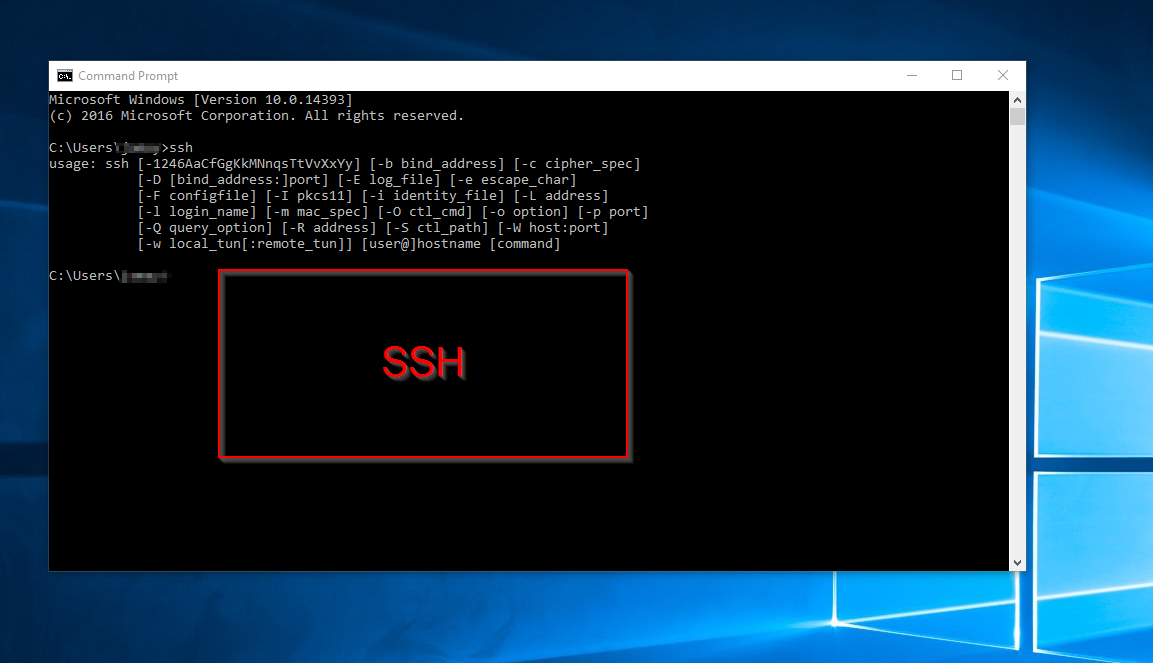
How To Enable SSH On Windows 10 Command Prompt
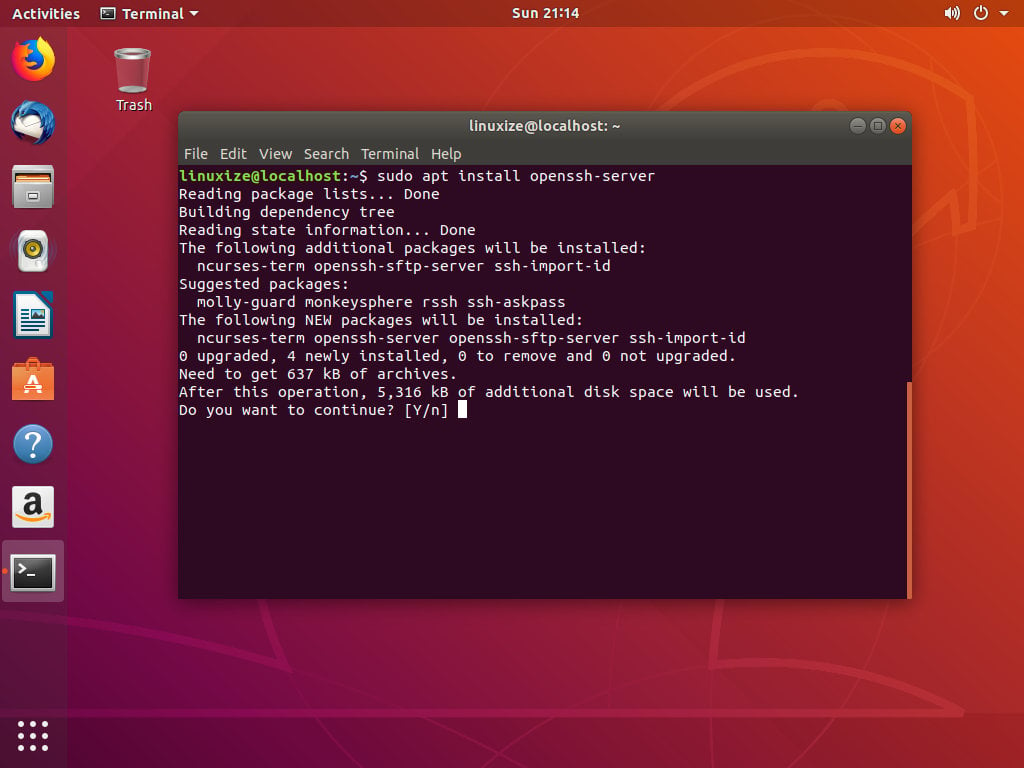
How To Enable SSH On Ubuntu 18 04 Linuxize

How To Enable SSH On Ubuntu Candid Technology
Cannot enable ssh service on Ubuntu 20 04 Ask Question Asked 2 years 2 months ago Modified 2 years 2 months ago Viewed 3k times 1 I am trying to remote connet my desktop Ubuntu 20 04 2 LTS via MacBook But my request is rejected So I check my ssh status on Ubuntu

1 After disabling sshd I m having issues re enabling starting it via systemctl I m sure I ve hosed something but this is what I did fresh xubuntu 16 04 2 install apt install openssh server probably had to manually enabled it I don t remember kept default config file as is accessing over local LAN only

5 min read Secure Shell SSH is a network protocol used for a secure connection between a client and a server Each interaction between the server and a client is encrypted This tutorial explains how to enable SSH on an Ubuntu machine Enabling SSH will allow you to connect to your system remotely and perform administrative tasks

Network error Connection timed out Here are some steps you can take to troubleshoot this error Verify that the host IP address is correct for the Droplet Verify that your network supports connectivity over the SSH port being used

That seems to work However I can no longer enable the service at boot after that sudo systemctl enable sshd service Failed to execute operation No such file or directory Even un installing and re installing openssh server doesn t fix it but a purge does How do I re enable sshd at boot once I ve disabled it via systemd
Installing OpenSSH Server on Ubuntu 20 04 First of all as always make sure that your current packages are up to date for security purposes sudo apt get update Now that all packages are up to date run the apt get install command in order to install OpenSSH sudo apt get install openssh server If not shown as above start the service using the following command sudo systemctl enable ssh If the service replies with a Unit SSH service could not be found install it as instructed in Step Two Skip to Step Three if your SSH server is already enabled
In this tutorial you will learn How to Install SSH service How to start SSH service How to enable SSH to start after reboot How to open SSH port 22 for incoming traffic Active SSH service and firewall SSH port 22 open on RHEL 8 Software Requirements and Conventions Used Redhat 8 enable ssh service step by step instructions