Start Service Cmd Remote Z visl koln Montgomery How To Shutdown Pc Using Cmd In Network Cmd Hacking Commands Remote Desktop Connection Billarunner Memcached Principle Analysis And Configuration Code World Stop Start Restart Windows Service Command Line How To Docker docker dee CSDN Web Aug 10 2023 nbsp 0183 32 To start services on a remote computer use the following PowerShell command Get Service ComputerName computername Name servicename Start Service e g To stop the quot Printer Spooler quot on the remote quot PTWIN quot computer issue this command Get Service ComputerName PTWIN Name Spooler Start Service
Web Jan 15 2019 nbsp 0183 32 Step 2 Method 1 SC It s a built in command line since Windows XP It interacts with local and remote services quite easily like this SC computername STOP servicename SC computername START servicename You can put these commands in a batch file and run it as a login script or a scheduled task Web Apr 28 2014 nbsp 0183 32 6 Answers Sorted by 140 You can use net stop service name to stop it and net start service name to start it up again basically restarting the service To combine them just do this net stop service name amp amp net start service name There is also a command built specifically for messing with services sc DESCRIPTION
Docker docker dee CSDN 4 Ways To Start Stop Services On A Remote Windows Computer Next Of DEPLOYING MACHINE LEARNING MODEL INSIDE DOCKER CONTAINER Microsoft Powershell Remotely Write Edit Modify New Registry Key And Cmd Hacking Vs Other Sorce Sssany Memcached Principle Analysis And Configuration Code World How To Install Middleware ItsTikk s Tech Note Load Balancing PostgreSQL Cluster With Repmgr And Jira docker jira chenxianchong CSDN
Start Service Cmd Remote
 Start Service Cmd Remote
https://www.softwaretestinghelp.com/wp-content/qa/uploads/2020/11/remote-shutdown-option-using-CMD.jpg
Web Oct 13 2013 nbsp 0183 32 To start a service on a local machine Get Service Name bits Start service But if you try to use the same technique on a remote machine it tries to start the service on your local machine Get Service Name bits ComputerName RSLAPTOP01 Start service So you have to use Set Service
Templates are pre-designed documents or files that can be used for numerous purposes. They can save effort and time by supplying a ready-made format and layout for developing various sort of material. Templates can be used for personal or expert tasks, such as resumes, invites, flyers, newsletters, reports, presentations, and more.
Start Service Cmd Remote

Hack Like A Pro Windows CMD Remote Commands For The Aspiring Hacker

4 Ways To Start Stop Services On A Remote Windows Computer Next Of

DEPLOYING MACHINE LEARNING MODEL INSIDE DOCKER CONTAINER
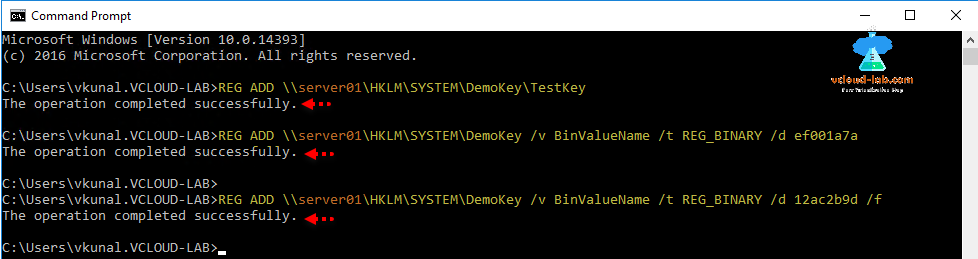
Microsoft Powershell Remotely Write Edit Modify New Registry Key And

Memcached Principle Analysis And Configuration Code World
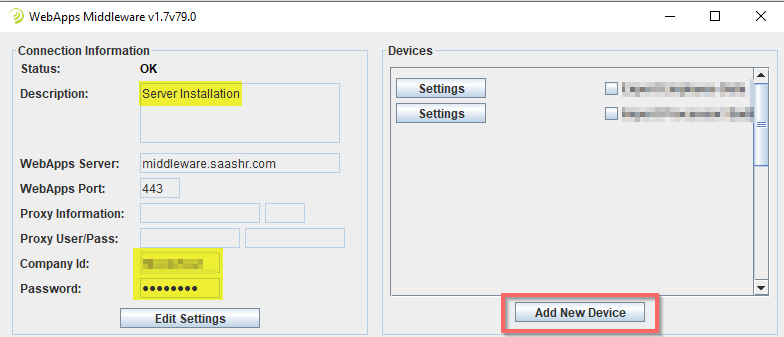
How To Install Middleware

Web May 26 2013 nbsp 0183 32 One way would be to enable telnet server on the machin you want to control services on add remove windows components Open dos prompt Type telnet yourmachineip name Log on type net start amp serviceName e g w3svc This will start IIS or you can use net stop to stop a service

Web Jul 18 2012 nbsp 0183 32 These are the steps to remotely start or stop a service from CMD This will only cover starting or stopping the service but you can also disable restart or delete the service Step 1 Find the service name If you already know the name of the service skip to step two if you are unsure of the name of the service start here

Web Aug 15 2010 nbsp 0183 32 We normally use Services msc to start or stop or disable or enable any service We can do the same from windows command line also using net and sc utilities Below are commands for controlling the operation of a service Command to stop a service net stop servicename To start a service net start servicename

Web Here are 5 ways to start stop restart a Windows Service on a remote machine using Services SC NET PsService PSEXEC and ServicePilot

Web Oct 28 2018 nbsp 0183 32 5 Answers Sorted by 18 PSService on SysInternals is specifically for remotely controlling services psservice computer u username p password lt command gt lt options gt where query Displays the status of a service config Displays the configuration of a service setconfig Sets the start type disabled auto demand of a
Web Dec 14 2018 nbsp 0183 32 Step 1 Using SC Use this command to manage poll service states sc can be used locally and remotely remote polling of service status sc computer query servicename Also you can find out the type of service startup sc computer qc servicename Stop or start the service sc computer start stop servicename Web Dec 19 2023 nbsp 0183 32 Step 1 Press the Win R keys together on your keyboard to open the Run command window Step 2 In the Run command search field type services msc and press OK to launch the Service manager window Step 3 In the Services window go to the right side of the pane and look for Remote Desktop Services under the Names column
Web Sep 12 2022 nbsp 0183 32 Yes it can be In this tutorial we will discuss an option to manage a service state via the command line interface How to Start Stop a Windows Service using CLI Windows Service Controller sc is a command line utility that communicates with Service Control Manager and services