Spring Boot Auto Restart Not Working Auto Restart Issue Enable Auto Restart Issue Auto Restart Not Spring MVC Always Learning Spring Boot Auto configuration GeeksforGeeks Spring Boot Rock n Roll How I Fixed Kotlin Spring Boot Auto Reload In IntelliJ IDEA Code Install the spring boot extension from vscode Open the spring boot project folder in vscode Change the application properties file to application yml Start debugging Edit and save the java code Auto restart should work fine at this point but it doesn t
We ve a Spring boot gradle project running inside a docker container which uses a docker volume Auto reload spring boot application in docker when using spring security 1 spring boot devtools Automatic Restart not working 0 spring boot app does not reload despite spring boot dev tools already installed Spring Boot automatically restarts app for every code change This dependency is not included as part of the final build package so developers don t need to worry about production servers automatically getting restarted for every code change The above restart happens only if any file included in the classpath changes
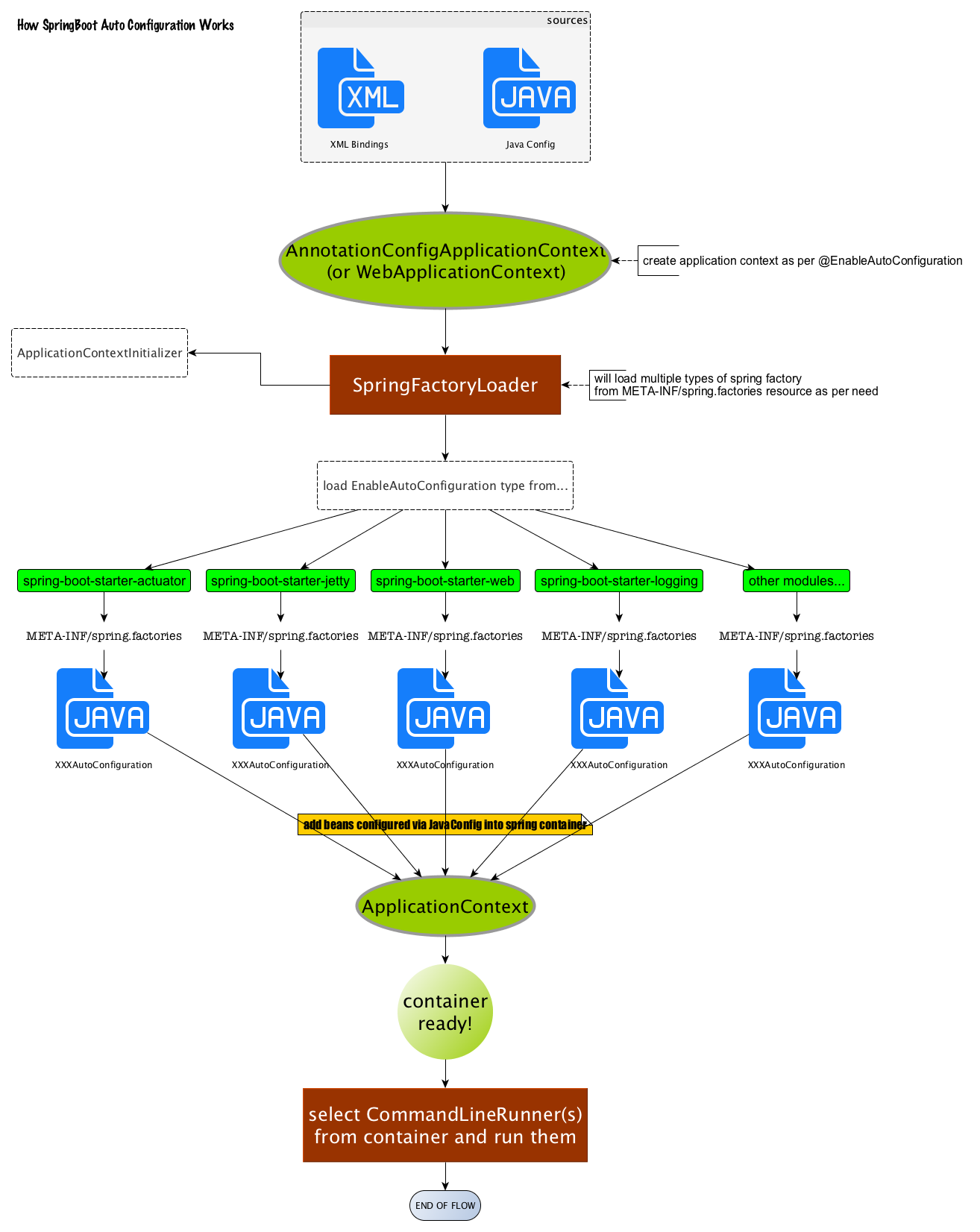
How I Fixed Kotlin Spring Boot Auto Reload In IntelliJ IDEA Code Spring Boot Hello World Using REST Application Simplifying Tech Spring MVC Always Learning Spring Boot Basics Archives SpringExamples Spring MVC Always Learning IPhone 14 Force Restart Not Working Here s How To Do It Properly Spring Boot Interview Questions DigitalOcean Spring Boot Auto Configuration How Spring Boot Auto Configuration Works Resource Open Source Agenda
Spring Boot Auto Restart Not Working
 Spring Boot Auto Restart Not Working
https://i.ytimg.com/vi/-B3kc4Cqak8/maxresdefault.jpg
We just need to trigger compilation of the sources on changes which will cause to update the target folder and Spring boot will automatically restart the application If we are using Eclipse IDE then save action can trigger the compilation In Intellij we can use Ctrl F9 to recompile Spring uses a custom classloader to restart the application
Pre-crafted templates offer a time-saving solution for creating a diverse variety of files and files. These pre-designed formats and layouts can be made use of for different personal and professional projects, consisting of resumes, invites, flyers, newsletters, reports, presentations, and more, improving the content creation process.
Spring Boot Auto Restart Not Working

IPhone Force Restart Not Working Here s The Fix

Spring Boot Hello World Using REST Application Simplifying Tech
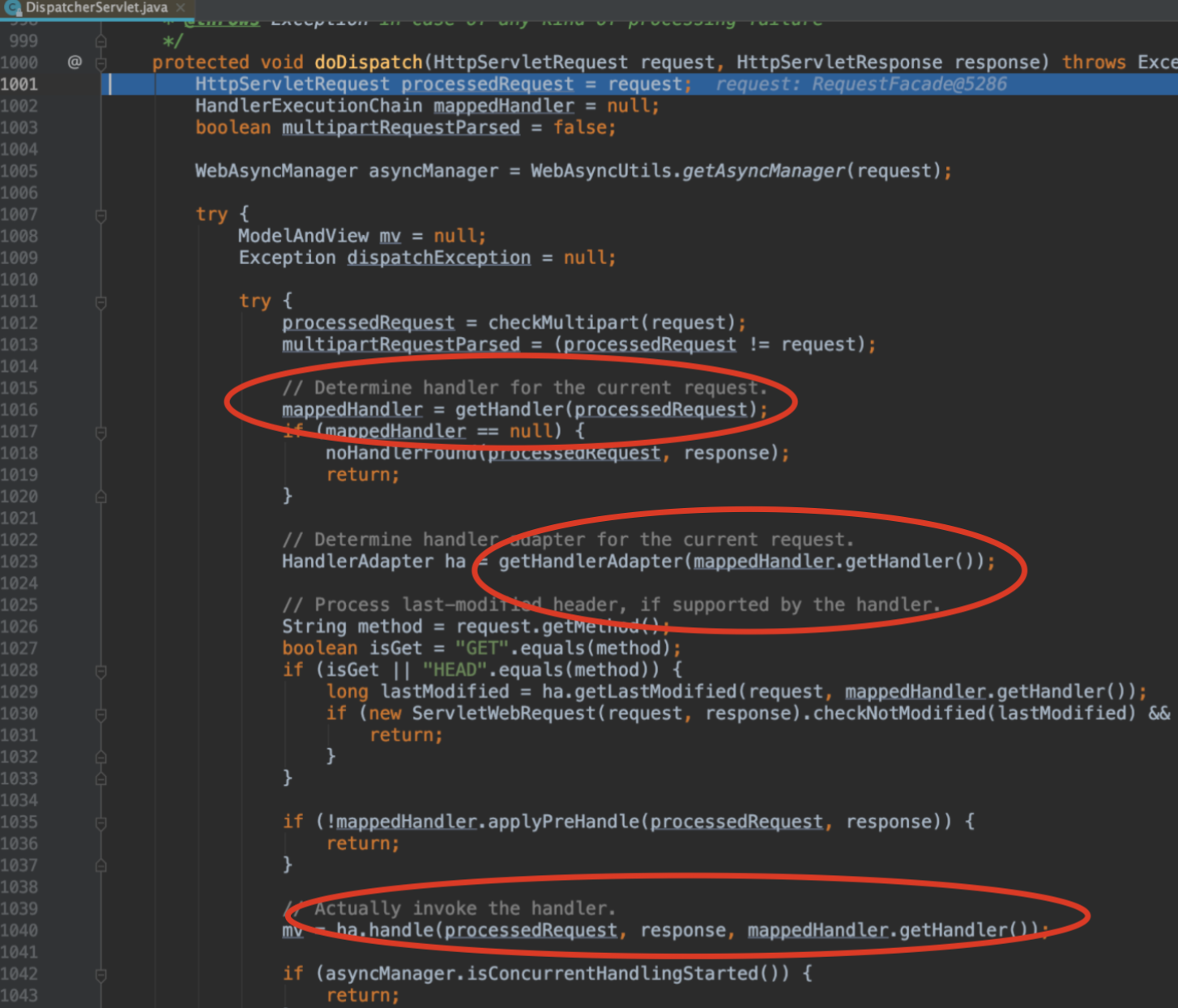
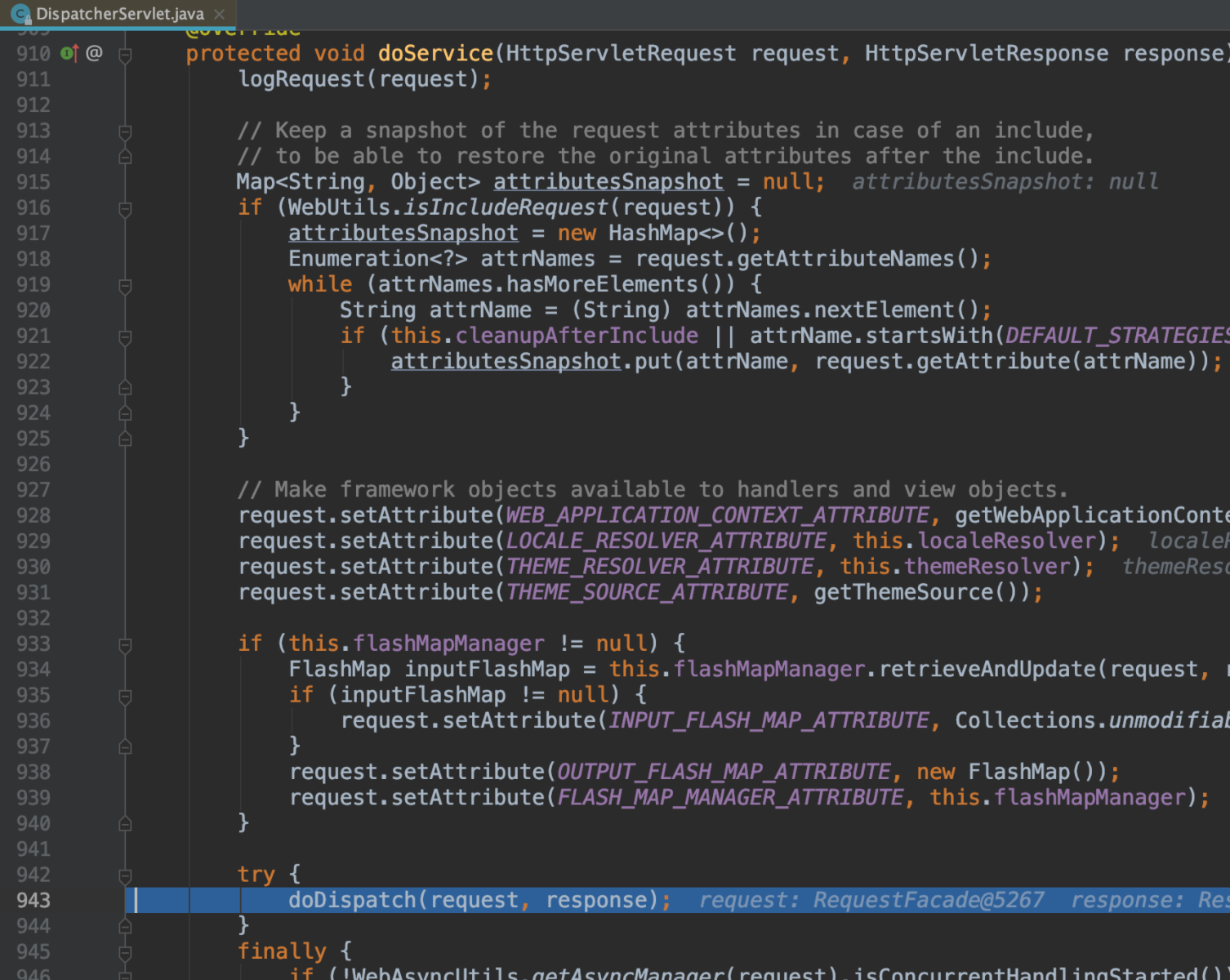
Spring MVC Always Learning

Spring Boot Basics Archives SpringExamples

IPhone 14 Force Restart Not Working Here s How To Do It Properly

Spring Boot Interview Questions DigitalOcean

Then Maven will download and add the spring boot devtools version jar to the project Now run your Spring boot project in the IDE and you will see the main thread before using DevTools is replaced by the restartedMain thread Now try to make some changes to a Java class in your project and press Ctrl S to save the changes Eclipse or STS you can see in the Console view the Spring
To fix the problem and let IntelliJ IDEA triggers Spring Boot DevTools restarts the application really automatically you need to do 2 extra steps First enable Build project automatically in the Settings dialog Click menu File Settings Build Execution Deployment Compiler as shown below Then open IntelliJ IDEA Registry

In this tutorial we ll show how to programmatically restart a Spring Boot application Restarting our application can be very handy in some cases Reloading config files upon changing some parameter Changing the currently active profile at runtime Re initializing the application context for any reason
Applications that use spring boot devtools will automatically restart whenever files on the classpath change This can be a useful feature when working in an IDE as it gives a very fast feedback loop for code changes By default any entry on the classpath that points to a folder will be monitored for changes

According to the Spring Boot docs Applications that use spring boot devtools will automatically restart whenever files on the classpath change This can be a useful feature when working in an IDE as it gives a very fast feedback loop for code changes By default any entry on the classpath that points to a folder will be monitored for changes
Ways to Restart Spring Boot Automatically The very basic way to restart the Spring Boot Application is by sending a POST request to the restart endpoint Let s try that using CURL After running your Spring Boot Application open a command prompt and type Now right click on LiveReload icon and enable it Before enabling it make sure that maven mvn spring boot run command is running that will start tomcat and LiveReload server 3 Automatic Restart Spring Boot developer tools have a feature that will auto restart the server and refresh the page on browser whenever a file on classpath is modified
It is possible to get Spring Boot to work with other build systems Ant for example but they are not particularly well supported 1 1 Dependency Management Applications that use spring boot devtools automatically restart whenever files on the classpath change This can be a useful feature when working in an IDE as it gives a very fast