Restart Remote Windows Server Via Command Line PowerShell Restart Fails Other Users Logged On PeteNetLive Using VBScript To Restart Remote Network Computers SmartFile Instructie Online Maken Backup Exact Financials How To Restart Windows Devices From SCCM Console Access Microsoft Windows Server Via RDP Exabytes Group Jun 7 2021 nbsp 0183 32 This new Restart apps setting has been separated from the old Use my sign in info to automatically finish setting up my device and reopen my apps after an update or restart setting
Dec 1 2019 nbsp 0183 32 How to Restart explorer exe Process in Windows 10 The explorer exe process is the user shell for Windows and is used by such items as the desktop File Explorer Start menu Nov 28 2021 nbsp 0183 32 How to Start Stop Restart Enable and Disable Services in Windows 10 Published by Shawn Brink Category Performance amp Maintenance 28 Nov 2021 How to Start
Access Microsoft Windows Server Via RDP Exabytes Group How To Log Off Remote Desktop Sessions Using Command Line Pinoy SysAdmin How To Restart Windows From The Command Line QBit Networking Restart Pc By Cmd Microsoft Community How To Reboot Ubuntu Via Command Line Or Terminal Step By Step Tutorial Inloggen Op Server From Developer To Business Owner DEV Community How To Check PowerShell Version And Update It On Windows Server Certmine From Developer To Business Owner DEV Community
Restart Remote Windows Server Via Command Line
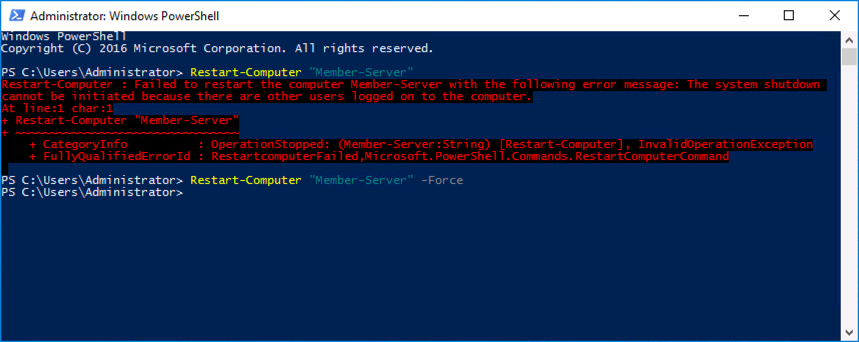 Restart Remote Windows Server Via Command Line
https://www.petenetlive.com/wp-content/uploads/2017/12/001-PowerShell-Restart-Users-Logged-On.png
Aug 1 2022 nbsp 0183 32 How to Do a System Restore of Windows 10 System protection if turned on is a feature that allows you to perform a system restore that takes your PC back to an earlier point
Templates are pre-designed files or files that can be used for numerous purposes. They can conserve time and effort by offering a ready-made format and design for developing different type of content. Templates can be used for personal or professional tasks, such as resumes, invitations, leaflets, newsletters, reports, discussions, and more.
Restart Remote Windows Server Via Command Line
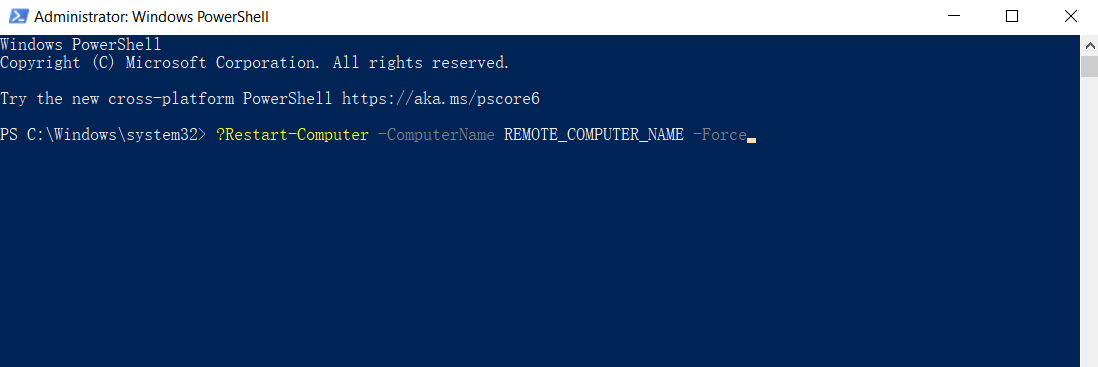
Top 3 Ways To Restart Remote Computer Command Line

How To Log Off Remote Desktop Sessions Using Command Line Pinoy SysAdmin
How To Restart Windows From The Command Line QBit Networking

Restart Pc By Cmd Microsoft Community

Inloggen Op Server

From Developer To Business Owner DEV Community
Feb 10 2024 nbsp 0183 32 How to Boot to Advanced Startup Options in Windows 10 Advanced startup enables you to perform these actions Start recovery aka Windows RE or WinRE

Sep 19 2020 nbsp 0183 32 Enable or Disable Shut Down Restart Sleep and Hibernate in Power Menu for All Users in Local Group Policy Editor The Local Group Policy Editor is only available in the
Aug 7 2022 nbsp 0183 32 How to Schedule a Restart Time for Windows Update in Windows 10 Windows Update keeps Windows 10 updated by downloading and installing the latest updates drivers

May 31 2017 nbsp 0183 32 Yes shutdown and restart was automatic with the BIOS update EDIT to be sure I loaded optimized BIOS settings through the BIOS and turned off my PC after saving changes
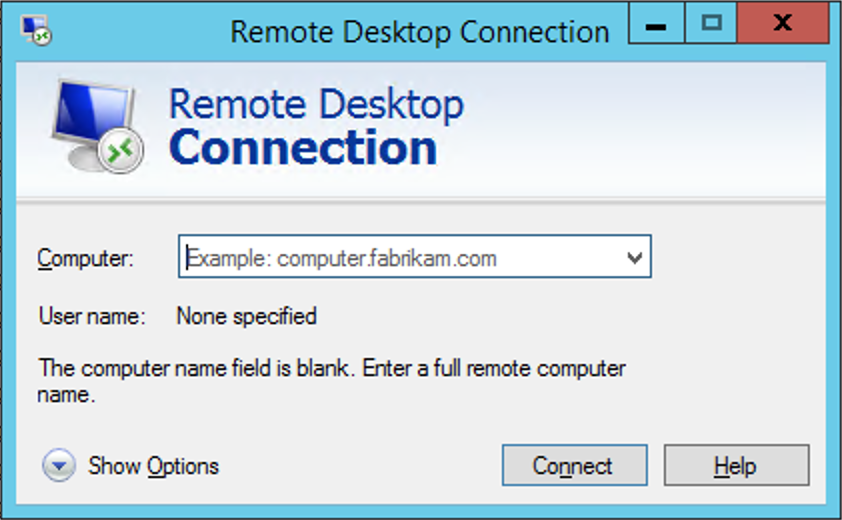
Apr 11 2024 nbsp 0183 32 How to Read Shutdown and Restart Event Logs in Windows You can use Event Viewer to view the date time and user details of all shutdown events caused by a shut down
[desc-11] [desc-12]
[desc-13]