Restart Windows Server Remotely From Command Line Three Top Ways To Restart Server Remotely Windows 10 11 My First Blog Access Your Ubuntu Server Remotely From Windows Three Top Ways To Restart Server Remotely Windows 10 11 How To Logoff Restart Or Shutdown Windows PC Or Server Remotely Via Command Prompt And How To Logoff Restart Or Shutdown Windows PC Or Server Remotely Via Command Prompt And WEB Jun 30 2023 nbsp 0183 32 Example 1 Restart Remote Computer To restart a remote computer named PC2 use the following command shutdown r m pc2 This command will prompt the
WEB Aug 20 2019 nbsp 0183 32 1 Login with a full administrative account to another computer 2 Open a Command Prompt CMD window 3 Type the following command Shutdown m WEB Jul 31 2024 nbsp 0183 32 You can reboot a remote computer from the Windows Command Prompt using the shutdown utility Enter shutdown r m IP Address at the command line but
How To Logoff Restart Or Shutdown Windows PC Or Server Remotely Via Command Prompt And WMI based Microsoft Server Monitoring Wwweye blog How To Use Inkscape Command Line Acascuba How To Remotely Shut Down Or Restart Windows PCs How To Restart Windows Server VPS 4 Methods Knowledge Base Hyonix Logoff Or Restart Or Shutdown Windows PC Remotely TechDirectArchive How To Find Users Logged Into A Server Log User Off Remotely How To Restart Your Windows Computer Errorwise How To Restart Windows Server 2012 R2 How To Shutdown Windows Server 2012 The Normal Way
Restart Windows Server Remotely From Command Line
 Restart Windows Server Remotely From Command Line
https://www.anyviewer.com/screenshot/others/illustration/restart-computer.png
WEB Nov 20 2013 nbsp 0183 32 Start button then Windows Security Click the little red shutdown icon and you ll see the quot Restart quot option You use the Windows Security option for XP and Vista
Templates are pre-designed files or files that can be utilized for various purposes. They can save time and effort by supplying a ready-made format and design for producing various type of content. Templates can be used for personal or expert tasks, such as resumes, invites, leaflets, newsletters, reports, presentations, and more.
Restart Windows Server Remotely From Command Line

How To Remotely Access A Linux Server From A Windows Computer Systran Box
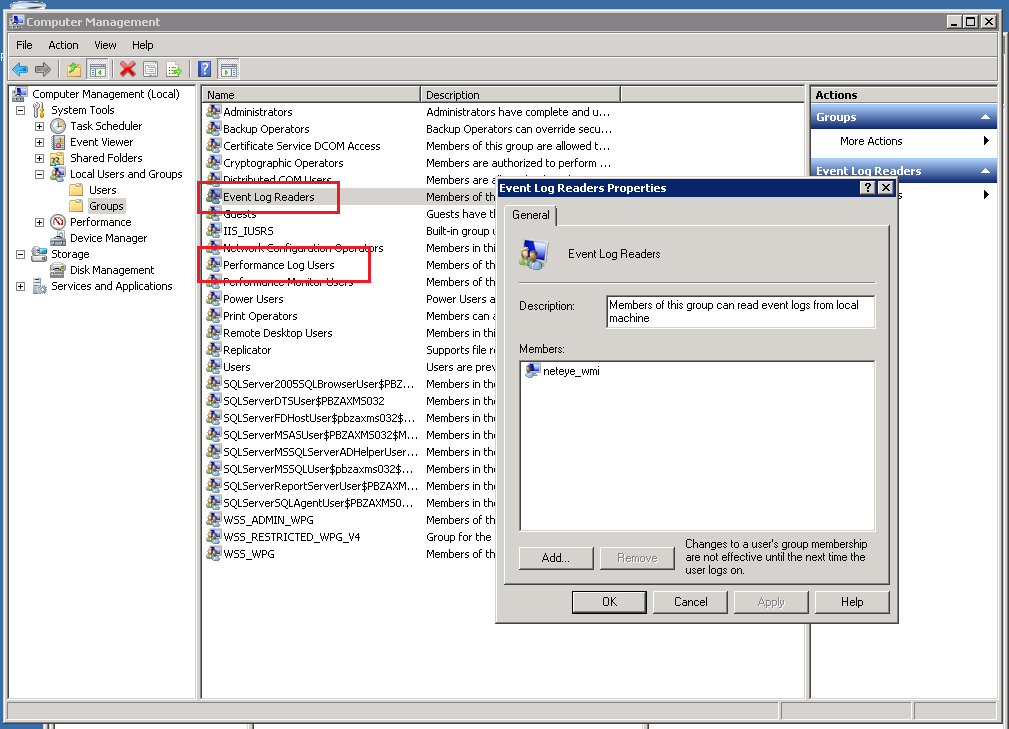
WMI based Microsoft Server Monitoring Wwweye blog

How To Use Inkscape Command Line Acascuba

How To Remotely Shut Down Or Restart Windows PCs

Logoff Or Restart Or Shutdown Windows PC Remotely TechDirectArchive

How To Find Users Logged Into A Server Log User Off Remotely
WEB Apr 1 2018 nbsp 0183 32 In this tutorial I ll show you two easy methods for rebooting and shutting down remote computers The first method uses a built in Windows command and the
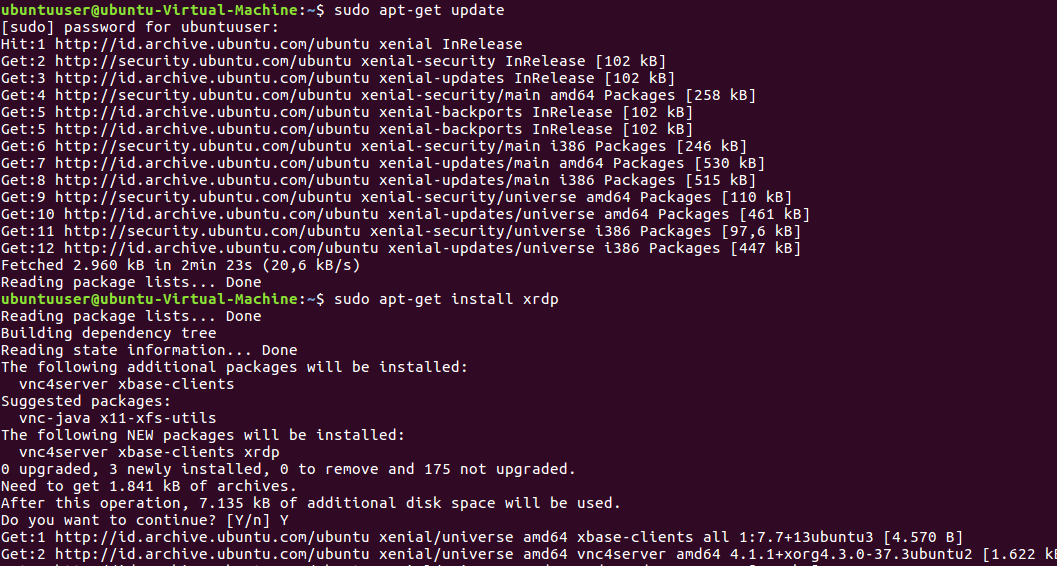
WEB Oct 4 2023 nbsp 0183 32 Run the following command to restart a remote computer with Powershell even when it is in use Restart Computer ComputerName

WEB May 26 2013 nbsp 0183 32 You can use System Internals PSEXEC command to remotely execute a net stop yourservice then net start yourservice

WEB Oct 5 2023 nbsp 0183 32 To restart the remote computer myremoteserver in 5 minutes due to a security update and include a custom reason in the shutdown event tracker type

WEB Mar 15 2024 nbsp 0183 32 The following two commands are available in Windows PowerShell to shutdown and reboot the computer Restart Computer and Stop Computer Both
WEB The following command restarts the computer after 60 seconds shutdown r t 60 You can stop the shutdown or restart with the a switch shutdown a Type shutdown to see all WEB Mar 21 2012 nbsp 0183 32 To gain access of another computer for you to remote shutdown you must execute the follow command in command prompt net use Server IPC pswd
WEB Sep 13 2022 nbsp 0183 32 1 Restart a remote computer with Restart Computer This cmdlet is simple to use with flexible parameters An additional prerequisite for the command to work is