Rename Remote Origin 35 Add Rename Remove Remote Origin Url To The Git Repo What Is How To Rename A Local And Remote Branch In Git Rename Remote File Main Features Jan David Narkiewicz Developer Git Adding Remote Origin To A Local Git Rename Branch Local And Remote PROPERLY GoLinuxCloud Web Oct 23 2015 nbsp 0183 32 1 Answer Sorted by 2 You should understand that any item here is a reflection of the item on the remote side so if you rename anything here it may be rewritten later If above mentioned doesn t fear you let s rename it Literally rename the reference in the filesystem in lt repo gt git refs remotes origin
Web First make sure the local branch has the correct new name The appropriate command is git branch a Now delete the branch with the old incorrect name from the remote repository To do this use the following command git push origin delete lt old name gt Verify that the old branch has been deleted properly Web If you re using TortoiseGit then follow the below steps Go to your local checkout folder and right click to go to TortoiseGit gt Settings In the left pane choose Git gt Remote In the right pane choose origin Now change the URL text box
Git Rename Branch Local And Remote PROPERLY GoLinuxCloud Git Tycoon3 How To Rename Local And Remote Git Branches By John Kavanagh Rename Remote Files Automatically Kuboard Spray TortoiseGit How To Change Remote Origin Url For Git Repo Renaming Master To Main On GitHub Webucator Rename A Git Repo In Your Project Azure Repos Microsoft Learn
Rename Remote Origin
 Rename Remote Origin
https://i.ytimg.com/vi/YxTmfSuI74o/maxresdefault.jpg
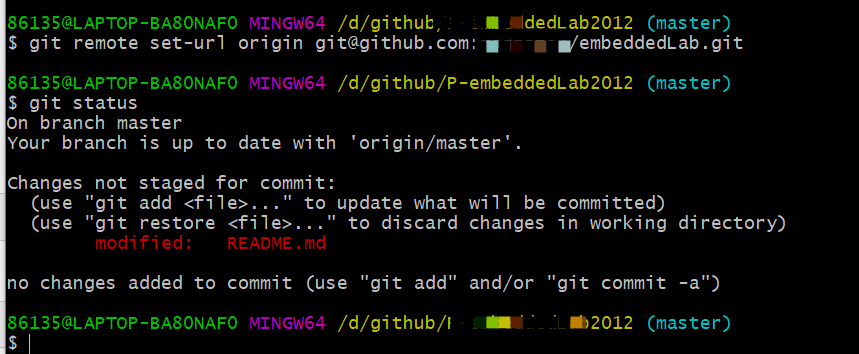
Web May 2 2013 nbsp 0183 32 You can rename changing URL of a remote repository using git remote set url origin new URL new URL can be like https github abcdefgh abcd git Too permanently delete the remote repository use git remote remove origin
Templates are pre-designed documents or files that can be used for various purposes. They can conserve effort and time by providing a ready-made format and design for creating various kinds of material. Templates can be used for individual or expert tasks, such as resumes, invites, leaflets, newsletters, reports, discussions, and more.
Rename Remote Origin

Git origin git Remote Add Remote v Set
Git Tycoon3

How To Rename Local And Remote Git Branches By John Kavanagh
Rename Remote Files Automatically

TortoiseGit
How To Change Remote Origin Url For Git Repo
Web Apr 9 2012 nbsp 0183 32 2 Answers Sorted by 78 If they already have a remote called origin but want the new remote to be called origin then the most logical thing to do is rename or remove the existing remote called origin and add a new one git remote rename origin old origin git remote add origin url new url git

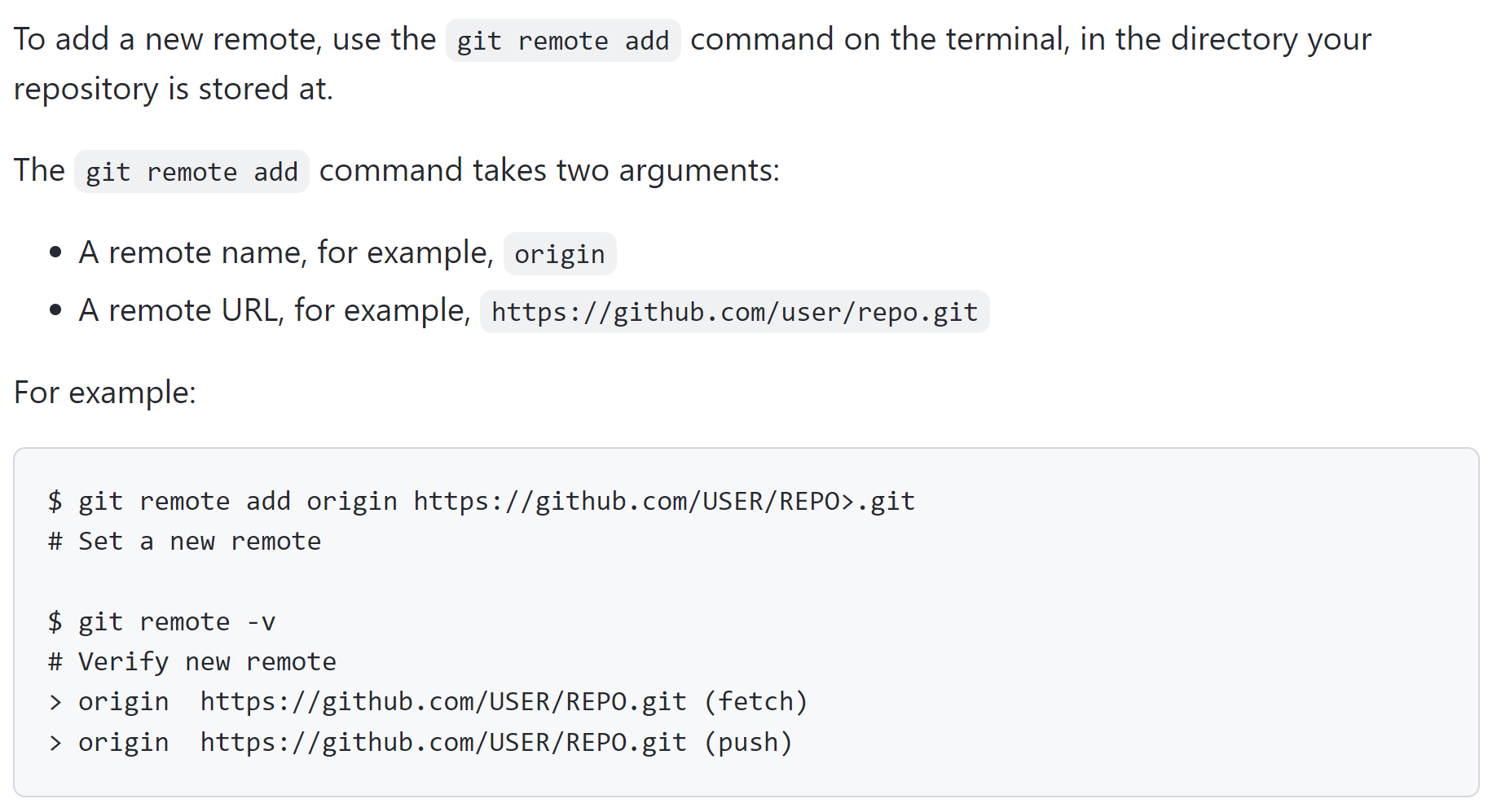
Web Windows Adding a remote repository To add a new remote use the git remote add command on the terminal in the directory your repository is stored at The git remote add command takes two arguments A remote name for example origin A remote URL for example https github OWNER REPOSITORY git For example
Web Mar 8 2020 nbsp 0183 32 In order to change the URL of a Git remote you have to use the git remote set url command and specify the name of the remote as well as the new remote URL to be changed git remote set url lt remote name gt lt remote url gt For example let s say that you want to change the URL of your Git origin remote
Web Apr 26 2022 nbsp 0183 32 1 Confirm the name of your current remote by running this command git remote v You should see an output like this In 2 Now that the current remote name is confirmed you can change it by running this command git remote rename 3 Verify that your remote has changed from beanstalk to

Web Jan 20 2011 nbsp 0183 32 10 Answers Sorted by 508 You just have to create a new local branch with the desired name push it to your remote and then delete the old remote branch git branch new branch name origin old branch name git push origin set upstream new branch name git push origin old branch name
Web The command git remote rename is self explanatory When executed this command will rename a remote connection from old name to new name Additionally this will modify the contents of git config to rename the record for the remote there as well Web May 11 2023 nbsp 0183 32 Changing the remote origin URL This option involves updating the URL of the existing remote origin to point to a new repository Adding a new remote repository and removing the old one This option entails adding a new remote origin and removing the old one from your local repository
Web Mar 8 2015 nbsp 0183 32 Sometimes it s the little things that eat up your day So here s a simple howto for all of you git users LOVE github to let you change you re remote origin Sometimes when creating a new repository it dawns on your that you misspelled something or you just changed your mind