Git Remote Rename Origin Url 022 Git Remote Rename Atual Novo GitFichas Git Remote Repository Tutorial And With Set url Origin Upstream Example Jan David Narkiewicz Developer Git Adding Remote Origin To A Local Git Pack Exceeds Maximum Allowed Size Git Merge branch Fig Web For example lt code gt origin lt code gt or lt code gt upstream lt code gt are two common choices lt p gt n lt li gt n lt li gt n lt p dir quot auto quot gt A new URL for the remote For
Web Feb 7 2020 nbsp 0183 32 2 min read Git remote is a pointer that refers to another copy of the repository that is usually hosted on a remote server In some situations like when the remote repository is migrated to another host Web Oct 23 2015 nbsp 0183 32 1 Answer You should understand that any item here is a reflection of the item on the remote side so if you rename anything here it may be rewritten later If above
Git Merge branch Fig Git GitHub Git How To Change Git Remote Origin URL DevsDay ru Jimmy Zhang Medium Git origin git Remote Add Remote v Set Github Gitee SegmentFault Git fork sync Git Remote
Git Remote Rename Origin Url
 Git Remote Rename Origin Url
https://res.cloudinary.com/jesstemporal/image/upload/f_auto/v1642878674/gitfichas/pt/022/thumbnail_rzvcmn.jpg
Web Apr 16 2017 nbsp 0183 32 Viewed 6k times 4 There seem to be at least 3 ways to do what sounds as the same thing 1 git remote add origin https x bitbucket x y git 2 git remote
Templates are pre-designed documents or files that can be utilized for numerous functions. They can save effort and time by offering a ready-made format and design for producing different kinds of content. Templates can be used for individual or expert projects, such as resumes, invitations, leaflets, newsletters, reports, discussions, and more.
Git Remote Rename Origin Url
How To Change Remote Origin Url For Git Repo
Git GitHub

Git
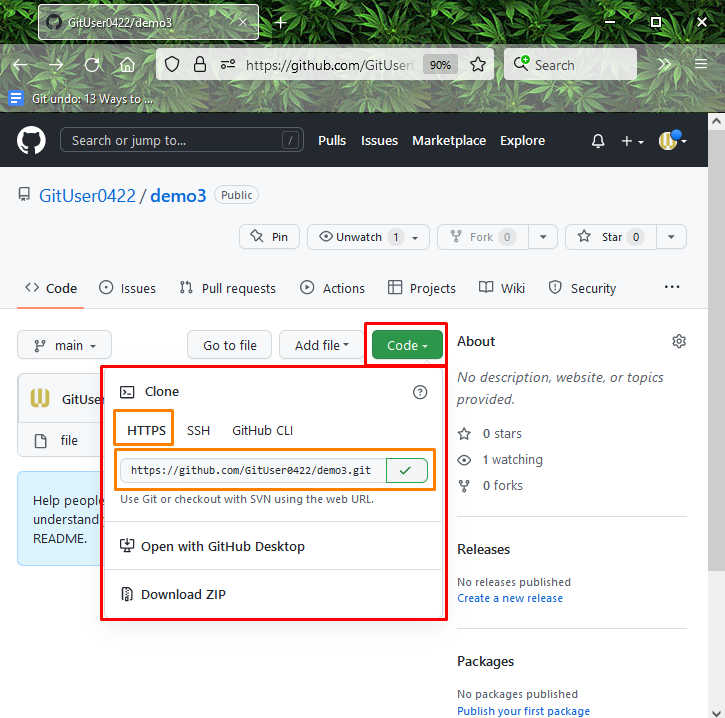
How To Change Git Remote Origin URL DevsDay ru

Git origin git Remote Add Remote v Set

Github Gitee SegmentFault

Web Apr 8 2012 nbsp 0183 32 2 Answers Sorted by 78 If they already have a remote called origin but want the new remote to be called origin then the most logical thing to do is rename or remove

Web List your existing remotes in order to get the name of the remote you want to change git remote v gt origin https github OWNER REPOSITORY git fetch gt origin
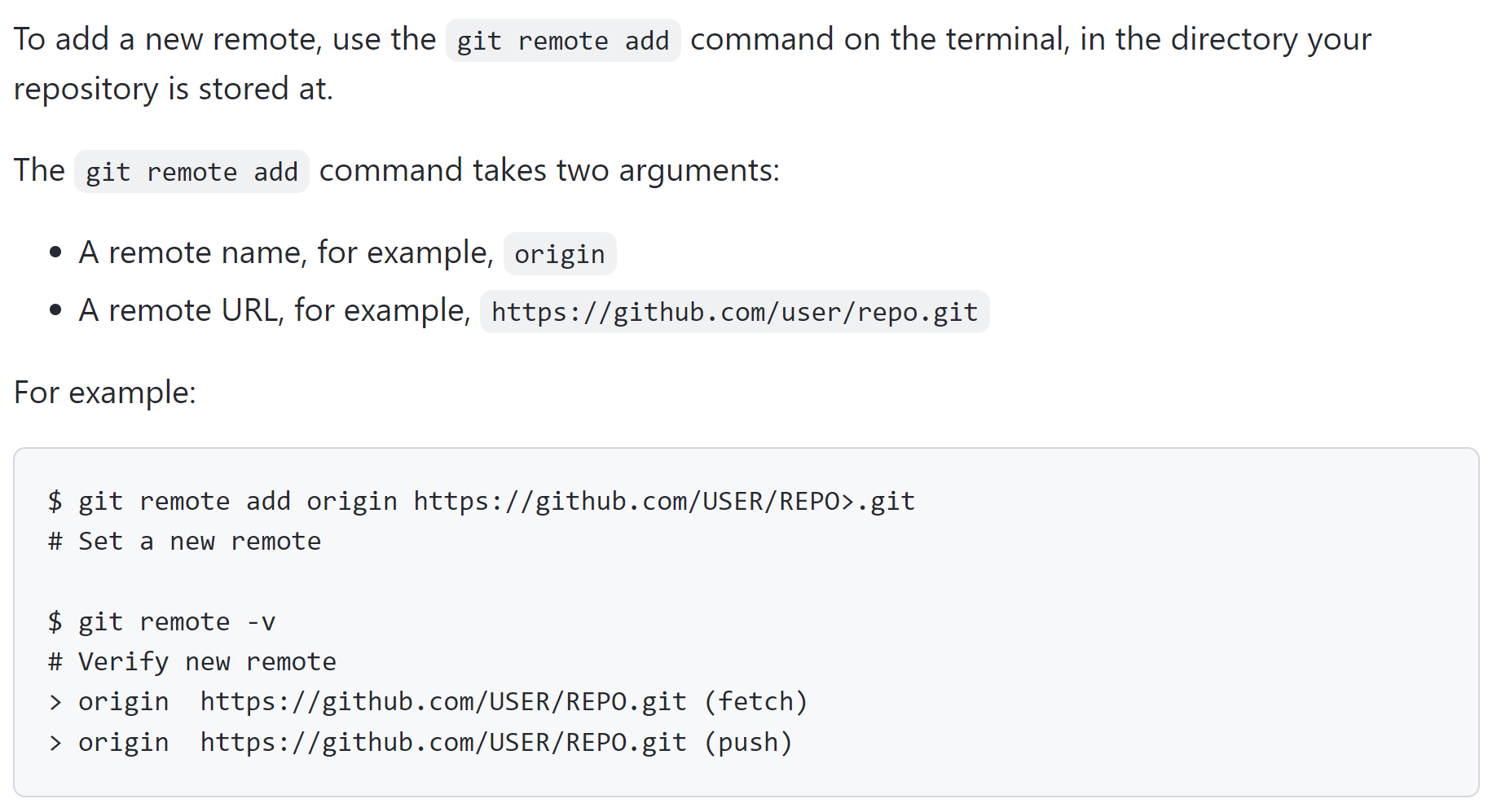
Web Mar 8 2020 nbsp 0183 32 In order to change the URL of a Git remote you have to use the git remote set url command and specify the name of the remote as well as the new remote URL to

Web Rename the remote named lt old gt to lt new gt All remote tracking branches and configuration settings for the remote are updated In case lt old gt and lt new gt are the same and lt old gt is

Web You can do this by using git remote on the command line git remote set url origin NEW URL For more information see quot Managing remote repositories quot If you plan to
Web Sep 17 2021 nbsp 0183 32 1 Answer Yes See https help github articles renaming a repository In addition to redirecting web traffic all git clone git fetch or git push Web May 2 2013 nbsp 0183 32 You can rename changing URL of a remote repository using git remote set url origin new URL new URL can be like https github abcdefgh abcd git Too
Web Apr 26 2022 nbsp 0183 32 1 The current name of your remote 2 The name you want to change your remote to For example Let s say that your current remote name is beanstalk And