Rename Command Line Mac Rename Command Examples Options Switches More How To Rename The File Using Command Prompt YouTube How To Rename Multiple Files In Linux Command Line Create Empty File At Windows Command Line How To Create Custom Command Models Web On your Mac select the items then Control click one of them In the shortcut menu choose Rename In the pop up menu below Rename Finder Items choose to replace
Web I recommend to use this litte script in bin rename usr bin env zsh SUBSEXPR 1 shift for i in do mv i echo quot i quot sed SUBSEXPR done Share Improve this answer Web Jun 23 2021 nbsp 0183 32 OS MACOS 11 4 Objective rename directories and file by replacing the space with a underscore Command tried find maxdepth 1 iname quot quot exec sh c
How To Create Custom Command Models How To Rename A File In Linux 2 Ultimate Solutions SLECK F2 Fast And Safe Batch Rename Tool For The Command Line Cross How To Rename Directory In Linux Comparison Of Review Command Vs TabIt NewTab Startup Buffer How To Set Shortcut For Rename Command Technical Support Sublime Forum Rename PDF Files By Command Line Of A PDF Rename YouTube How Do I Rename A File In The Ubuntu Terminal Command Line Install Module Odoo
Rename Command Line Mac
 Rename Command Line Mac
https://www.lifewire.com/thmb/xAVW5tBXOXpTIXfyfolhTquSoFg=/1002x668/filters:no_upscale():max_bytes(150000):strip_icc()/ren-command-windows-10-c60d4449ab104ec38e3183e74999f97c.png
Web Aug 29 2022 nbsp 0183 32 Select the file or folder to rename on Mac Right click on the file or folder and a drop down box appears Click on Rename Type down the new name
Pre-crafted templates provide a time-saving service for developing a diverse range of files and files. These pre-designed formats and designs can be utilized for numerous personal and professional jobs, including resumes, invites, flyers, newsletters, reports, presentations, and more, streamlining the material creation procedure.
Rename Command Line Mac

Run JMeter jmx File From The Command Line And Configure The Report
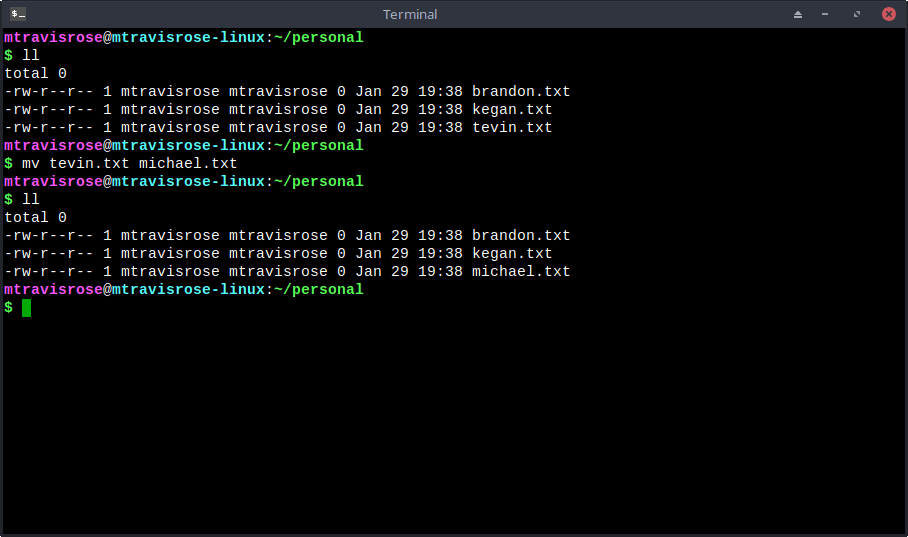
How To Rename A File In Linux 2 Ultimate Solutions SLECK
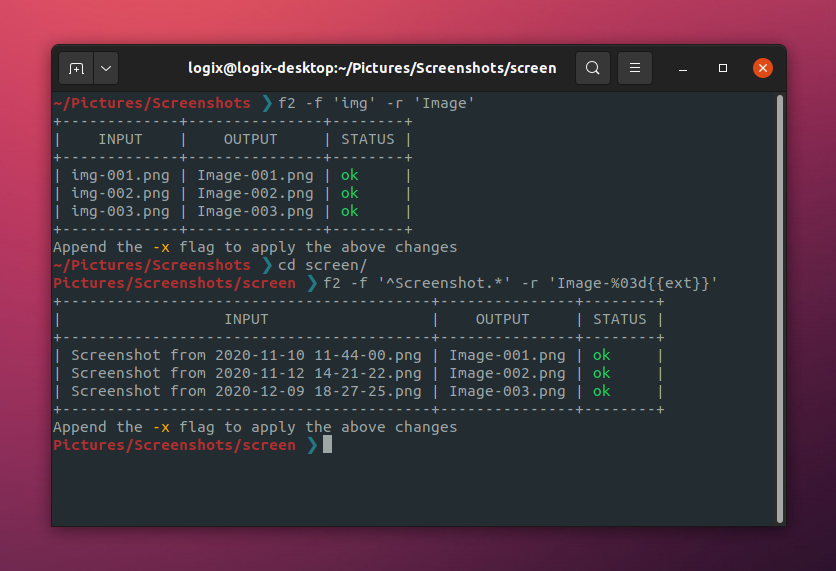
F2 Fast And Safe Batch Rename Tool For The Command Line Cross
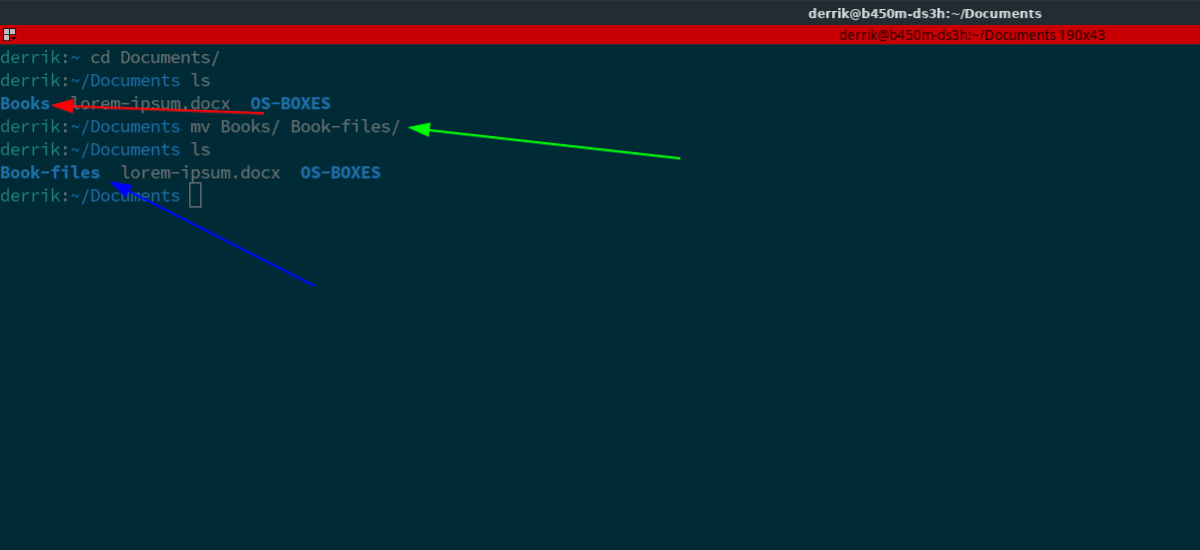
How To Rename Directory In Linux
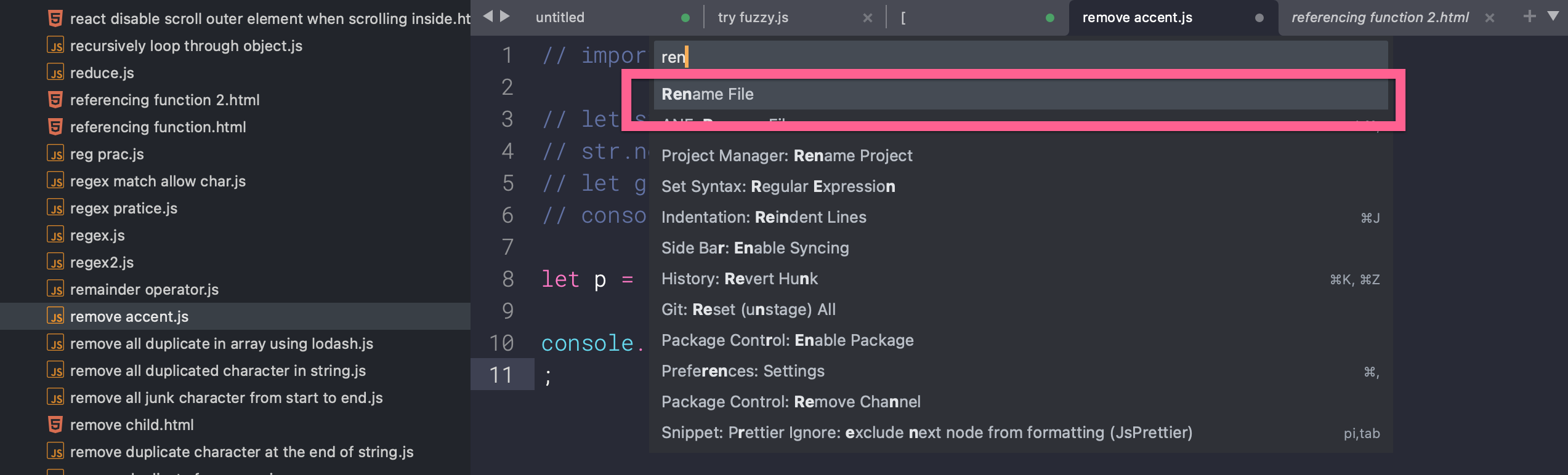
How To Set Shortcut For Rename Command Technical Support Sublime Forum

Rename PDF Files By Command Line Of A PDF Rename YouTube

Web You can try to install MacPorts and install the renameutils package I notice that renameutils does not contain a rename port nongnu renameutils I d be

Web If you find yourself batch renaming files frequently consider installing a specialized tool such as the Perl based rename utility On macOS you can install it using popular

Web Jul 20 2022 nbsp 0183 32 With the files selected either right click the selected files and select Rename or go to File then Rename in the Menu Use the dialog box to rename your files Once complete click
Web Execute commands and run tools Specify files and folders Redirect Terminal input and output Correct typing errors Drag items into a Terminal Window Use window groups Customize Terminal Change settings

Web Jun 18 2022 nbsp 0183 32 Here we will show you 4 methods to change and rename files and folders on Mac OS All the methods and steps are given below 1 Method Hit on the Name Select
Web Mar 18 2010 nbsp 0183 32 Advanced Method 4 Rename a file or folder via command line The command line is a bit more advanced but you can also rename any file or directory via Web May 18 2023 nbsp 0183 32 A system running macOS Access to the command line terminal Note Since both macOS and Linux are compatible with UNIX applications most commands
Web Jul 10 2023 nbsp 0183 32 To rename a file in Mac Terminal you can use the mv command This command can rename or move files and directories Simply open Finder then click