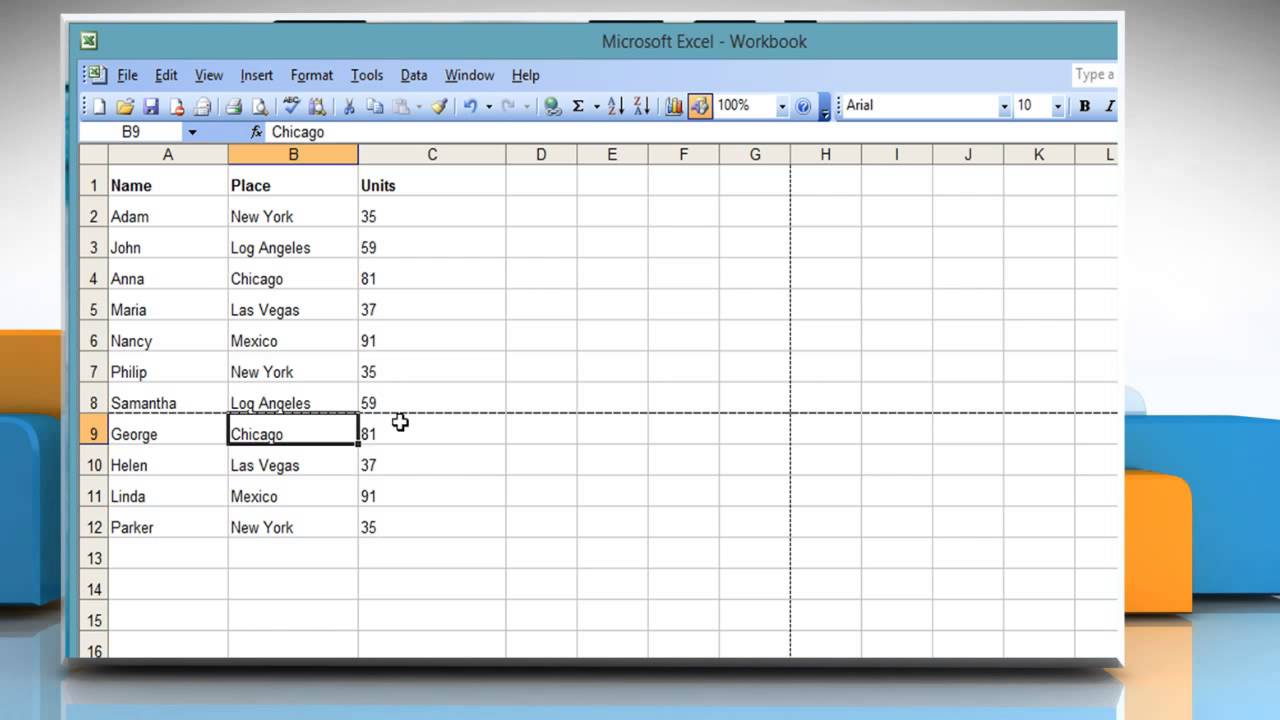
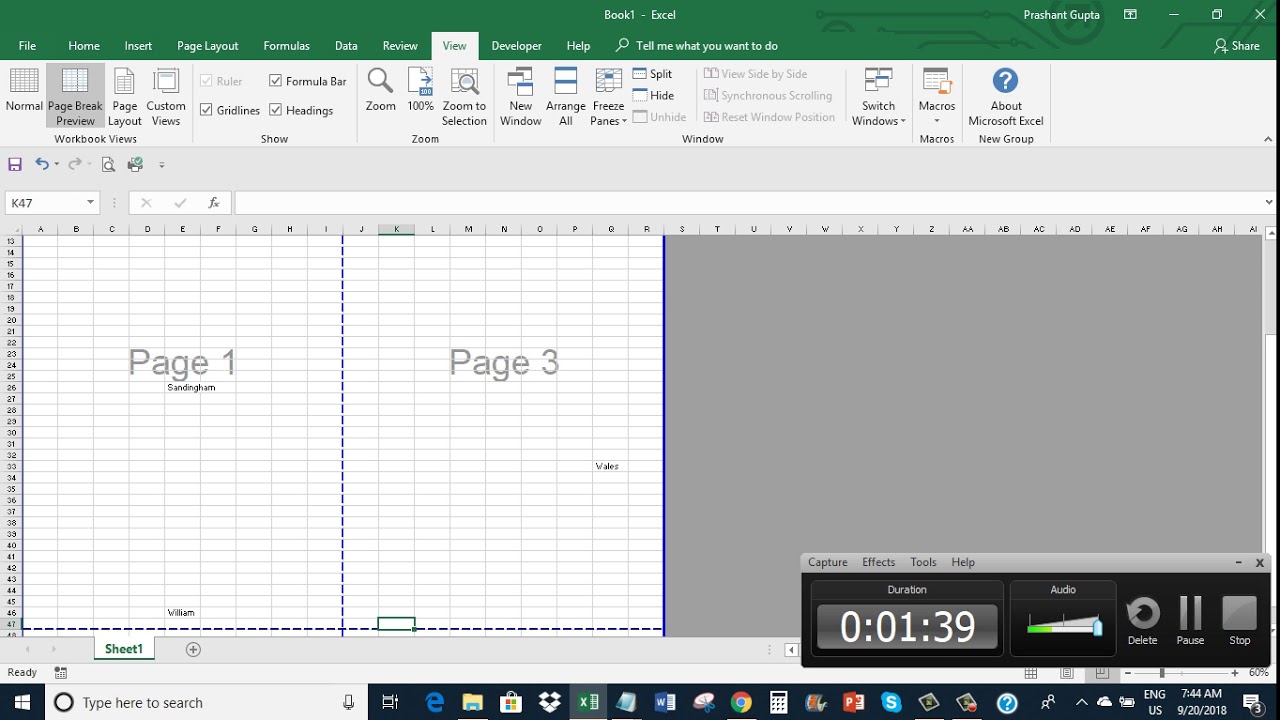
Remove Page Breaks In Excel How To Add And Remove Page Breaks In Excel 2003 YouTube Remove Page Break In Excel For Mac 365 Microsoft Tech Community 234 How To Remove Page Breaks And Insert Page Breaks In Excel 2016 90 How To Remove The Page Break In Excel Learn MS Excel Tutorial How To Remove Excel 2010 Page Breaks YouTube Web Figure 1 Sample Page Break The automatic page breaks are inserted by Excel based on several settings such as margin scale paper size and the manual page breaks that we insert Before we learn how to remove page breaks let us first have an overview of page breaks and how we insert them in Excel Page Break Preview
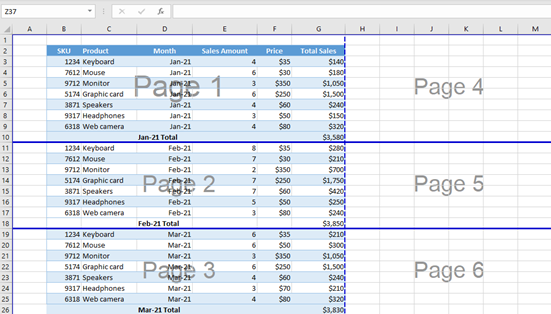
Web May 20 2023 nbsp 0183 32 Follow these steps Click and drag the page break line to move it To remove the page break entirely click and drag the page break line off the worksheet You can also use the Page Breaks button on the View tab to delete all the page breaks in your worksheet Removing page breaks in Excel is a simple process that can make your Web Aug 21 2023 nbsp 0183 32 First go to the File tab in the menu and click on Print or use the keyboard shortcut CTRL P In the Print settings screen go to Set Custom Page Breaks In the next screen position the cursor at the bottom of the print area until the double sided arrow appears Then click and drag the arrow between Rows 10 and 11
How To Remove Excel 2010 Page Breaks YouTube Excel Remove Page Breaks And Page Number Watermark From A Sheet YouTube How To Insert Page Breaks In Google Sheets Porvia Remove Page Breaks And Page Number Watermark In Excel Dedicated Excel How To Insert A Page Break In Excel Daniels Gaince Introduce Toast Violence How To Set A Page Break In Excel Walnut Rough How To Remove Page Breaks In Excel How To Remove Page Breaks In Excel Earn Excel How To Insert Adjust And Remove Page Breaks In Excel
Remove Page Breaks In Excel
 Remove Page Breaks In Excel
https://i.ytimg.com/vi/4dW8qPsAJwc/maxresdefault.jpg
Web Feb 14 2024 nbsp 0183 32 To delete a page break click the column to the right or row below the break click quot Page Layout quot select quot Breaks quot then click quot Remove Page Break quot Method 1 Moving Page Breaks Download Article 1 Open your spreadsheet in
Templates are pre-designed files or files that can be utilized for different functions. They can conserve time and effort by offering a ready-made format and design for creating various sort of material. Templates can be used for personal or expert jobs, such as resumes, invitations, flyers, newsletters, reports, presentations, and more.
Remove Page Breaks In Excel
Remove Page Breaks And Page Number Watermark In Excel Dedicated Excel
Excel Remove Page Breaks And Page Number Watermark From A Sheet YouTube
How To Insert Page Breaks In Google Sheets Porvia
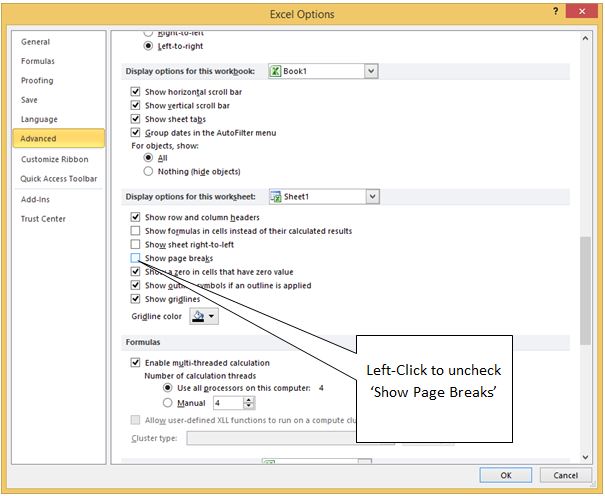
Remove Page Breaks And Page Number Watermark In Excel Dedicated Excel
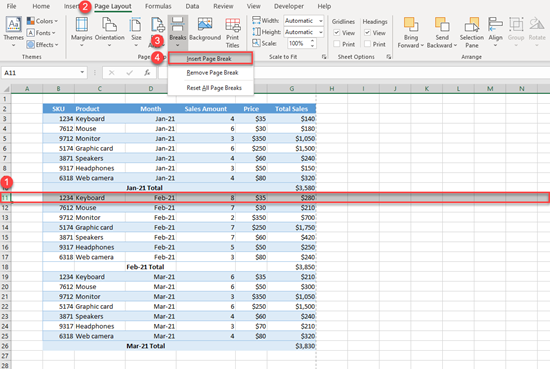
Introduce Toast Violence How To Set A Page Break In Excel Walnut Rough

How To Remove Page Breaks In Excel
Web In Excel s page break view you have the option to delete both types of page breaks and you can choose which page breaks you want to keep and which ones you want to remove To remove a vertical page break select the column to the right of the page break that you want to remove

Web Dec 4 2021 nbsp 0183 32 Remove a Page Break You can remove a manual page break that you insert easily Select the column to the right or row below the break you want to delete Then head to the Page Layout tab click the Breaks drop down arrow and choose quot Remove Page Break quot You can also right click and pick quot Remove Page Break quot
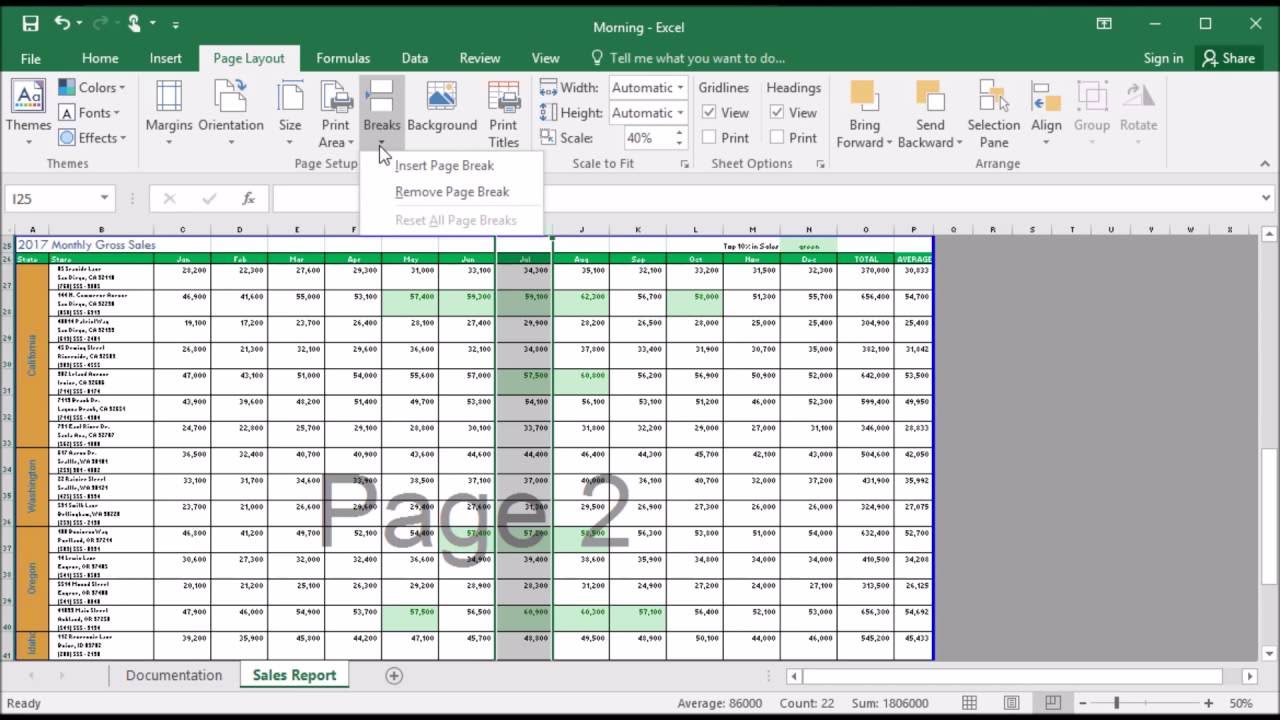
Web Do one of the following On the Page Layout tab in the Page Setup group click Breaks and then click Remove Page Break Remove all manual page breaks On the Page Layout tab in the Page Setup group click Breaks and then click Reset All
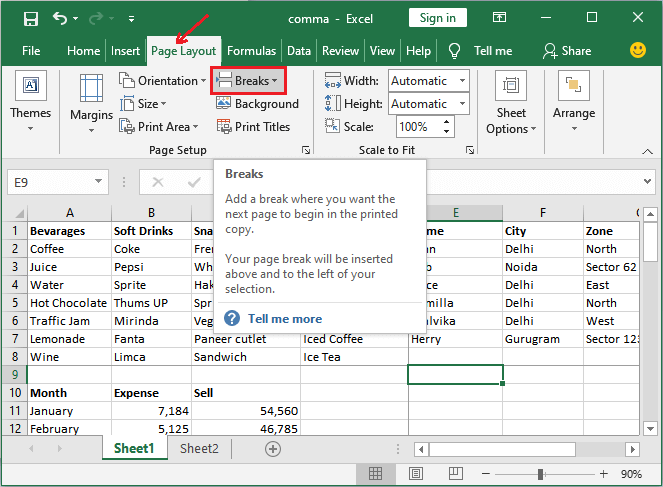
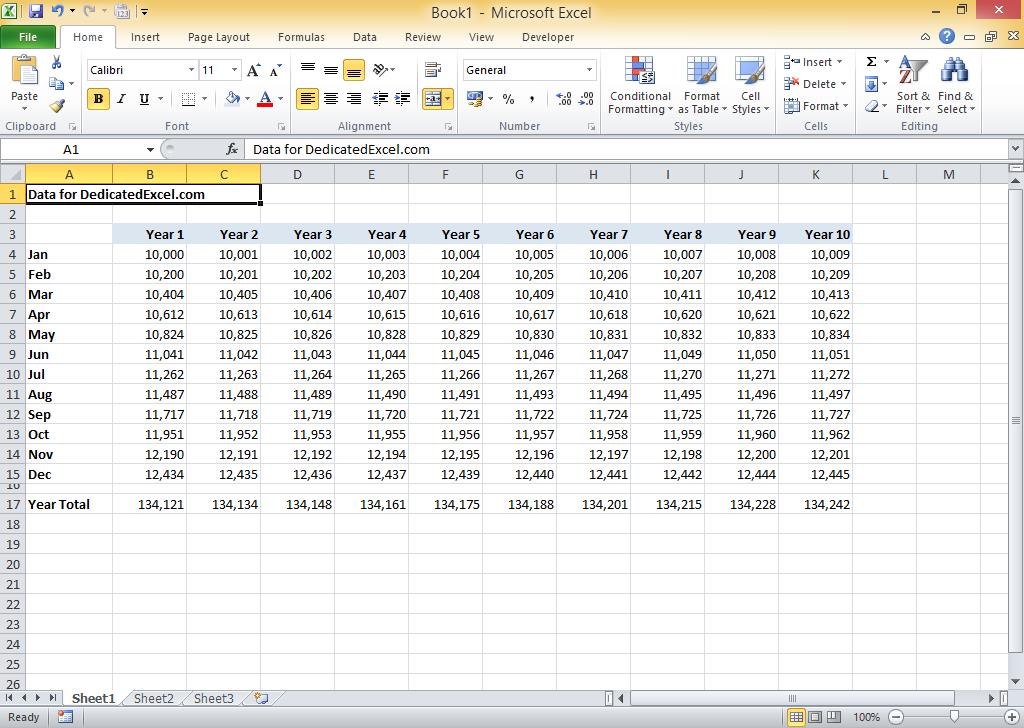
Web Aug 22 2022 nbsp 0183 32 If you don t plan on printing the worksheet or clearing the document of visual clutter you can easily remove page breaks from an Excel document In this post we provide step by step instructions on how to insert adjust view hide and remove page breaks in Excel Insert Page Breaks in Excel
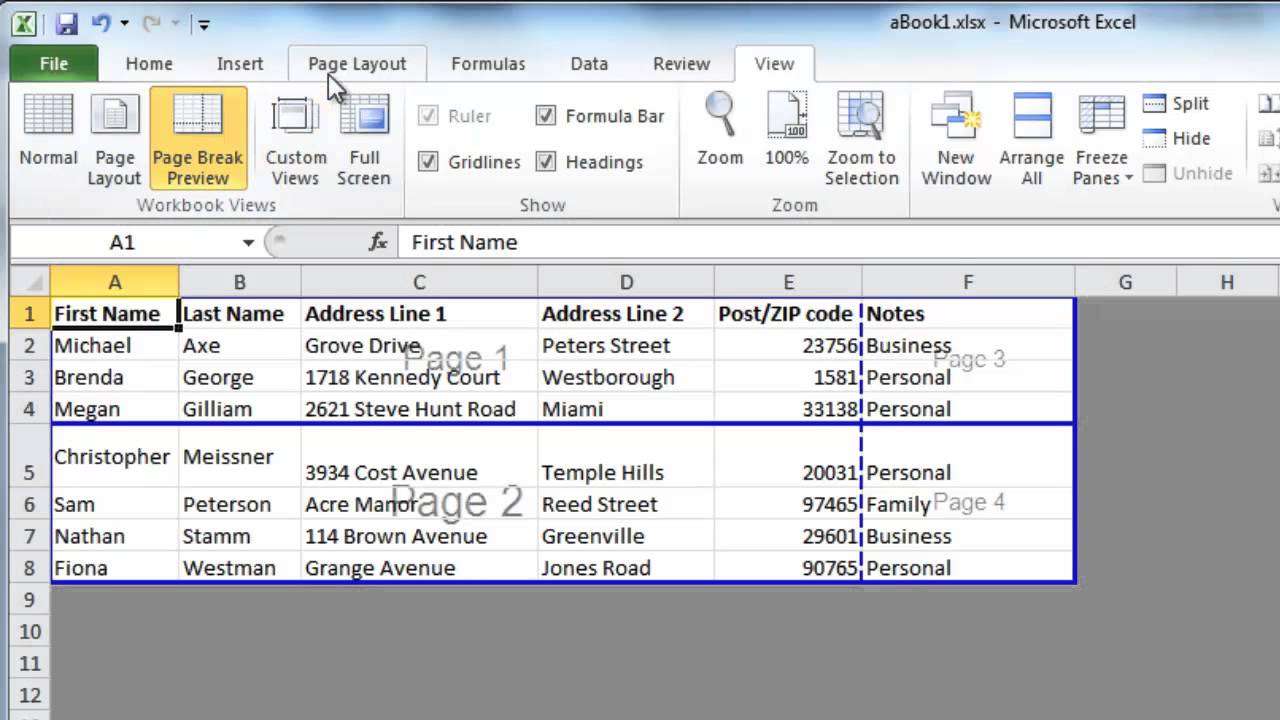
Web May 20 2023 nbsp 0183 32 The most straightforward way to remove page breaks in Excel is to adjust them manually Here s how Click on the worksheet where you want to remove page breaks Click on the Page Layout tab and select the Breaks dropdown menu Select Remove Page Breaks Excel will remove any existing manual page breaks on the
[desc-11] [desc-12]
[desc-13]