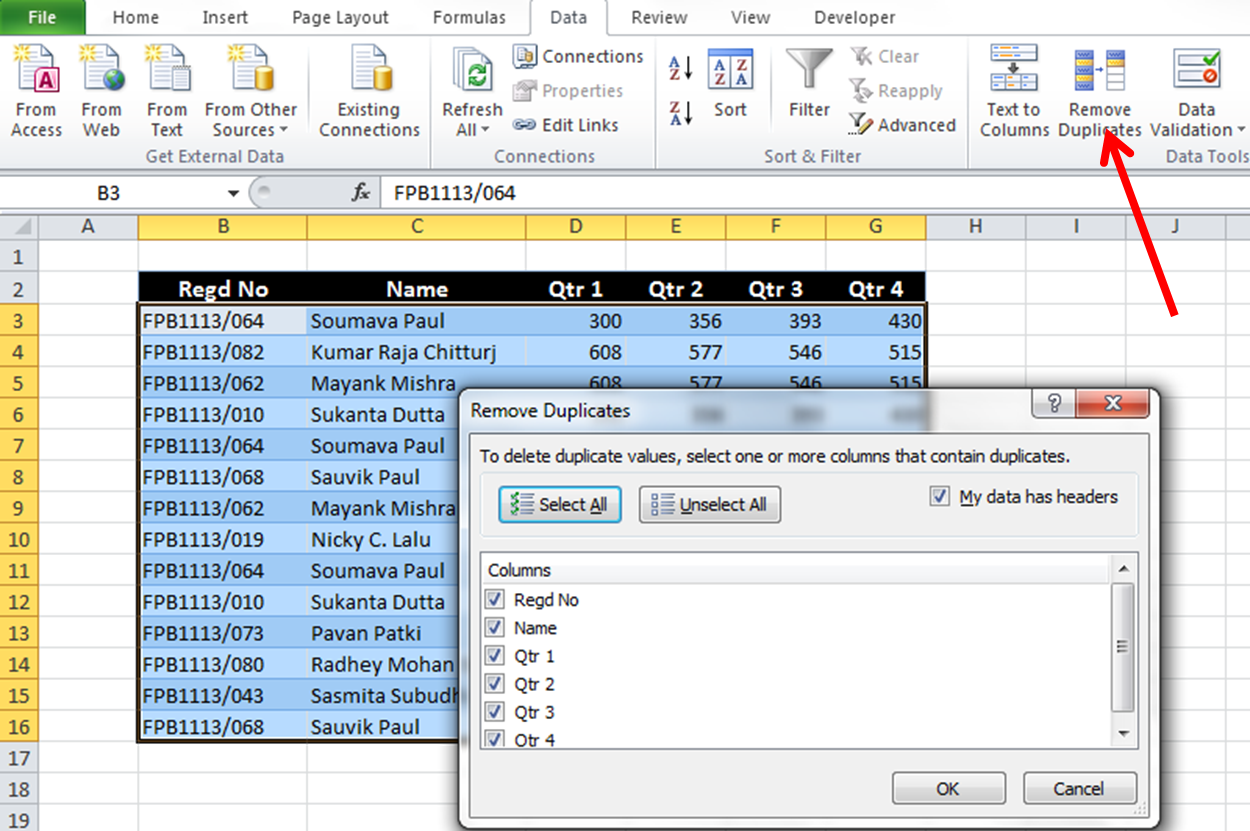
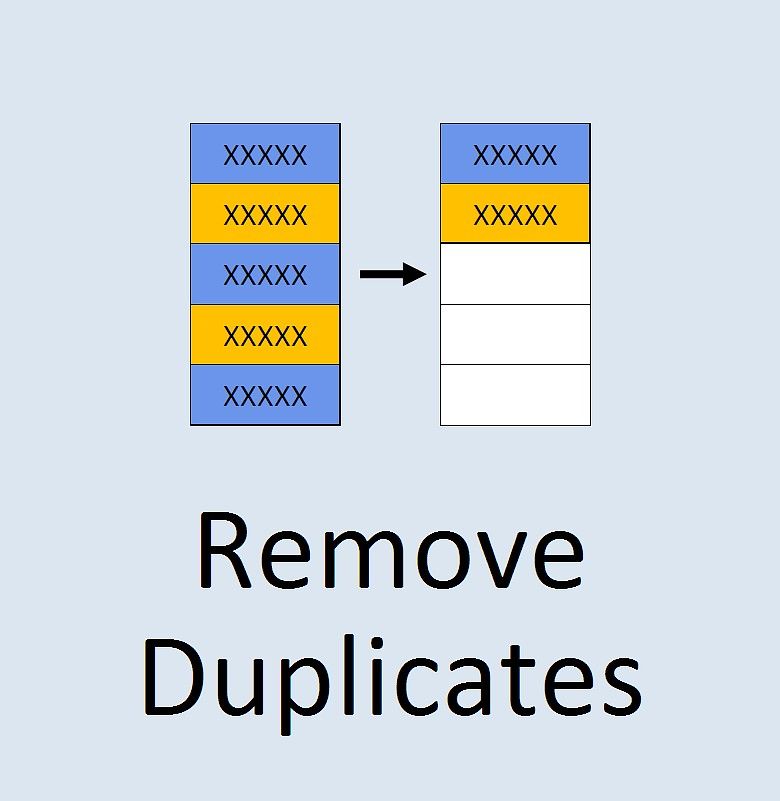
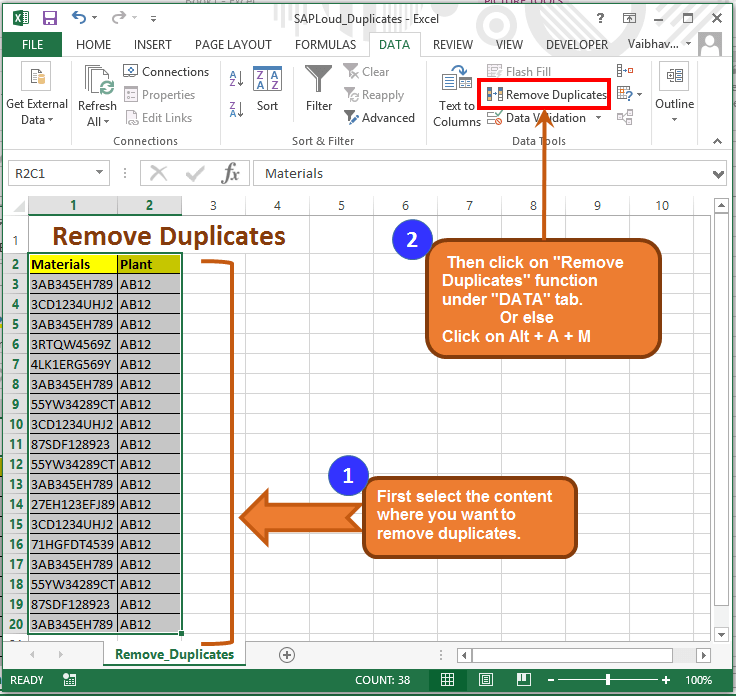
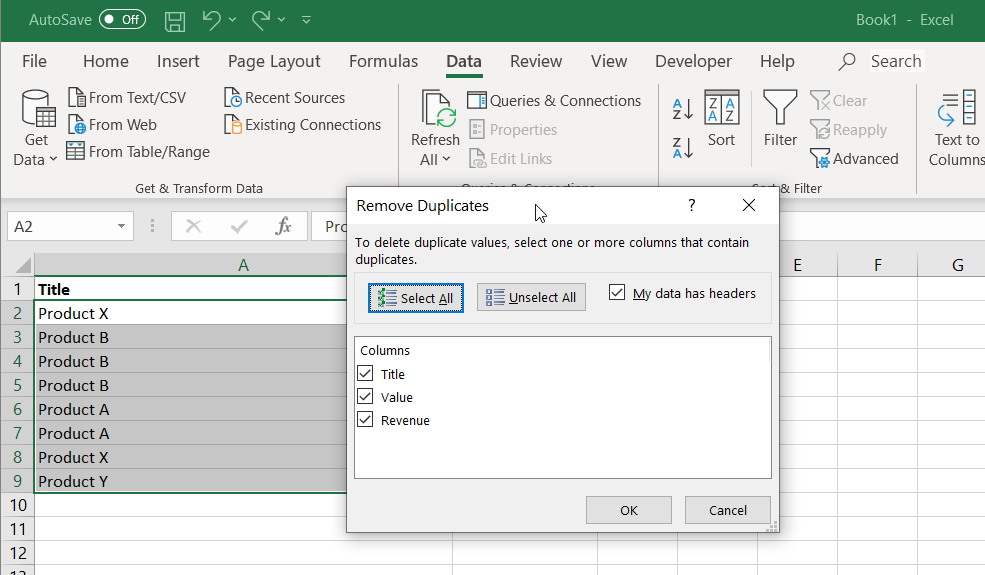
Remove Duplicates In Rows In Excel Excel Formula To Remove Duplicates In A Column Havenlasopa How To Remove Duplicate Rows In Excel Table ExcelDemy How To Delete Duplicates In Excel SEO Smart Tect Excel Formula To Remove Duplicates In A Column Mountainlasopa How To Remove Duplicates In Excel Quickly TrendyTarzan Web 1 Click any single cell inside the data set 2 On the Data tab in the Data Tools group click Remove Duplicates The following dialog box appears 3 Leave all check boxes checked and click OK Result Excel removes all identical rows blue except for the first identical row found yellow
Web Sep 15 2023 nbsp 0183 32 In this article we ll review 3 easy ways to remove or delete duplicates in Excel Use Remove Duplicates on the Data tab in the Ribbon Use Remove Duplicates on the Table Design or Table Tools Design tab in the Ribbon Create a formula to remove duplicates if there are extra spaces in the data Web Jul 26 2015 nbsp 0183 32 To delete duplicate rows here are the steps Select the entire data Go to Data gt Data Tools gt Remove Duplicates In the Remove Duplicates dialog box If your data has headers make sure the My data has headers option is
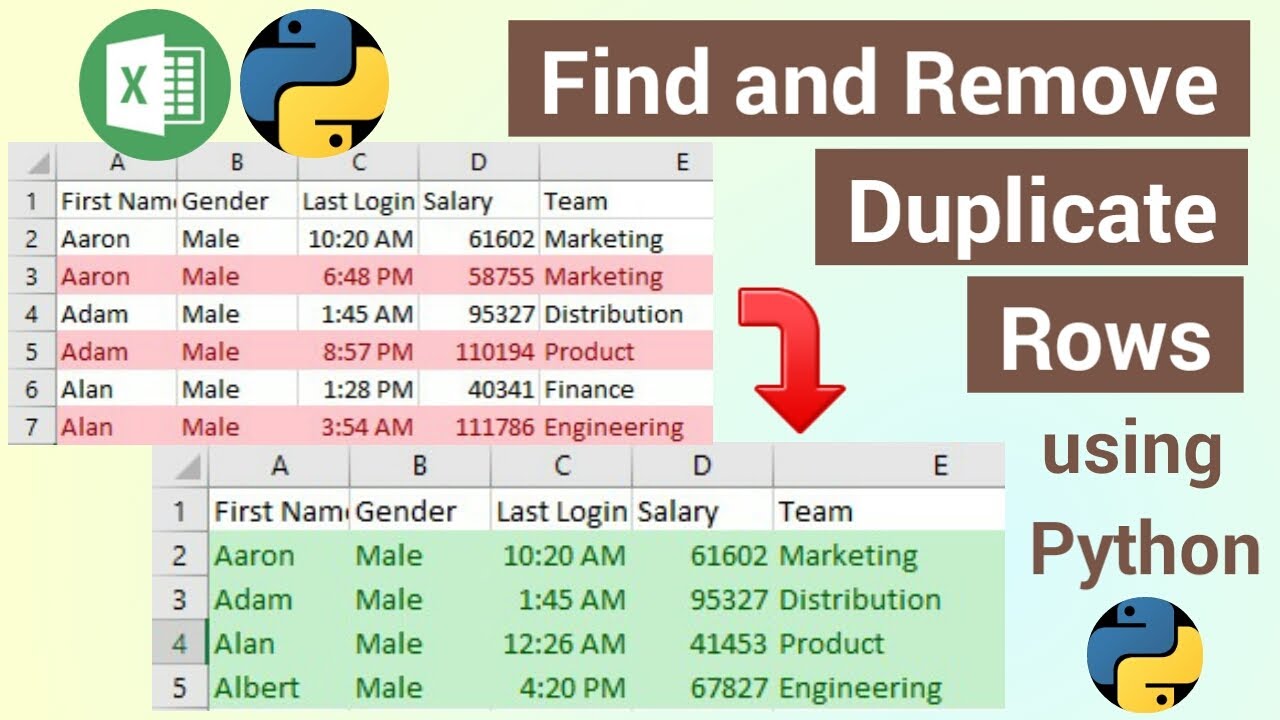
How To Remove Duplicates In Excel Quickly TrendyTarzan How To Find And Remove Duplicates In Excel Excel Examples Merge Duplicate Excel Rows Into One By Key Columns Combine Rows Wizard Removing Duplicates In An Excel Using Python Find And Remove Remove Duplicates In Excel 5 Effortless Tricks To Handle Duplicates In Excel with Bonus Tip How To Remove Duplicates In Excel Excel Find Duplicates In Named List Bingerrooms Wondering How To Remove Duplicates In Excel Read It
Remove Duplicates In Rows In Excel
 Remove Duplicates In Rows In Excel
https://thinkandbegin.files.wordpress.com/2012/05/remove-dup-2.png
Web Mar 21 2023 nbsp 0183 32 Go to the Data tab gt Data Tools group and click the Remove Duplicates button The Remove Duplicates dialog box will open you select the columns to check for duplicates and click OK To delete duplicate rows that have completely equal values in all columns leave the check marks next to all columns like in the screenshot below
Templates are pre-designed documents or files that can be utilized for numerous purposes. They can save time and effort by supplying a ready-made format and design for developing different sort of content. Templates can be utilized for personal or professional tasks, such as resumes, invites, leaflets, newsletters, reports, discussions, and more.
Remove Duplicates In Rows In Excel
How To Remove Duplicates In Excel Delete Duplicate Rows With A Few Clicks
How To Find And Remove Duplicates In Excel Excel Examples

Merge Duplicate Excel Rows Into One By Key Columns Combine Rows Wizard
Removing Duplicates In An Excel Using Python Find And Remove
5 Effortless Tricks To Handle Duplicates In Excel with Bonus Tip
How To Remove Duplicates In Excel

Web Select Data gt Remove Duplicates and then under Columns check or uncheck the columns where you want to remove the duplicates For example in this worksheet the January column has price information I want to keep So I unchecked January in the Remove Duplicates box Select OK

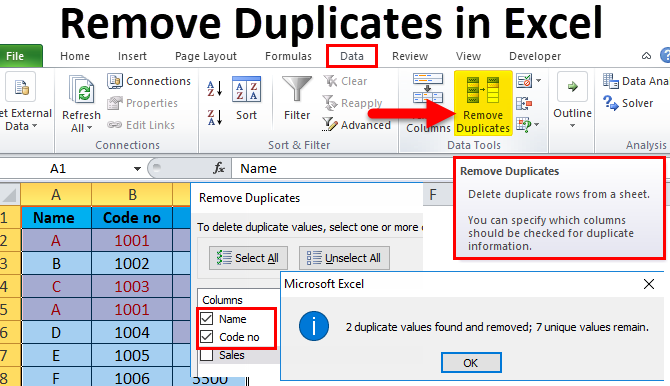
Web On the Data tab in the Data Tools group click Remove Duplicates Select one or more of the check boxes which refer to columns in the table and then click Remove Duplicates Tip If the range of cells or table contains many columns and you want to only select a few columns clear the Select All check box and select only the columns that you

Web In Excel there are several ways to filter for unique values or remove duplicate values To filter for unique values click Data gt Sort amp Filter gt Advanced To remove duplicate values click Data gt Data Tools gt Remove Duplicates To highlight unique or duplicate values use the Conditional Formatting command in the Style group on the Home tab

Web Oct 31 2023 nbsp 0183 32 Select a cell inside the data which you want to remove duplicates from and go to the Data tab and click on the Remove Duplicates command Excel will then select the entire set of data and open up the Remove Duplicates window You then need to tell Excel if the data contains column headers in the first row

Web Jul 6 2021 nbsp 0183 32 How to Find Duplicate Row or Data Method 1 Search Entire Worksheet Method 2 By Combining Rows How to Remove Duplicate Rows in Excel 1 Use the Remove Duplicates Tool 2 Use the Advanced Filter Tool Removing Duplicates in Excel Limitations
Web Aug 22 2021 nbsp 0183 32 But if you want to simply delete all duplicate rows in your table it takes just a few clicks Select a cell in your table Then head to the Table Design tab that displays and click quot Remove Duplicates quot in the Tools section of the ribbon You ll see the Remove Duplicates window open Web Feb 18 2015 nbsp 0183 32 1 Is each value in a different column or is the entire string in a single cell on each row Can there be more than one duplicate of a specific value in a row Do you always want to keep the first entry and delete the subsequent duplicates
Web To remove duplicate rows using this command Select any cell within the data set that you want to remove the duplicates from and click on the Remove Duplicates button You will be presented with the Remove Duplicates dialog box as shown below