Remove Duplicate Rows In Excel Based On Multiple Columns How To Remove Duplicate Rows In Excel Table ExcelDemy How To Remove Duplicate Rows In Excel Excel Tutorial Sort Data Automatically Based On Multiple Columns Excel Find Duplicate Rows Based On Multiple Columns ExcelDemy Trending Formula To Identify Duplicates In Excel Most Complete Formulas Web Select one or more of the check boxes which refer to columns in the table and then click Remove Duplicates Tip If the range of cells or table contains many columns and
Web Select the range of cells that has duplicate values you want to remove Tip Remove any outlines or subtotals from your data before trying to remove duplicates Select Data gt Remove Duplicates and then Web While removing whole rows that are duplicate is straightforward it s a little trickier when you re trying to remove entire duplicate rows based on one or more columns In this tutorial we are going to look at three easy
Trending Formula To Identify Duplicates In Excel Most Complete Formulas Excel Find Duplicate Rows Based On Multiple Columns ExcelDemy Duplicate Rows 14 Excel Technology Lessons Excel Macros How To Filter Multiple Rows In Excel 11 Suitable Approaches Excel Find How To Find Duplicate Rows In Excel 5 Quick Ways ExcelDemy Excel Find Duplicate Rows Based On Multiple Columns ExcelDemy How To Filter Multiple Rows In Excel 11 Suitable Approaches Excel Find Excel Find Duplicate Rows Based On Multiple Columns ExcelDemy How To Filter Multiple Rows In Excel 11 Suitable Approaches Excel Find
Remove Duplicate Rows In Excel Based On Multiple Columns
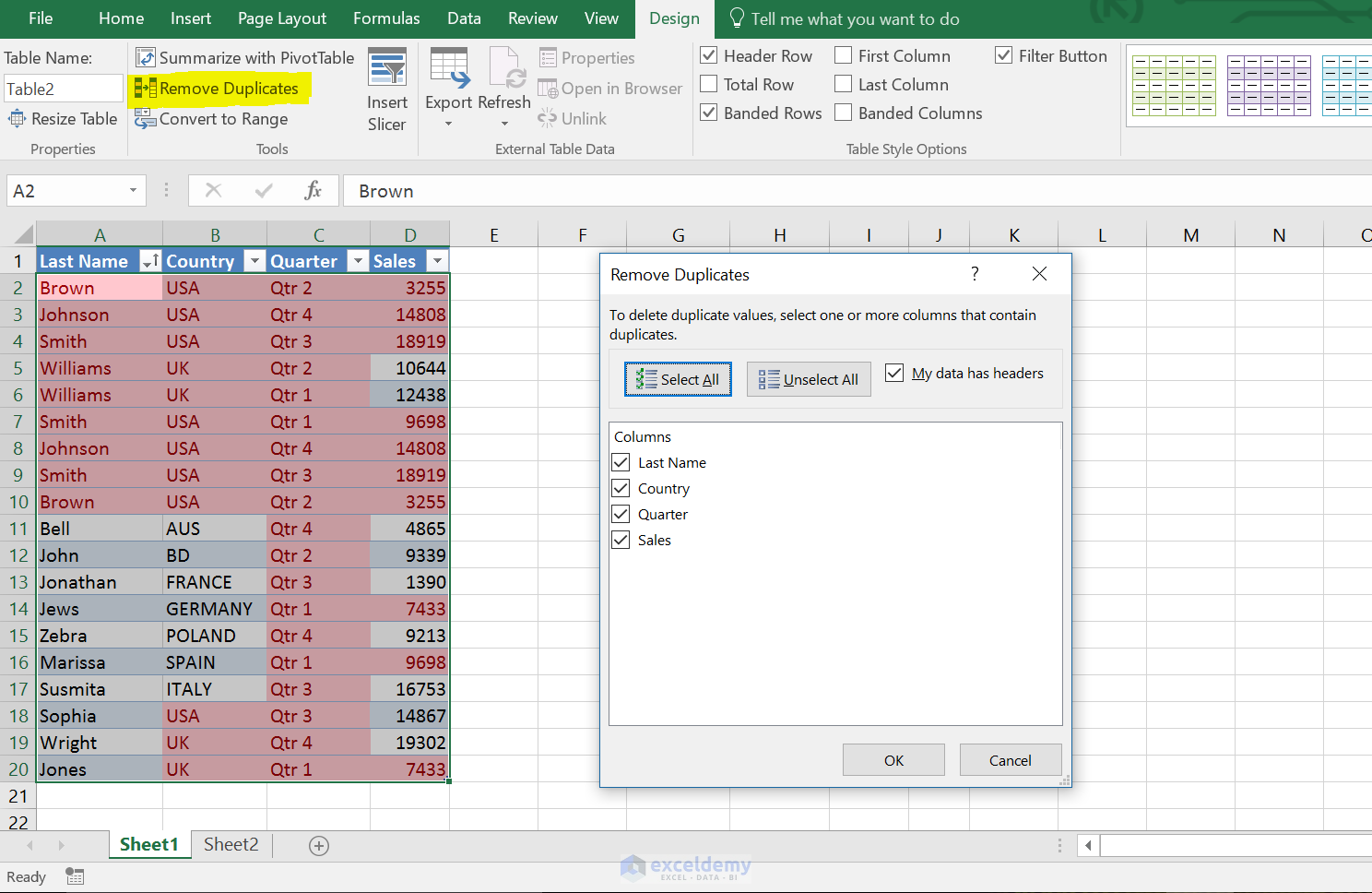 Remove Duplicate Rows In Excel Based On Multiple Columns
http://www.exceldemy.com/wp-content/uploads/2017/02/Remove-duplicate-rows-from-table-06.png
Web This page describes how to remove duplicate rows in Excel using three different methods If you want to remove duplicate cells rather than entire rows of data you may find the
Pre-crafted templates provide a time-saving solution for developing a diverse series of files and files. These pre-designed formats and designs can be made use of for various personal and professional jobs, consisting of resumes, invites, flyers, newsletters, reports, discussions, and more, enhancing the content development procedure.
Remove Duplicate Rows In Excel Based On Multiple Columns

Excel Find Duplicate Rows Based On Multiple Columns ExcelDemy

Excel Find Duplicate Rows Based On Multiple Columns ExcelDemy

Duplicate Rows 14 Excel Technology Lessons Excel Macros

How To Filter Multiple Rows In Excel 11 Suitable Approaches Excel Find

Excel Find Duplicate Rows Based On Multiple Columns ExcelDemy

How To Filter Multiple Rows In Excel 11 Suitable Approaches Excel Find

Web Apr 12 2018 nbsp 0183 32 1 You can do this using a helper column in Column D Enter this array formula in D2 IF C2 MAX IF A2 A 2 A 20 C 2 C 20 1 quot Remain quot quot Remove quot Note Enter

Web Sep 5 2013 nbsp 0183 32 Further on I am going to describe 2 possible ways of comparing two Excel columns that let you find and remove duplicate

Web Jan 25 2023 nbsp 0183 32 Remove Duplicate Rows in Excel Based on Two Columns and more by Will Andrews Data Deduplication ensures accurate reliable data Spreadsheets make

Web May 19 2022 nbsp 0183 32 Option 1 Remove Duplicates in Excel Option 2 Advanced Filtering in Excel Option 3 Replace When you are working with spreadsheets in Microsoft Excel and accidentally copy rows or if you

Web In Excel there are several ways to filter for unique values or remove duplicate values To filter for unique values click Data gt Sort amp Filter gt Advanced To remove duplicate values click Data gt Data Tools gt
Web Nov 5 2023 nbsp 0183 32 Select a cell inside the data which you want to remove duplicates from and go to the Data tab and click on the Remove Duplicates command Excel will then select Web Nov 22 2018 nbsp 0183 32 1 Answer Sorted by 0 You will have to create a helper column and insert a formula to concatenate the contents of all columns After that apply conditional
Web To select more than one column press Shift Click or Ctrl Click on each subsequent column The columns can be contiguous or discontiguous Select Home gt Remove