Remote Desktop Cannot Save Password How To Change Password In Remote Desktop Terminal B LLC Microsoft Remote Desktop Connection Refused Maqarmy Understanding Active And Passive Voice Can Aid Your Students In Unduh Changing The Password For Your Remote Desktop Connection Is Essential How To View Save Password In Mobile View Save Password In Chrome Web Feb 27 2023 nbsp 0183 32 Allow Saved Credentials Delegation for RDP Connection via GPO By default Windows allows users to save their passwords for RDP connections To do it a user must enter the name of the RDP computer the username and check the box Allow me to save credentials in the Remote Desktop
Web Jan 14 2017 nbsp 0183 32 Here s how to fix the issue with RDP not saving the login information which should work not just on Windows 10 but also other versions of Windows if you have the same problem Click Start and type GPEDIT MSC to search for the shortcut to the Windows Group Policy Editor Web Method 1 Set System in Credential Management Actually it seems that the credential manager on your computer has the wrong entry so it is recommended to set the system to save credentials Step 1 Search Credentials Management in the search box and then open it Step 2 Click on Windows Credentials and choose Add a generic credential
How To View Save Password In Mobile View Save Password In Chrome How To Save Password In A Remote Desktop Connection In Windows 8 Cannot Save Remote Desktop Password In Windows 10 Home Microsoft How To Change The Password For Remote Desktop VPS Malaysia Everything You Need To Know About Google Password Manager BroadbandSearch SOLVED Win10 Remote Desktop Cannot Connect Externally Tech Support Changing Your Remote Desktop Password In Microsoft Remote Desktop How Can I Change The Account s Password Fix Remote Desktop Cannot Find Computer Error In Windows 11 10
Remote Desktop Cannot Save Password
 Remote Desktop Cannot Save Password
https://terminalb.com/wp-content/uploads/2023/03/Changing-Passwords-In-Remote-Desktop.jpeg
Web Mar 27 2017 nbsp 0183 32 Remote Desktop Settings Port 3389 is open Tried both my Local IP as well as my public IP for the PC Name MicrosoftAccount email protected for the DOMAIN user I ve even reset my Microsoft account password and have verified it s the correct one I verified my Windows Firewall Inbound Rules
Pre-crafted templates offer a time-saving solution for developing a diverse range of files and files. These pre-designed formats and layouts can be made use of for various individual and expert projects, including resumes, invitations, leaflets, newsletters, reports, discussions, and more, streamlining the material production process.
Remote Desktop Cannot Save Password

How To Change Your Password On A Windows Remote Desktop YouTube

How To Save Password In A Remote Desktop Connection In Windows 8
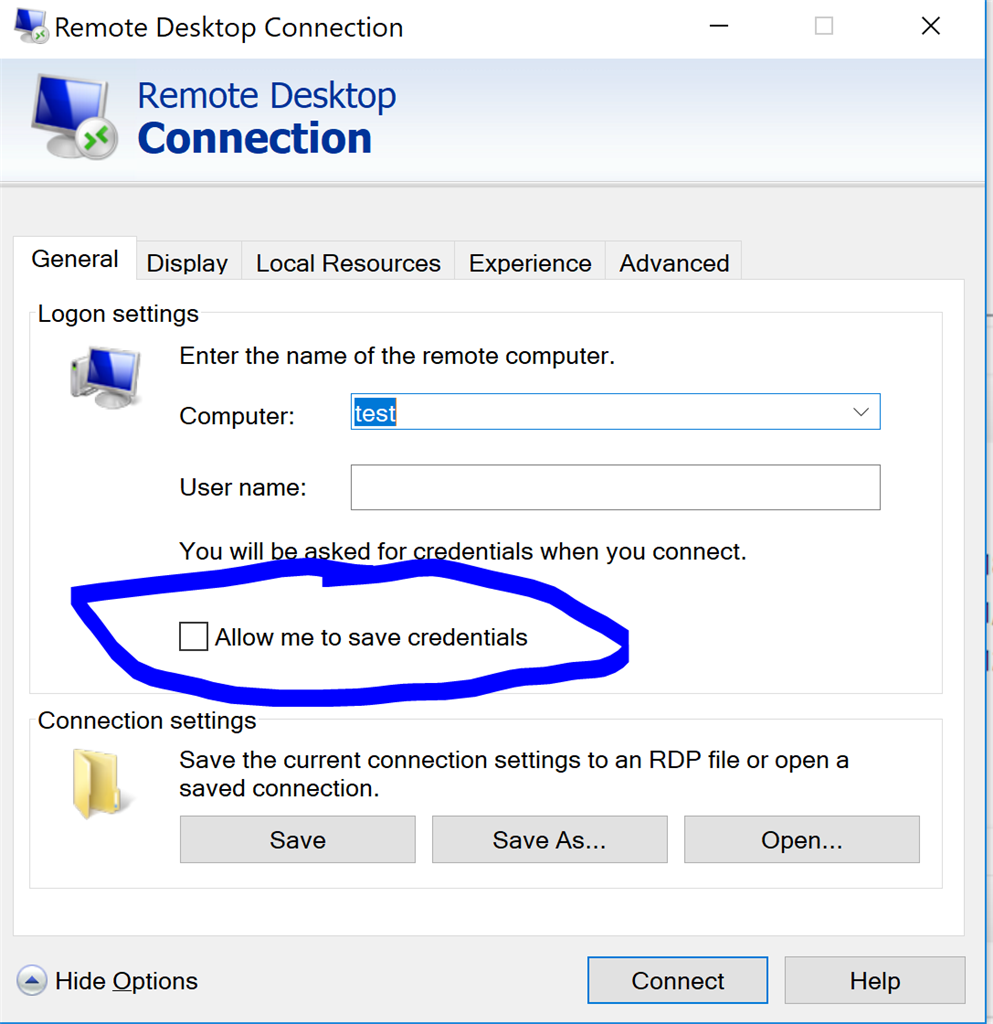
Cannot Save Remote Desktop Password In Windows 10 Home Microsoft
How To Change The Password For Remote Desktop VPS Malaysia

SOLVED Win10 Remote Desktop Cannot Connect Externally Tech Support

Changing Your Remote Desktop Password

Web Jul 27 2018 nbsp 0183 32 Typing the username and password over and over again was becoming a pain It was especially annoying that my system would not save the credentials Fortunately you can set Windows to save the username and passwords for RDP connections using these steps Method 1 Allow Credentials Delegation
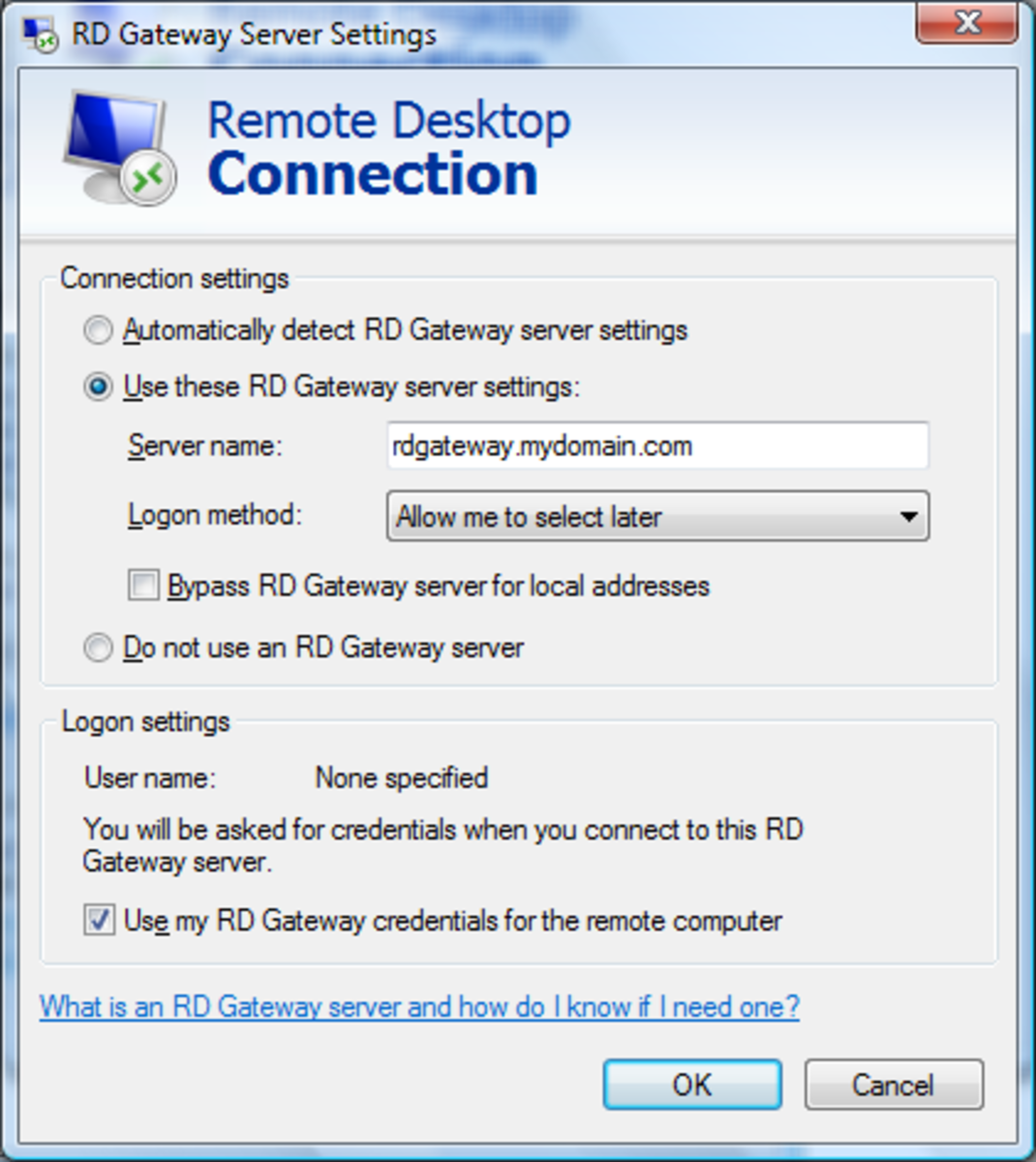
Web Sep 29 2023 nbsp 0183 32 If the remote RDP host is in a workgroup or remote domain you cannot save the connection password This is defined by the default Windows security policy settings You can change this behavior with a GPO Allow Saved Credentials for RDP Connections with GPO
Web Feb 20 2023 nbsp 0183 32 Windows Remote Desktop does not save credentials Follow these suggestions to fix the problem which restricts the Windows Remote Desktop not saving the password Change Delegating

Web Dec 14 2021 nbsp 0183 32 goto Local Computer Policy gt Computer Configuration gt Administrative Templates gt System gt Credentials Delegation change the policy named Allow delegating saved credentials with NTLM only server authentication to active add all remote computers to the list by adding TERMSRV you can specify single machines and
Web Aug 9 2017 nbsp 0183 32 1 Start gt Run gt control userpasswords2 press enter then go to Advanced tab and see Passwords Manager or something like this and just delete your old password from there from that resource Therefore at the next time it will ask you again for new password 2 Start gt Configuration Control Panel Users and Passwords
Web Jul 31 2018 nbsp 0183 32 Windows 10 Remote Desktop won t save password Hi I am Windows 10 pro and have a remote app that usually works fine on Windows 7 PCs Here is my issue If I use the built in Remote Desktop program then my program loads with the programs Login box Web Aug 18 2022 nbsp 0183 32 2 Update the saved credentials One of the more common problems that can leave remote desktop credentials not working is a set of cached credentials that are no longer valid This can happen if someone changes a domain account password but the RDP client is still authenticating with the old password Figure 1
Web Sep 24 2022 nbsp 0183 32 I have noticed that after using the related checkbox in Remote Desktop Connection tool quot Allow me to save credentials quot it actually works and saves the provided credentials BUT it saves them with the type quot Domain Password quot and this does not work you will see quot Windows Defender Credential Guard does not allow using saved