Push Commit To New Remote Branch Git Pull Emboll Git Guia Dos Principais Comandos Do GIT Bins Apuntes De Git David Poza Manual Uso Git VR EVO Portfolio Time Be Virtual And Not Reality Web Oct 27 2020 nbsp 0183 32 push push to a new remote branch not yet created git push set upstream lt remote gt lt branch name gt git push u lt remote gt lt branch name gt push to remote branch git push lt remote gt
Web Mar 26 2020 nbsp 0183 32 Specify the full remote and branch to push to The remote you cloned from is origin git push origin release x See quot Pushing to Your Remotes quot in Working With Web Sep 9 2022 nbsp 0183 32 September 9 2022 Git Git Push Local Branch to Remote How to Publish a New Branch in Git Kolade Chris Git branches let you add new features without tampering with the live version of your projects
Manual Uso Git VR EVO Portfolio Time Be Virtual And Not Reality How To Create A Remote Branch In Git How To Switch Branch In Git Youtube Riset Cardale Remote Control Old To New Style 433MHz Handset Programming Lead Getting Started Push Changes To Git Remote Repository TestingDocs How To Add Commit And Push To Git Using One Command On Windows Git Why Can t I See Commited Files In My Shared Repo Stack Overflow What Is Git And GitHub How To Commit Push Create Branch Or Pull
Push Commit To New Remote Branch
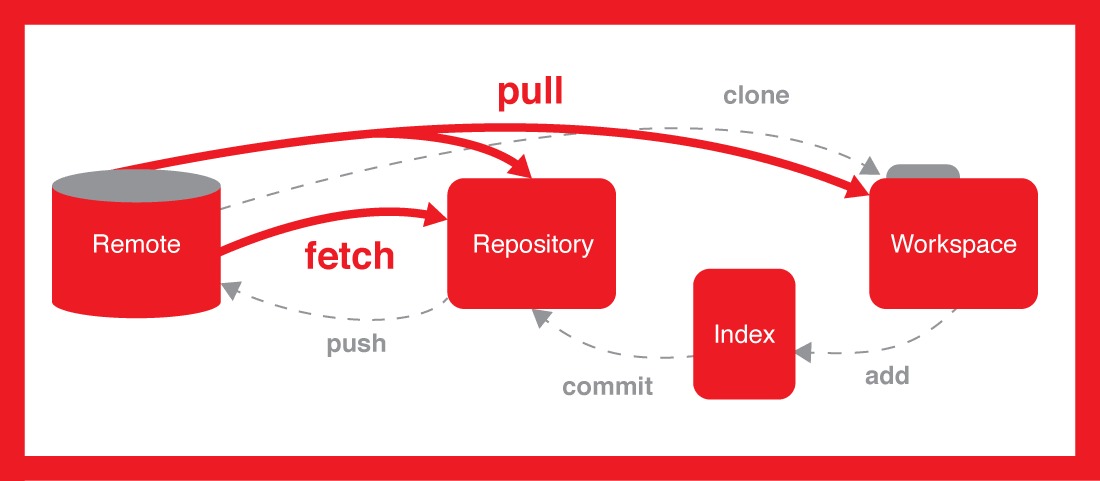 Push Commit To New Remote Branch
https://tuku.vimsky.com/images/2017/12/git_pull_x.jpg
Web Apr 26 2021 nbsp 0183 32 The general form of the command is this git push lt remote gt lt branch gt By default Git chooses origin for the remote and your current branch as the branch to
Templates are pre-designed files or files that can be utilized for various purposes. They can conserve time and effort by providing a ready-made format and layout for creating different type of content. Templates can be utilized for personal or expert projects, such as resumes, invites, flyers, newsletters, reports, discussions, and more.
Push Commit To New Remote Branch
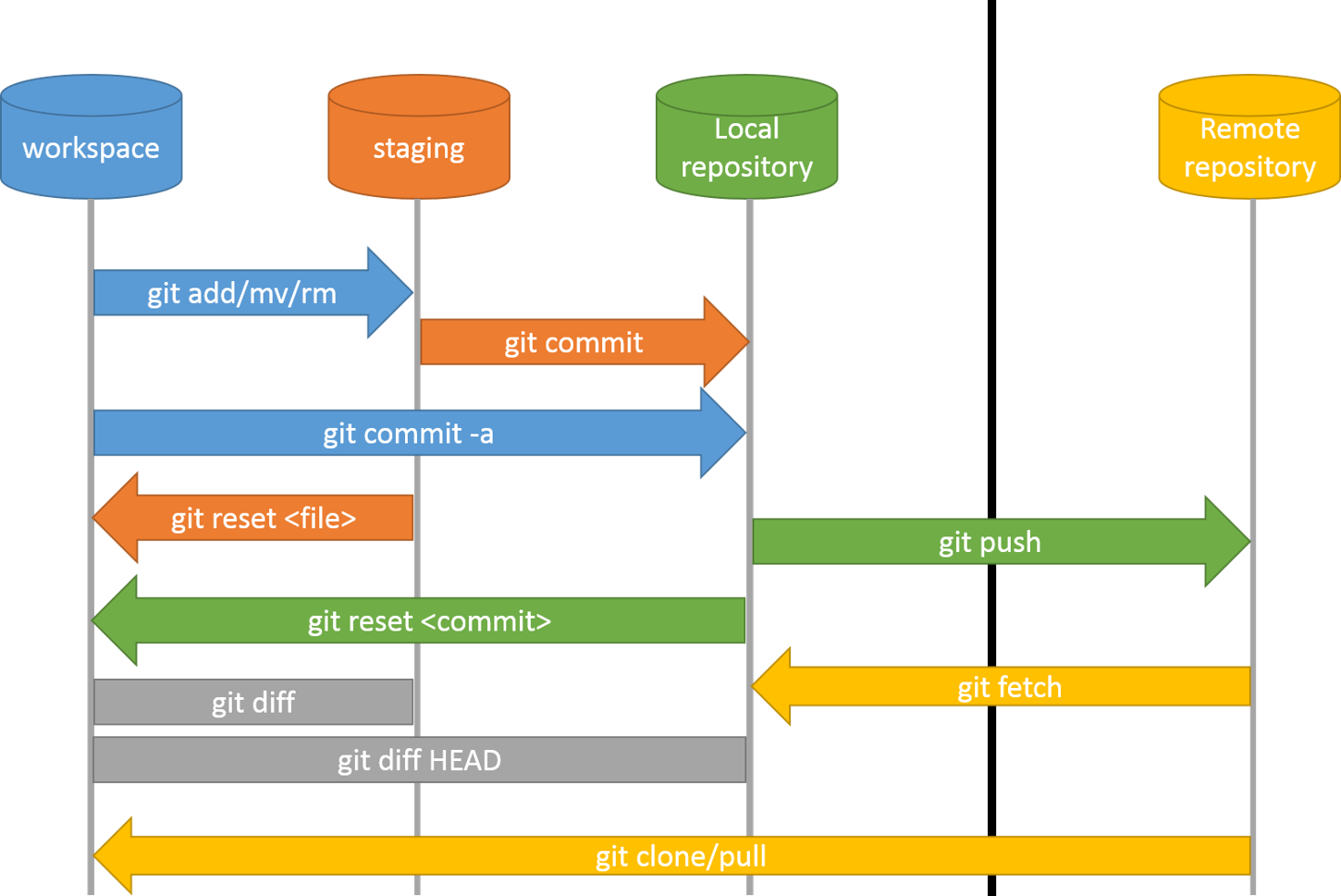
GIT 1 CodingBucks Dev Blog

How To Create A Remote Branch In Git

How To Switch Branch In Git Youtube Riset

Cardale Remote Control Old To New Style 433MHz Handset Programming Lead
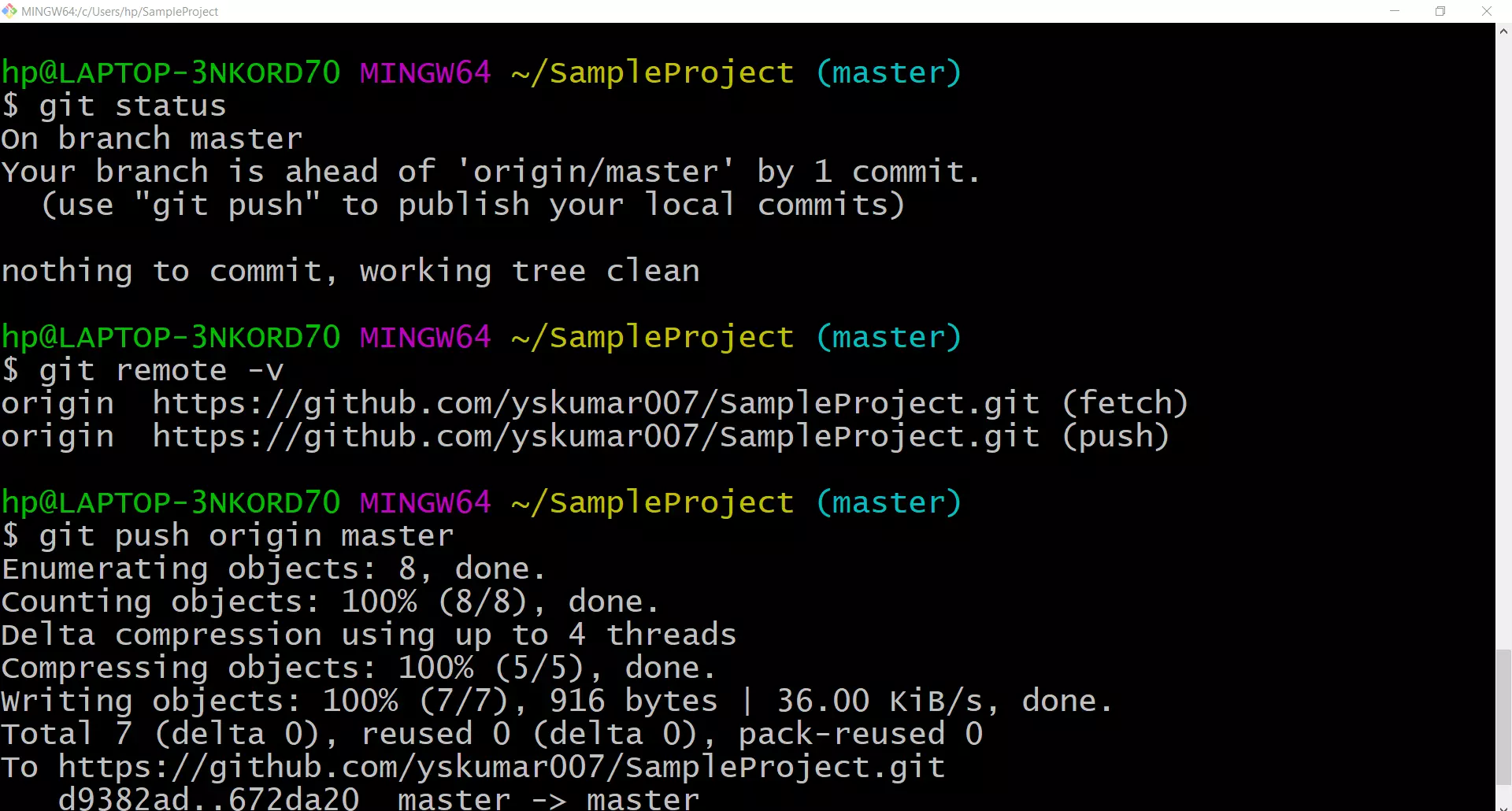
Push Changes To Git Remote Repository TestingDocs
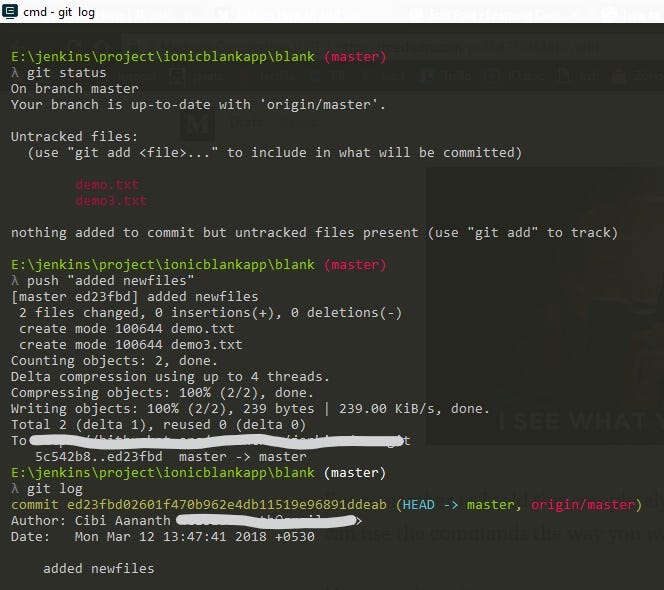
How To Add Commit And Push To Git Using One Command On Windows
Web Jan 14 2011 nbsp 0183 32 should be enough for you The first parameter for git push is the remote you want to update in your case that s old remote and the second is the branch you want
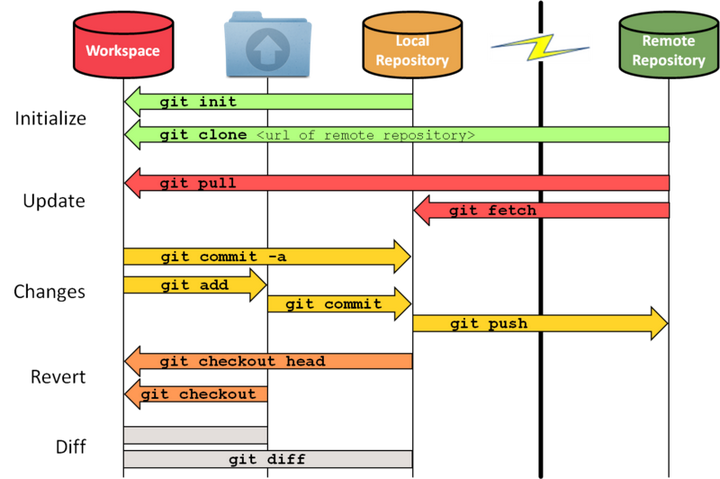
Web May 4 2010 nbsp 0183 32 git clone http github myproject git Then in your local copy create a new branch and check it out git checkout b lt newbranch gt Supposing that you made a quot git
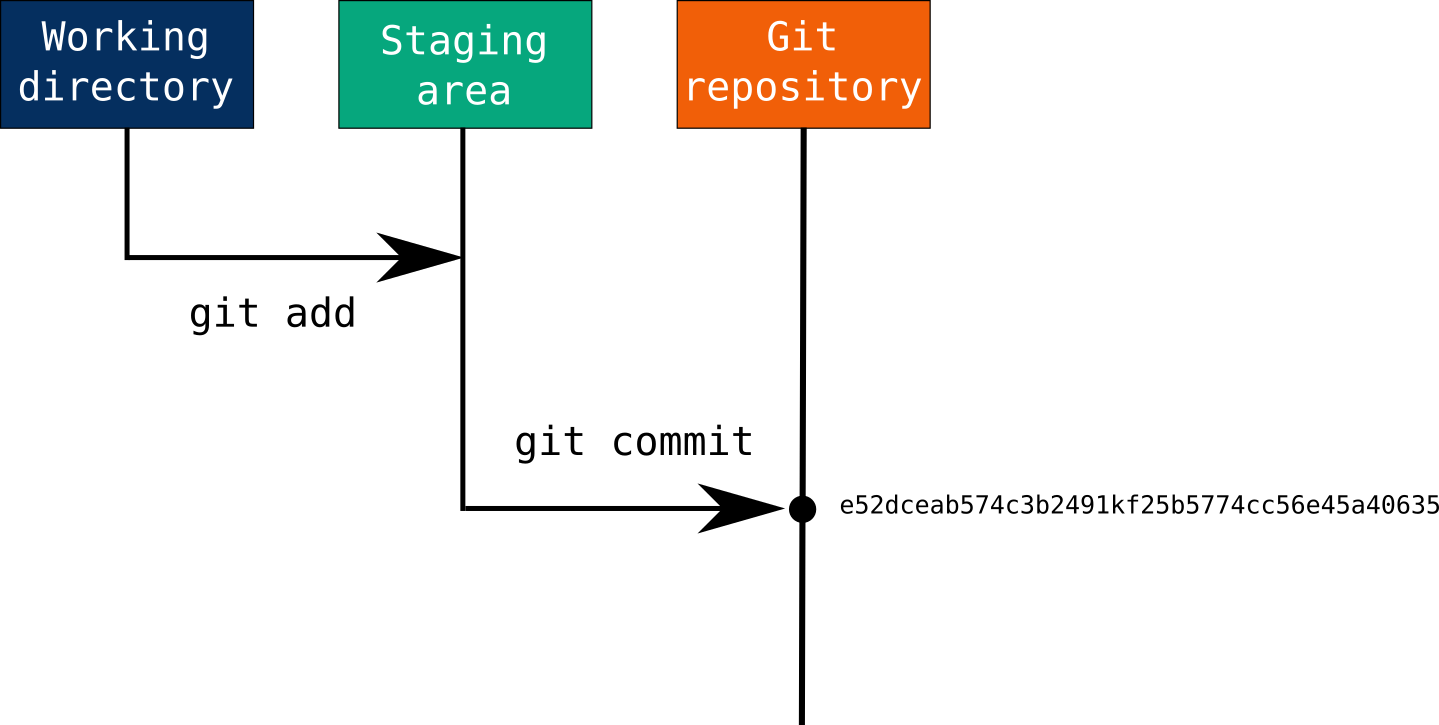
Web May 15 2020 nbsp 0183 32 2 Answers Sorted by 9 Create a new branch git checkout b branch name Edit add and commit your files Push your branch to the remote
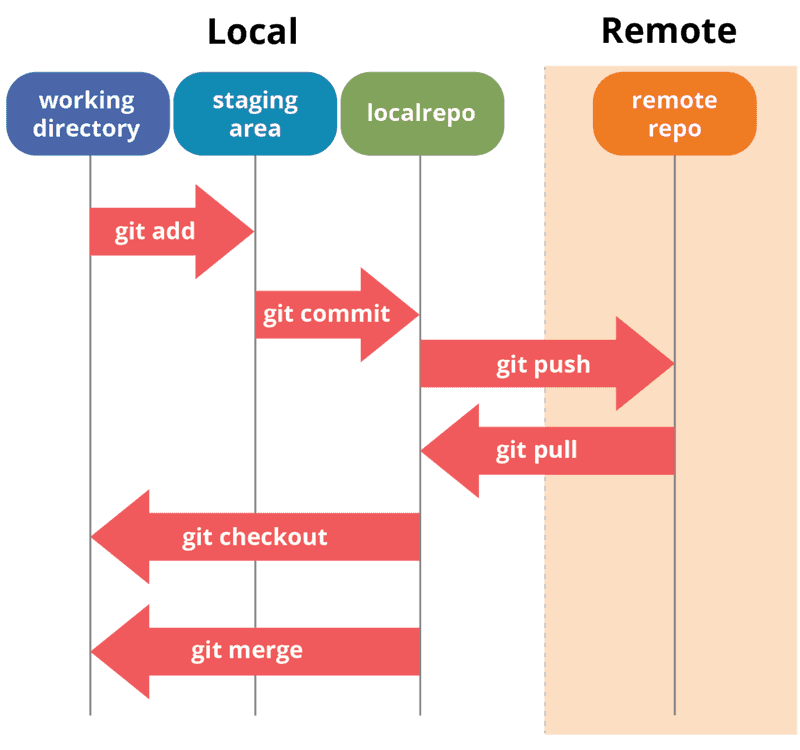
Web 5 Answers All You have to do is git push origin master where origin is the default name alias of Your remote repository and master is the remote branch You want to push Your
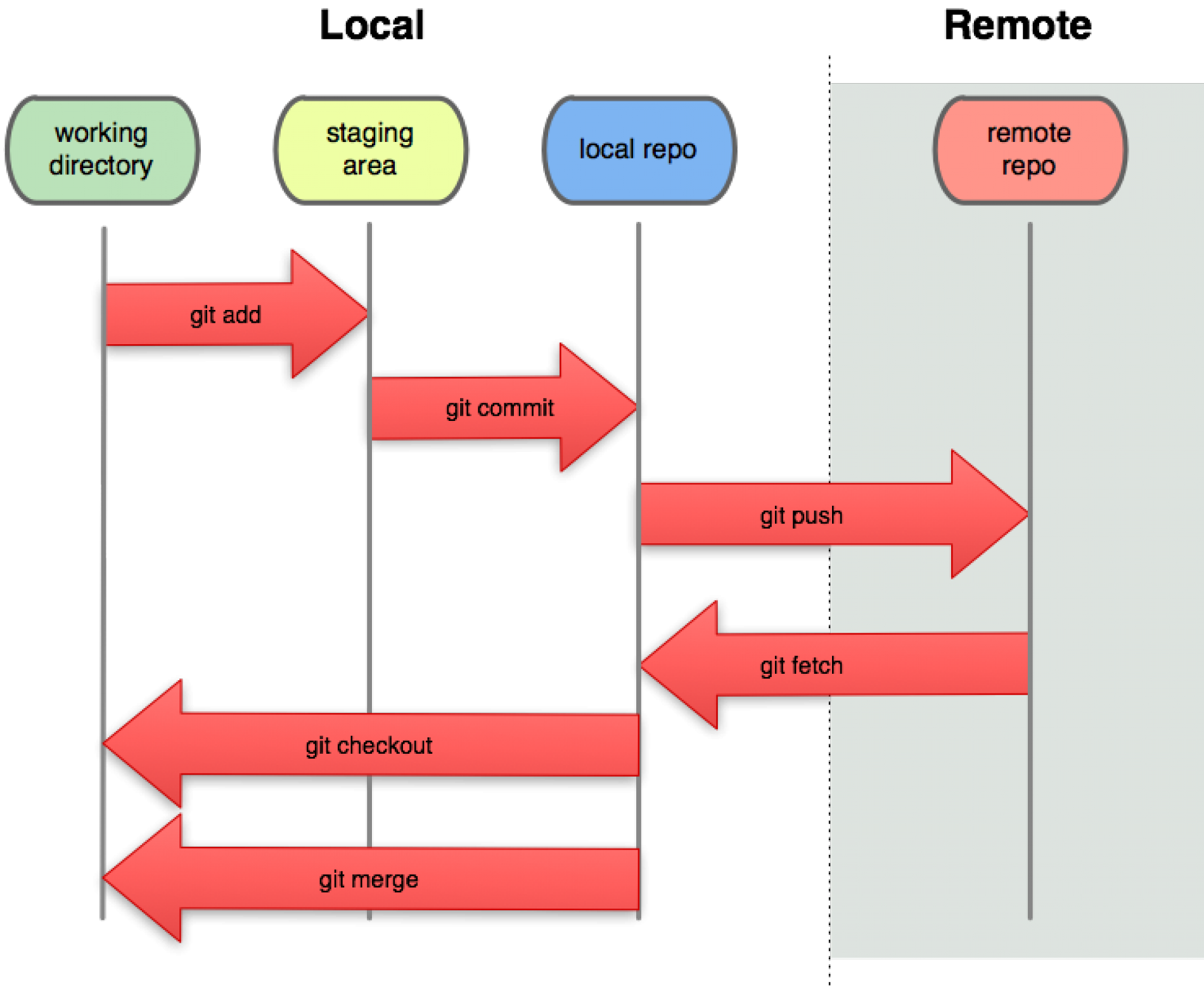
Web Jul 12 2010 nbsp 0183 32 To push up through a given commit you can write git push lt remotename gt lt commit SHA gt lt remotebranchname gt provided lt remotebranchname gt already exists
Web Dec 2 2022 nbsp 0183 32 To push to your remote select Push button or select Push from the Git menu Next steps To continue your journey visit the Fetch pull and sync in Visual Studio Web The git push command is used to upload local repository content to a remote repository Pushing is how you transfer commits from your local repository to a remote repo It s the
Web Click the Commit button at the top to commit the file In the message box enter a commit message Click the Commit button under the box From Sourcetree s History you ll see