Powershell Check If Package Provider Is Installed PowerShell Snippet Check If Software Is Installed KeesTalksTech How To Use If Else Statements In Powershell ITPro Today IT News How Plan Your Vacations With A Travel Company Travel Recourse Install Apt On Ubuntu Ericvisser When PowerShellGet V1 Fails To Install The NuGet Provider Argon Systems Description The Import PackageProvider cmdlet adds one or more package providers to the current session The provider that you import must be installed on the local computer To get a list of available providers run Get PackageProvider ListAvailable Note that a package provider name can be different from its module name
Example 1 Find all available packages from a package provider This command finds all available PowerShell module packages in a registered gallery Use Get PackageProvider to get the provider name PowerShell Use the following steps to do this p n ol dir auto n li Run code Install PackageProvider Name NuGet RequiredVersion 2 8 5 201 Force code to install the nprovider from a computer with an internet connection li n li After the install you can find the provider installed in n code env ProgramFiles PackageManagement ProviderAssem
When PowerShellGet V1 Fails To Install The NuGet Provider Argon Systems Powershell If 10 Most Correct Answers Brandiscrafts Check If Package Is Missing And Install Automatically R Programming Check If File Exists With Powershell Get Package Powershell Install Package Powershell Mcascidos Powershell Check If Behind Proxy How To Check And Find Powershell Version In Windows Windowstect Www Powershell If Text Contains 10 Most Correct Answers Brandiscrafts How To Check The Powershell Version On Windows Www vrogue co
Powershell Check If Package Provider Is Installed
 Powershell Check If Package Provider Is Installed
https://keestalkstech.com/wp-content/uploads/2017/10/Powershell-commands1.jpg
The Get PackageProvider cmdlet returns a list of package providers that are connected to Package nManagement Examples of these providers include PSModule NuGet and Chocolatey You can filter the nresults based on all or part of one or more provider names n EXAMPLES n Example 1 Get all currently loaded package providers n
Templates are pre-designed files or files that can be utilized for numerous functions. They can conserve effort and time by offering a ready-made format and layout for producing various sort of content. Templates can be used for personal or expert projects, such as resumes, invitations, leaflets, newsletters, reports, discussions, and more.
Powershell Check If Package Provider Is Installed

PowerShell Windows 10 Khao Ban Muang
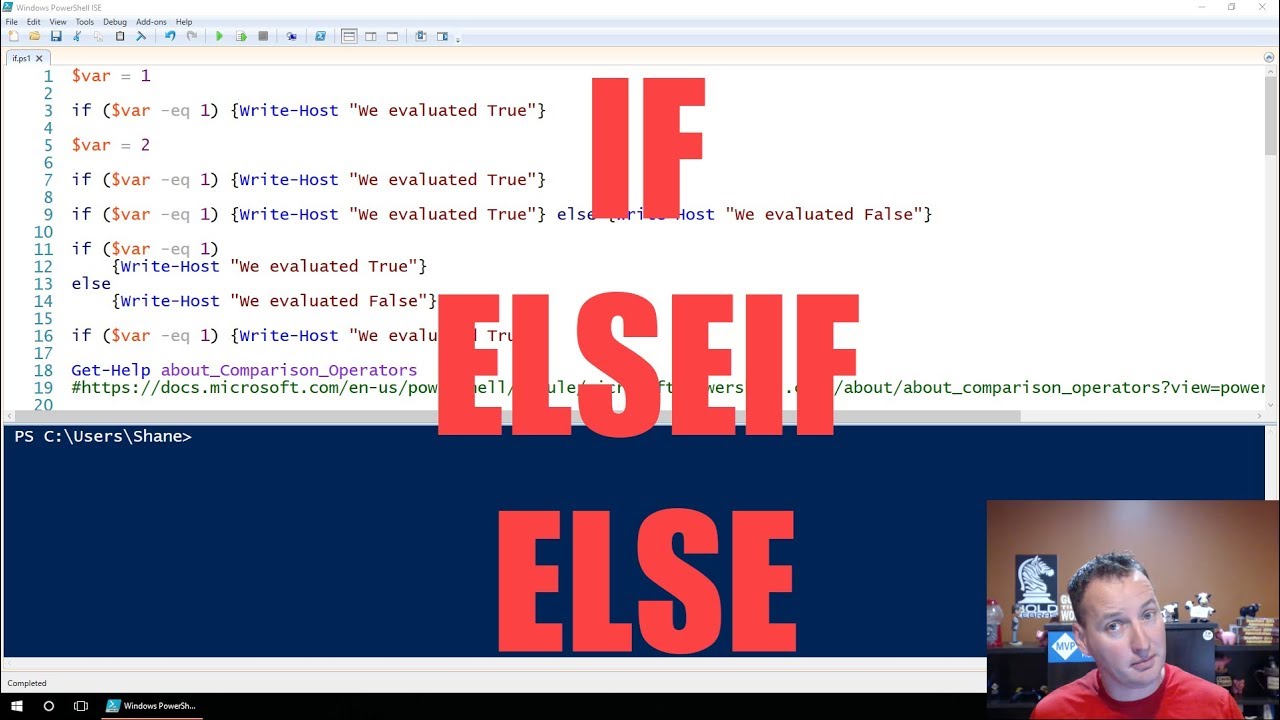
Powershell If 10 Most Correct Answers Brandiscrafts

Check If Package Is Missing And Install Automatically R Programming
Check If File Exists With Powershell

Powershell Check If Behind Proxy

How To Check And Find Powershell Version In Windows Windowstect Www

Description The Get PackageProvider cmdlet returns a list of package providers that are connected to Package Management Examples of these providers include PSModule NuGet and Chocolatey You can filter the results based on all or part of one or more provider names Examples Example 1 Get all currently loaded package providers PowerShell

6 I have running the following Powershell script as part of an Octopus Deploy However I only want them to install if they are not already installed I they are installed preferably it would also only install them if they are below a certain version Can someone advise what is considered to be the best approach for doing this

Description The Find PackageProvider cmdlet finds matching PackageManagement providers that are available in package sources registered with PowerShellGet These are package providers available for installation with the Install PackageProvider cmdlet

The Get Package cmdlet returns a list of all software packages on the local computer that were installed with PackageManagement You can run Get Package on remote computers by running it as part of an Invoke Command or Enter PSSession command or script

3 I am looking for a way to figure out how to determine if a software application is already installed I saw some ways people have done it for Software Dependencies but that does not quite do what I need I am using the Get WmiObject in Powershell Here is my code so far
1 Run Install PackageProvider Name NuGet RequiredVersion 2 8 5 201 Force to install the provider from a computer with an internet connection 2 After the install you can find the provider installed in env ProgramFiles PackageManagement ReferenceAssemblies or env LOCALAPPDATA PackageManagement ProviderAssemblies 3 Step 1 and step 2 Using the Install Package cmdlet to install the PSReadline module Step 3 Using the provider and making this module available In our case it is the PowerShellGe t module Step 4 Install the package from the PowerShell Gallery repository which hosts this package
How can I check if nuget package with specific version exists in a specified package source nuget server using powershell or commandline outside visual studio Scenario I have private NuGet server where I want to push my own packages I have automated creation of the packages during TFS build