Pip List Manually Installed Packages How To List Installed Packages On Fedora How To Remove All Packages Installed By PIP In Python Tech CookBook 2 Ways To List All Manually Installed Packages In Ubuntu Debian How To Install Python Packages Manually Without Pip Command Windows How To Check If Zip Is Installed On A Linux System Systran Box MacOS Windows If run directly Linux python m pip pyz help
Just open the terminal or command prompt and run the following command and you will see the list of all installed packages pip list This command will display a list of all the Python packages installed in your Python environment and their versions You can also redirect the output to a text file Optional If you want to save the list of After the installation is complete you can verify whether the packages were installed correctly or not pip list The above command will display a list of installed Python packages along with their versions You can check and confirm Using pip3 on some systems
How To Check If Zip Is Installed On A Linux System Systran Box GitHub BartTC pip check Pip check Gives You A Quick Overview Of All 2 6 Upgrade XMLRPC Fail Missing File On Secondary Side Netgate Forum Listing Manually Post installed Packages In Debian Discussion It s List All The Packages Modules Installed In Python Pip DataScience Managing Packages Python Numerical Methods How To Remove All Packages Installed By PIP In Python Tech CookBook Inode Archives TecAdmin Way To List Manually Installed Packages Issue 8986 Conda conda
Pip List Manually Installed Packages
 Pip List Manually Installed Packages
https://linuxopsys.com/wp-content/uploads/2022/07/list-installed-package-Fedora-featured-image.png
If you re wondering what Pip stands for the name Pip is a recursive acronym for Pip Installs Packages There are two ways to install Python packages with pip Manual installation Using a requirements txt file that defines the required packages and their version numbers But before we start let s make sure pip itself is installed
Pre-crafted templates provide a time-saving solution for creating a diverse variety of files and files. These pre-designed formats and layouts can be used for different individual and professional tasks, consisting of resumes, invites, flyers, newsletters, reports, presentations, and more, enhancing the material creation procedure.
Pip List Manually Installed Packages

Add Remove And Search Packages In Python With Pip Python Array
GitHub BartTC pip check Pip check Gives You A Quick Overview Of All

2 6 Upgrade XMLRPC Fail Missing File On Secondary Side Netgate Forum

Listing Manually Post installed Packages In Debian Discussion It s
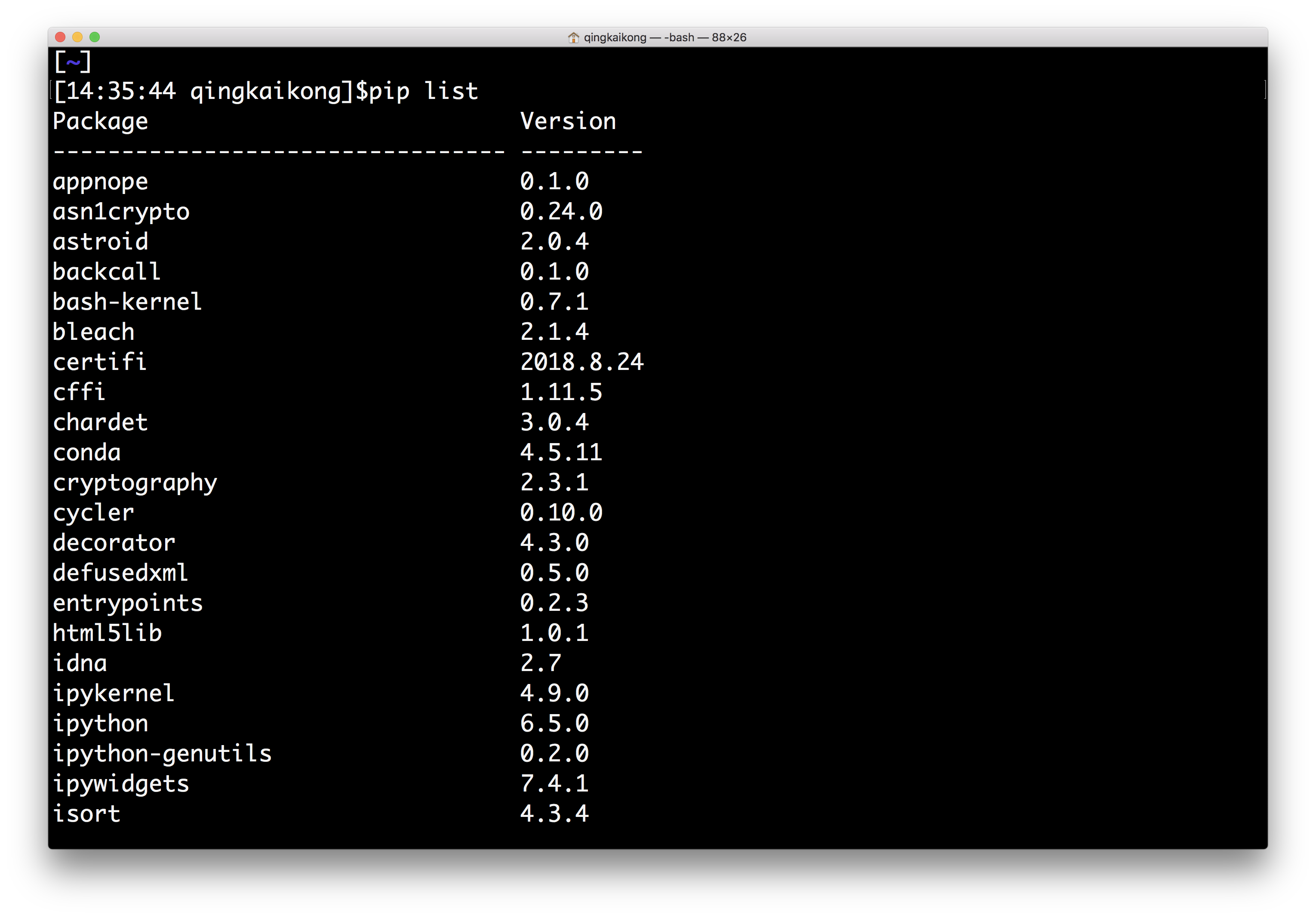
Managing Packages Python Numerical Methods
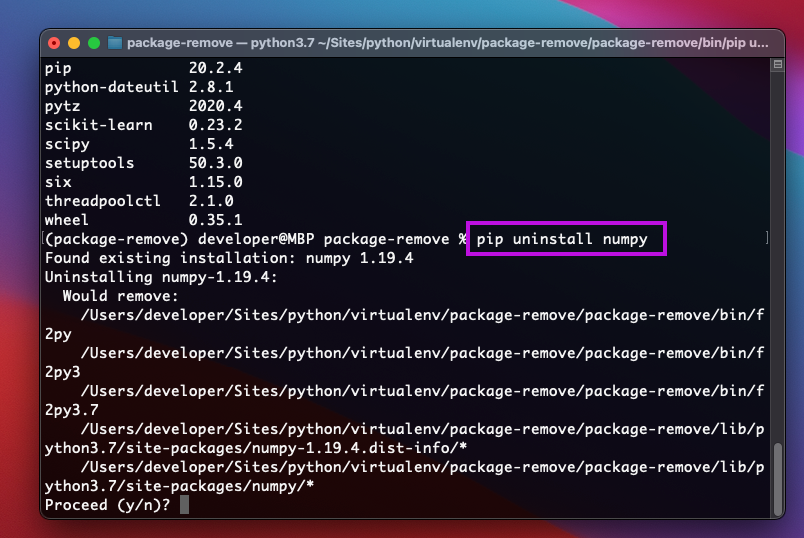
How To Remove All Packages Installed By PIP In Python Tech CookBook

Pip list Note The output from pip list is formatted differently so if you have some shell script that parses the output maybe to grab the version number of freeze and want to change your script to call list you ll need to change your parsing code Share

1 git blame 6 yr ago For your virtual environment right Try pip install pip chill then pip chill 1 dispelterror 6 yr ago pip list user perhaps Not 100 sure though as I only pip install stuff into virtual environments nowadays so I don t have this problem I can just pip list with the pip installed in the venv 0 true
How to Manually Install Python Packages With deep roots in open source and as a founding member of the Python Foundation ActiveState actively contributes to the Python community We offer the convenience security and support that your enterprise needs while being compatible with the open source distribution of Python

To list the installed packages without including the package management tools such as pip and setuptools by using the pip freeze command pip freeze The output will show installed packages that are not package management tools advertools 0 13 2 pandas 2 0 1 Difference Between pip list and pip freeze

To view a list of installed Python packages in your currently active project using the ActiveState Platform run the following command on the command line state packages The output is a full list of installed packages in your current project matplotlib numpy pandas scikit learn scipy You can also obtain a complete software bill of materials
Step 1 Install Python So if we are supposed to install a python module manually the first obvious prerequisite would be to install the Python source code which comes along with its interpreter To install Python we first need to visit the website python and click on the downloads tab From the downloads tab we can get the latest update As of March 2020 many people have reported that yolk installed via pip install yolk3k only returns latest version Chris s answer seems to have the most upvotes and worked for me The script at pastebin does work However it s not very convenient if you re working with multiple environments hosts because you will have to copy create it every time
This section describes the steps to follow before installing other Python packages Ensure you can run Python from the command line Before you go any further make sure you have Python and that the expected version is available from your command line You can check this by running Unix macOS python3 version Windows